⚠ 這是歷史版本頁面 — 查看 1by1 最新版本 →

- 目前版本2.05
- 更新日期2022-10-28
- 檔案大小204.16 KB
- 檔案名稱1by1_205.exe
- 作業系統Windows 7 / Windows 8 / Windows 10 / Windows 11
- 支援語系English
- 授權型式免費軟體
- 開發商 Martin Pesch
- 軟體分類Windows 軟體 / 音訊軟體
##
編輯短評
1by1 是一款專為 Windows 設計的極簡音樂播放器,主打直接從資料夾播放音樂,省去建立媒體庫或播放清單的麻煩。它的最大特色就是輕量、快速,介面簡潔,同時支援無縫播放,對習慣以資料夾整理音樂的使用者來說非常直覺。這款軟體由 Martin Pesch 開發,長期持續更新,近一年內仍有多次版本釋出,使用者評價普遍不錯,在同類工具中算是穩定可靠的選擇。
如果你不喜歡 iTunes 或 Virtual DJ 這類功能繁重的播放器,只想快速播放某個資料夾裡的音樂,1by1 會是很實用的工具。它免費且僅提供英文介面,對中文使用者稍嫌不便。與功能豐富的替代軟體相比,它犧牲了進階功能,換來極低的資源占用與極簡操作,適合追求效率、不想被複雜功能干擾的用戶。
##
翻譯排程處理中,以下暫以英文原文呈現
軟體介紹
1by1 is a minimalistic and powerful desktop audio player for Windows 11/10 that focuses on simplicity and efficiency.
Unlike traditional media players that rely on extensive libraries and playlists, 1by1 plays music files directly from folders, making it a highly convenient option for users who prefer an intuitive, no-frills experience.
Developed by Martin Pesch, this software is designed to be lightweight, fast, and easy to use while consuming minimal system resources.
Main Features
Folder-Based Playback – No need for libraries or playlists; navigate and play music directly from folders.
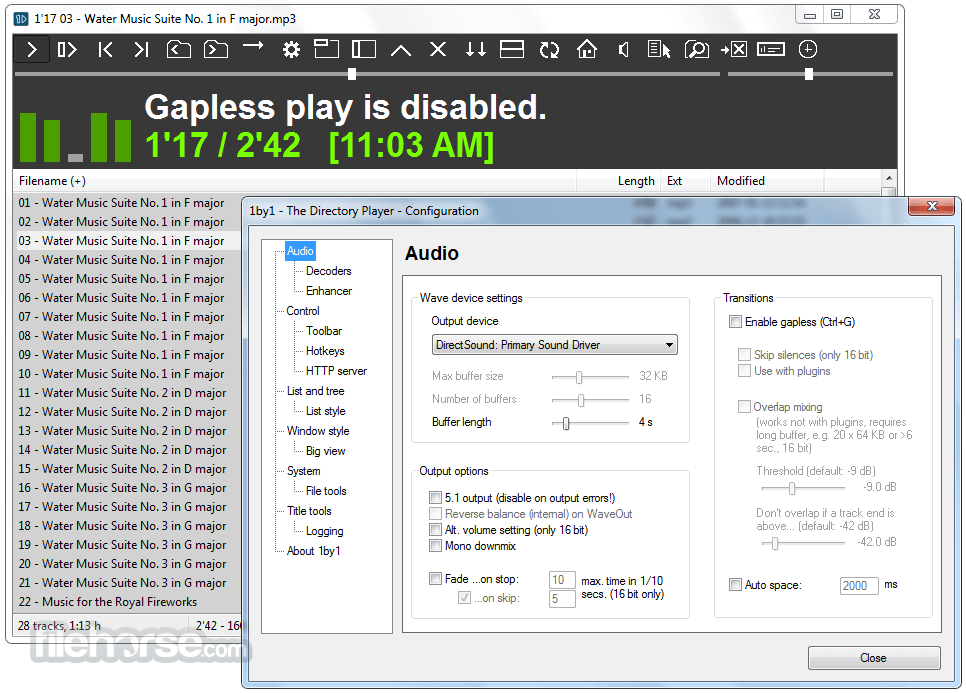
Gapless Playback – Smooth, uninterrupted playback without pauses between tracks.
High-Quality Audio Output – Supports major formats like MP3, WAV, and OGG.
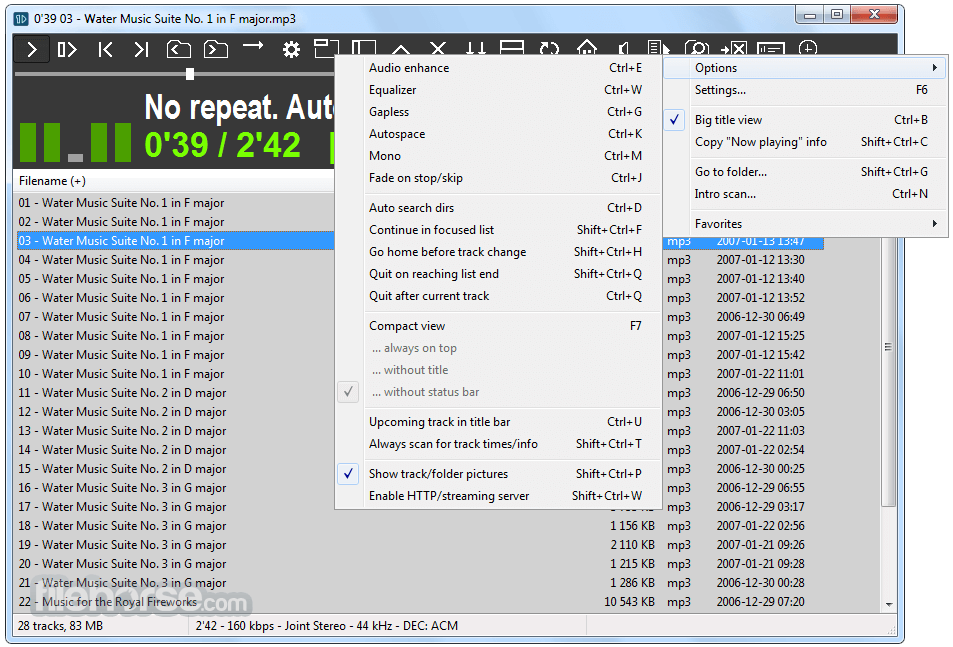
Audio Enhancements – Built-in equalizer, audio normalization, and customizable sound settings.
Efficient Navigation – Quick access to folders, easy-to-use shortcuts, and a streamlined interface.
Bookmark and Resume – Automatically resumes playback from where you left off.
Low Resource Consumption – Uses minimal CPU and RAM, making it ideal for older PCs.
User Interface
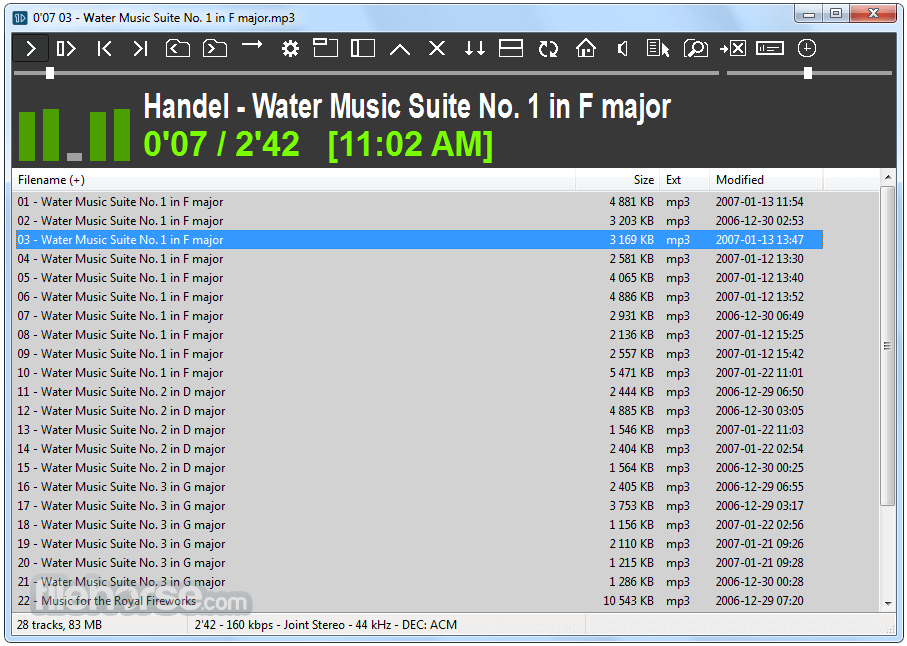
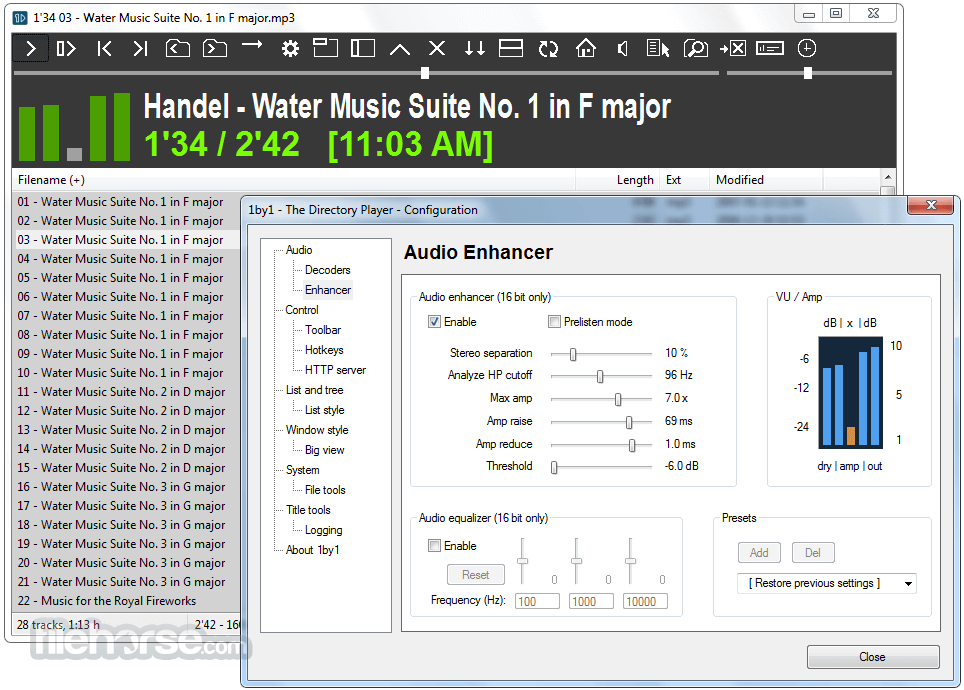
The interface is simple and functional, with a basic file browser on the left and playback controls on the right.
It lacks modern visual elements but prioritizes usability, making it easy for users to find and play music files quickly.
Installation and Setup
1by1 is a portable application, meaning installation is optional.
Simply download the executable file, extract it if needed, and launch the program.
Users can also configure custom settings via the ini file.
How to Use
FAQ
What audio formats does 1by1 support?
It primarily supports MP3, WAV, and OGG but can play additional formats with plugins.
Can I use 1by1 without installing it?
Yes, it is a portable application, meaning you can run it directly without installation.
Does 1by1 support playlists?
While it does not use traditional playlists, users can create and manage favorites for easy access.
Can I customize the look of 1by1?
Yes, you can change themes, fonts, and colors through the settings.
Does it require an internet connection?
No, this software is entirely offline and does not require an internet connection.
Alternatives
Foobar2000 – A highly customizable and lightweight audio player.
Winamp – Classic media player with an extensive plugin system.
AIMP – Feature-rich audio player with a modern interface.
MusicBee – Library-based player with advanced organization tools.
VLC Media Player – Versatile player that supports both audio and video playback.
System Requirements
1by1 is an excellent choice for users who prefer a lightweight, folder-based audio player with a no-nonsense approach. It delivers gapless playback, efficient navigation, and high-quality audio output without unnecessary complexity.
While it lacks modern UI elements and extensive format support out of the box, its simplicity and performance make it a great option for those seeking an efficient, distraction-free music experience. If you need a lightweight, no-installation music player for Windows, this desktop app is a solid pick.
Download 1by1 Latest Version Why is this app published on FileHorse? (More info)
Unlike traditional media players that rely on extensive libraries and playlists, 1by1 plays music files directly from folders, making it a highly convenient option for users who prefer an intuitive, no-frills experience.
Developed by Martin Pesch, this software is designed to be lightweight, fast, and easy to use while consuming minimal system resources.
Main Features
Folder-Based Playback – No need for libraries or playlists; navigate and play music directly from folders.
Gapless Playback – Smooth, uninterrupted playback without pauses between tracks.
High-Quality Audio Output – Supports major formats like MP3, WAV, and OGG.
Audio Enhancements – Built-in equalizer, audio normalization, and customizable sound settings.
Efficient Navigation – Quick access to folders, easy-to-use shortcuts, and a streamlined interface.
Bookmark and Resume – Automatically resumes playback from where you left off.
Low Resource Consumption – Uses minimal CPU and RAM, making it ideal for older PCs.
User Interface
The interface is simple and functional, with a basic file browser on the left and playback controls on the right.
It lacks modern visual elements but prioritizes usability, making it easy for users to find and play music files quickly.
Installation and Setup
1by1 is a portable application, meaning installation is optional.
Simply download the executable file, extract it if needed, and launch the program.
Users can also configure custom settings via the ini file.
How to Use
- Open this program and navigate to your desired music folder.
- Select a file or folder to start playback.
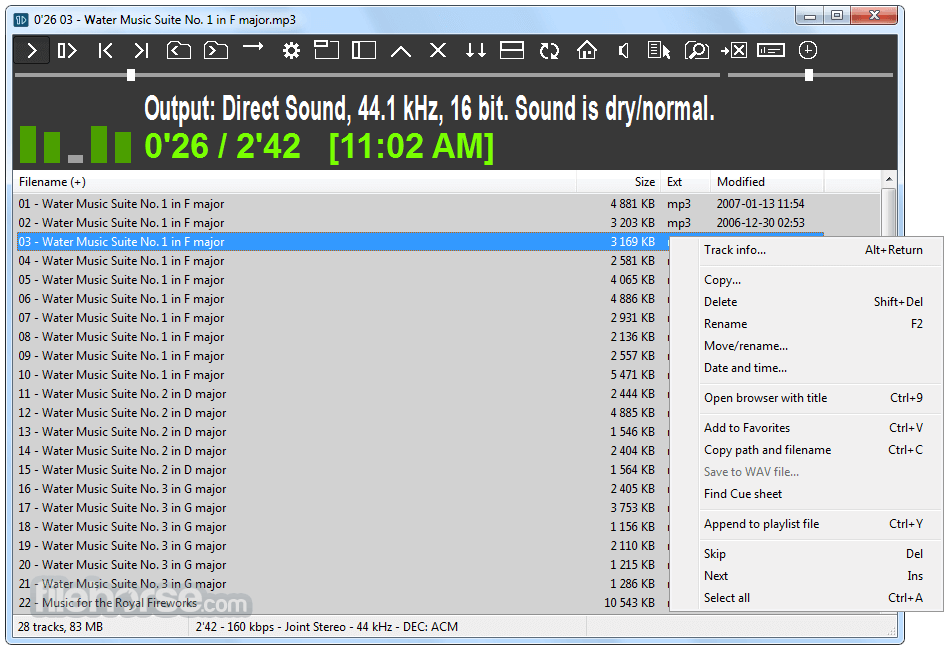
- Use the toolbar or keyboard shortcuts for playback control.
- Adjust settings like equalizer and gapless playback from the menu.
- Enjoy a seamless and distraction-free listening experience.
FAQ
What audio formats does 1by1 support?
It primarily supports MP3, WAV, and OGG but can play additional formats with plugins.
Can I use 1by1 without installing it?
Yes, it is a portable application, meaning you can run it directly without installation.
Does 1by1 support playlists?
While it does not use traditional playlists, users can create and manage favorites for easy access.
Can I customize the look of 1by1?
Yes, you can change themes, fonts, and colors through the settings.
Does it require an internet connection?
No, this software is entirely offline and does not require an internet connection.
Alternatives
Foobar2000 – A highly customizable and lightweight audio player.
Winamp – Classic media player with an extensive plugin system.
AIMP – Feature-rich audio player with a modern interface.
MusicBee – Library-based player with advanced organization tools.
VLC Media Player – Versatile player that supports both audio and video playback.
System Requirements
- OS: Windows 7, 8, 10, 11
- Processor: Any modern CPU
- RAM: 512MB or higher
- Storage: Minimal (Less than 5MB)
- Audio Codec: Standard Windows codecs (additional plugins may be needed for certain formats)
- Extremely lightweight and fast.
- Gapless playback for uninterrupted listening.
- No need for media libraries or playlists.
- Portable; no installation required.
- Free with no ads or bloatware.
- Outdated user interface.
- Limited format support without plugins.
- No advanced library management.
- Lacks streaming or online music support.
- Minimalist design may not appeal to all users.
1by1 is an excellent choice for users who prefer a lightweight, folder-based audio player with a no-nonsense approach. It delivers gapless playback, efficient navigation, and high-quality audio output without unnecessary complexity.
While it lacks modern UI elements and extensive format support out of the box, its simplicity and performance make it a great option for those seeking an efficient, distraction-free music experience. If you need a lightweight, no-installation music player for Windows, this desktop app is a solid pick.
Download 1by1 Latest Version Why is this app published on FileHorse? (More info)
##
畫面截圖