Actual Transparent Window 8.15.4
v 8.15.4
Windows
商業試用
7.2/10 (57)
- 目前版本8.15.4
- 更新日期2026-07-03
- 檔案大小8.5 MB
- 檔案名稱atwsetup.exe
- 作業系統Windows 7 / Windows 8 / Windows 10 / Windows 11
- 支援語系English
- 授權型式商業試用
- 開發商 Actual Tools
- 軟體分類Windows 軟體 / 桌面強化
##
翻譯排程處理中,以下暫以英文原文呈現
軟體介紹
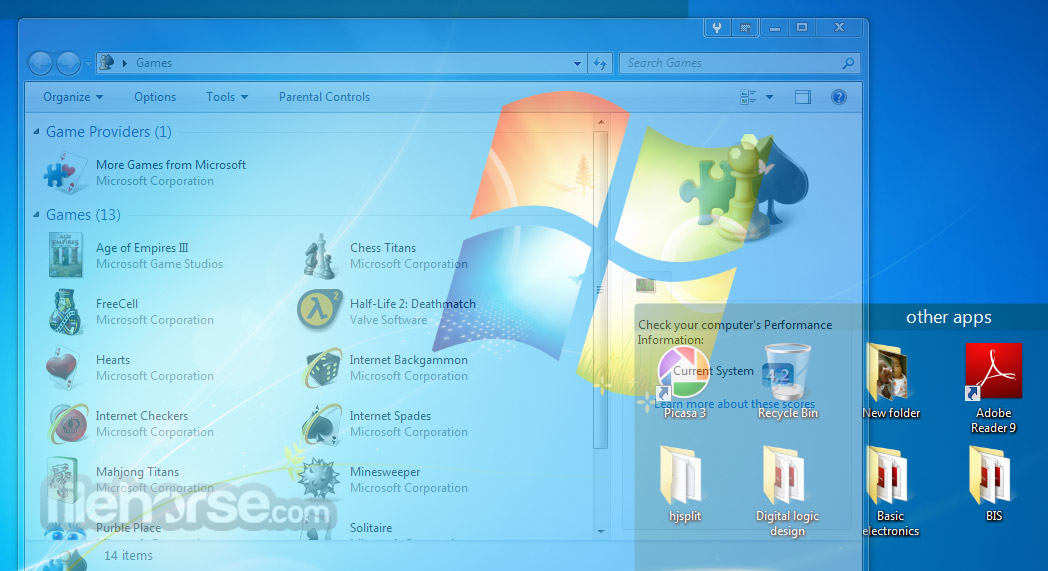
Actual Transparent Window is an innovative Windows® desktop enhancement that allows setting any level of transparency for any particular window in the system.
Check Out Object Desktop! The Complete Productivity and Personalization Suite for PC!
With Actual Transparent Window for PC, it is very easy to organize the simultaneously opened windows. It is a truly new approach to desktop space organization.
Now you do not have to minimize and restore windows every time. Along with common techniques of switching between windows, it offers the depth-based window ordering thanks to a fully customizable transparency level that are saved individually for each window.
When a brilliant idea is combined with a good realization, the results are outstanding!
Actual Transparent Window is intended for a broad range of Windows® users who value their time and long for an aesthetic pleasure of modern computing. Windows® is multifunctional, and sometimes it works with several different applications.
While typing something in Microsoft Word you need, for example, to follow some information in your Internet browser.
Push Win+T (toggle transparency), and the desired window becomes transparent, and you will solve your task easily. Besides, the usage of semi-transparent windows reduces the negative effect on your eyes!
Key Features
Individual Transparency Control
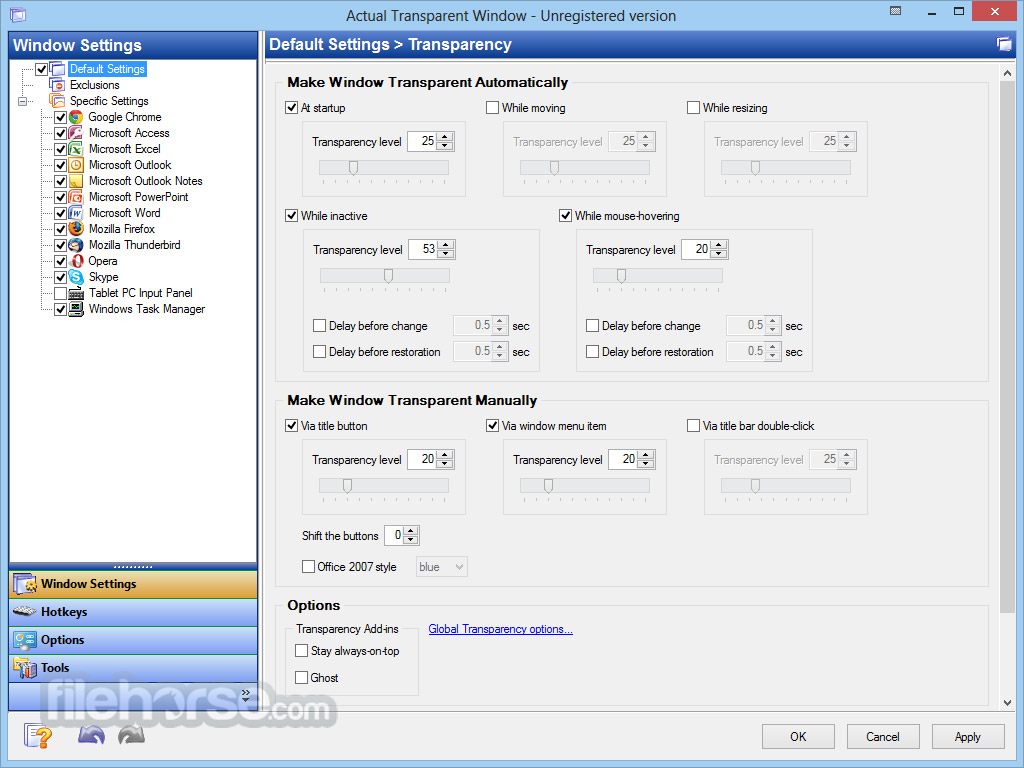
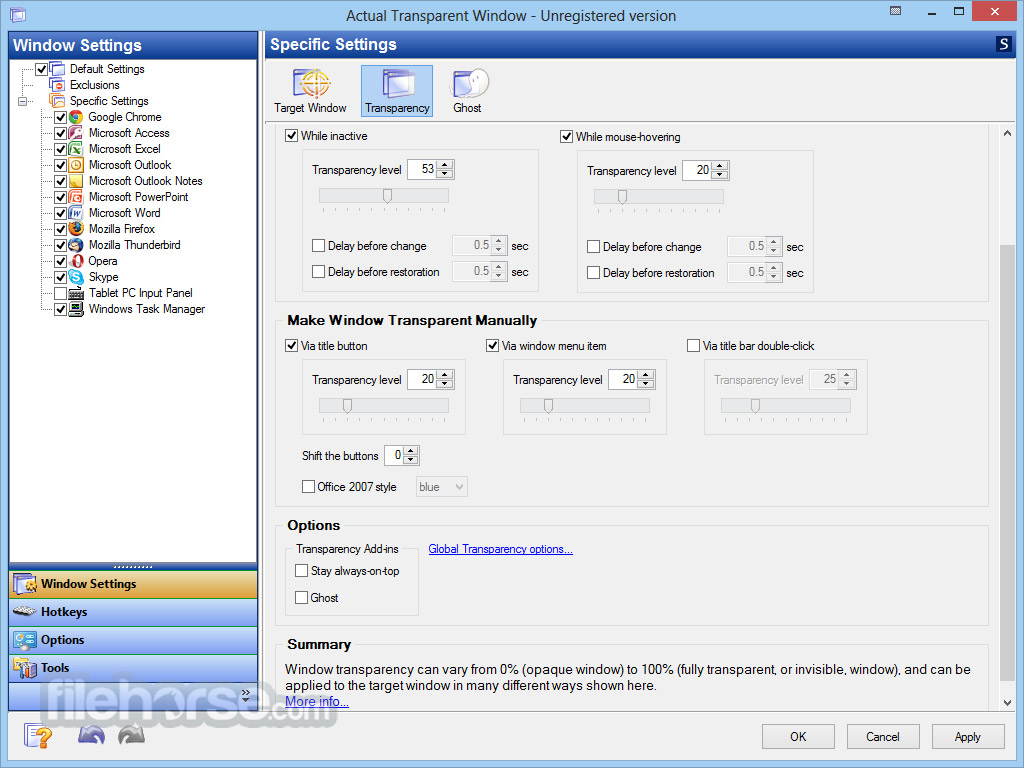
Customize the transparency level for each window individually. Adjust the transparency from 0% (completely solid) to 100% (fully transparent) to achieve your desired effect.
Inactive Window Transparency
Set windows to become transparent only when inactive. Once activated, the window reverts to its solid state. This feature is particularly useful for instant messaging applications.
Ghost Mode
Enable ghost mode to allow mouse clicks and movements to pass through the transparent window to the windows underneath, providing seamless multitasking.
Transparency During Window Movement or Resizing
Apply transparency effects only when moving or resizing windows across the desktop. This feature does not alter the transparency settings of stationary windows.
Toggle Transparency with a Double-Click
Easily switch between transparent and opaque states by double-clicking the window's title bar.
"Make Transparent" Button
A dedicated "Make Transparent" button can be added for quick and easy access to transparency settings.
What`s New
Available in English, German, French, Spanish, Russian, Ukrainian, Japanese, Chinese Simplified and Chinese Traditional languages.
System Requirements
Windows 11 / 10 / 8.1 / 8 / 7 (both 32-bit and 64-bit editions)
Windows Server 2022 / 2019 / 2016 / 2012 R2 / 2012 / 2008 R2 / 2008 / 2003 / 2000 (both 32-bit and 64-bit editions)
Actual Tools Products
Actual Multiple Monitors
Simply the Best Multi-Monitor Program App for Windows 10/11
Actual Window Manager
More than 50 desktop management tools for your Windows PC
PROS
Download Actual Transparent Window Latest Version Why is this app published on FileHorse? (More info)
Check Out Object Desktop! The Complete Productivity and Personalization Suite for PC!
With Actual Transparent Window for PC, it is very easy to organize the simultaneously opened windows. It is a truly new approach to desktop space organization.
Now you do not have to minimize and restore windows every time. Along with common techniques of switching between windows, it offers the depth-based window ordering thanks to a fully customizable transparency level that are saved individually for each window.
When a brilliant idea is combined with a good realization, the results are outstanding!
Actual Transparent Window is intended for a broad range of Windows® users who value their time and long for an aesthetic pleasure of modern computing. Windows® is multifunctional, and sometimes it works with several different applications.
While typing something in Microsoft Word you need, for example, to follow some information in your Internet browser.
Push Win+T (toggle transparency), and the desired window becomes transparent, and you will solve your task easily. Besides, the usage of semi-transparent windows reduces the negative effect on your eyes!
Key Features
Individual Transparency Control
Customize the transparency level for each window individually. Adjust the transparency from 0% (completely solid) to 100% (fully transparent) to achieve your desired effect.
Inactive Window Transparency
Set windows to become transparent only when inactive. Once activated, the window reverts to its solid state. This feature is particularly useful for instant messaging applications.
Ghost Mode
Enable ghost mode to allow mouse clicks and movements to pass through the transparent window to the windows underneath, providing seamless multitasking.
Transparency During Window Movement or Resizing
Apply transparency effects only when moving or resizing windows across the desktop. This feature does not alter the transparency settings of stationary windows.
Toggle Transparency with a Double-Click
Easily switch between transparent and opaque states by double-clicking the window's title bar.
"Make Transparent" Button
A dedicated "Make Transparent" button can be added for quick and easy access to transparency settings.
What`s New
- Startup speed of the program has been slightly improved.
- Overall security is strengthened by incorporating page hashes into the Actual Transparent Window executable files.
- Title Buttons: Certain poorly-behaved applications could impose a noticeable, unnecessary CPU load when extra buttons were added to their windows. This issue has been addressed.
- A bug prevented specified keyboard modifier key combinations from being recognized after dragging out tabs in system-tabbed applications (e.g., File Explorer, Notepad, CMD/PowerShell). This caused features relying on those combinations to stop functioning. The issue has been fixed.
Available in English, German, French, Spanish, Russian, Ukrainian, Japanese, Chinese Simplified and Chinese Traditional languages.
System Requirements
Windows 11 / 10 / 8.1 / 8 / 7 (both 32-bit and 64-bit editions)
Windows Server 2022 / 2019 / 2016 / 2012 R2 / 2012 / 2008 R2 / 2008 / 2003 / 2000 (both 32-bit and 64-bit editions)
Actual Tools Products
Actual Multiple Monitors
Simply the Best Multi-Monitor Program App for Windows 10/11
Actual Window Manager
More than 50 desktop management tools for your Windows PC
PROS
- Customizable Transparency Levels
- Enhanced Multi-tasking Efficiency
- Improved Visual Aesthetics
- Quick Window Management Features
- User-Friendly Interface Design
- Potential Performance Impact
- Compatibility Issues with Some Apps
- Limited Features in Trial Version
- Occasional Bugs or Glitches
Download Actual Transparent Window Latest Version Why is this app published on FileHorse? (More info)
##
畫面截圖