- 目前版本1.8.4
- 更新日期2026-04-02
- 作業系統Windows 7 / Windows 7 64 / Windows 8 / Windows 8 64 / Windows 10 / Windows 10 64
- 支援語系English
- 授權型式未分類
- 開發商 ADSR Sounds
- 軟體分類Windows 軟體 / 音訊軟體
##
翻譯排程處理中,以下暫以英文原文呈現
軟體介紹
ADSR Sample Manager makes your entire sample library searchable and audible directly in your DAW (Digital Audio Workstation) with smart and custom tags.
Preview any sample in your library in the context of your track using MIDI or drag audio directly to your project. Standalone and plug-in now included.
ADSR Sample Manager for PC is a powerful sample management software designed for musicians, producers, and sound designers. Developed by ADSR Sounds, this utility aims to streamline the process of organizing, auditioning, and manipulating audio samples.
With its intuitive interface and robust feature set, it promises to enhance workflow efficiency and creativity in music production.
The optimal starting point for every production session, it makes organizing, finding, and auditioning samples refreshingly simple.
The most effective way to access all your samples at once is to keep your project in the flow, work in standalone, or keep all the action right in your DAW:
What`s New
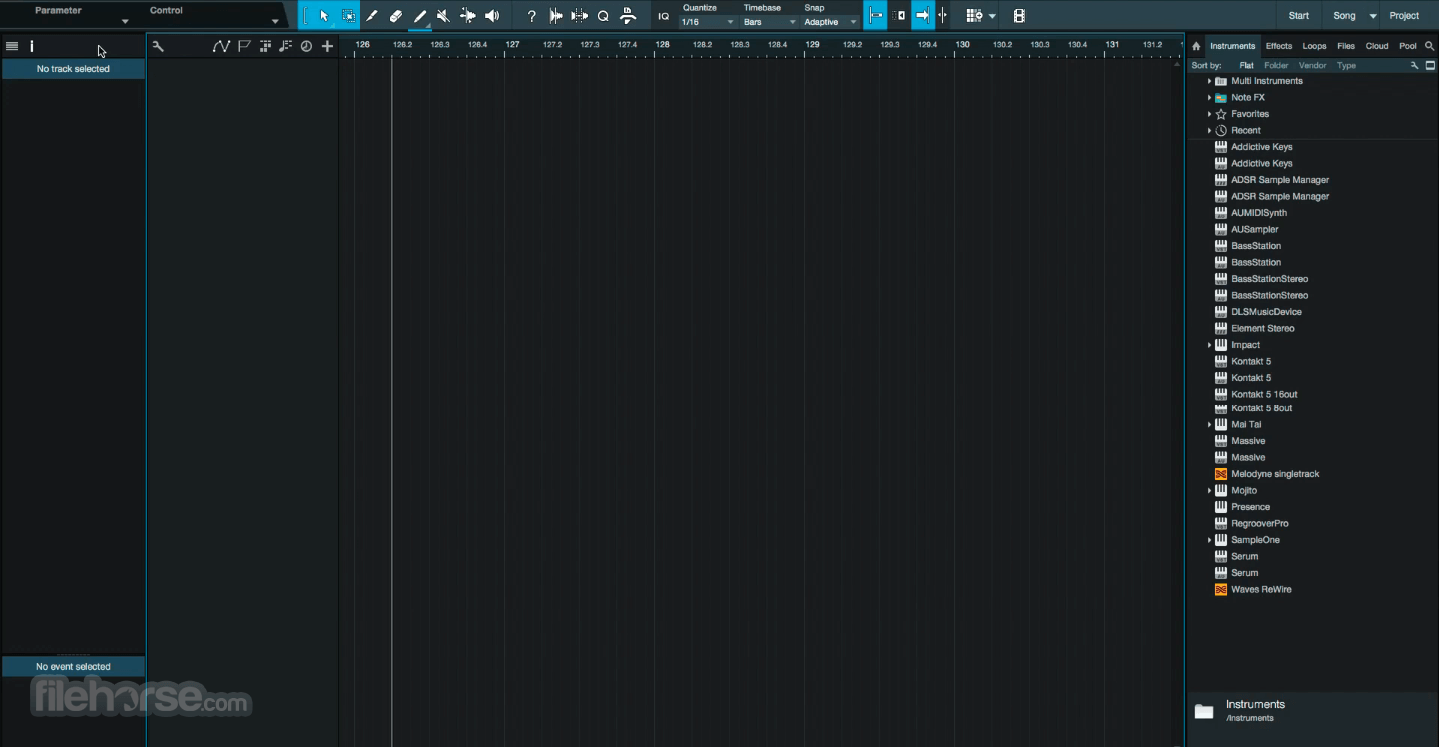
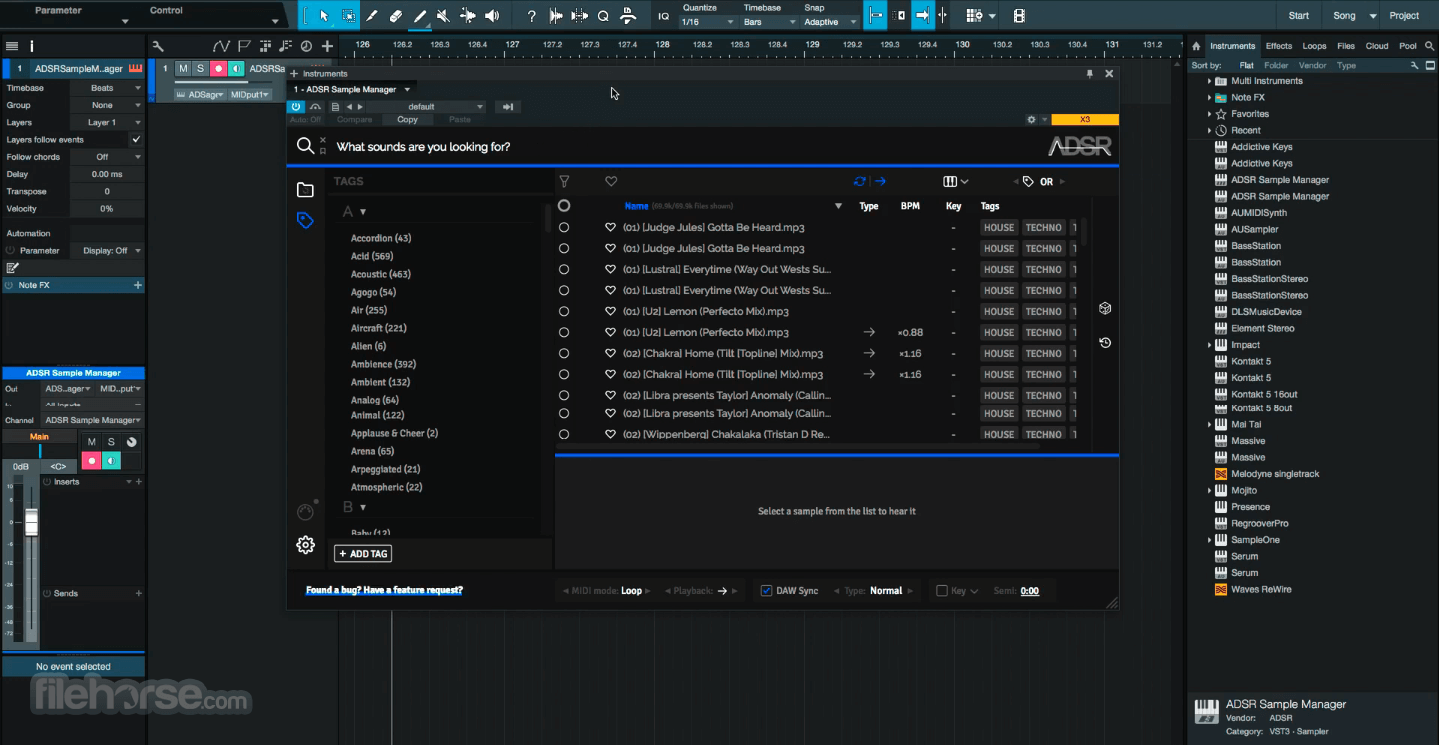
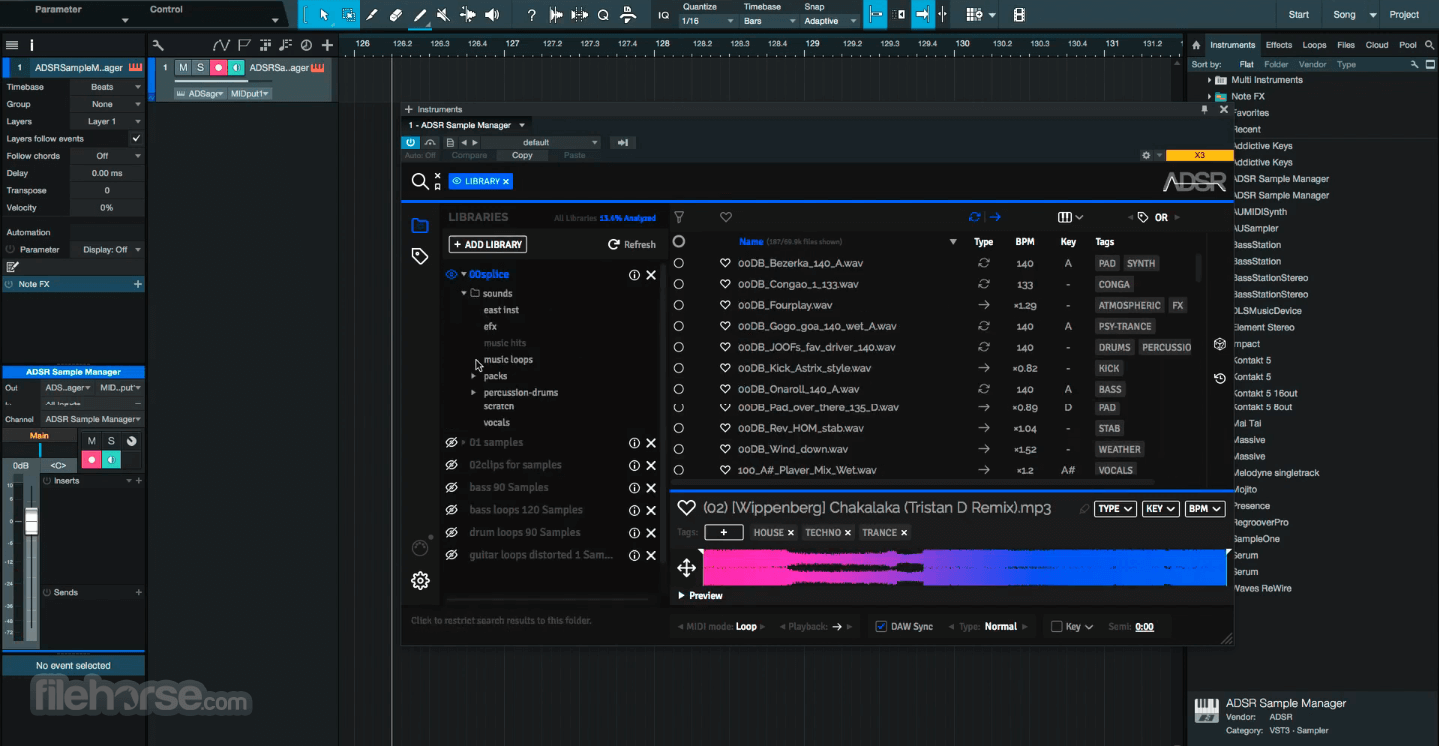
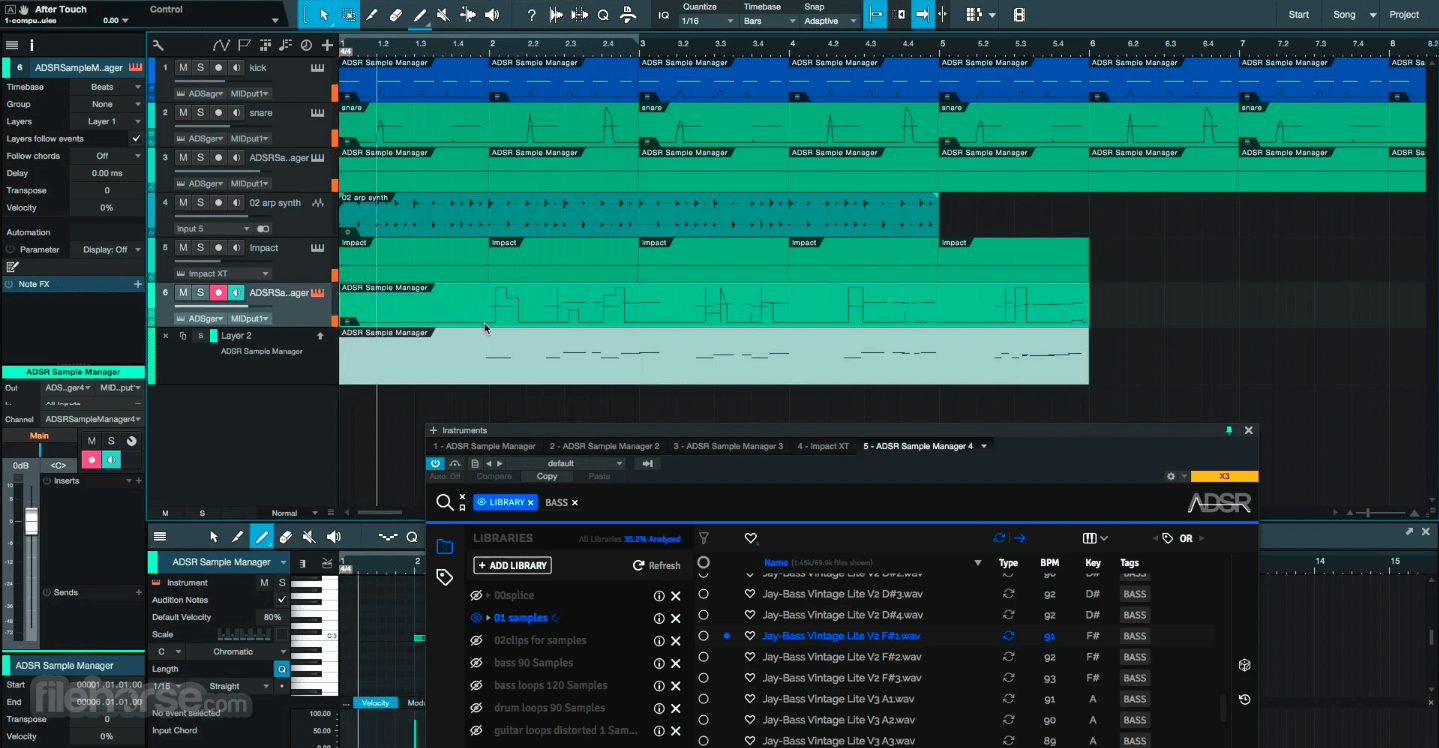
The user interface of this program is clean, modern, and intuitive. The main window is divided into sections for browsing samples, auditioning samples, and managing sample collections.
Navigation is straightforward, with easy access to essential features such as search, tagging, and editing. The overall design promotes efficient workflow and enhances user experience.
Installation and Setup
Installation of the tool is straightforward and hassle-free. Simply download the software from the official website or FileHorse, run the installer, and follow the on-screen instructions.
Once installed, the software prompts you to set up your sample library location and scan for existing samples. Within minutes, you'll be ready to dive into the world of sample management with ADSR Sample Manager.
How to Use
FAQs
Can I use ADSR Sample Manager with my existing sample library?
Yes, it allows you to import and manage your existing sample library effortlessly.
Does ADSR Sample Manager support third-party plugins?
While the program includes built-in effects, it does not support third-party plugins at this time.
Can I customize the interface of ADSR Sample Manager?
Unfortunately, the interface of ADSR Sample Manager is not customizable.
Is ADSR Sample Manager compatible with macOS and Windows?
Yes, the software is compatible with both macOS and Windows operating systems.
Does ADSR Sample Manager come with any pre-installed sample packs?
No, it does not come with pre-installed sample packs, but it supports all standard audio formats for importing samples.
Alternatives
Native Instruments Kontakt - Offers advanced sample management and manipulation features with a focus on instrument creation.
Splice Studio - Provides cloud-based sample management with collaborative features and a vast library of samples.
Serato DJ Pro - Designed specifically for DJs and electronic music producers, with intuitive sample slicing and manipulation tools.
Pricing
The Management Tool is available for FREE, offering essential sample management features. Additionally, there is a PAID Pro version with advanced features available for a one-time fee of $49.99.
System Requirements
Download ADSR Sample Manager Latest Version Why is this app published on FileHorse? (More info)
Preview any sample in your library in the context of your track using MIDI or drag audio directly to your project. Standalone and plug-in now included.
ADSR Sample Manager for PC is a powerful sample management software designed for musicians, producers, and sound designers. Developed by ADSR Sounds, this utility aims to streamline the process of organizing, auditioning, and manipulating audio samples.
With its intuitive interface and robust feature set, it promises to enhance workflow efficiency and creativity in music production.
The optimal starting point for every production session, it makes organizing, finding, and auditioning samples refreshingly simple.
The most effective way to access all your samples at once is to keep your project in the flow, work in standalone, or keep all the action right in your DAW:
- Apple silicon native support (new in 1.7.0)
- Expand your library – Browse a near-unlimited library of sounds
- Find sounds with similar tags
- Automatically tags all your samples in a flash
- All your samples (local or cloud) are searchable in an instant
- Standalone or VST/AU/AAX
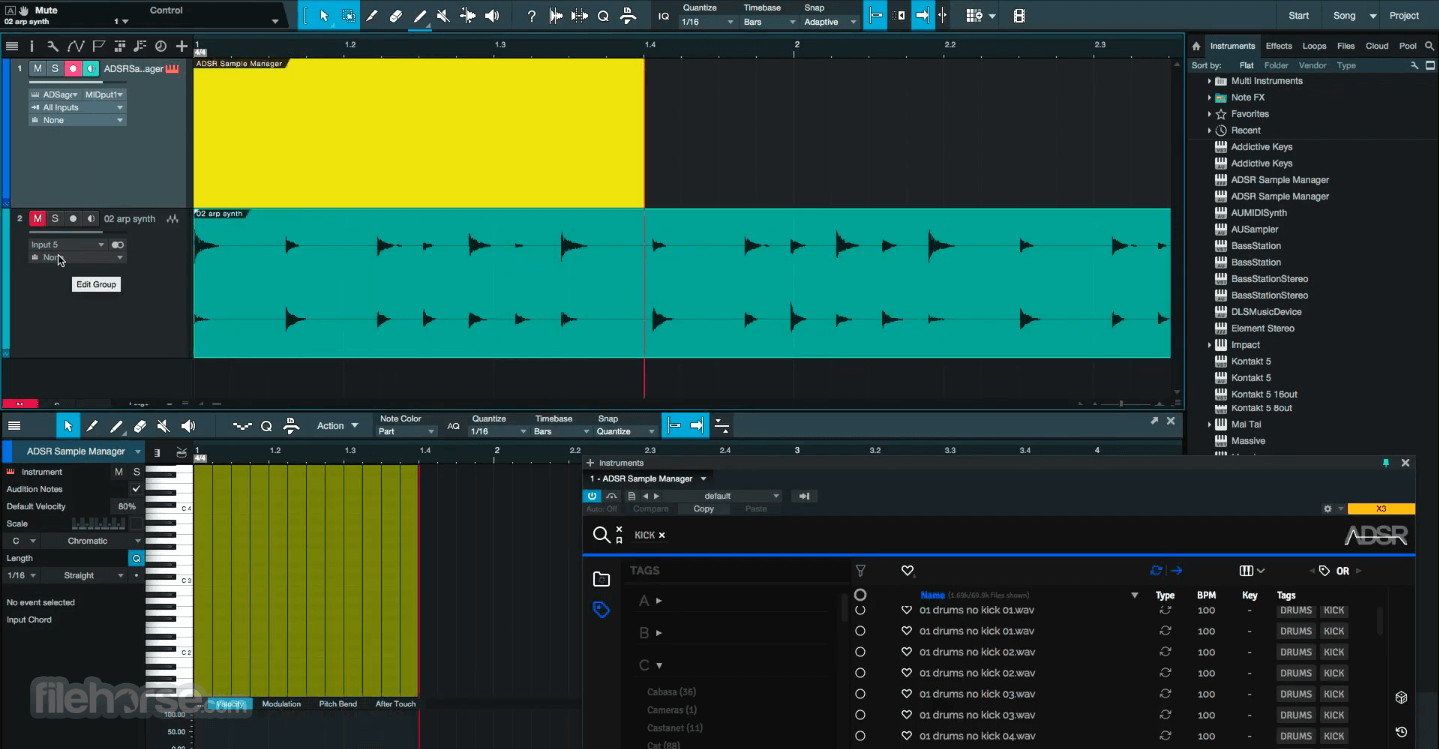
- Hear samples in the context of your music with MIDI input
- Sync key and BPM to preview samples in context
- ADSR Account integration – browse your purchased samples in the cloud, preview in real time, and download what you need.
- Ableton LINK – sync your loops and one-shots with others using multiple devices running Link-enabled software / mobile apps
- Tag by sound type, genre, or label
- Favourite Collections (new in 1.7.0)
- Multiple searches in one instance with search tabs (new in 1.7.0)
- Frequency analysis with waveform display (new in 1.7.0)
- Detect duplicate samples
- Drag samples directly into your project (raw or processed)
- Key detection and transpose to key
- Use multiple instances directly in your project
- Loops sync to your project tempo
- Quantised start points
- Trim sample start and end points
- Play samples forward, reverse, or ping pong
- Order by sample info: type, key, bpm, tag, length, file size, and date
- Order by sample info (new in 1.7.0): file path, library, effective length, bit depth, sample rate, channel count, & codec
- Save your favourite sounds and searches
- Use with services like Splice, Noiiz, and Loopcloud
- Instant inspiration with the random button
- Unlock your sample library and find the perfect sound
What`s New
- Added Favourite Collections
- Added Search tabs
- Added frequency analysis to waveform display
- Added new columns: file path, library, effective length, bit depth, sample rate, channel count & codec
- Added Apple Silicon native support
- Improved the add tag dialogue
- Improved stability
- Improved zooming when using the +- buttons or pinch gesture
- Fixed folder list closing when files are dragged from the Sample Manager
- Fixed the tag panel not showing at startup
- Fixed missing tag buttons in sample view
- Fixed crash when editing BPM for multiple samples
- Fixed the problem with all tags disappearing after restoring from the settings panel
- Fixed issue with selecting tags from the auto-complete list when in AND mode, and the text partial excludes the tag selected
- Fixed the issue where downloading files from the website purchases would ask for a library refresh at every startup
- Various small bug fixes and UI improvements
- Sample Organization: Easily organize and categorize your vast collection of audio samples with tags, folders, and metadata.
- Sample Auditioning: Quickly audition samples in real-time without the need to load them into your DAW, allowing for swift decision-making during the creative process.
- Drag-and-Drop Integration: Seamlessly drag and drop samples directly from ADSR Sample Manager into your DAW, simplifying the workflow.
- Pitch and Time Manipulation: Adjust the pitch and tempo of samples in real-time, enabling experimentation and creative exploration.
- Built-in Effects: Apply built-in effects such as EQ, reverb, and compression to samples directly within the software, eliminating the need for additional processing plugins.
The user interface of this program is clean, modern, and intuitive. The main window is divided into sections for browsing samples, auditioning samples, and managing sample collections.
Navigation is straightforward, with easy access to essential features such as search, tagging, and editing. The overall design promotes efficient workflow and enhances user experience.
Installation and Setup
Installation of the tool is straightforward and hassle-free. Simply download the software from the official website or FileHorse, run the installer, and follow the on-screen instructions.
Once installed, the software prompts you to set up your sample library location and scan for existing samples. Within minutes, you'll be ready to dive into the world of sample management with ADSR Sample Manager.
How to Use
- Import Samples: Start by importing your existing sample library into the program.
- Organize Samples: Use tags, folders, and metadata to organize your samples effectively.
- Audition Samples: Browse through your sample library and audition samples in real-time to find the perfect sound.
- Manipulate Samples: Experiment with pitch, tempo, and effects to customize your samples to fit your project.
- Drag-and-Drop: Drag and drop samples directly from the app into your DAW to incorporate them into your tracks seamlessly.
FAQs
Can I use ADSR Sample Manager with my existing sample library?
Yes, it allows you to import and manage your existing sample library effortlessly.
Does ADSR Sample Manager support third-party plugins?
While the program includes built-in effects, it does not support third-party plugins at this time.
Can I customize the interface of ADSR Sample Manager?
Unfortunately, the interface of ADSR Sample Manager is not customizable.
Is ADSR Sample Manager compatible with macOS and Windows?
Yes, the software is compatible with both macOS and Windows operating systems.
Does ADSR Sample Manager come with any pre-installed sample packs?
No, it does not come with pre-installed sample packs, but it supports all standard audio formats for importing samples.
Alternatives
Native Instruments Kontakt - Offers advanced sample management and manipulation features with a focus on instrument creation.
Splice Studio - Provides cloud-based sample management with collaborative features and a vast library of samples.
Serato DJ Pro - Designed specifically for DJs and electronic music producers, with intuitive sample slicing and manipulation tools.
Pricing
The Management Tool is available for FREE, offering essential sample management features. Additionally, there is a PAID Pro version with advanced features available for a one-time fee of $49.99.
System Requirements
- Windows: Windows 11/10/8/7, 64-bit
- Processor: Intel Core i5 or equivalent
- RAM: 4GB or more
- Storage: 500MB of free disk space
- Intuitive user interface
- Real-time sample auditioning
- Pitch and time manipulation
- Drag-and-drop integration with DAWs
- Built-in effects for quick sound manipulation
- Limited customization options for the interface
- No support for third-party plugins
- Paid version required for advanced features
Download ADSR Sample Manager Latest Version Why is this app published on FileHorse? (More info)
##
畫面截圖