⚠ 這是歷史版本頁面 — 查看 Advanced Renamer 最新版本 →

Advanced Renamer 4.06
v 4.06
Windows
免費軟體
8.06/10 (49)
- 目前版本4.06
- 更新日期2024-11-11
- 檔案大小10.99 MB
- 檔案名稱advanced_renamer_setup_4_06.exe
- 作業系統Windows 7 / Windows 8 / Windows 10 / Windows 11
- 支援語系English
- 授權型式免費軟體
- 開發商 Hulubulu Software
- 軟體分類Windows 軟體 / 檔案傳輸與網路
##
編輯短評
Advanced Renamer 是一款專為 Windows 設計的免費批量檔案重新命名工具,主要解決一次處理大量檔案名稱、屬性與時間戳的需求。它提供多種不同的重命名方法,可透過組合設定批次任務,輕鬆完成新增、刪除、取代、變更大小寫等操作,甚至能根據檔案內容複製或移動到新位置。這款軟體長期持續更新,開發者維護相當積極,雖然在同類工具中屬於小眾選擇,但使用者評價普遍不錯。
適合需要頻繁整理大量檔案的用戶,例如攝影師、設計師或程式開發者,在處理下載檔案、備份資料或批次歸檔時特別實用。與同分類的熱門下載工具相比,它專注於檔案名稱與屬性的批次處理,功能更為深入。軟體為免費授權,僅支援 Windows 平台,介面目前只有英文,對不熟悉英文的用戶可能稍有門檻,但操作邏輯直覺,值得一試。
##
翻譯排程處理中,以下暫以英文原文呈現
軟體介紹
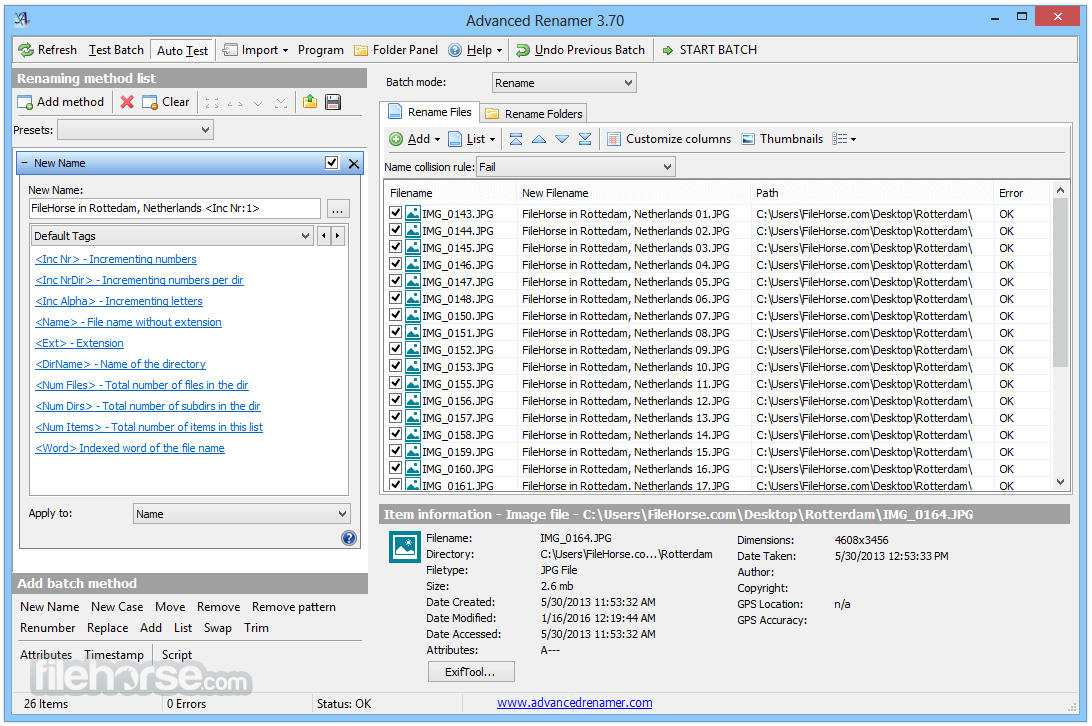
Advanced Renamer is a free program for renaming multiple files and folders at once. By configuring renaming methods the names can be manipulated in various ways.
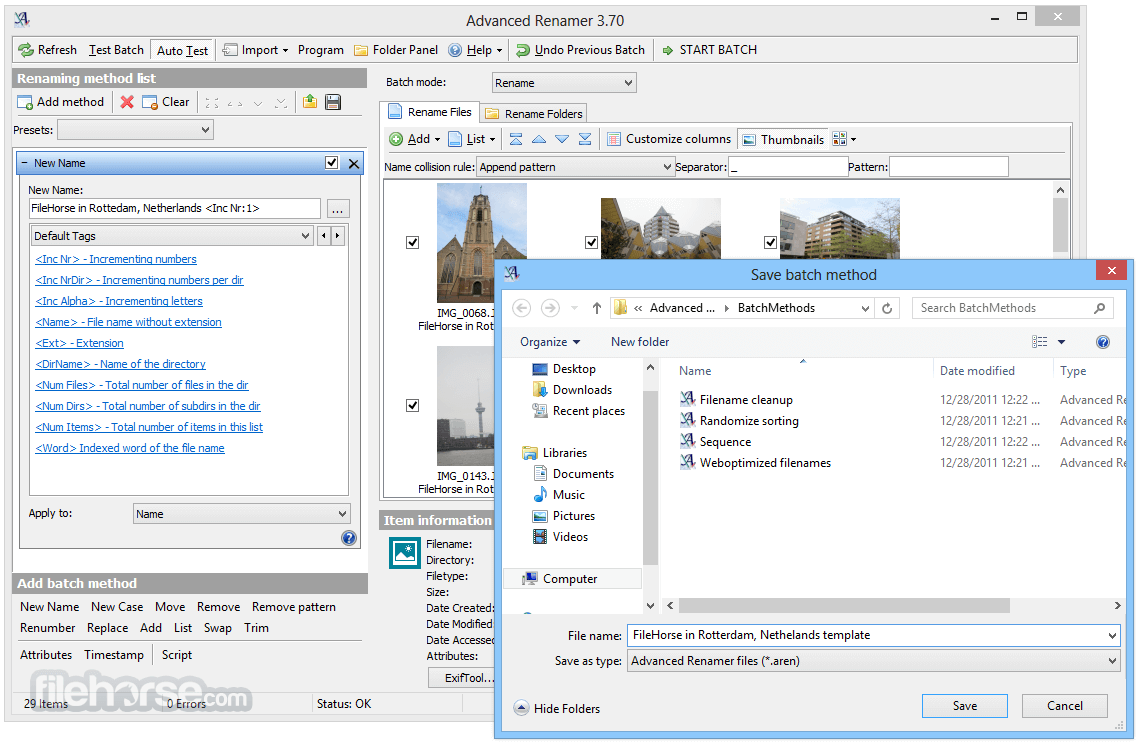
It is easy to set up an advanced batch job using multiple methods on a large number of files. The 14 different methods enable you to change the names, attributes, and timestamps of files in one go. The files can also be copied or moved to new locations based on information in the files.
With Advanced Renamer you can construct new file names by adding, removing, replacing, changing case, or giving the file a brand new name based on known information about the file.
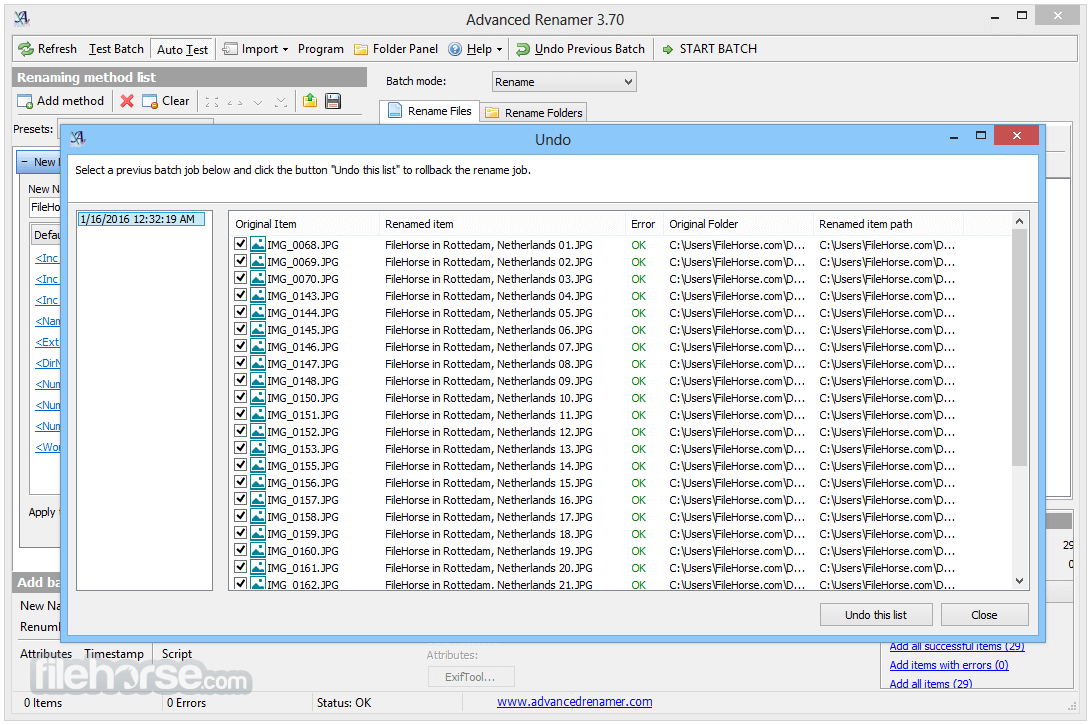
Before performing the operations on the files you can verify that the output will be correct and if you perform the rename and regret it, you can undo the complete batch.
Image files
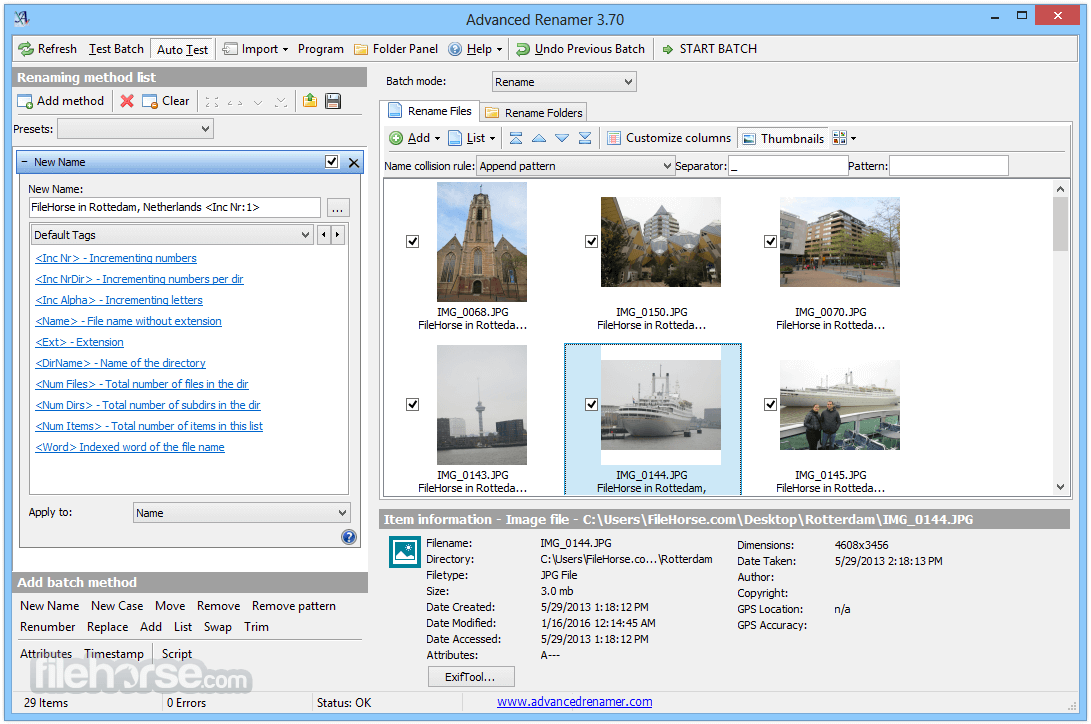
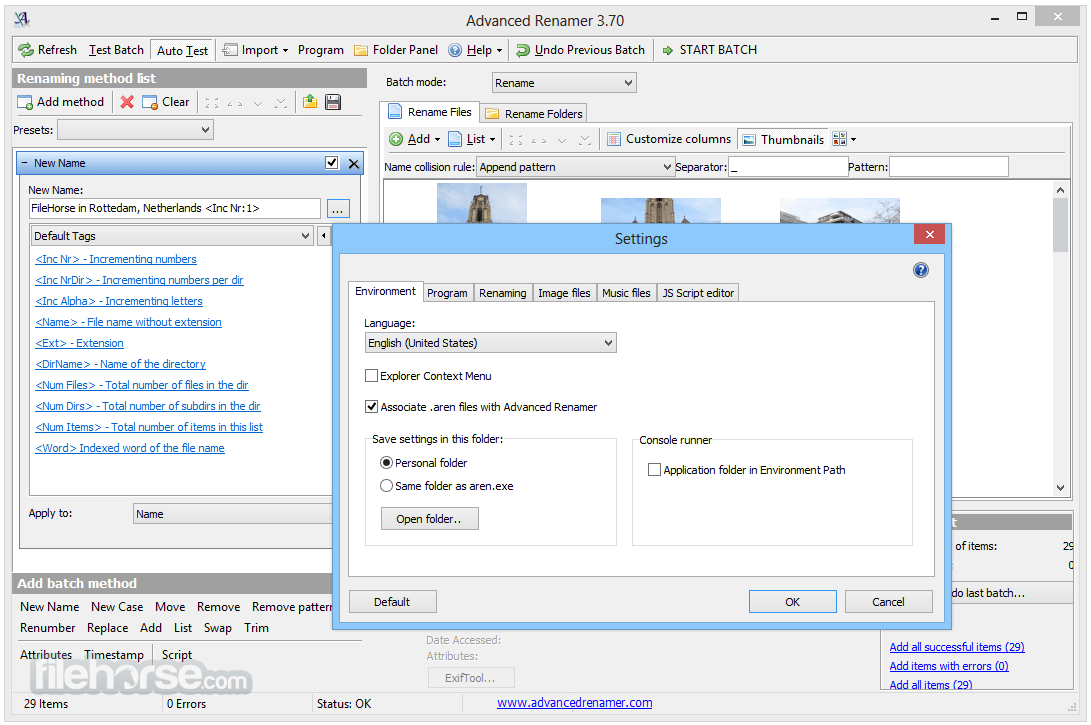
This mass file renamer is a great utility for organizing digital pictures for both professionals and beginners. The thumbnail mode lets you display thumbnails directly in the file list giving you maximum control of the renaming process. With this program, you can rename all your photos in a snap.
GPS data
If your image files contain GPS data you can add the name of the city and the country where the picture was taken. Coordinates are used to lookup city, country, and state names from a database containing more than 100,000 cities around the globe.
Music files
MP3 and other music files often have messed up names and contain weird characters. With Advanced Renamer you can change the names of your favorite music files to more suitable names using the built-in ID3 functions.
Video files
Ever wanted to add the codec or the resolution of a video to the filename? With the video tags, you can add various information about video and audio content to the names.
TV shows
Add episode title or airdate to video files containing TV Shows after importing show information from the tvmaze.com website.
How to Use
Download Advanced Renamer Latest Version Why is this app published on FileHorse? (More info)
It is easy to set up an advanced batch job using multiple methods on a large number of files. The 14 different methods enable you to change the names, attributes, and timestamps of files in one go. The files can also be copied or moved to new locations based on information in the files.
With Advanced Renamer you can construct new file names by adding, removing, replacing, changing case, or giving the file a brand new name based on known information about the file.
Before performing the operations on the files you can verify that the output will be correct and if you perform the rename and regret it, you can undo the complete batch.
Image files
This mass file renamer is a great utility for organizing digital pictures for both professionals and beginners. The thumbnail mode lets you display thumbnails directly in the file list giving you maximum control of the renaming process. With this program, you can rename all your photos in a snap.
GPS data
If your image files contain GPS data you can add the name of the city and the country where the picture was taken. Coordinates are used to lookup city, country, and state names from a database containing more than 100,000 cities around the globe.
Music files
MP3 and other music files often have messed up names and contain weird characters. With Advanced Renamer you can change the names of your favorite music files to more suitable names using the built-in ID3 functions.
Video files
Ever wanted to add the codec or the resolution of a video to the filename? With the video tags, you can add various information about video and audio content to the names.
TV shows
Add episode title or airdate to video files containing TV Shows after importing show information from the tvmaze.com website.
How to Use
- Download and install from the official website
- Open the application and select files or folders
- Choose a renaming method from the available options
- Configure renaming patterns and preview changes
- Click "Start Batch" to apply the renaming process
- Operating System: Windows 7, 8, 10, 11
- Processor: 1 GHz or faster
- RAM: 512 MB minimum (1 GB recommended)
- Storage: 20 MB of free disk space
- Display: 1024x768 resolution or higher
- Supports multiple renaming methods
- Batch rename thousands of files
- Preview changes before applying
- Supports metadata and tags
- Free for personal use
- No real-time undo function
- Can be complex for beginners
- Limited support for special cases
- Lacks built-in automation features
- No cloud integration
Download Advanced Renamer Latest Version Why is this app published on FileHorse? (More info)
##
畫面截圖
- 2026-08-04 Advanced Renamer 4.24 12.26 MB
- 2026-06-08 Advanced Renamer 4.23 12.23 MB
- 2026-01-19 Advanced Renamer 4.20 11.23 MB
- 2025-11-05 Advanced Renamer 4.19 11.2 MB
- 2025-10-20 Advanced Renamer 4.18.1 11.19 MB
- 2025-10-15 Advanced Renamer 4.18 11.22 MB
- 2025-09-27 Advanced Renamer 4.17 11.24 MB
- 2025-09-04 Advanced Renamer 4.16.1 11.2 MB