⚠ 這是歷史版本頁面 — 查看 AIMP Portable 5.40 Build 最新版本 →

AIMP Portable 5.40 Build 2674
v 2674
Windows
免費軟體
7.88/10 (32)
- 目前版本2674
- 更新日期2025-04-27
- 檔案大小15.35 MB
- 檔案名稱AIMPPortable_5.40.2674.paf.exe
- 作業系統Windows 7 / Windows 8 / Windows 10
- 支援語系English
- 授權型式免費軟體
- 開發商 John T. Haller
- 軟體分類Windows 軟體 / 音訊軟體
##
編輯短評
AIMP Portable 是一款以音質與自訂性為核心的全功能音樂播放器,支援多達三十種音訊格式,並以 32-bit 音訊處理帶來清晰乾淨的聲音表現。內建 18 頻段圖形等化器與額外音效,還能掛載 Winamp 的輸入、DSP 與 Gen 外掛來擴充功能,熱鍵與 Unicode 支援也相當完整。這款免安裝版本由 John T. Haller 維護,更新相當活躍,近一年內多次釋出更新;在音訊軟體同類中雖非主流首選,但評價普遍不錯,適合講究播放品質與可攜性的使用者。
如果你常在不同電腦間移動,或想用隨身碟帶著一套完整播放器,AIMP Portable 會是輕量又可靠的選擇。它也能將 Audio CD 轉成 MP3、OGG、WAV 或 WMA,並可從任何音訊裝置錄音,對需要簡單轉檔或錄製的使用者很實用。相較於 iTunes 的整合生態或 Virtual DJ 的混音導向,AIMP 更專注於純播放與自訂,但僅提供英文介面,且為 Windows 平台免費軟體,使用前需留意語系與系統相容性。
##
翻譯排程處理中,以下暫以英文原文呈現
軟體介紹
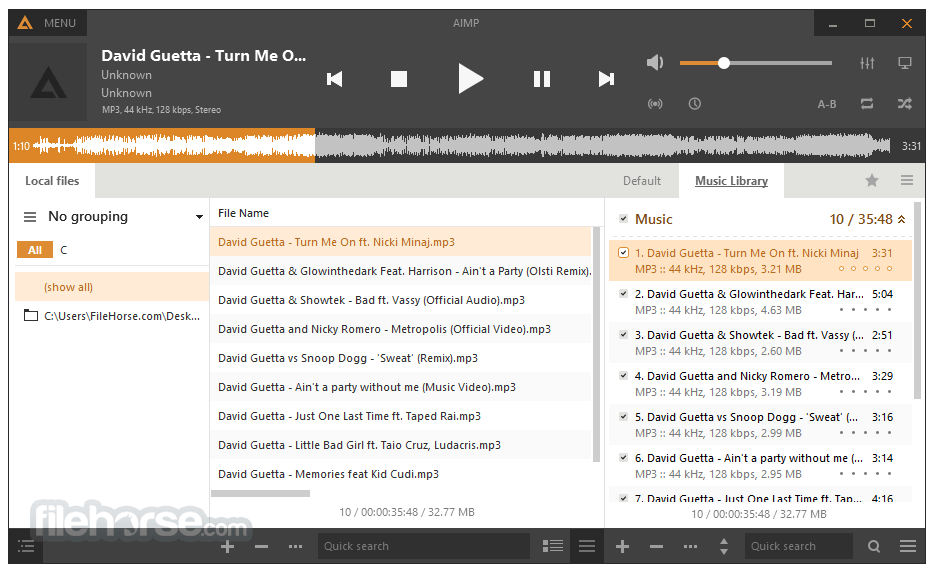
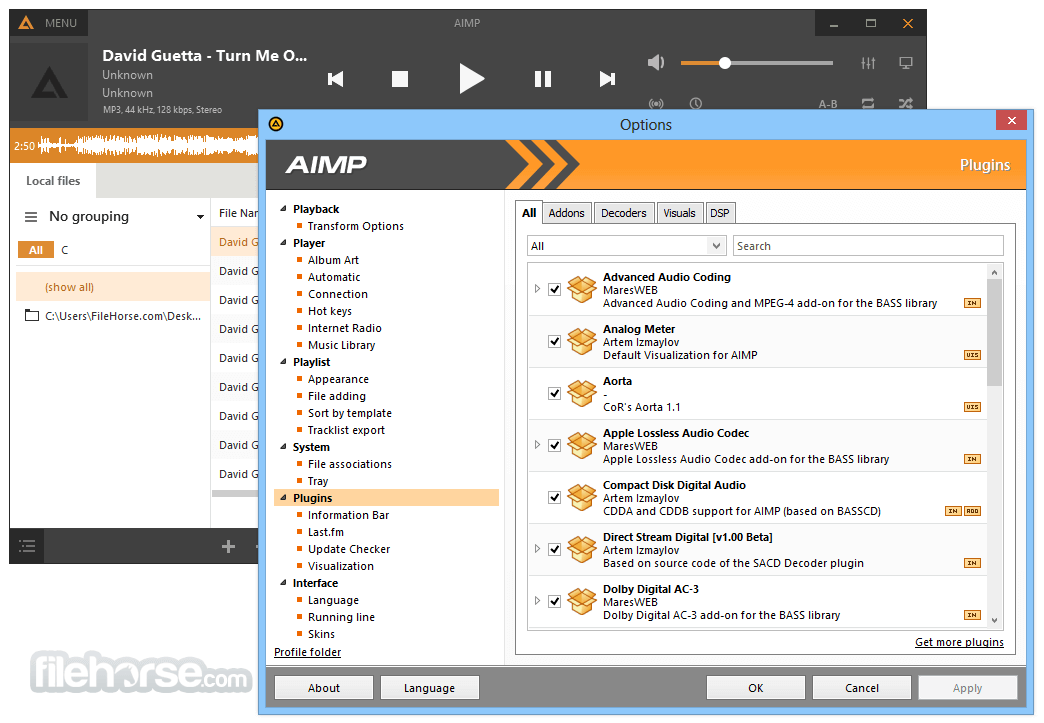
AIMP Portable is a full-featured music player designed with sound quality and wide, customizable functionality in mind. Thirty audio formats are supported.
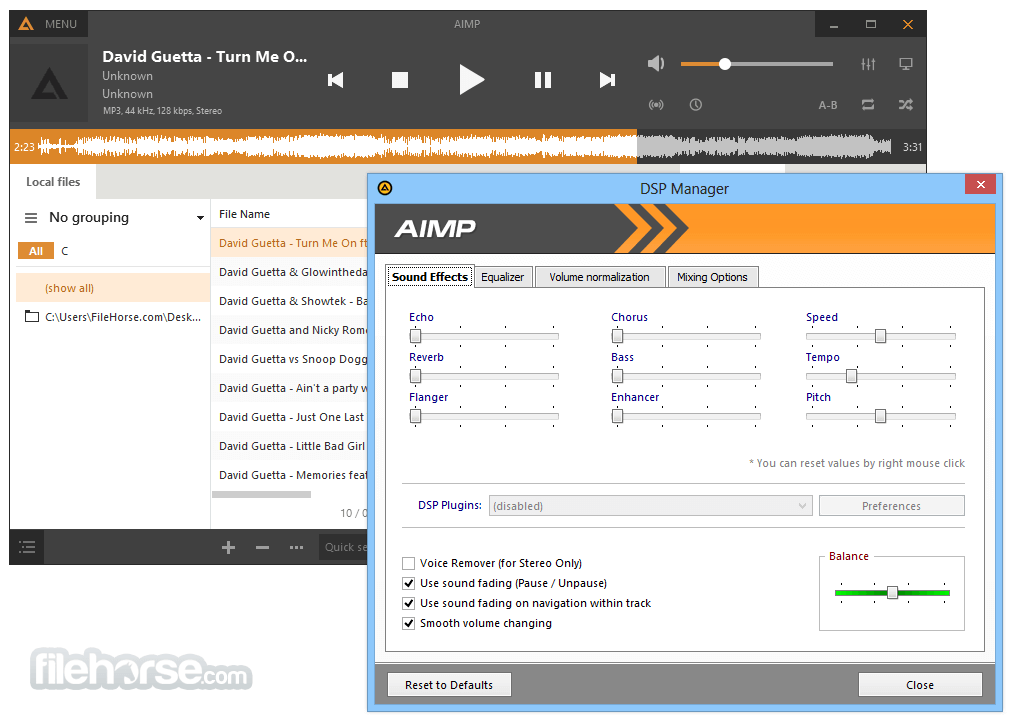
Audio is processed in 32-bit for crystal-clear sound. The player features an 18-band graphics equalizer with extra built-in sound effects. You can extend the existing functionality by adding Input, DSP, and Gen plug-ins from Winamp. All local and global hotkeys are customizable. Full Unicode support.
You can convert Audio CD to MP3, OGG, WAV, or WMA. Similarly, you can grab sound from any audio device on your PC to MP3, OGG, WAV, or WMA formats. You can download AIMP Portable for PC offline installer from the site by clicking on the free download button.
Features and Highlights
Q: Can I use AIMP on macOS or Linux?
A: The app is primarily developed for Windows and doesn't have official versions for macOS or Linux. However, some users have reported success using compatibility layers like Wine to run AIMP on non-Windows systems.
Q: Can I sync my music library across multiple devices using AIMP?
A: It doesn't offer native synchronization capabilities. However, you can manually transfer your music library to other devices or use third-party synchronization services like Dropbox or Google Drive.
Q: Can AIMP scrobble music to Last.fm?
A: Yes, it supports Last.fm scrobbling. You can enable this feature by going to the "Plugins" section in the settings and selecting Last.fm plugin.
Q: Does AIMP Player support gapless playback?
A: Yes, it provides gapless playback, ensuring a seamless listening experience between tracks with no pauses or interruptions.
Q: Can I control AIMP remotely from my smartphone?
A: Yes, it offers remote control functionality through its dedicated mobile app, AIMP Remote Control. It allows you to control playback, manage playlists, and adjust settings from your smartphone.
Alternatives
Winamp: A classic music player with a customizable interface and extensive plugin support.
foobar2000: A highly customizable and lightweight audio player with advanced features and components.
MusicBee: A comprehensive music management and playback software with extensive library organization features.
VLC Media Player: A versatile media player that supports various audio and video formats.
MediaMonkey: A powerful music management tool with advanced tagging and synchronization capabilities.
System Requirements
Download AIMP Portable Latest Version Why is this app published on FileHorse? (More info)
Audio is processed in 32-bit for crystal-clear sound. The player features an 18-band graphics equalizer with extra built-in sound effects. You can extend the existing functionality by adding Input, DSP, and Gen plug-ins from Winamp. All local and global hotkeys are customizable. Full Unicode support.
You can convert Audio CD to MP3, OGG, WAV, or WMA. Similarly, you can grab sound from any audio device on your PC to MP3, OGG, WAV, or WMA formats. You can download AIMP Portable for PC offline installer from the site by clicking on the free download button.
Features and Highlights
- Output supports
DirectSound / ASIO / WASAPI - 18-band equalizer and built-in sound effects
Reverb, Flanger, Chorus, Pitch, Tempo, Echo, Speed, Bass, Enhancer, Voice Remover - Multiformat Playback:
.CDA, .AAC, .AC3, .APE, .DTS, .FLAC, .IT, .MIDI, .MO3, .MOD, .M4A, .M4B, .MP1, .MP2, .MP3, .MPC, .MTM, .OFR, .OGG, .RMI, .S3M, .SPX, .TAK, .TTA, .UMX, .WAV, .WMA, .WV, .XM - 32-bit and 64-bit audio processing
For the best quality! - Work with multiple playlists
While one plays - you work with another - Great functionality and user-friendly interface
- Creating bookmarks and playback queue
- CUE Sheets supports
- Support for plugins
You can add new utils or extend already existing - LastFM Scrobbler
- Internet radio
Listen and capture internet-radio stations to OGG / WAV / MP3 / AAC / AAC+ formats. Capture stream as is for MP3 / AAC / AAC+ formats - Multi-user mode support
Are several users working with one computer? This is no problem! - Multilanguage interface
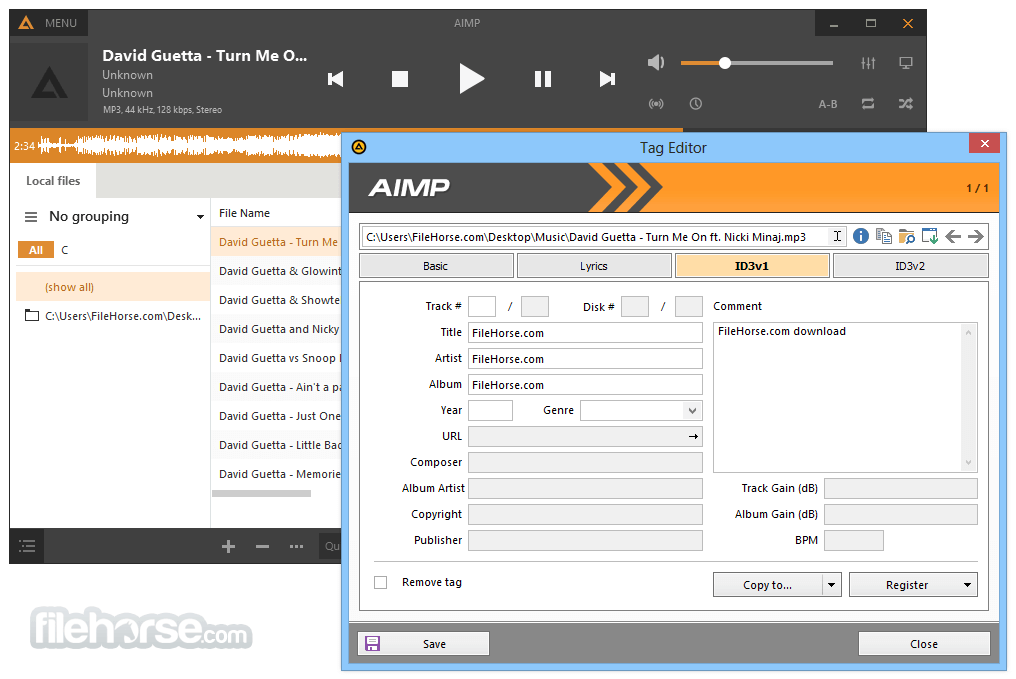
- Tag Editor
You can easily edit tags of audio files and rename a group of files, sort files by template or apply tags to a group of files - Hotkeys
Configure local and global hotkeys as you wish! - Files search
Search files on all opened playlists - Alarm Clock
You can choose the playback start time of the selected track with smooth volume increasing - Auto shutdown the computer
You can sleep while listening favorite music, just set the timer to shutdown the computer at a given time or on playback finish. - Flexible programm options
Q: Can I use AIMP on macOS or Linux?
A: The app is primarily developed for Windows and doesn't have official versions for macOS or Linux. However, some users have reported success using compatibility layers like Wine to run AIMP on non-Windows systems.
Q: Can I sync my music library across multiple devices using AIMP?
A: It doesn't offer native synchronization capabilities. However, you can manually transfer your music library to other devices or use third-party synchronization services like Dropbox or Google Drive.
Q: Can AIMP scrobble music to Last.fm?
A: Yes, it supports Last.fm scrobbling. You can enable this feature by going to the "Plugins" section in the settings and selecting Last.fm plugin.
Q: Does AIMP Player support gapless playback?
A: Yes, it provides gapless playback, ensuring a seamless listening experience between tracks with no pauses or interruptions.
Q: Can I control AIMP remotely from my smartphone?
A: Yes, it offers remote control functionality through its dedicated mobile app, AIMP Remote Control. It allows you to control playback, manage playlists, and adjust settings from your smartphone.
Alternatives
Winamp: A classic music player with a customizable interface and extensive plugin support.
foobar2000: A highly customizable and lightweight audio player with advanced features and components.
MusicBee: A comprehensive music management and playback software with extensive library organization features.
VLC Media Player: A versatile media player that supports various audio and video formats.
MediaMonkey: A powerful music management tool with advanced tagging and synchronization capabilities.
System Requirements
- Operating System: Windows 7/8/10/11 (32 or 64-bit)
- Processor: 1 GHz or higher
- RAM: 256 MB
- Free Disk Space: 20 MB
- Sound Card: DirectX-compatible
- Lightweight and resource-efficient
- Extensive audio format support
- Highly customizable interface
- Advanced playlist management features
- Internet radio and streaming integration
- Lacks native synchronization across devices
- Occasional compatibility issues with certain audio codecs
Download AIMP Portable Latest Version Why is this app published on FileHorse? (More info)
##
影片介紹
##
畫面截圖
- 2026-07-01 AIMP Portable 5.40 Build 2721 15.43 MB
- 2026-03-07 AIMP Portable 5.40 Build 2709 15.48 MB
- 2026-03-04 AIMP Portable 5.40 Build 2708 15.48 MB
- 2025-12-24 AIMP Portable 5.40 Build 2703 15.46 MB
- 2025-11-01 AIMP Portable 5.40 Build 2696 15.41 MB
- 2025-09-08 AIMP Portable 5.40 Build 2694 15.41 MB
- 2025-08-13 AIMP Portable 5.40 Build 2691 15.41 MB
- 2025-06-12 AIMP Portable 5.40 Build 2683 15.38 MB