ASUS DisplayWidget Center 1.3.3.0
v 1.3.3.0
Windows
免費軟體
10/10 (2)
- 目前版本1.3.3.0
- 更新日期2026-04-13
- 檔案大小13.43 MB
- 檔案名稱DisplayWidgetCenter.zip
- 作業系統Windows 10 / Windows 11
- 支援語系English
- 授權型式免費軟體
- 開發商 Asus
- 軟體分類Windows 軟體 / 桌面強化
##
翻譯排程處理中,以下暫以英文原文呈現
軟體介紹
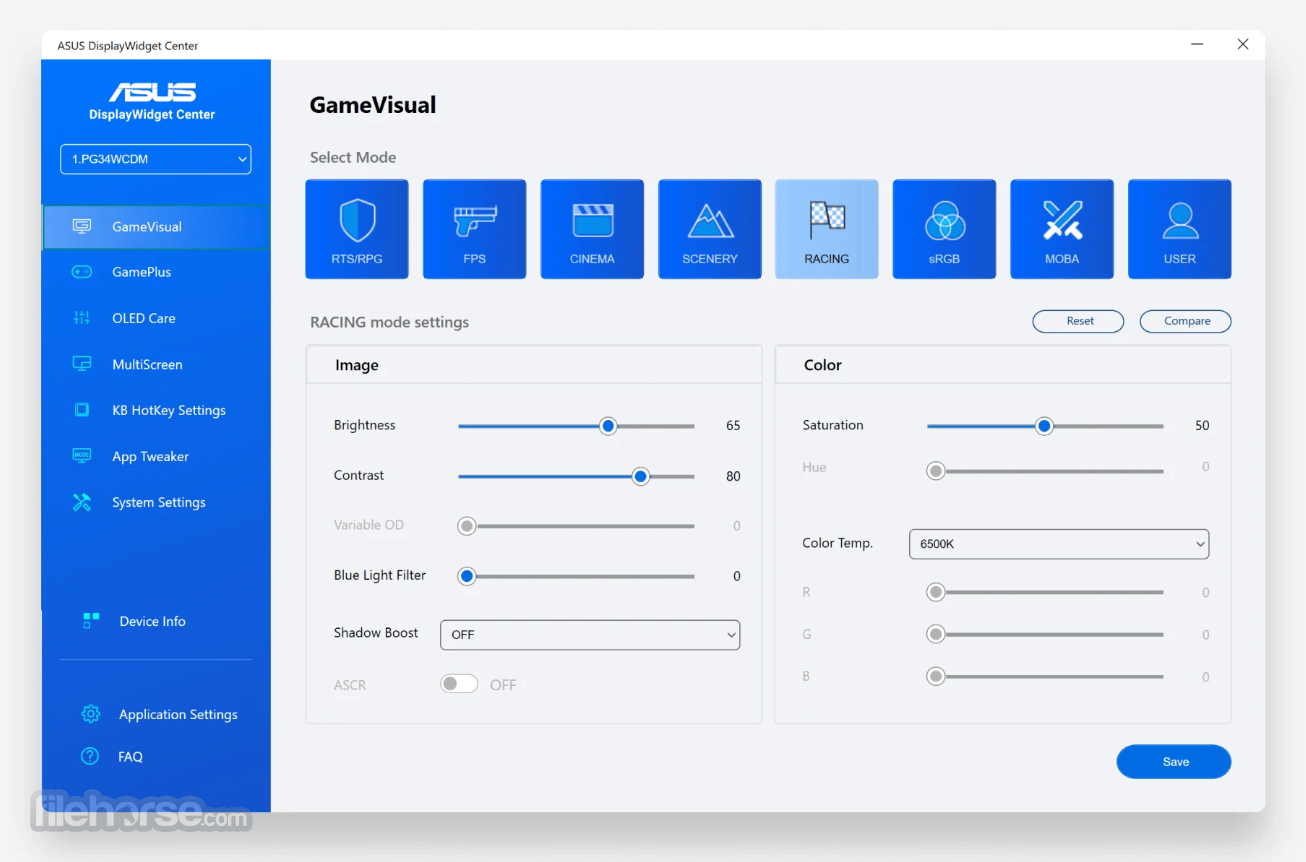
ASUS DisplayWidget Center is a dedicated PC application designed exclusively for ASUS monitors. This software offers a centralized control hub for managing, customizing, and optimizing your display settings!
Whether you're a creative professional, a multitasking user, or a gamer, DisplayWidget Center for Windows enables you to enhance your screen experience with just a few clicks.
It's not just about tweaking brightness and contrast—it’s a complete monitor ecosystem tailored to productivity and comfort.
Main Features
The UI of DisplayWidget Center is clean, modern, and intuitive. It features categorized sections for quick access to all functionalities—from display tuning to multitasking layouts.
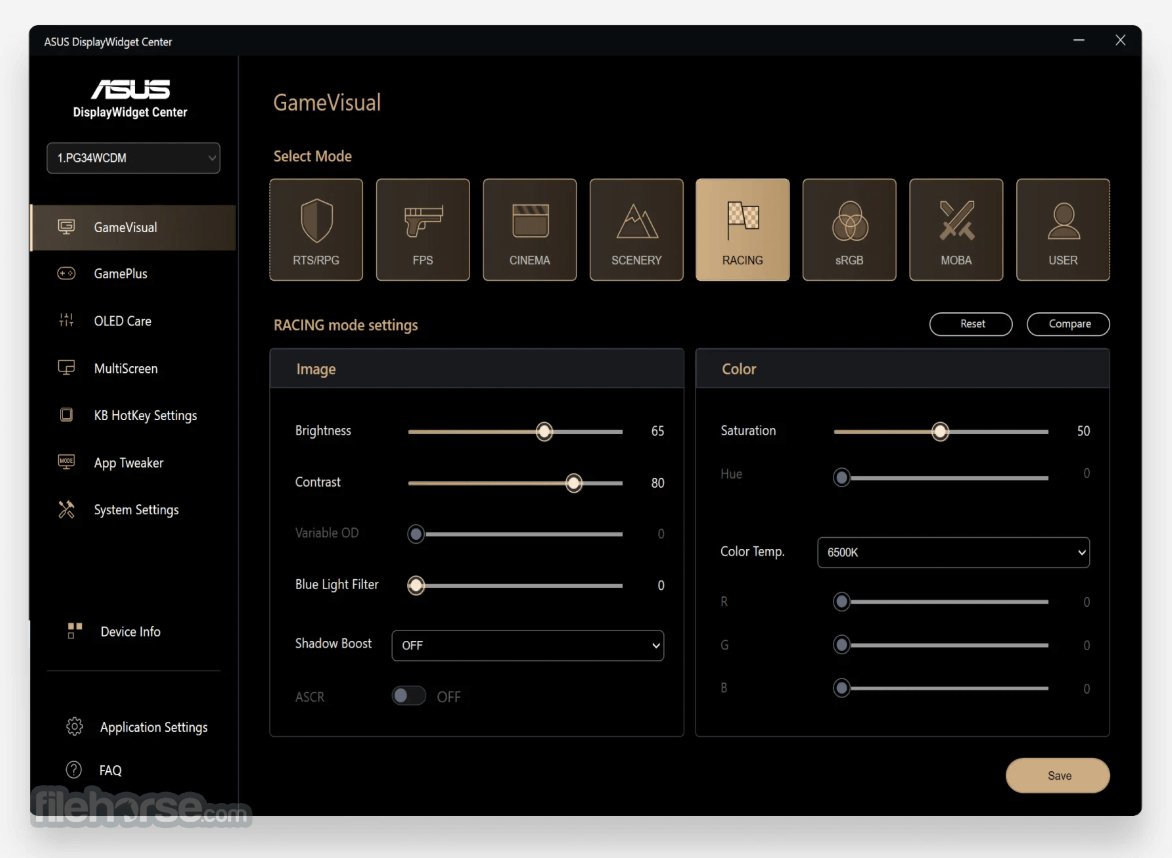
Custom themes let you personalize the interface to match your visual preferences, and hotkey management ensures frequent users can operate with speed and precision.
Installation and Setup
Is DisplayWidget Center compatible with all ASUS monitors?
No, it only supports select ASUS models. Check compatibility on ASUS's website before installation.
What’s the difference between DisplayWidget Center and the classic DisplayWidget?
DisplayWidget Center is newer, more advanced, and offers features like KVM and App Tweaker. The original DisplayWidget is limited in scope.
Can I use DisplayWidget Center on a non-ASUS monitor?
No. This software is exclusively for ASUS monitors and will not work on other brands.
How do I enable PIP or PBP?
These features can be found under MultiScreen. Ensure your monitor supports them via its specs before activation.
Does DisplayWidget Center store settings on the PC or monitor?
Settings are saved directly to the monitor’s onboard OSD, ensuring preferences remain even after disconnecting the display.
Alternatives
NVIDIA Control Panel – Broader GPU-level adjustments but lacks per-app profiles and monitor-specific tools.
ClickMonitorDDC – A lightweight third-party tool with general monitor setting support, but lacks advanced ASUS-exclusive features.
Pricing
Free – Available for all users of compatible ASUS monitors. No hidden costs, subscriptions, or pro versions.
System Requirements
Windows 11 or Windows 10
macOS 12 Monterey or later (for supported macOS versions)
ASUS monitor with DisplayWidget Center compatibility
Minimum: 2GB RAM, 50MB storage, internet for updates
PROS
ASUS DisplayWidget Center is a must-have companion for any user with a compatible ASUS monitor. From deep display tuning to multitasking productivity, it transforms your monitor into a dynamic productivity hub. Features like MultiFrame, App Tweaker, and OLED Care showcase ASUS’s commitment to both performance and hardware longevity.
While the exclusivity to ASUS monitors is a limitation, for those within the ecosystem, this tool offers unbeatable convenience and control—free of charge.
Download ASUS DisplayWidget Center Latest Version Why is this app published on FileHorse? (More info)
Whether you're a creative professional, a multitasking user, or a gamer, DisplayWidget Center for Windows enables you to enhance your screen experience with just a few clicks.
It's not just about tweaking brightness and contrast—it’s a complete monitor ecosystem tailored to productivity and comfort.
Main Features
- Custom monitor settings: Brightness, contrast, color temperature
- Intuitive, customizable user interface
- MultiScreen with MultiFrame window layout manager
- PIP (Picture-in-Picture) and PBP (Picture-by-Picture) support
- Smart KVM: control 2 PCs with one monitor/keyboard/mouse
- App Tweaker for per-app display profiles
- OLED Care tools: pixel cleaning, brightness uniformity
- Keyboard shortcuts and hotkey customization
- Auto-save to monitor OSD, not just system
- Personalized interface skins and update notifications
The UI of DisplayWidget Center is clean, modern, and intuitive. It features categorized sections for quick access to all functionalities—from display tuning to multitasking layouts.
Custom themes let you personalize the interface to match your visual preferences, and hotkey management ensures frequent users can operate with speed and precision.
Installation and Setup
- Download from the ASUS official website or FileHorse.
- Compatible only with Windows 11 or Windows 10.
- Verify your ASUS monitor is supported before installing.
- Follow the step-by-step installer.
- On launch, the app auto-detects connected ASUS monitors.
- No restart needed after installation.
- Adjust monitor settings via the main dashboard.
- Access MultiScreen > MultiFrame to select a screen layout.
- Use PIP/PBP for dual-source screen viewing.
- Set up App Tweaker profiles for specific programs.
- Enable OLED Care to initiate screen maintenance routines.
- Assign hotkeys under the Keyboard Shortcut section.
- Save all changes directly to the monitor via OSD memory.
Is DisplayWidget Center compatible with all ASUS monitors?
No, it only supports select ASUS models. Check compatibility on ASUS's website before installation.
What’s the difference between DisplayWidget Center and the classic DisplayWidget?
DisplayWidget Center is newer, more advanced, and offers features like KVM and App Tweaker. The original DisplayWidget is limited in scope.
Can I use DisplayWidget Center on a non-ASUS monitor?
No. This software is exclusively for ASUS monitors and will not work on other brands.
How do I enable PIP or PBP?
These features can be found under MultiScreen. Ensure your monitor supports them via its specs before activation.
Does DisplayWidget Center store settings on the PC or monitor?
Settings are saved directly to the monitor’s onboard OSD, ensuring preferences remain even after disconnecting the display.
Alternatives
NVIDIA Control Panel – Broader GPU-level adjustments but lacks per-app profiles and monitor-specific tools.
ClickMonitorDDC – A lightweight third-party tool with general monitor setting support, but lacks advanced ASUS-exclusive features.
Pricing
Free – Available for all users of compatible ASUS monitors. No hidden costs, subscriptions, or pro versions.
System Requirements
Windows 11 or Windows 10
macOS 12 Monterey or later (for supported macOS versions)
ASUS monitor with DisplayWidget Center compatibility
Minimum: 2GB RAM, 50MB storage, internet for updates
PROS
- Wide monitor control in one app
- Supports dual-PC with Smart KVM
- Per-app display profile tweaking
- Advanced OLED care tools
- Interface saves settings to monitor, not just PC
- Only works with ASUS monitors
- Limited model compatibility
- Requires Windows 11+
- No multi-brand support
- KVM/PIP/PBP may not work on all units
ASUS DisplayWidget Center is a must-have companion for any user with a compatible ASUS monitor. From deep display tuning to multitasking productivity, it transforms your monitor into a dynamic productivity hub. Features like MultiFrame, App Tweaker, and OLED Care showcase ASUS’s commitment to both performance and hardware longevity.
While the exclusivity to ASUS monitors is a limitation, for those within the ecosystem, this tool offers unbeatable convenience and control—free of charge.
Download ASUS DisplayWidget Center Latest Version Why is this app published on FileHorse? (More info)
##
畫面截圖