Atlantis Word Processor 5.0.5.4
v 5.0.5.4
Windows
商業試用
8/10 (6)
- 目前版本5.0.5.4
- 更新日期2026-07-26
- 檔案大小1.9 MB
- 檔案名稱atlantis5en.exe
- 作業系統Windows 7 / Windows 8 / Windows 10 / Windows 11
- 支援語系English
- 授權型式商業試用
- 開發商 The Atlantis Word Processor Team
- 軟體分類Windows 軟體 / 辦公商務
##
翻譯排程處理中,以下暫以英文原文呈現
軟體介紹
Atlantis Word Processor is a lightweight, fast, and highly customizable word processing application designed for both casual users and professionals.
Developed by Atlantis, the office software is renowned for its compact size, swift performance, and robust set of features, making it a versatile tool for all types of writing tasks, from simple note-taking to complex document creation.
With a focus on efficiency and ease of use, Atlantis Word Processor for PC is a compelling alternative to more bulky and resource-intensive word processors like Microsoft Word.
Key Features
Customizable Interface
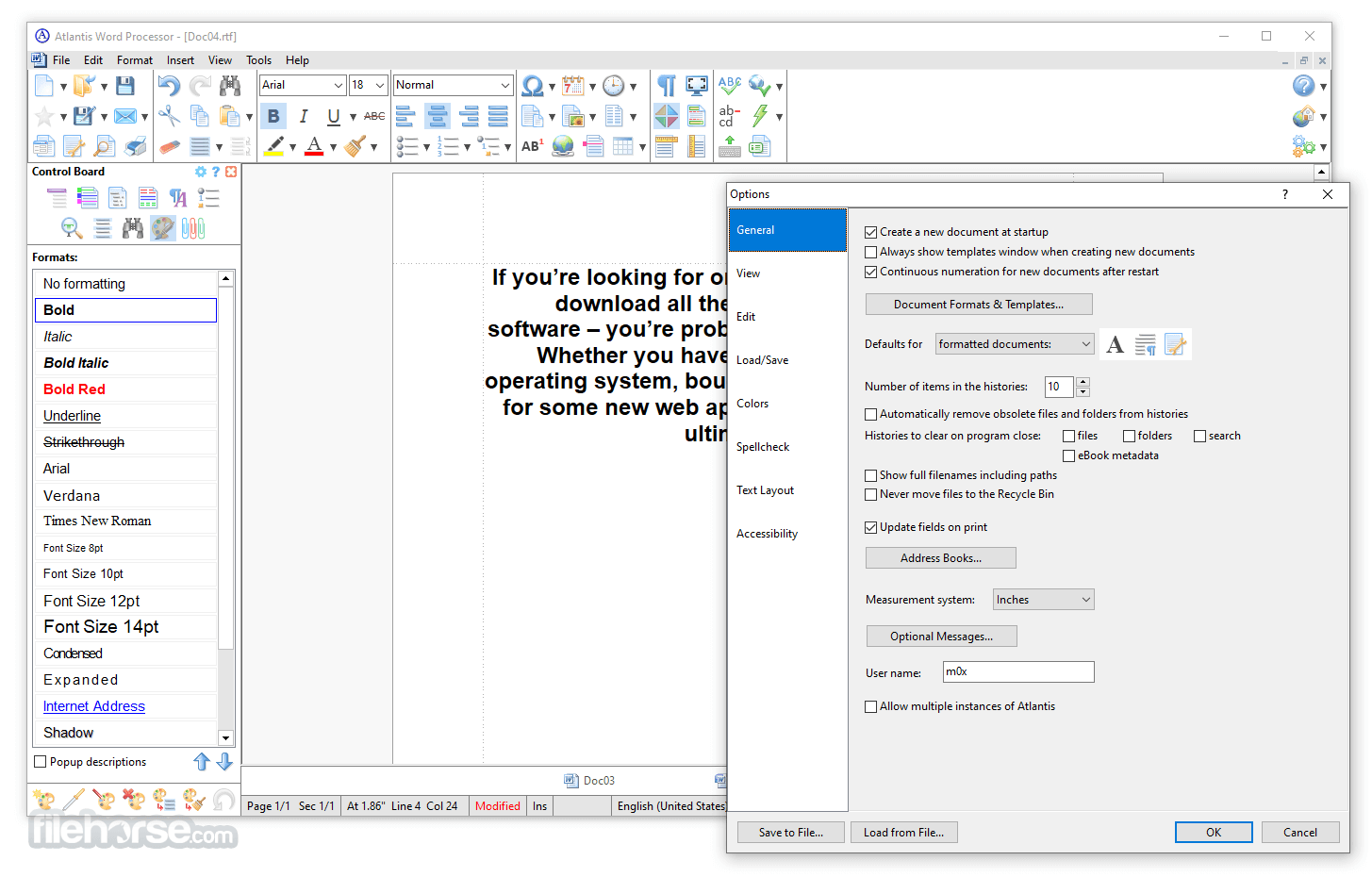
Users can tailor the appearance and functionality of the interface to suit their preferences, including toolbar customization, color schemes, and layout options.
Document Format Support
It supports a wide range of document formats, including DOC, DOCX, RTF, TXT, and more, ensuring compatibility with other word processing tools.
Rich Text Editing
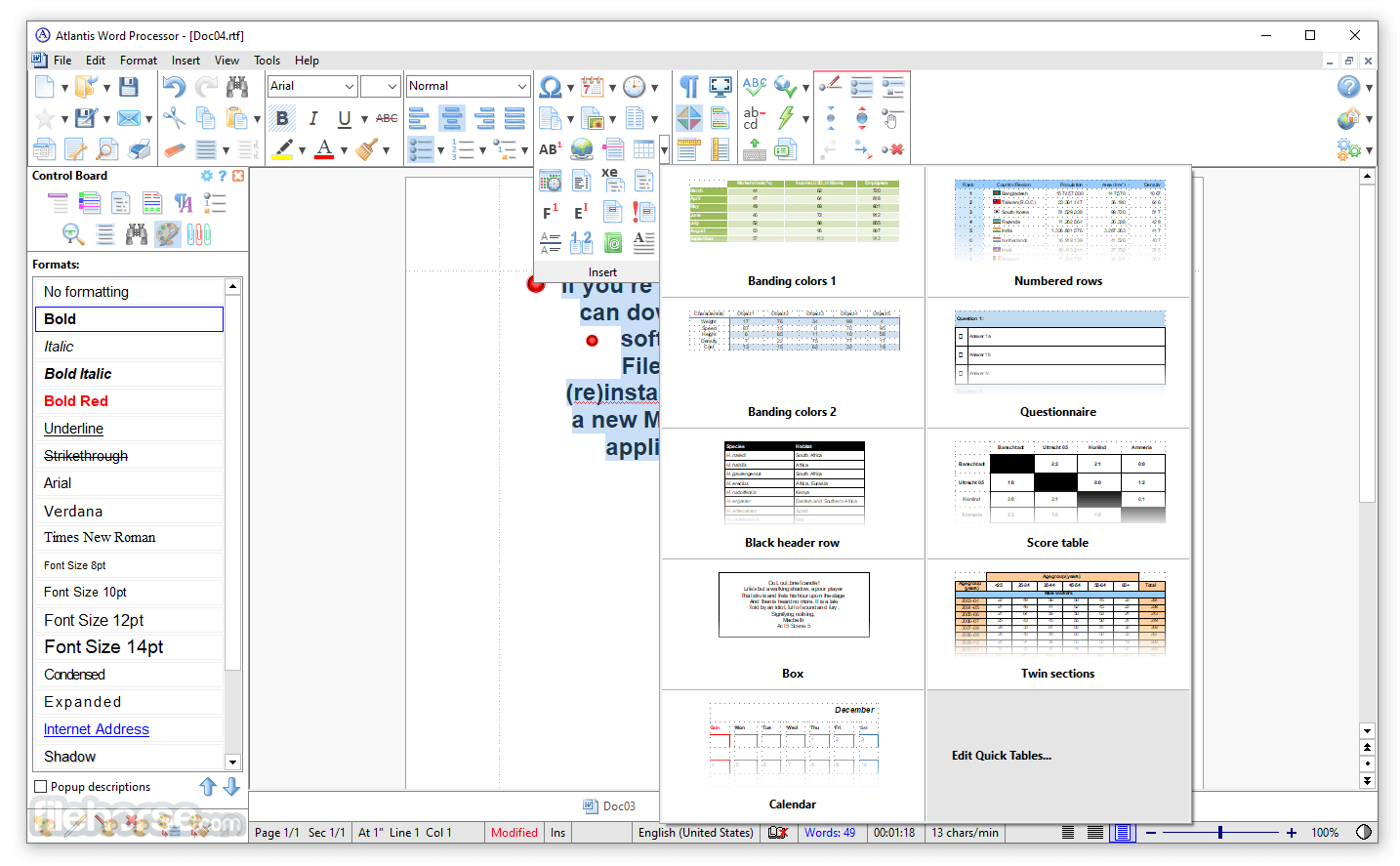
The software offers advanced text formatting options, such as font styles, paragraph alignment, bullet points, and more, enabling users to create professional-looking documents with ease.
Encryption and Backup
It provides built-in document encryption and automatic backup features, helping users secure their work and prevent data loss.
Powerful Tools for Writers
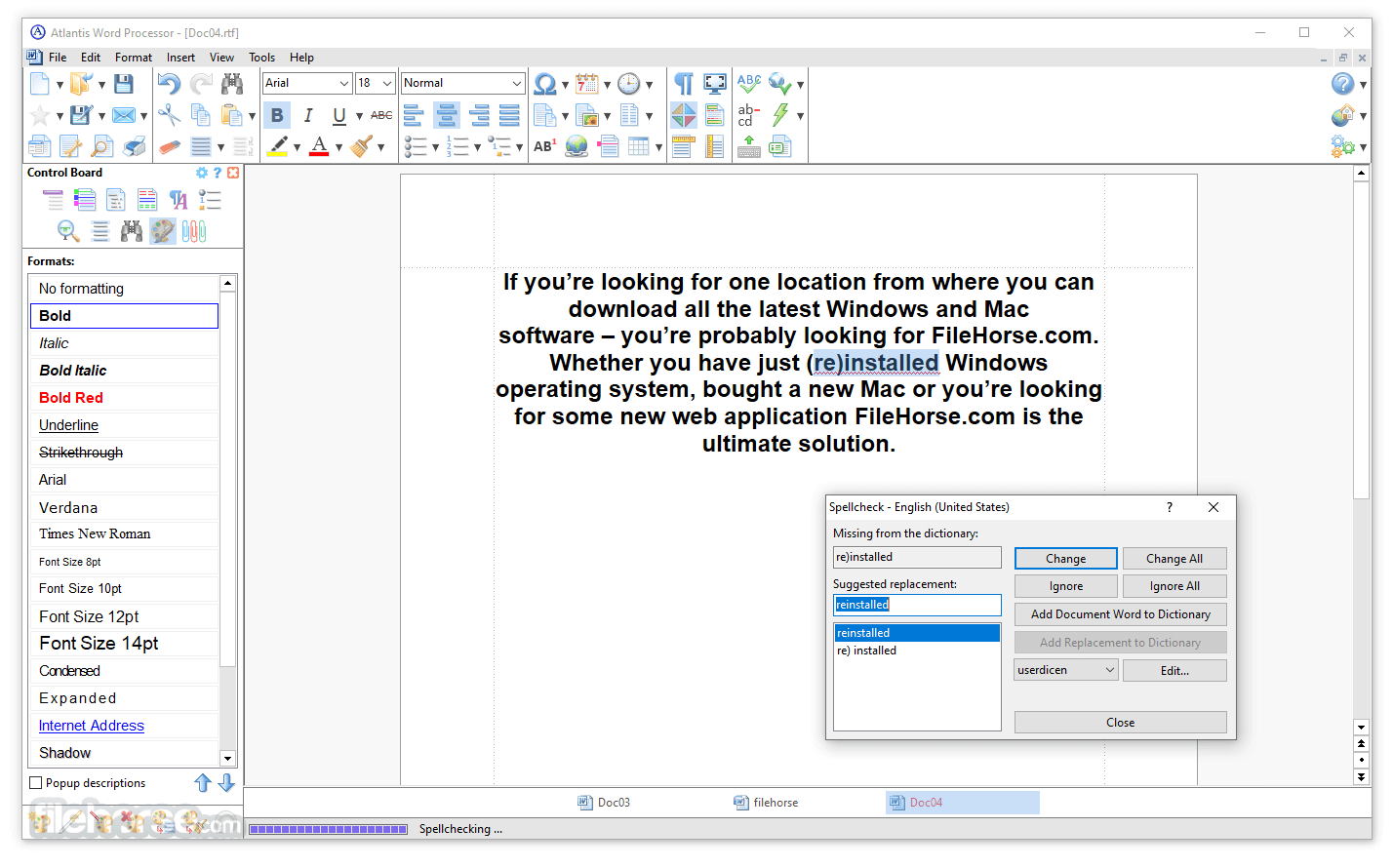
Features like the Overused Words Analyzer and Word Frequency Counter assist writers in enhancing the quality and clarity of their text.
Portable Version
The software can be run from a USB drive without installation, allowing users to take their work with them wherever they go.
User Interface
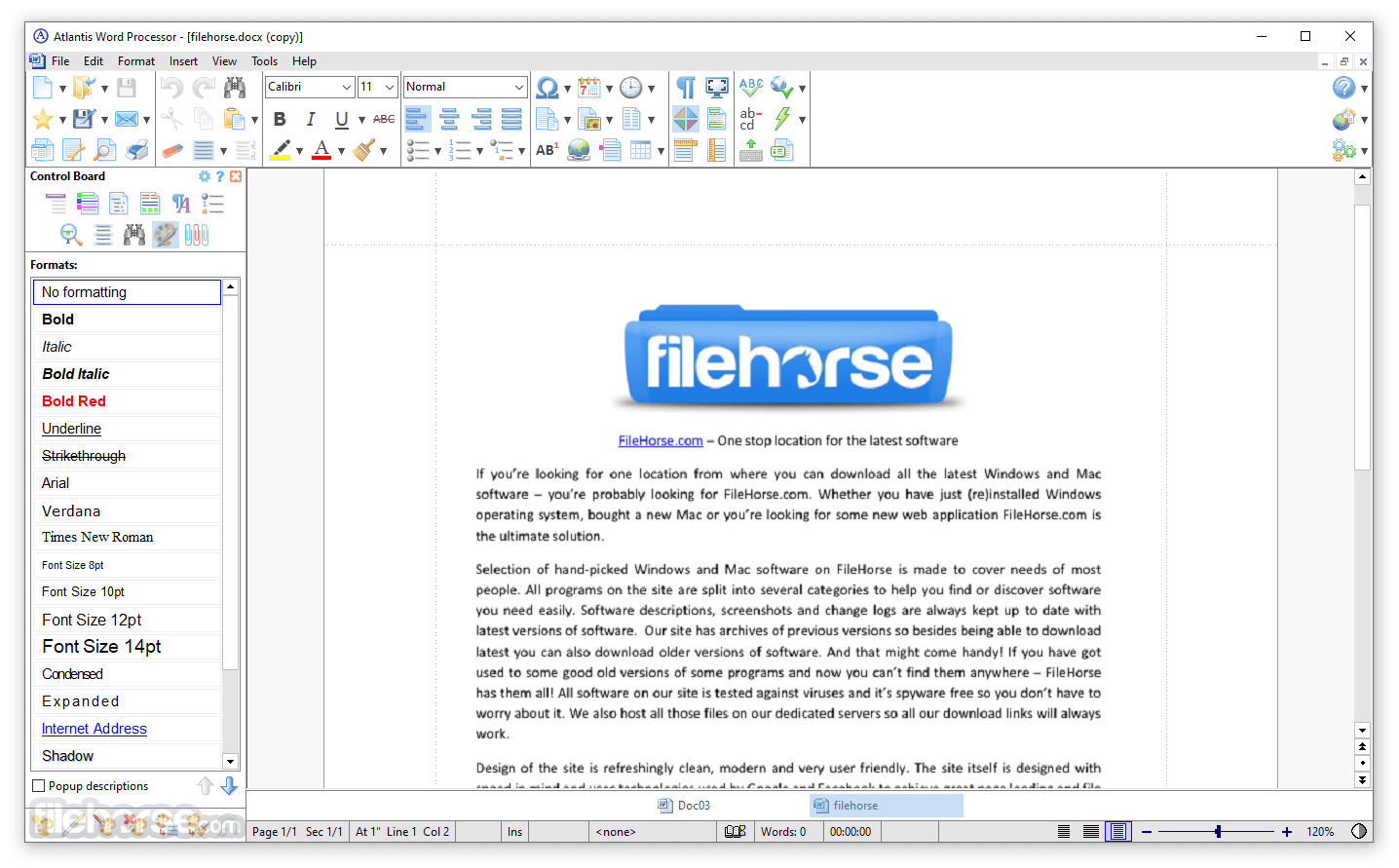
The user interface of Atlantis Word Processor is designed to be both intuitive and flexible. At first glance, it resembles traditional word processors, with a familiar ribbon-style toolbar and a clean workspace. However, the true strength of Atlantis lies in its customizability.
Users can rearrange toolbars, add or remove buttons, and choose from various color schemes to create an interface that best suits their workflow. The software also offers a full-screen mode, which is ideal for distraction-free writing.
Installation and Setup
Installing this program is a straightforward process. The software's installer is small, typically under 3 MB, which means it downloads quickly and takes up minimal space on your hard drive. The installation wizard guides you through the setup process, which only takes a few minutes.
Once installed, Atlantis is ready to use immediately, with no need for additional configuration. The software is compatible with all modern versions of Windows, from XP to Windows 11.
How to Use
Creating a New Document: Open Atlantis app and click on the "New" button in the toolbar. This will create a new blank document.
Formatting Text: Use the toolbar to apply formatting to your text. You can change the font, size, color, and alignment with just a few clicks.
Saving Documents: To save your work, click on the "Save" button or use the "Save As" option to specify the file format and location.
Using Writing Tools: Access tools like the Overused Words Analyzer from the "Tools" menu to enhance your writing.
FAQ
Can Atlantis Word Processor open and edit Microsoft Word files?
Yes, it supports DOC and DOCX formats, allowing you to open, edit, and save Microsoft Word files.
Is there a Mac version of Atlantis Word Processor?
No, this software is currently only available for Windows. However, it can be run on a Mac using virtualization software like Parallels or a Windows emulator.
Does Atlantis Word Processor support cloud storage?
While Atlantis doesn't have built-in cloud integration, you can easily save your documents to a cloud storage folder (e.g., Dropbox, OneDrive) on your computer.
Is Atlantis Word Processor suitable for academic writing?
Yes, it offers all the necessary tools for academic writing, including citation support, footnotes, and advanced formatting options.
Can I use Atlantis Word Processor on multiple devices?
The software's license allows you to install and use Atlantis on multiple devices, as long as you are the primary user.
Pricing
This program is a commercial software, but it offers a very affordable pricing model. A one-time purchase of Atlantis standard license costs $35, granting you a lifetime license with free minor updates.
This makes it a cost-effective choice for users who need a reliable word processor without recurring subscription fees.
Standard license - $35 (one-time)
All trial copies of Atlantis Word Processor are fully functional. No features are disabled. They are all available for you to evaluate for 30 days. But if you want to continue using this program beyond the 30-day evaluation period (starting with your first day of use), you will have to register your copy of this desktop app.
System Requirements
Atlantis is a standout choice for users seeking a lightweight, efficient, and highly customizable word processing solution. Its rich set of features, combined with its affordable pricing and minimal system requirements, make it a great option for writers, students, and professionals alike.
While it may not have all the bells and whistles of more expensive competitors like Microsoft Word, its performance, ease of use, and focus on core functionality make it an excellent tool for everyday writing tasks. If you're looking for a reliable word processor that doesn't bog down your system, Atlantis Word Processor is well worth considering.
Download Atlantis Word Processor Latest Version Why is this app published on FileHorse? (More info)
Developed by Atlantis, the office software is renowned for its compact size, swift performance, and robust set of features, making it a versatile tool for all types of writing tasks, from simple note-taking to complex document creation.
With a focus on efficiency and ease of use, Atlantis Word Processor for PC is a compelling alternative to more bulky and resource-intensive word processors like Microsoft Word.
Key Features
Customizable Interface
Users can tailor the appearance and functionality of the interface to suit their preferences, including toolbar customization, color schemes, and layout options.
Document Format Support
It supports a wide range of document formats, including DOC, DOCX, RTF, TXT, and more, ensuring compatibility with other word processing tools.
Rich Text Editing
The software offers advanced text formatting options, such as font styles, paragraph alignment, bullet points, and more, enabling users to create professional-looking documents with ease.
Encryption and Backup
It provides built-in document encryption and automatic backup features, helping users secure their work and prevent data loss.
Powerful Tools for Writers
Features like the Overused Words Analyzer and Word Frequency Counter assist writers in enhancing the quality and clarity of their text.
Portable Version
The software can be run from a USB drive without installation, allowing users to take their work with them wherever they go.
User Interface
The user interface of Atlantis Word Processor is designed to be both intuitive and flexible. At first glance, it resembles traditional word processors, with a familiar ribbon-style toolbar and a clean workspace. However, the true strength of Atlantis lies in its customizability.
Users can rearrange toolbars, add or remove buttons, and choose from various color schemes to create an interface that best suits their workflow. The software also offers a full-screen mode, which is ideal for distraction-free writing.
Installation and Setup
Installing this program is a straightforward process. The software's installer is small, typically under 3 MB, which means it downloads quickly and takes up minimal space on your hard drive. The installation wizard guides you through the setup process, which only takes a few minutes.
Once installed, Atlantis is ready to use immediately, with no need for additional configuration. The software is compatible with all modern versions of Windows, from XP to Windows 11.
How to Use
Creating a New Document: Open Atlantis app and click on the "New" button in the toolbar. This will create a new blank document.
Formatting Text: Use the toolbar to apply formatting to your text. You can change the font, size, color, and alignment with just a few clicks.
Saving Documents: To save your work, click on the "Save" button or use the "Save As" option to specify the file format and location.
Using Writing Tools: Access tools like the Overused Words Analyzer from the "Tools" menu to enhance your writing.
FAQ
Can Atlantis Word Processor open and edit Microsoft Word files?
Yes, it supports DOC and DOCX formats, allowing you to open, edit, and save Microsoft Word files.
Is there a Mac version of Atlantis Word Processor?
No, this software is currently only available for Windows. However, it can be run on a Mac using virtualization software like Parallels or a Windows emulator.
Does Atlantis Word Processor support cloud storage?
While Atlantis doesn't have built-in cloud integration, you can easily save your documents to a cloud storage folder (e.g., Dropbox, OneDrive) on your computer.
Is Atlantis Word Processor suitable for academic writing?
Yes, it offers all the necessary tools for academic writing, including citation support, footnotes, and advanced formatting options.
Can I use Atlantis Word Processor on multiple devices?
The software's license allows you to install and use Atlantis on multiple devices, as long as you are the primary user.
Pricing
This program is a commercial software, but it offers a very affordable pricing model. A one-time purchase of Atlantis standard license costs $35, granting you a lifetime license with free minor updates.
This makes it a cost-effective choice for users who need a reliable word processor without recurring subscription fees.
Standard license - $35 (one-time)
- Free personalized technical support,
- Free future updates of version 4.x.
- Free personalized technical support,
- Free lifetime upgrades to all future versions.
All trial copies of Atlantis Word Processor are fully functional. No features are disabled. They are all available for you to evaluate for 30 days. But if you want to continue using this program beyond the 30-day evaluation period (starting with your first day of use), you will have to register your copy of this desktop app.
System Requirements
- Operating System: Windows XP, Vista, 7, 8, 10, 11 (32-bit and 64-bit)
- Processor: 1 GHz or faster
- Memory: 512 MB of RAM
- Hard Drive: 10 MB of available space
- Display: 1024 x 768 resolution or higher
- Lightweight and fast
- Highly customizable interface
- Dark mode
- Affordable one-time purchase
- Robust writing tools
- The AutoCorrect feature
- Customizable status bar
- Portable version available
- Windows-only
- Lacks real-time collaboration features
Atlantis is a standout choice for users seeking a lightweight, efficient, and highly customizable word processing solution. Its rich set of features, combined with its affordable pricing and minimal system requirements, make it a great option for writers, students, and professionals alike.
While it may not have all the bells and whistles of more expensive competitors like Microsoft Word, its performance, ease of use, and focus on core functionality make it an excellent tool for everyday writing tasks. If you're looking for a reliable word processor that doesn't bog down your system, Atlantis Word Processor is well worth considering.
Download Atlantis Word Processor Latest Version Why is this app published on FileHorse? (More info)
##
畫面截圖