
- 目前版本Ayoa Mind Mapping
- 更新日期2025-09-26
- 檔案名稱Ayoa+Setup.exe
- 作業系統Windows 7 / Windows 8 / Windows 10 / Windows 11
- 支援語系English
- 授權型式未分類
- 開發商 OpenGenius Ltd
- 軟體分類Windows 軟體 / 辦公商務
##
編輯短評
Ayoa Mind Mapping 是一款結合心智圖與任務管理的視覺化生產力工具,主要用來協助個人或團隊發想點子、整理任務並追蹤專案進度。它把腦力激盪、排程和即時協作整合在同一個介面中,讓想法能直接轉換成可執行的待辦事項,這是它最有辨識度的特色。由 OpenGenius 開發,這套工具目前仍持續更新,但整體而言屬於同類中的小眾選擇,使用者評價普遍不錯,不過樣本數不多,參考價值有限。
這套軟體適合需要以圖像方式思考的個人工作者,或是想用同一套工具同時進行發想與專案管理的小型團隊。與微軟 Office 或 PDF 工具等替代軟體相比,它更專注於視覺化協作,而非文書處理或檔案轉換,因此若你的工作流程以心智圖為主,它會比傳統辦公室軟體更貼近需求。需要注意的是,目前僅提供英文介面,且授權分類未明,下載前最好先確認官方網站上的使用條款;另外它也有 macOS 版本,但 Windows 用戶可直接下載使用,免安裝的網頁版則需連網操作。
##
軟體介紹
Ayoa Free 是一款生產力與心智圖網路工具,旨在協助個人與團隊激發靈感、有效組織任務並管理專案。
它將心智圖與任務管理的元素結合在一個高度視覺化、直觀的介面中。由 OpenGenius 開發,Ayoa(網頁應用程式)旨在促進創意並簡化工作流程,提供適合個人與小型團隊使用的免費版本。
其突出之處在於能將腦力激盪、任務排程與即時協作整合於單一應用程式中。
它將心智圖與任務管理的元素結合在一個高度視覺化、直觀的介面中。由 OpenGenius 開發,Ayoa(網頁應用程式)旨在促進創意並簡化工作流程,提供適合個人與小型團隊使用的免費版本。
其突出之處在於能將腦力激盪、任務排程與即時協作整合於單一應用程式中。
##
影片介紹
##
畫面截圖
##
更新日誌
Ayoa Mind Mapping- Organic Mind Maps® - Unleash Your Creativity
- Global Idea Bank Now Available In Every View
- Now Integrated with Outlook Calendar!
- Elevate Your Projects with New AI Conversation Tool!
Main Features
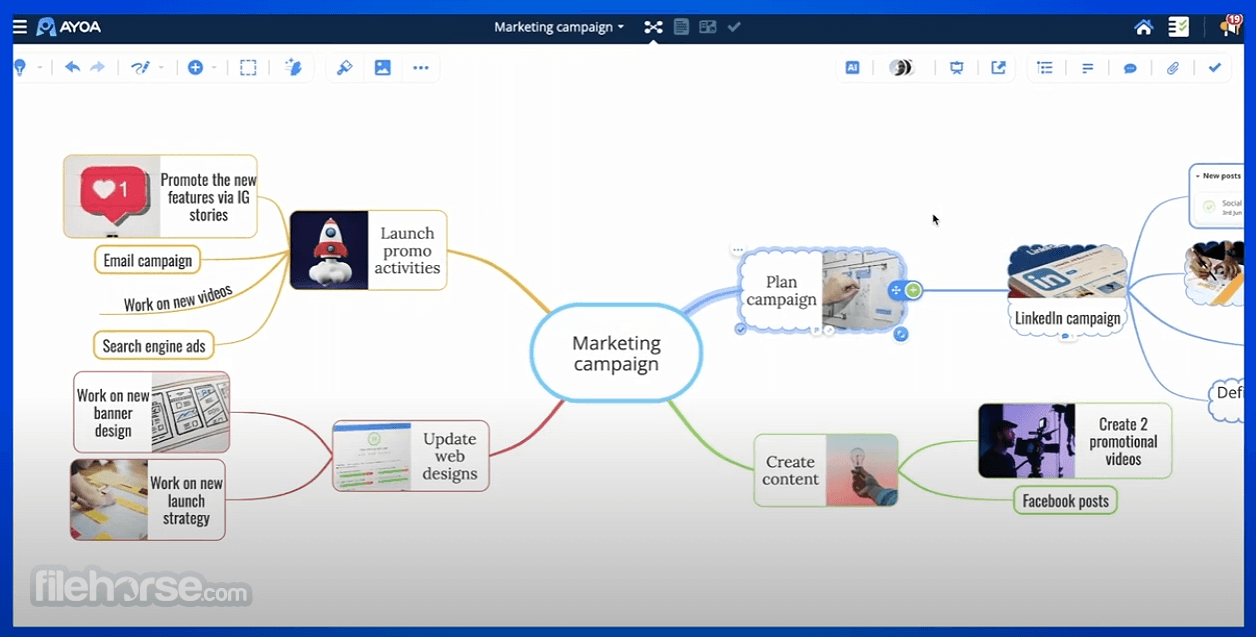
Mind Mapping: Ayoa's standout feature is its dynamic mind mapping tool, which allows users to visually connect and organize their ideas. It provides flexible layouts with radial maps, speed maps, and flowcharts.
Task Management: Integrating task management into mind maps, users can create tasks directly from their ideas and track their progress with task boards and timelines. It allows color coding, due dates, and priorities.
Collaboration Tools: It supports real-time collaboration, enabling teams to work together on mind maps or task boards. Changes are synchronized instantly, and comments or updates can be left by collaborators.
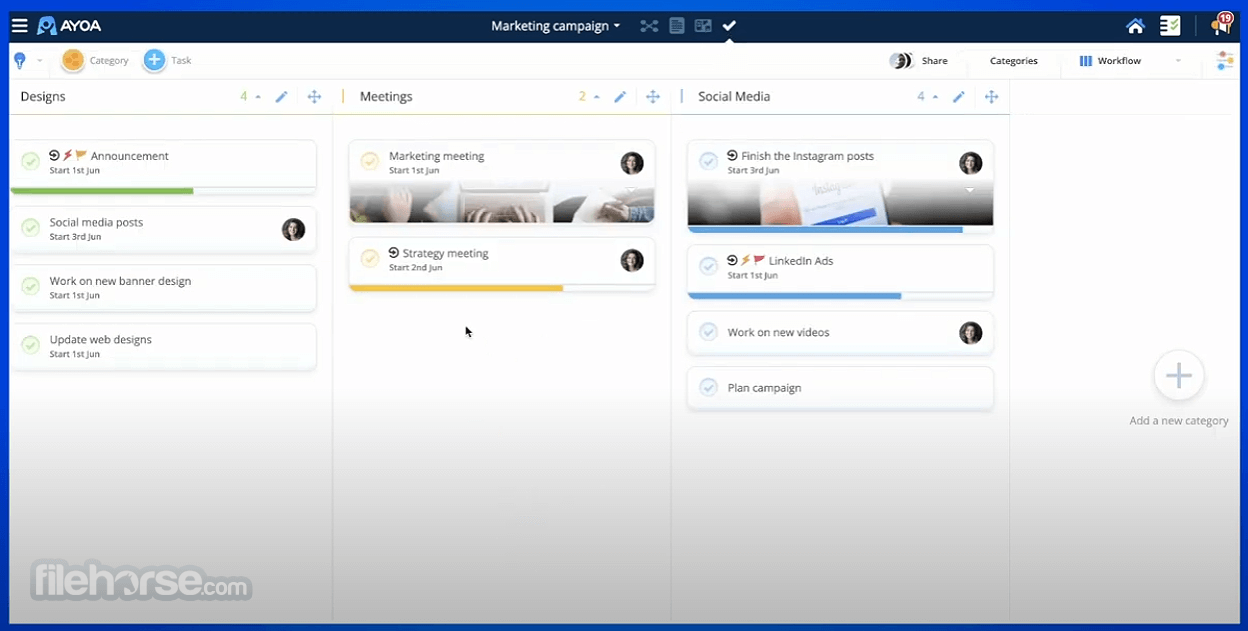
Kanban-Style Task Boards: Ayoa's task boards offer a Kanban-style interface for organizing tasks into different stages such as To Do, In Progress, and Done, making project management easier.
Task Syncing Across Devices: It allows syncing tasks and mind maps across devices, making it easy to work from desktops, laptops, or mobile devices without losing track of progress.
Calendar View: Tasks can be visualized in a calendar layout, providing an easy way to view deadlines and plan the upcoming week or month.
Integration with Other Tools: It integrates with third-party tools like Google Calendar, Google Drive, Dropbox, and Slack, which enhances its utilitywithin existing work ecosystems.
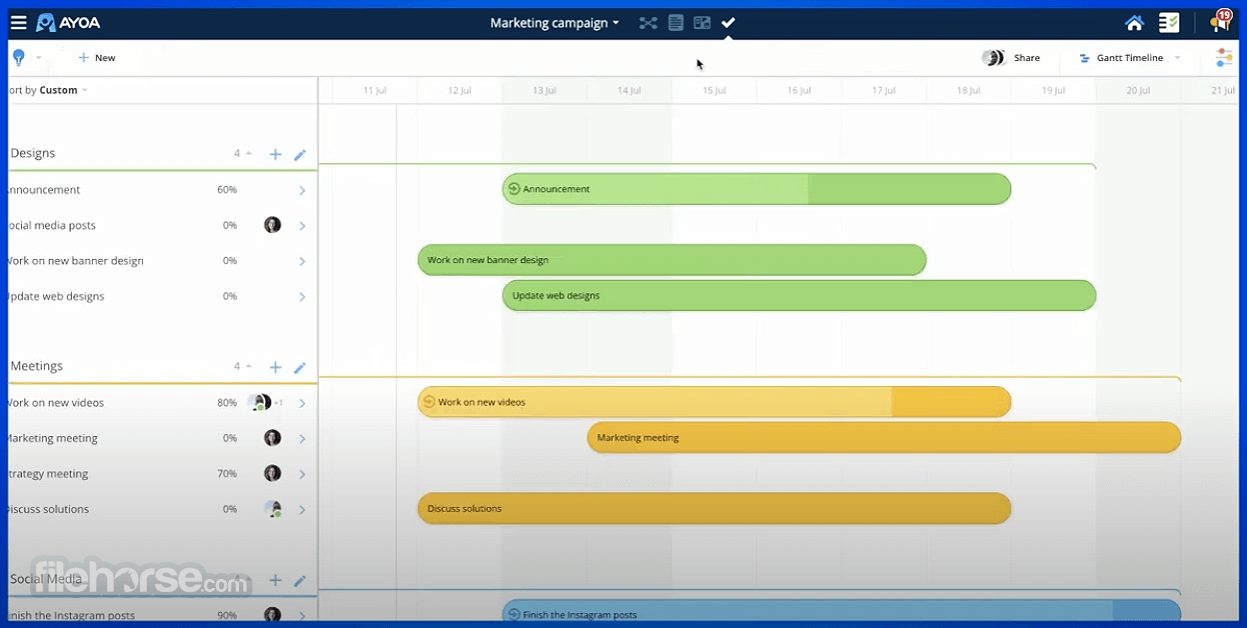
Gantt Timeline View: For project managers, the Gantt timeline feature helps with tracking long-term projects, visualizing task dependencies, and ensuring that deadlines are met.
User Interface
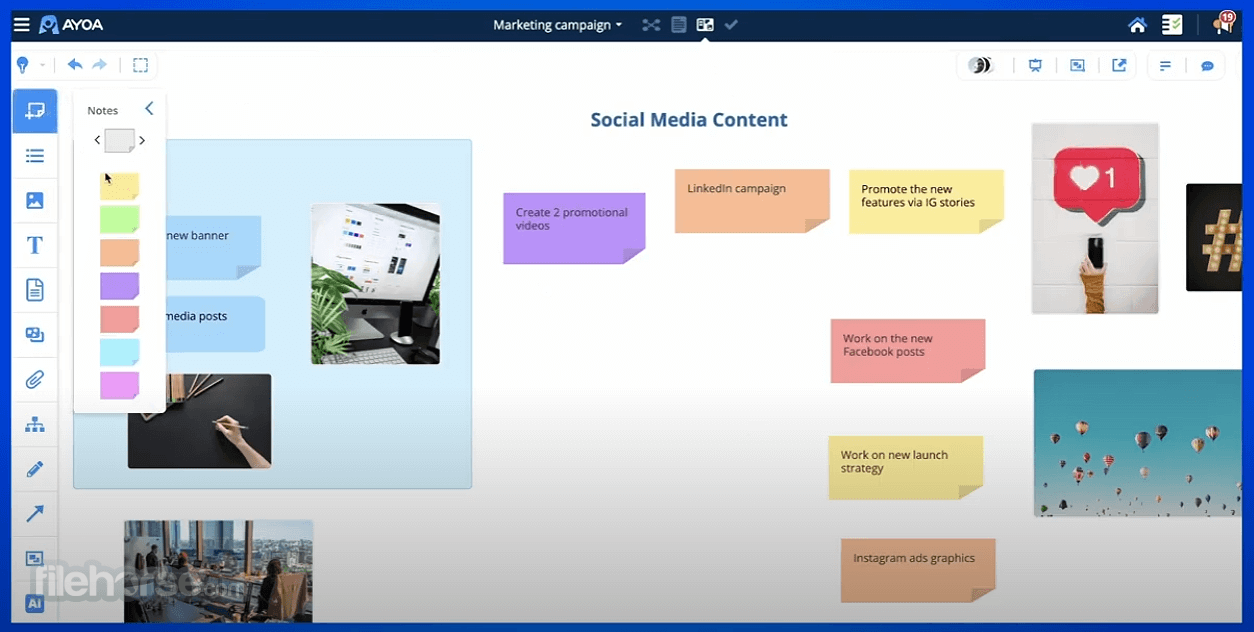
The program’s interface is designed with simplicity and visual appeal in mind. It features a modern, clean design with a drag-and-drop interface, allowing users to arrange ideas and tasks effortlessly.
The UI is user-friendly, making it easy for new users to navigate between mind maps, task boards, and calendar views. Each tool, whether for brainstorming or project management, is easily accessible from the sidebar menu.
The vibrant colors, fluid animations, and intuitive layouts ensure a pleasant user experience, especially for visually-oriented users.
Installation and Setup
Download: The program can be downloaded directly from the official website or FileHorse. It’s available for Windows and macOS as desktop applications, and also accessible via web browsers.
Account Creation: Upon launching the app, you’ll be prompted to create an account, which only requires an email address. You can also sign up using Google or Apple accounts for quick access.
Setup: After signing in, it provides a quick onboarding tutorial that guides users through creating their first mind map or task board. The setup also includes an option to sync calendars or integrate third-party tools.
Mobile Access: It also has a mobile version for iOS and Android, allowing users to manage tasks and ideas on the go.
How to Use
Create a Mind Map: Start by creating a new mind map. Select a central idea and add branches by dragging and dropping. Customize each branch with text, icons, or images.
Turn Ideas into Tasks: Once ideas are mapped out, you can convert branches into tasks directly from the mind map. Tasks can be assigned due dates, priorities, and placed into different stages.
Track Progress: Switch to the task board view to track tasks in a Kanban-style format. Move tasks across stages like “To Do,” “In Progress,” and “Completed.”
Collaborate in Real-Time: Invite team members to your project to collaborate. You can share maps or tasks with others by simply sending an invitation, allowing real-time updates and feedback.
View in Calendar or Gantt: For better project tracking, switch to the calendar view to visualize deadlines or the Gantt view to manage project timelines.
Integrate with Other Tools: To enhance productivity, sync your app tasks with tools like Google Calendar or Dropbox.
FAQ
Is Ayoa Free sufficient for professional use?
Yes, for small teams or individuals, it provides enough functionality for managing ideas, tasks, and small projects. However, for advanced project management features like task dependencies, the paid version may be required.
What are the limitations of the Free version?
The app limits the number of tasks and mind maps you can create, and it lacks some premium features such as unlimited team members, high-level task reporting, and advanced Gantt charts.
Can I use Ayoa Free offline?
Yes, it offers offline access for desktop applications. Once you reconnect, your tasks and maps will sync automatically across devices.
How does Ayoa compare to other mind-mapping tools?
It stands out due to its integration of task management, real-time collaboration, and Kanban boards, making it more versatile than traditional mind-mapping tools like XMind or MindMeister.
Is Ayoa secure for business use?
It employs industry-standard encryption and data protection protocols, ensuring the security of users' data. However, it is advised to review their privacy policies for more detailed information.
Alternatives
EdrawMind - The mind mapping tool with collaboration features but without advanced project management.
ClickUp - A project management tool that offers some mind mapping, though its free version can feel limited for creative brainstorming.
XMind - A popular mind-mapping tool focused solely on brainstorming, offering both free and premium plans but lacks integrated task management.
Trello - A task management app with a focus on Kanban-style boards, but does not have mind mapping capabilities.
Asana - A task management tool with extensive collaboration features, though it does not offer mind mapping.
Pricing
Ayoa Free
- Up to 10 mind maps
- Core mind-mapping tools
- Personal (non-commercial) use only
- Use powerful AI to enhance mind mapping, productivity, and collaboration
- Multiple mind mapping modes
- Integrated whiteboards
- Task board and Gantt views
- Document and outline views
- Presentation modes
- Importers (with AI summaries)
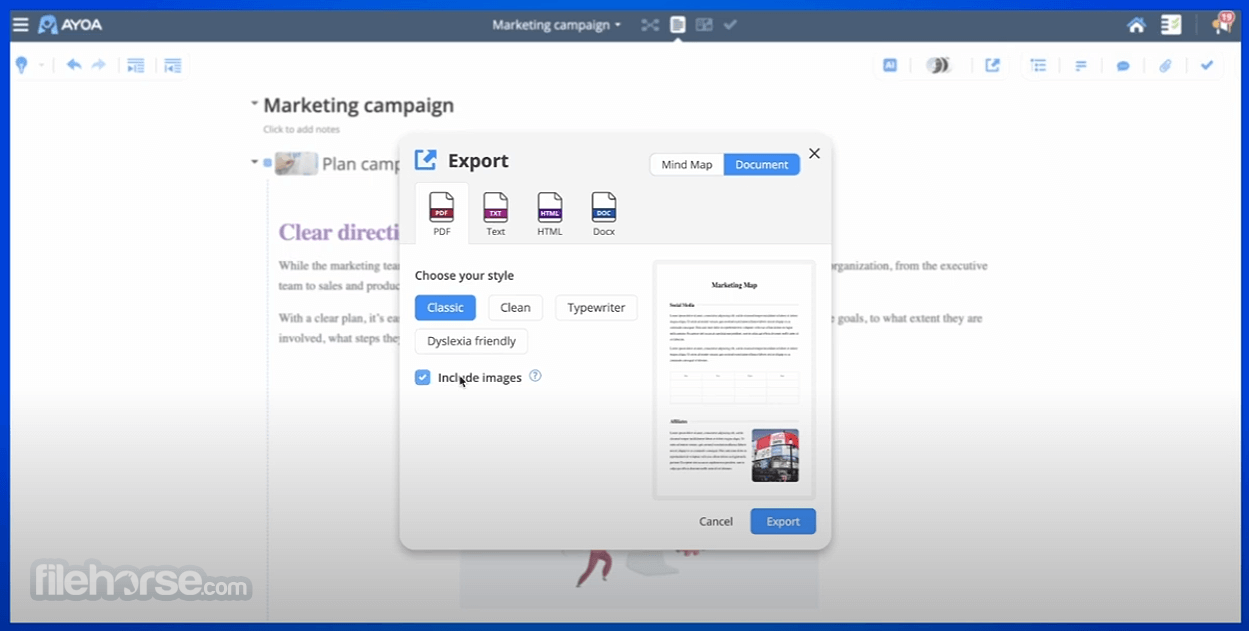
- Export to Docs, PDFs, & images
- Google & Microsoft integrations
- Share mind maps with others
- Dyslexia, ADHD & Autism support
- AI-powered mind mapping
- And much more...
- Windows: Windows 11/10
- macOS: macOS 10.13 or later
- Web Browsers: Latest versions of Chrome, Firefox, Safari
- Mobile: Android 5.0 or later, iOS 11.0 or later
- Easy to use
- Combines mind mapping with task management
- Real-time collaboration
- Cross-device synchronization
- Free version offers substantial features
- Free version has task limits
- Some advanced project management features locked behind premium plans
Ayoa Free is a robust web-based tool for individuals or small teams looking to boost creativity and manage tasks efficiently. Its unique combination of mind mapping and task management sets it apart from traditional tools in both categories.
While the free version may have limitations in terms of scale and advanced features, it provides enough functionality for everyday use, especially for brainstorming and task tracking. However, for larger teams or complex projects, upgrading to one of the premium plans would unlock the full potential of Ayoa’s diverse feature set.
Note: Limited functionality in demo free basic version. Ayoa for PC is a cloud-based app - working offline is advised as short term.
Also Available: Download Ayoa for Mac
Download Ayoa Free Latest Version Why is this app published on FileHorse? (More info)