⚠ 這是歷史版本頁面 — 查看 Beyond Compare 5.2.5 Build 最新版本 →

- 目前版本30713
- 更新日期2025-02-28
- 檔案大小27.1 MB
- 檔案名稱BCompare-5.0.6.30713.exe
- 作業系統Windows 7 / Windows 8 / Windows 10 / Windows 11
- 支援語系English
- 授權型式商業試用
- 開發商 Scooter Software, Inc.
- 軟體分類Windows 軟體 / 開發者工具
##
編輯短評
Beyond Compare 是由 Scooter Software 開發的檔案與資料夾比對工具,主要協助使用者分析檔案、目錄甚至整個磁碟機之間的差異。它的核心價值在於提供直觀的並排比較介面,讓比對結果一目瞭然,同時也保留深度自訂選項給進階使用者。這套軟體在開發者與 IT 專業人員之間有一定口碑,雖然評分人數不多,但評價普遍不錯,且更新相當活躍,屬於同類工具中的小眾但穩健的選擇。
這套軟體適合需要頻繁比對、同步或合併檔案的使用者,例如程式開發者比對程式碼版本、IT 人員比對設定檔,或一般使用者整理備份資料時確認檔案差異。與同分類的熱門軟體相比,Beyond Compare 更聚焦在檔案比對這個專業領域,而非提供廣泛的系統或模擬功能。需要注意的是,它提供的是試用版授權,且介面僅有英文,沒有中文版;若需要長期使用,得評估英文介面是否習慣,並考慮購買正式授權。
##
翻譯排程處理中,以下暫以英文原文呈現
軟體介紹
Beyond Compare, developed by Scooter Software, is a powerful file and folder comparison tool for Windows designed to help users analyze differences between files, directories, and even entire drives.
It is widely used by software developers, IT professionals, and general users who need an efficient way to compare, synchronize, and merge files.
The software provides an intuitive interface that makes side-by-side comparisons easy while offering deep customization for advanced users.
Key Features
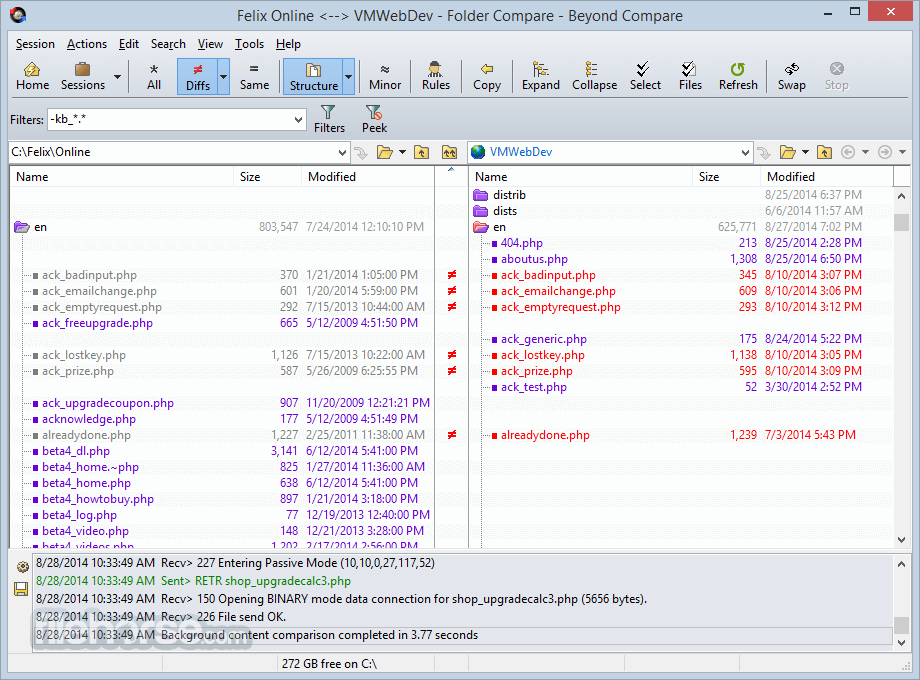
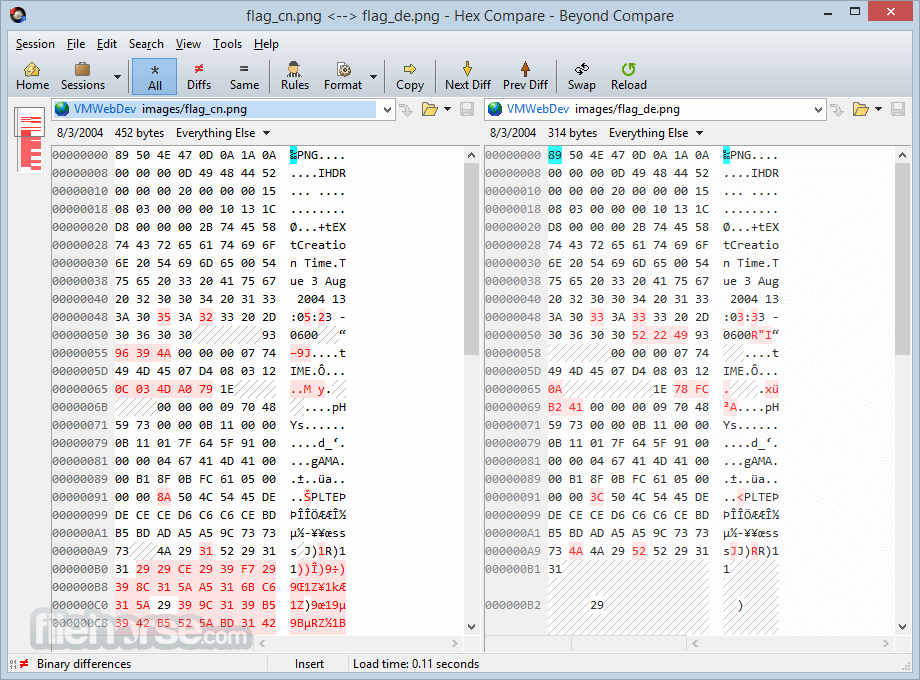
Beyond Compare offers a clean, structured UI with a dual-pane design for easy side-by-side comparisons.
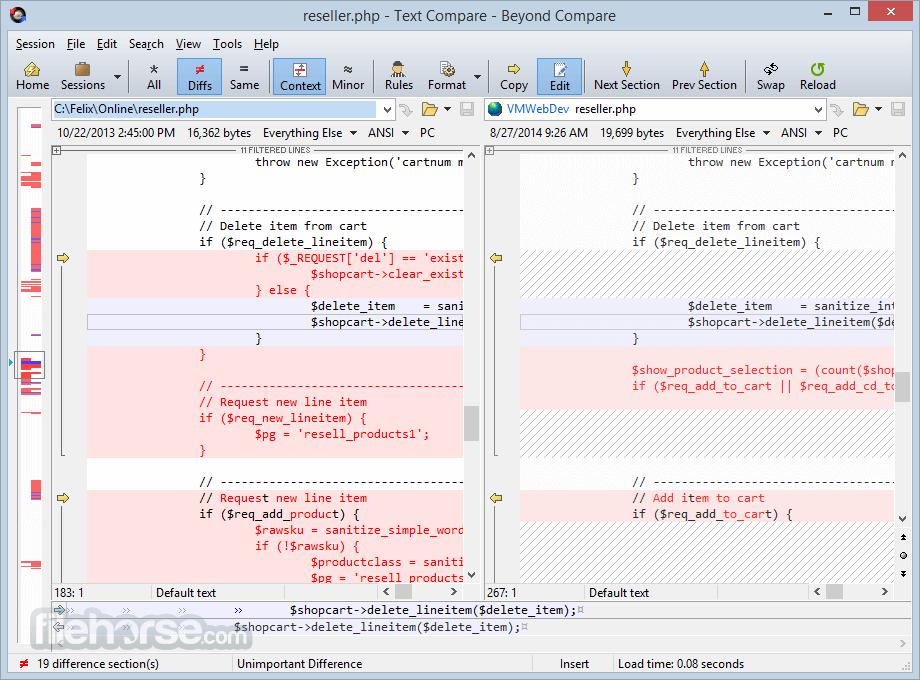
It uses color-coded highlighting to indicate differences, additions, and deletions in files or directories.
Users can customize the layout, apply filters, and configure keyboard shortcuts to enhance their workflow.
Installation and Setup
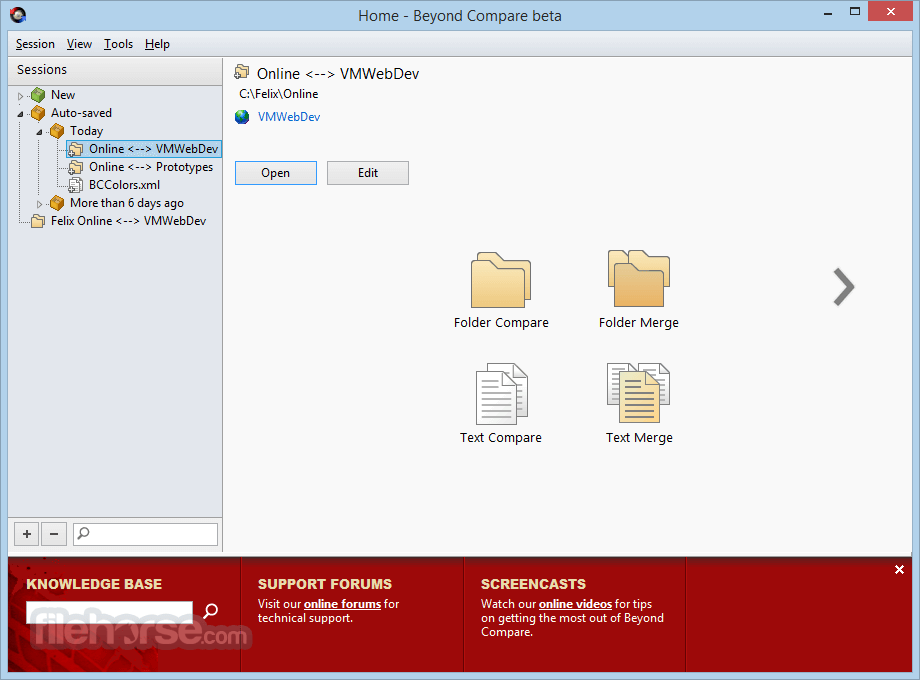
Compare Files – Open Beyond Compare, select "New Session," choose "File Compare," and select two files to compare.
Compare Folders – Choose "Folder Compare," select two directories, and initiate the comparison.
Merge Files – Select "Merge" from the menu and resolve differences between file versions.
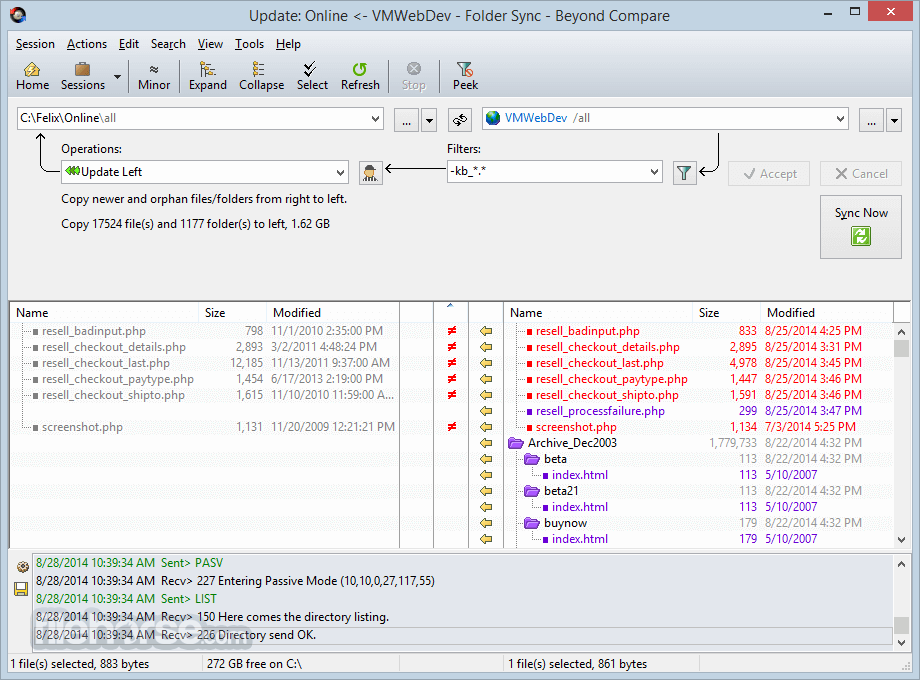
Sync Files – Use "Folder Sync" to automatically synchronize differences between directories.
Use Scripts – Automate tasks by creating scripts for recurring comparisons and synchronizations.
FAQ
Is Beyond Compare free?
Beyond Compare offers a free 30-day trial, but a license must be purchased for continued use.
Can Beyond Compare be used for source code merging?
Yes, it supports merging of text-based source code and integrates with version control systems.
Does Beyond Compare support cloud storage comparison?
It supports FTP, SFTP, and some cloud services via third-party integrations, but not direct OneDrive or Google Drive support.
Can Beyond Compare compare Microsoft Word or PDF files?
It does not natively support Word or PDF comparisons but can convert them to text for basic analysis.
Does Beyond Compare work on macOS?
Yes, it has a macOS version in addition to the Windows version.
Alternatives
WinMerge – A free, open-source alternative for Windows users.
UltraCompare – A feature-rich alternative with FTP and cloud comparison support.
Pricing
Standard Edition – $35 (Single User License)
Pro Edition – $70 (Includes advanced features like three-way merging and SFTP support)
Enterprise Licensing – Custom pricing based on team size and features needed
System Requirements
Beyond Compare is one of the best file comparison and synchronization tools available for Windows. It provides deep customization, scripting capabilities, and robust features for both casual and professional users. While it comes with a learning curve and a price tag, its powerful performance makes it well worth the investment for those who regularly work with file comparisons, software development, or data analysis.
Note: 30 days trial version.
Also Available: Download Beyond Compare for Mac
Download Beyond Compare Latest Version Why is this app published on FileHorse? (More info)
It is widely used by software developers, IT professionals, and general users who need an efficient way to compare, synchronize, and merge files.
The software provides an intuitive interface that makes side-by-side comparisons easy while offering deep customization for advanced users.
Key Features
- File and Folder Comparison – Compare individual files or entire directories with a detailed, visual side-by-side comparison.
- Merge Capabilities – Allows merging changes between two or three versions of a file, making it ideal for code collaboration.
- Synchronization – Sync files and folders between different locations, including local storage, external drives, FTP, and cloud services.
- Hex Comparison – Compare binary files at the hexadecimal level, useful for software engineers.
- Text and Code Comparison – Highlight differences in plain text files, source code, and scripts with syntax highlighting.
- Image Comparison – Compare images by pixel or overlay methods to identify even subtle changes.
- Data Comparison – Support for structured data formats like CSV and tables, making it useful for database-related tasks.
- Built-in FTP/SFTP Support – Compare and sync files directly on remote servers.
- Automated and Scriptable Comparisons – Create scripts to automate recurring comparison and synchronization tasks.
- Customizable Rules and Filters – Exclude specific files or file types from comparisons for more refined results.
Beyond Compare offers a clean, structured UI with a dual-pane design for easy side-by-side comparisons.
It uses color-coded highlighting to indicate differences, additions, and deletions in files or directories.
Users can customize the layout, apply filters, and configure keyboard shortcuts to enhance their workflow.
Installation and Setup
- Download the setup file from the official Scooter Software website.
- Run the installer and follow the on-screen instructions.
- Choose between a trial version (valid for 30 days) or activate it with a purchased license.
- Configure preferences for comparison settings and integrations.
Compare Files – Open Beyond Compare, select "New Session," choose "File Compare," and select two files to compare.
Compare Folders – Choose "Folder Compare," select two directories, and initiate the comparison.
Merge Files – Select "Merge" from the menu and resolve differences between file versions.
Sync Files – Use "Folder Sync" to automatically synchronize differences between directories.
Use Scripts – Automate tasks by creating scripts for recurring comparisons and synchronizations.
FAQ
Is Beyond Compare free?
Beyond Compare offers a free 30-day trial, but a license must be purchased for continued use.
Can Beyond Compare be used for source code merging?
Yes, it supports merging of text-based source code and integrates with version control systems.
Does Beyond Compare support cloud storage comparison?
It supports FTP, SFTP, and some cloud services via third-party integrations, but not direct OneDrive or Google Drive support.
Can Beyond Compare compare Microsoft Word or PDF files?
It does not natively support Word or PDF comparisons but can convert them to text for basic analysis.
Does Beyond Compare work on macOS?
Yes, it has a macOS version in addition to the Windows version.
Alternatives
WinMerge – A free, open-source alternative for Windows users.
UltraCompare – A feature-rich alternative with FTP and cloud comparison support.
Pricing
Standard Edition – $35 (Single User License)
Pro Edition – $70 (Includes advanced features like three-way merging and SFTP support)
Enterprise Licensing – Custom pricing based on team size and features needed
System Requirements
- OS: Windows 7, 8, 10, 11 (also available for macOS and Linux)
- Processor: Intel/AMD 1 GHz or higher
- RAM: 2GB or more recommended
- Storage: 50MB of free disk space
- Display: 1024x768 resolution or higher
- Fast and reliable file/folder comparison
- Advanced merge and sync features
- Supports multiple file formats including binary and images
- Highly customizable rules and filters
- Supports automation via scripting
- No direct cloud storage integration (except via FTP/SFTP)
- Paid license required after trial expires
- Can be overwhelming for beginners due to extensive features
Beyond Compare is one of the best file comparison and synchronization tools available for Windows. It provides deep customization, scripting capabilities, and robust features for both casual and professional users. While it comes with a learning curve and a price tag, its powerful performance makes it well worth the investment for those who regularly work with file comparisons, software development, or data analysis.
Note: 30 days trial version.
Also Available: Download Beyond Compare for Mac
Download Beyond Compare Latest Version Why is this app published on FileHorse? (More info)
##
畫面截圖
- 2026-08-04 Beyond Compare 5.2.5 Build 32528 27.37 MB
- 2026-07-23 Beyond Compare 5.2.4 Build 32425 27.37 MB
- 2026-06-30 Beyond Compare 5.2.3 Build 32296 27.38 MB
- 2026-05-21 Beyond Compare 5.2.2 Build 32209 27.39 MB
- 2026-03-25 Beyond Compare 5.2.1 Build 32035 27.42 MB
- 2026-02-24 Beyond Compare 5.2.0 Build 31950 27.42 MB
- 2025-12-19 Beyond Compare 5.1.7 Build 31736 26.42 MB
- 2025-10-30 Beyond Compare 5.1.6 Build 31527 26.44 MB