⚠ 這是歷史版本頁面 — 查看 cFosSpeed 13.10 Build 最新版本 →

cFosSpeed 11.08 Build 2473
v 2473
Windows
商業試用
7.34/10 (38)
- 目前版本2473
- 更新日期2020-11-11
- 檔案大小5.5 MB
- 檔案名稱cfosspeed-v1108.exe
- 作業系統Windows 10 (32-bit) / Windows 10 (64-bit) / Windows 11
- 支援語系English
- 授權型式商業試用
- 開發商 cFos Software GmbH
- 軟體分類Windows 軟體 / 檔案傳輸與網路
##
編輯短評
cfosSpeed 是一套老牌的網路流量優化工具,核心功能是透過流量塑形與封包優先權管理,讓使用者在共用頻寬時能降低延遲、減少 ping 值,並提升整體連線反應速度。它最特別的地方在於能針對不同應用程式分配頻寬優先順序,例如讓遊戲或 VoIP 封包優先通過,避免下載任務拖垮連線品質。這套軟體由 cFos Software GmbH 開發,長期持續維護,但更新頻率不算高;在同類工具中屬於小眾但穩定的選擇,使用者評價普遍不錯,不過評分人數不多,代表性有限。
這套工具特別適合線上遊戲玩家、實況主、VoIP 通話使用者,以及需要同時進行下載與即時連線的場合。與 Internet Download Manager、uTorrent 等專注於下載或種子管理的軟體不同,cfosSpeed 是系統層級的流量管理方案,不會取代下載工具,而是讓所有網路活動更順暢。需要注意的是,它僅提供英文介面,且為試用版授權,台灣使用者若需要中文操作環境或完整功能,得先評估是否接受這些限制。若你的網路環境單純、沒有頻寬競爭需求,這套軟體可能派不上用場;但若常因背景流量導致延遲飆高,它會是值得一試的輔助工具。
##
翻譯排程處理中,以下暫以英文原文呈現
軟體介紹
cFosSpeed is a popular software designed to optimize internet traffic and improve the overall internet connection performance.
It focuses on prioritizing network traffic, reducing latency, and ensuring a smoother online experience for users.
Developed by cFos Software GmbH, this application is particularly useful for online gamers, streamers, VoIP users, and anyone who wants to have better control over their internet traffic.
cFosSpeed for PC - Internet Acceleration with Traffic Shaping and bandwidth management, ping optimizer + packet prioritization. Maximum Download & Minimum Ping.
For DSL, ADSL, VDSL, Cable, Modem, ISDN, Mobile (GSM, GPRS, HSCSD, UMTS, HSDPA), Filesharing (P2P), Online Games, VoIP, Streaming Media, and Tuning. In one glance you see which programs use your bandwidth.
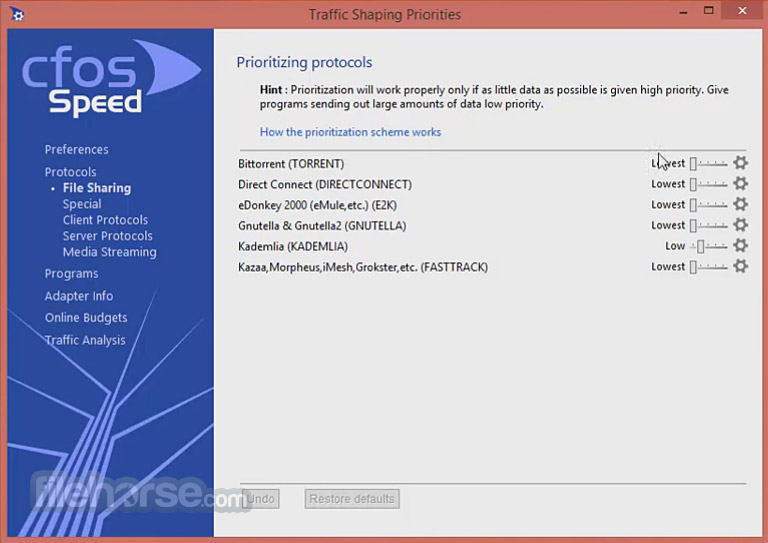
It lets you temporarily change the priority to speed up transfers or reduce latency for time-critical applications.
Highlights
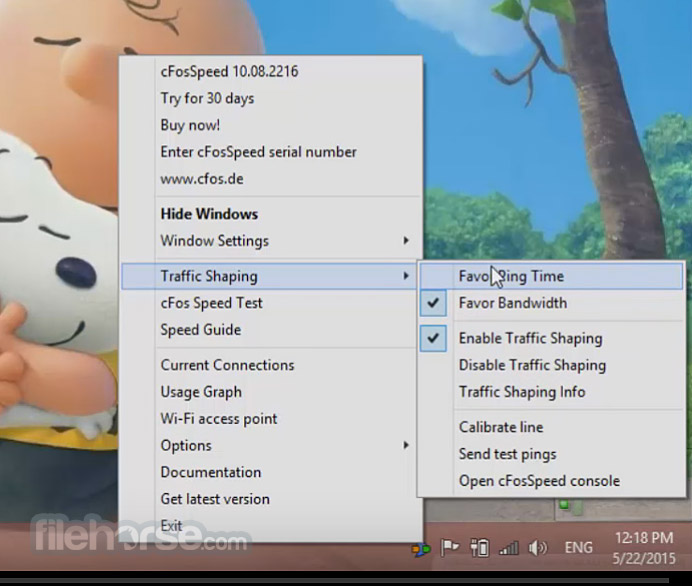
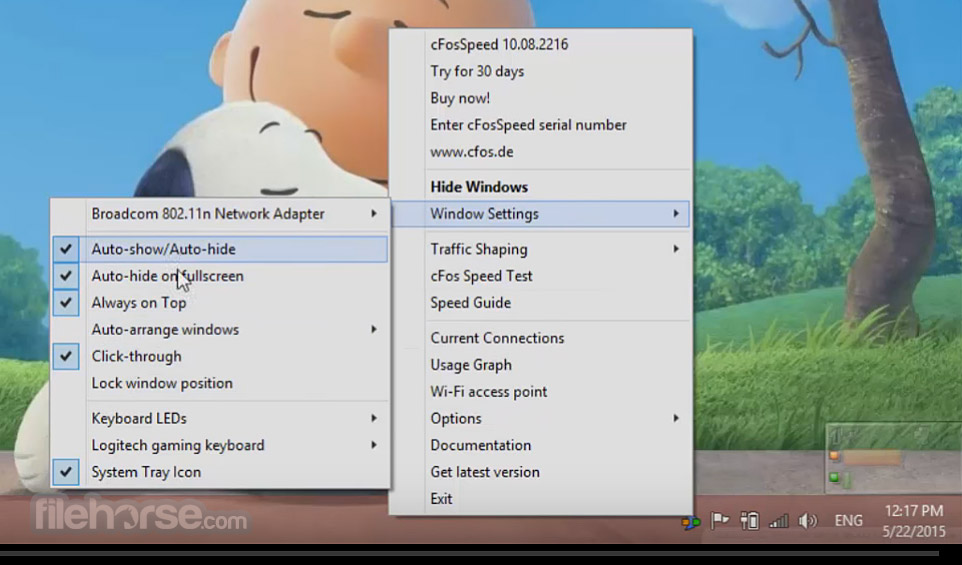
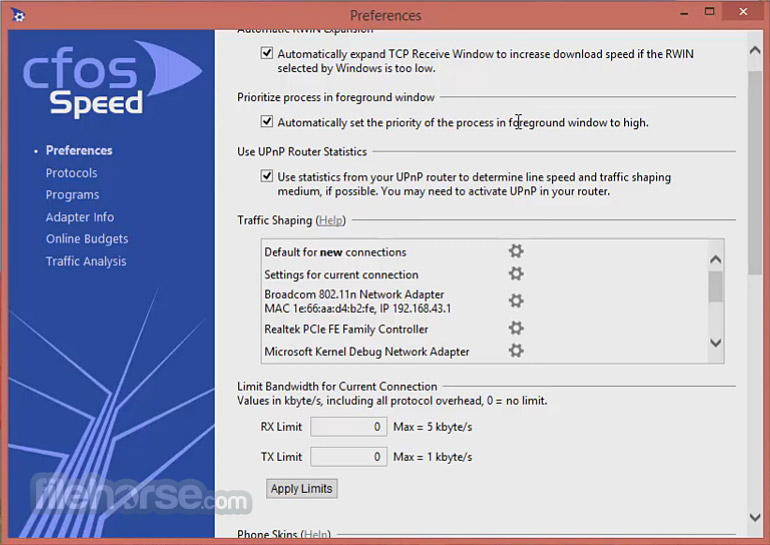
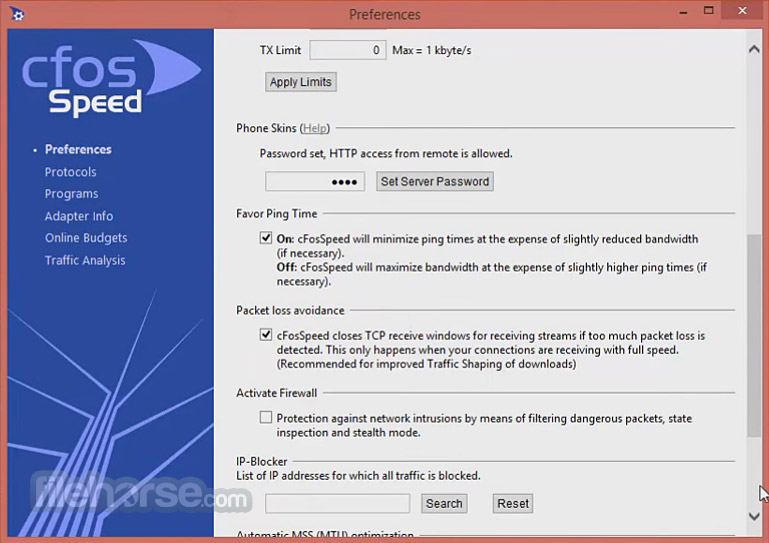
It features a user-friendly interface with intuitive controls and customizable settings. The main dashboard displays real-time statistics on internet traffic, including ping times, download and upload speeds, and data usage.
Users can easily configure traffic shaping rules and create custom profiles through the intuitive interface.
Installation and Setup
Installing this program is straightforward and requires minimal configuration. Users can download the software from the official website and follow the on-screen instructions to complete the installation process.
Once installed, the software automatically integrates with the system and starts optimizing internet traffic.
How to Use
Is cFosSpeed compatible with all internet connections?
Yes, the tool is compatible with all types of internet connections, including DSL, cable, fiber, and mobile networks.
Does cFosSpeed work with online gaming platforms?
Yes, the program is compatible with popular online gaming platforms and can help improve ping times and reduce lag during gameplay.
Can I use cFosSpeed on multiple devices?
cFosSpeed is primarily designed for individual computers, but it can be used on multiple devices within a network by installing the software on each device separately.
Does cFosSpeed affect download/upload speeds?
While this tool prioritizes certain types of traffic, it does not directly impact download/upload speeds. However, by optimizing traffic, it may improve overall internet performance.
Is cFosSpeed a subscription-based service?
No, cFosSpeed is a one-time purchase software with no subscription fees. Users can purchase a license for the software and receive free updates and support.
Alternatives
NetLimiter: NetLimiter is a similar software tool that offers network traffic control and monitoring features.
NetBalancer: NetBalancer provides traffic shaping and prioritization features for optimizing internet traffic.
Speedify: Speedify combines multiple internet connections to improve speed and reliability.
DU Meter: Visualize and track your Internet usage.
Pricing
The program is available for purchase from the official website for a one-time fee of $17.90. The license includes free updates and support.
System Requirements
Overall, cFosSpeed is a powerful software tool for optimizing internet traffic and improving online performance. With its advanced traffic shaping algorithms and intuitive interface, it offers users greater control over their internet connection. Whether you're a gamer, streamer, or everyday internet user, it can help enhance your online experience.
With its affordable pricing and one-time purchase model, it's definitely worth considering for anyone looking to optimize their internet connection.
Note: 30 days trial version.
Download cFosSpeed Latest Version Why is this app published on FileHorse? (More info)
It focuses on prioritizing network traffic, reducing latency, and ensuring a smoother online experience for users.
Developed by cFos Software GmbH, this application is particularly useful for online gamers, streamers, VoIP users, and anyone who wants to have better control over their internet traffic.
cFosSpeed for PC - Internet Acceleration with Traffic Shaping and bandwidth management, ping optimizer + packet prioritization. Maximum Download & Minimum Ping.
For DSL, ADSL, VDSL, Cable, Modem, ISDN, Mobile (GSM, GPRS, HSCSD, UMTS, HSDPA), Filesharing (P2P), Online Games, VoIP, Streaming Media, and Tuning. In one glance you see which programs use your bandwidth.
It lets you temporarily change the priority to speed up transfers or reduce latency for time-critical applications.
Highlights
- Free configurable Prioritization
- Self-calibrating
- Layer-7 Analysis Firewall
- Automatic router detection
- Optimal Dial-Up connections
- VPN - WLAN - WiFi - MTU-Optimization
- Multi-User Features
- Broadband limits
- Traffic Shaping: It employs advanced traffic shaping algorithms to prioritize important traffic such as gaming, streaming, and VoIP over less critical data.
- Ping Time Improvement: By optimizing data traffic, it aims to reduce ping times, resulting in a smoother online gaming experience.
- Real-Time Monitoring: The software provides real-time monitoring of internet traffic, allowing users to visualize and analyze their data usage.
- Customizable Profiles: Users can create custom profiles to prioritize specific applications or types of traffic according to their preferences.
- Automatic Optimization: It can automatically adapt to changing network conditions to ensure optimal performance.
It features a user-friendly interface with intuitive controls and customizable settings. The main dashboard displays real-time statistics on internet traffic, including ping times, download and upload speeds, and data usage.
Users can easily configure traffic shaping rules and create custom profiles through the intuitive interface.
Installation and Setup
Installing this program is straightforward and requires minimal configuration. Users can download the software from the official website and follow the on-screen instructions to complete the installation process.
Once installed, the software automatically integrates with the system and starts optimizing internet traffic.
How to Use
- Install the tool on your computer.
- Launch the application and configure your desired settings.
- Monitor real-time internet traffic statistics from the main dashboard.
- Customize traffic shaping rules and profiles according to your preferences.
- Enjoy a smoother online experience with optimized internet traffic.
Is cFosSpeed compatible with all internet connections?
Yes, the tool is compatible with all types of internet connections, including DSL, cable, fiber, and mobile networks.
Does cFosSpeed work with online gaming platforms?
Yes, the program is compatible with popular online gaming platforms and can help improve ping times and reduce lag during gameplay.
Can I use cFosSpeed on multiple devices?
cFosSpeed is primarily designed for individual computers, but it can be used on multiple devices within a network by installing the software on each device separately.
Does cFosSpeed affect download/upload speeds?
While this tool prioritizes certain types of traffic, it does not directly impact download/upload speeds. However, by optimizing traffic, it may improve overall internet performance.
Is cFosSpeed a subscription-based service?
No, cFosSpeed is a one-time purchase software with no subscription fees. Users can purchase a license for the software and receive free updates and support.
Alternatives
NetLimiter: NetLimiter is a similar software tool that offers network traffic control and monitoring features.
NetBalancer: NetBalancer provides traffic shaping and prioritization features for optimizing internet traffic.
Speedify: Speedify combines multiple internet connections to improve speed and reliability.
DU Meter: Visualize and track your Internet usage.
Pricing
The program is available for purchase from the official website for a one-time fee of $17.90. The license includes free updates and support.
System Requirements
- Operating System: Windows 7/8/10/11
- Processor: Intel or AMD processor
- RAM: 512 MB or higher
- Hard Disk Space: 50 MB of free space
- Effective traffic shaping and prioritization features
- User-friendly interface with customizable settings
- Real-time monitoring of internet traffic
- Compatible with a wide range of internet connections
- One-time purchase with free updates and support
- Limited to Windows operating system
- May require some configuration for optimal performance
- It's been a long time since there was an update on the official website
Overall, cFosSpeed is a powerful software tool for optimizing internet traffic and improving online performance. With its advanced traffic shaping algorithms and intuitive interface, it offers users greater control over their internet connection. Whether you're a gamer, streamer, or everyday internet user, it can help enhance your online experience.
With its affordable pricing and one-time purchase model, it's definitely worth considering for anyone looking to optimize their internet connection.
Note: 30 days trial version.
Download cFosSpeed Latest Version Why is this app published on FileHorse? (More info)
##
畫面截圖
- 2026-03-14 cFosSpeed 13.10 Build 3005 4.72 MB
- 2025-06-18 cFosSpeed 13.10 Build 3004 5.27 MB
- 2024-10-13 cFosSpeed 13.02 Build 3003 5.25 MB
- 2024-05-14 cFosSpeed 13.01 Build 3001 5.23 MB
- 2024-02-27 cFosSpeed 13.00 Build 3000 5.23 MB
- 2022-06-27 cFosSpeed 12.50 Build 2525 5.64 MB
- 2021-06-16 cFosSpeed 12.00 Build 2512 5.64 MB
- 2021-01-05 cFosSpeed 11.10 Build 2483 5.51 MB