- 目前版本3.6.9 (64-bit)
- 更新日期2026-04-22
- 檔案大小1.5 MB
- 檔案名稱setup-x86_64.exe
- 作業系統Windows 7 64 / Windows 8 64 / Windows 10 64 / Windows 11
- 支援語系English
- 授權型式開源軟體
- 開發商 Cygwin Team
- 軟體分類Windows 軟體 / 開發者工具
##
翻譯排程處理中,以下暫以英文原文呈現
軟體介紹
Cygwin is a powerful software tool that brings a Unix-like environment to Windows. Developed as a compatibility layer, it enables users to run and compile Linux-based applications seamlessly within Windows.
Cygwin 64bit provides a collection of GNU and open-source tools, allowing developers and system administrators to work in a Linux-like terminal without needing a virtual machine or dual-boot setup.
Originally developed by Cygnus Solutions (now part of Red Hat), Cygwin bridges the gap between Windows and Linux, making it a preferred choice for developers looking for a familiar command-line interface.
Main Features
Linux-like Terminal on Windows – Emulates a Unix shell and supports many native Linux commands.
Comprehensive Package Manager – Users can install various Unix-based utilities, including GCC, SSH, and Vim.
POSIX API Support – Allows developers to port Unix applications to Windows with minimal code modifications.
Interoperability with Windows – Supports Windows file paths and can execute Windows applications within the terminal.
Secure Shell (SSH) Support – Enables remote access via SSH for secure connections.
Scripting & Automation – Supports Bash, Python, Perl, and other scripting languages commonly used in Linux.
X11 Support – Allows users to run graphical Linux applications within Windows.
User Interface
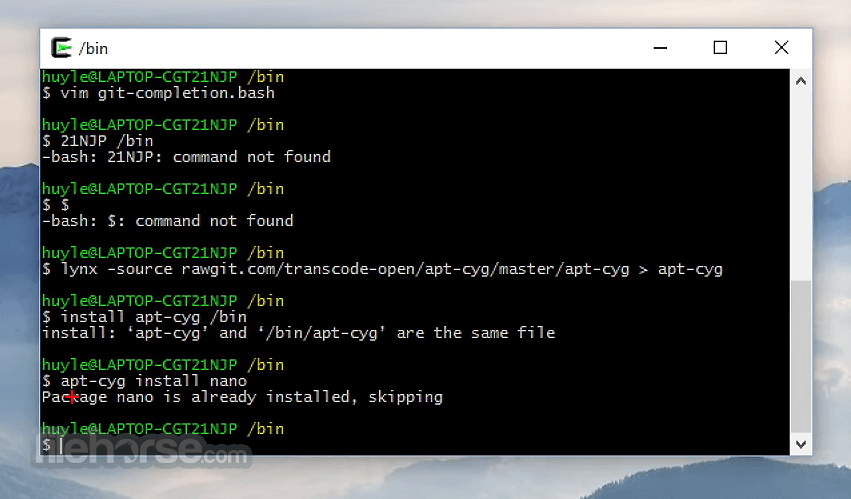
Cygwin does not have a dedicated GUI but instead operates through the command line. Users interact via the Cygwin Terminal, which functions similarly to a Linux shell, supporting Bash, Zsh, and other Unix shells.
The minimalist design keeps distractions to a minimum, but users accustomed to GUI-based tools may find the learning curve steep.
Installation and Setup
Basic Commands – Use commands like ls, cd, cp, mv, and rm to navigate the filesystem.
Running Shell Scripts – Execute .sh scripts similarly to a Linux environment.
Compiling Code – Use gcc or g++ for compiling C and C++ programs.
Networking – Connect via SSH using ssh user@hostname.
Package Management – Install new utilities via setup-x86_64.exe with the appropriate options.
FAQ
Is Cygwin 64bit a virtual machine or emulator?
No, Cygwin is neither a VM nor an emulator; it provides a compatibility layer that translates POSIX system calls into Windows equivalents.
Can I run Linux GUI applications in Cygwin?
Yes, by installing the X11 server package, you can run graphical Linux applications.
Does Cygwin support all Linux applications?
Not all Linux applications work natively on Cygwin due to differences in system calls, but many can be compiled from source.
How do I uninstall Cygwin?
Delete the Cygwin installation folder and remove environment variables manually.
Is there a performance impact when using Cygwin?
Cygwin may be slightly slower than native Linux, but it provides significant convenience without the overhead of a virtual machine.
Alternatives
WSL (Windows Subsystem for Linux) – Provides a full Linux kernel within Windows 10 and 11.
MinGW (Minimalist GNU for Windows) – Focused on compiling native Windows applications.
Mingw-w64 – Create to support the GCC and LLVM compiler on PC systems.
MobaXterm – An advanced terminal that integrates Unix commands and SSH features.
System Requirements
Cygwin is an excellent tool for developers, system administrators, and power users who need a Linux-like environment on Windows. While it lacks the full Linux kernel capabilities of WSL, its lightweight nature and vast package selection make it a valuable asset.
The learning curve may be steep for Windows users unfamiliar with Unix commands, but once mastered, Cygwin provides a flexible and powerful command-line experience.
Also Available: Cygwin (32-bit)
Download Cygwin (64-bit) Latest Version Why is this app published on FileHorse? (More info)
Cygwin 64bit provides a collection of GNU and open-source tools, allowing developers and system administrators to work in a Linux-like terminal without needing a virtual machine or dual-boot setup.
Originally developed by Cygnus Solutions (now part of Red Hat), Cygwin bridges the gap between Windows and Linux, making it a preferred choice for developers looking for a familiar command-line interface.
Main Features
Linux-like Terminal on Windows – Emulates a Unix shell and supports many native Linux commands.
Comprehensive Package Manager – Users can install various Unix-based utilities, including GCC, SSH, and Vim.
POSIX API Support – Allows developers to port Unix applications to Windows with minimal code modifications.
Interoperability with Windows – Supports Windows file paths and can execute Windows applications within the terminal.
Secure Shell (SSH) Support – Enables remote access via SSH for secure connections.
Scripting & Automation – Supports Bash, Python, Perl, and other scripting languages commonly used in Linux.
X11 Support – Allows users to run graphical Linux applications within Windows.
User Interface
Cygwin does not have a dedicated GUI but instead operates through the command line. Users interact via the Cygwin Terminal, which functions similarly to a Linux shell, supporting Bash, Zsh, and other Unix shells.
The minimalist design keeps distractions to a minimum, but users accustomed to GUI-based tools may find the learning curve steep.
Installation and Setup
- Download the Installer – Visit Cygwin’s official website and download setup-x86_64.exe for 64-bit Windows or setup-x86.exe for 32-bit systems.
- Run the Installer – Follow the on-screen instructions and choose an installation directory.
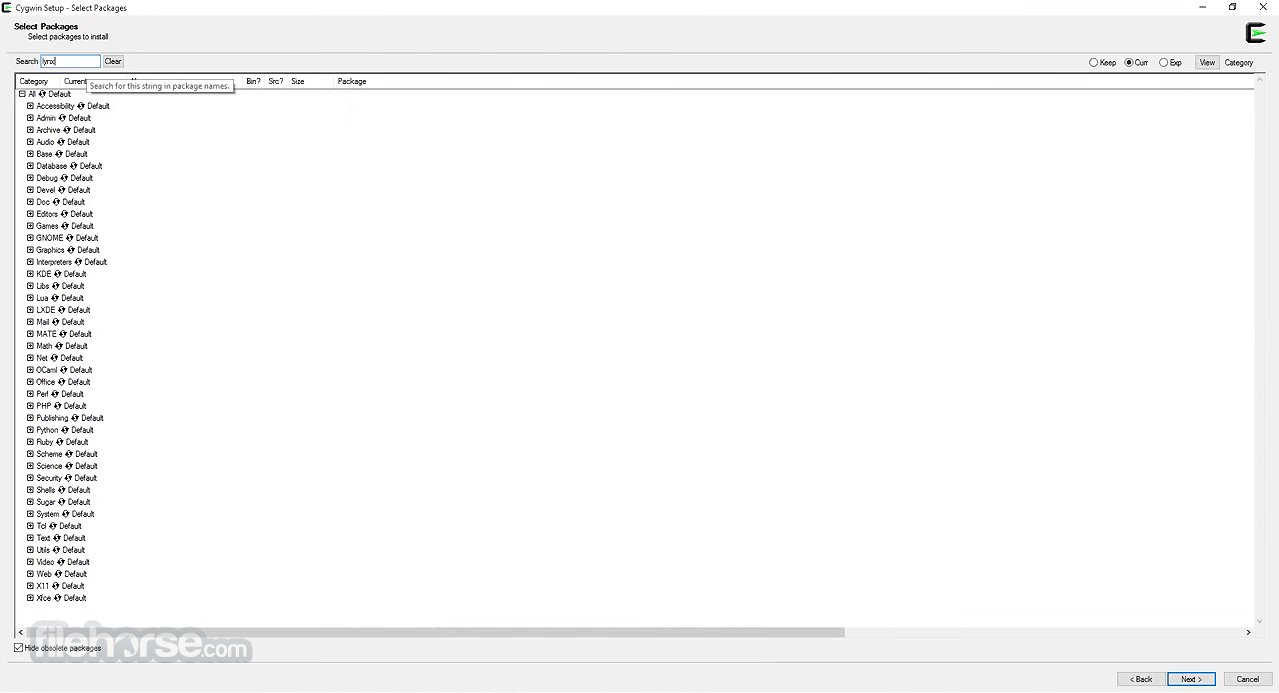
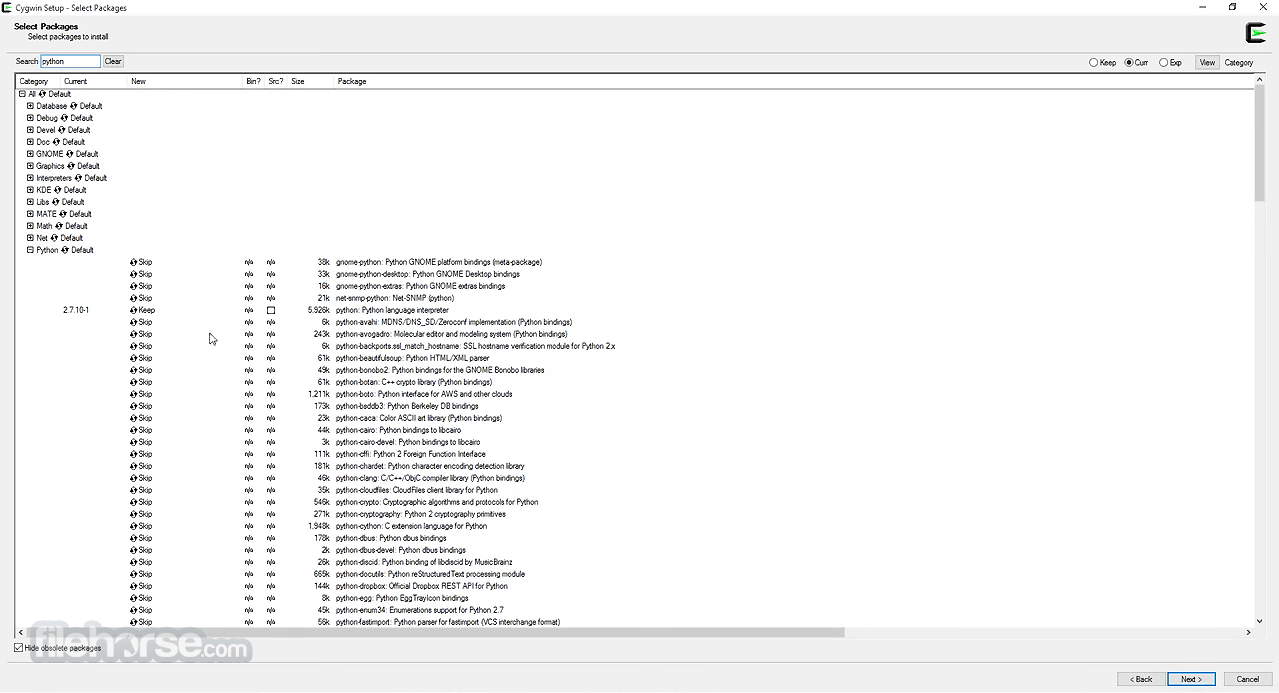
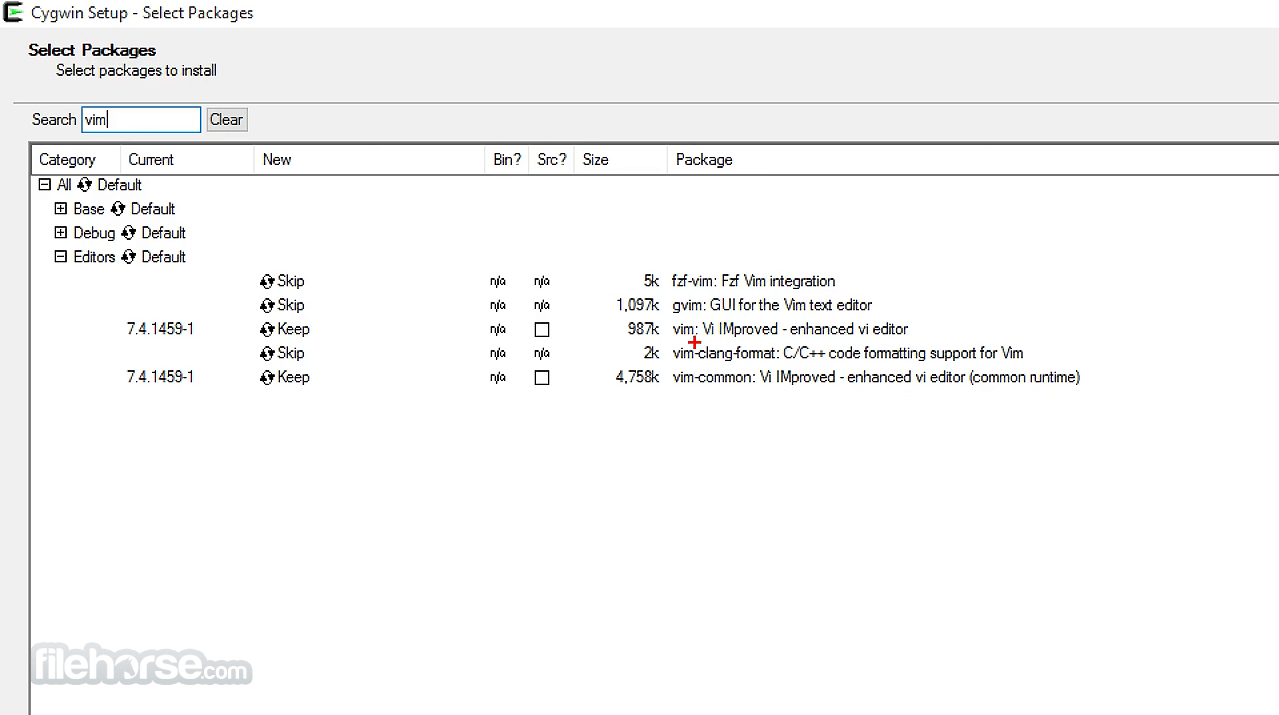
- Select Packages – The setup tool allows users to install essential utilities. Additional packages can be installed later.
- Set Environment Variables – Configure the Windows PATH to use Cygwin from the command prompt.
- Launch Cygwin – Open the terminal and start using Linux commands.
Basic Commands – Use commands like ls, cd, cp, mv, and rm to navigate the filesystem.
Running Shell Scripts – Execute .sh scripts similarly to a Linux environment.
Compiling Code – Use gcc or g++ for compiling C and C++ programs.
Networking – Connect via SSH using ssh user@hostname.
Package Management – Install new utilities via setup-x86_64.exe with the appropriate options.
FAQ
Is Cygwin 64bit a virtual machine or emulator?
No, Cygwin is neither a VM nor an emulator; it provides a compatibility layer that translates POSIX system calls into Windows equivalents.
Can I run Linux GUI applications in Cygwin?
Yes, by installing the X11 server package, you can run graphical Linux applications.
Does Cygwin support all Linux applications?
Not all Linux applications work natively on Cygwin due to differences in system calls, but many can be compiled from source.
How do I uninstall Cygwin?
Delete the Cygwin installation folder and remove environment variables manually.
Is there a performance impact when using Cygwin?
Cygwin may be slightly slower than native Linux, but it provides significant convenience without the overhead of a virtual machine.
Alternatives
WSL (Windows Subsystem for Linux) – Provides a full Linux kernel within Windows 10 and 11.
MinGW (Minimalist GNU for Windows) – Focused on compiling native Windows applications.
Mingw-w64 – Create to support the GCC and LLVM compiler on PC systems.
MobaXterm – An advanced terminal that integrates Unix commands and SSH features.
System Requirements
- OS: Windows 7, 8, 10, or 11
- RAM: 512MB minimum (2GB recommended)
- Storage: ~1GB for a basic installation, more if additional packages are installed
- Processor: Any modern x86_64 processor
- Provides a Unix-like environment on Windows
- Lightweight and does not require a virtual machine
- Large collection of GNU/Linux tools available
- Free and open-source
- Customizable package selection
- No full Linux kernel support like WSL
- Some Linux applications may not be fully compatible
- Installation process can be confusing for beginners
- Performance may not be as fast as native Linux
- Lacks an intuitive GUI for configuration
Cygwin is an excellent tool for developers, system administrators, and power users who need a Linux-like environment on Windows. While it lacks the full Linux kernel capabilities of WSL, its lightweight nature and vast package selection make it a valuable asset.
The learning curve may be steep for Windows users unfamiliar with Unix commands, but once mastered, Cygwin provides a flexible and powerful command-line experience.
Also Available: Cygwin (32-bit)
Download Cygwin (64-bit) Latest Version Why is this app published on FileHorse? (More info)
##
畫面截圖