⚠ 這是歷史版本頁面 — 查看 Deluge 最新版本 →

- 目前版本1.3.3
- 更新日期2011-08-01
- 檔案大小8.4 MB
- 檔案名稱deluge-1.3.3-win32-setup.exe
- 作業系統Windows 7 / Windows 8 / Windows 10
- 支援語系English
- 授權型式開源軟體
- 開發商 Deluge Team
- 軟體分類Windows 軟體 / 檔案傳輸與網路
##
編輯短評
Deluge 是一款開源、免費的 BitTorrent 下載軟體,主打輕量、功能完整且高度可自訂。它最大的辨識度在於豐富的擴充套件系統,能依需求增減功能,同時保持低資源占用,對老舊電腦或長時間掛載下載相當友善。此軟體跨平台支援 Windows、macOS 與 Linux,開發團隊持續維護,更新頻率穩定,在同類工具中屬於口碑不錯的熱門選擇,尤其受偏好開源方案的用戶喜愛。
若你習慣使用 uTorrent 或 Internet Download Manager,但想避開廣告或商業軟體的綑綁,Deluge 是值得考慮的替代品。它適合需要精簡下載流程、想自行控制介面與功能的進階使用者,也適合在伺服器或低配裝置上執行。不過,它僅提供英文介面,且預設功能較樸素,需花時間安裝外掛才能發揮完整潛力;授權為開源軟體,可自由使用與修改,但對不熟悉英文或外掛設定的新手來說,學習曲線稍高。
##
翻譯排程處理中,以下暫以英文原文呈現
軟體介紹
Deluge is a free, open-source BitTorrent client for Windows OS designed to be lightweight, feature-rich, and highly customizable. It is available for multiple platforms, including Windows, macOS, and Linux, making it a versatile choice for users across different operating systems.
Deluge for PC is known for its robust performance, flexibility, and extensive plugin support, allowing users to tailor the client to their specific needs.
Main Features
It features a clean and intuitive user interface, with a simple layout that is easy to navigate.
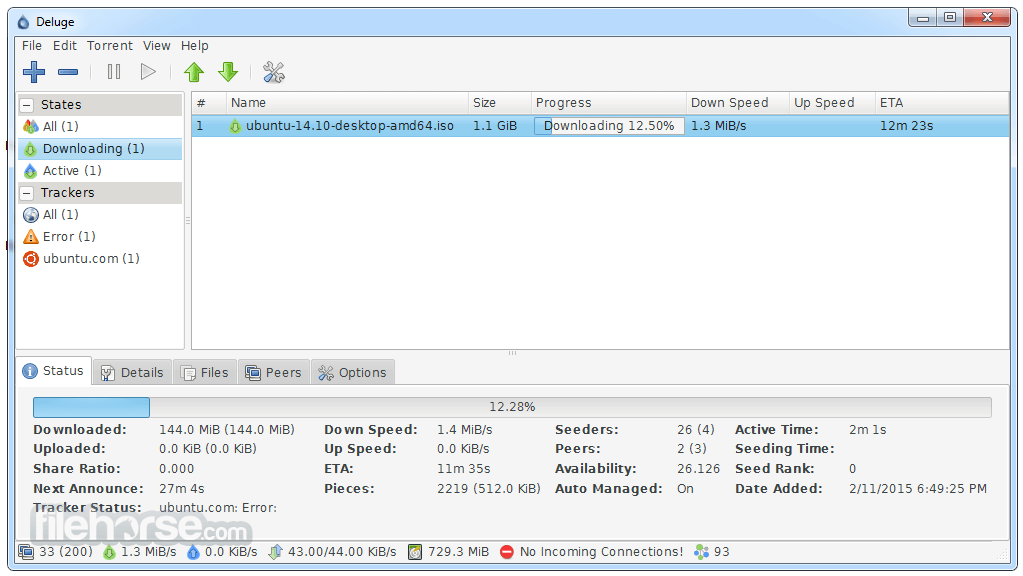
The main window provides access to essential features such as adding torrents, monitoring downloads, and adjusting settings.
Users can customize the interface by choosing from various themes and arranging the layout to suit their preferences.
Installation and Setup
Installing this app is straightforward and typically involves downloading the appropriate installer for your operating system from the official website or FileHorse.
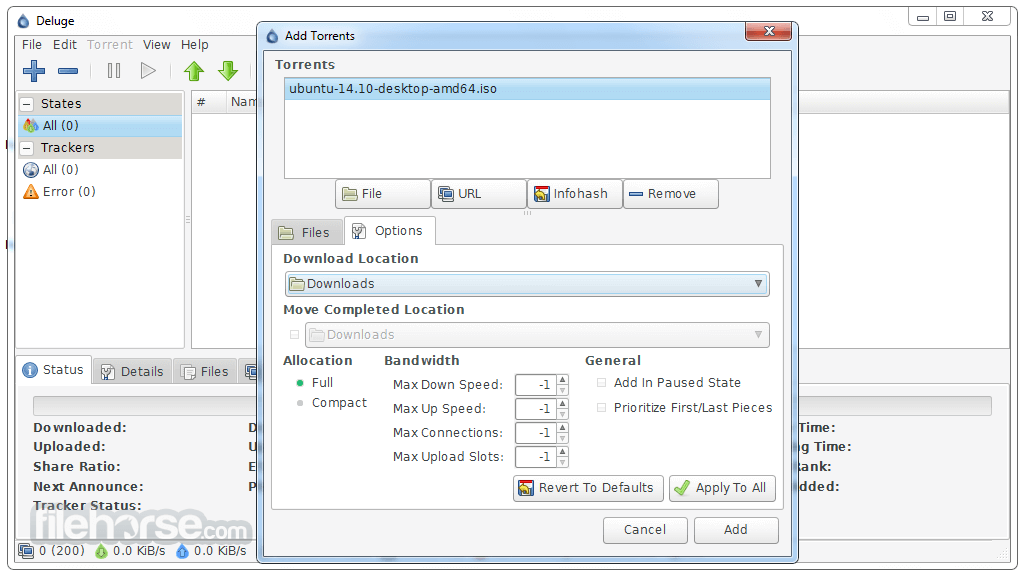
Once downloaded, simply follow the on-screen instructions to complete the installation process. Upon launching the application for the first time, users are guided through a setup wizard to configure basic settings such as download location and network preferences.
How to Use
FAQs
Is Deluge compatible with private trackers?
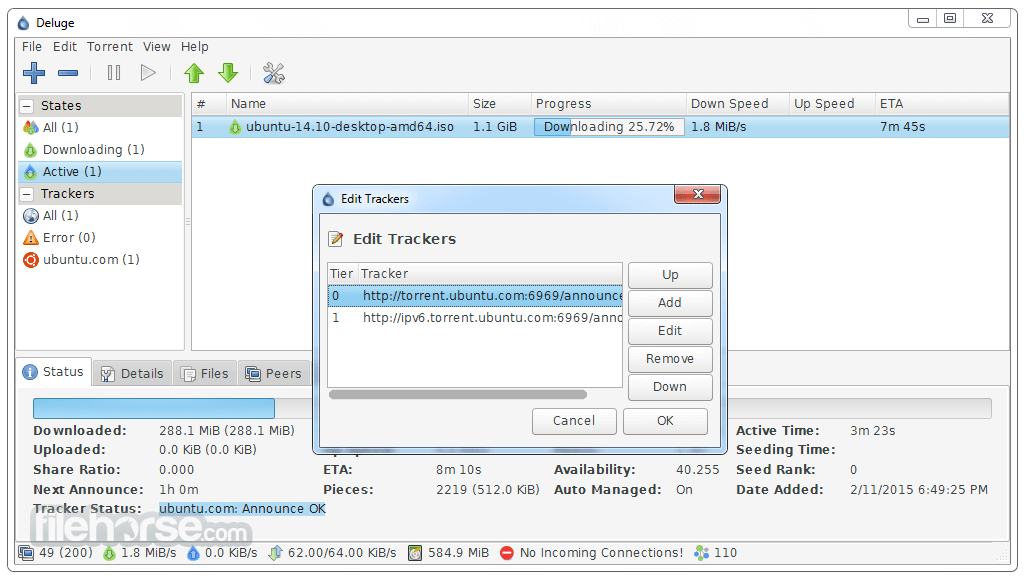
Yes, it supports private trackers and offers features such as tracker authentication and protocol encryption for enhanced compatibility.
Can I schedule downloads with this software?
Yes, it allows users to schedule downloads based on specific times or bandwidth limits using its built-in scheduler feature.
Are there any mobile versions of Deluge available?
While there isn't an official mobile version of Deluge for PC, users can manage torrents remotely using the web UI from any mobile web browser.
Does Deluge support magnet links?
Yes, the app fully supports magnet links, allowing users to add torrents without needing to download a separate torrent file.
Can I control Deluge remotely from another computer?
Yes, it offers a web UI that allows users to manage torrents remotely from any computer with internet access.
Alternatives
qBittorrent - Similar to this app in terms of features and performance, qBittorrent is another popular open-source BitTorrent client that offers a user-friendly interface and extensive customization options.
Transmission - Known for its simplicity and minimalistic design, Transmission is a lightweight BT client available for macOS, Linux, and Windows.
µTorrent - While not open-source like this program, µTorrent is a widely-used BT client known for its speed and efficiency, offering both free and premium versions.
Tixati - A simple, ad-free BitTorrent client that is easy to use and offers several advanced features.
WebTorrent - A web-based BT client that can be used in any web browser, without the need for a dedicated software program.
Audius - A decentralized music-sharing platform with blockchain integration.
LimeWire (revived as a blockchain-based music platform) - Focuses on artist royalties while still enabling music discovery.
Pricing
The program is completely FREE to download and use, with no limitations on features or functionality.
It is released under the GNU General Public License (GPL), making it accessible to users of all budgets.
System Requirements
All in all, Deluge for PC is a powerful and versatile BitTorrent client that caters to both novice and advanced users alike. Its lightweight design, extensive plugin support, and cross-platform compatibility make it a compelling choice for anyone looking for a reliable torrenting solution.
While it may lack some of the bells and whistles found in other clients, its simplicity and flexibility more than make up for it.
Download Deluge Latest Version Why is this app published on FileHorse? (More info)
Deluge for PC is known for its robust performance, flexibility, and extensive plugin support, allowing users to tailor the client to their specific needs.
Main Features
- Cross-platform compatibility
- Support for a wide range of BitTorrent protocols
- Lightweight and resource-efficient
- Plugin system for additional functionality
- Web UI for remote management
- Encryption support for enhanced security
- Proxy support for anonymity
- Bandwidth scheduling and prioritization
- RSS feed support for automatic downloads
- Multiple language support
- Core/UI split, allowing the app to run as a daemon
- Connect remotely to the daemon
- Web UI
- Console UI
- GTK+ UI
- BitTorrent Protocol Encryption
- Mainline DHT
- Local Peer Discovery (aka LSD)
- FAST protocol extension
- µTorrent Peer Exchange
- UPnP and NAT-PMP
- Proxy support
- Web seed
- Private Torrents
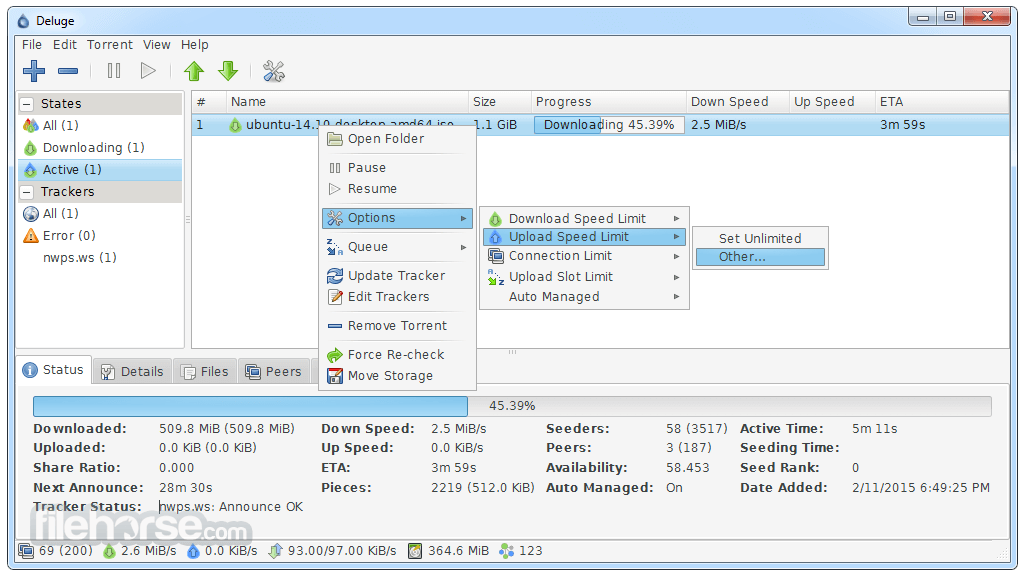
- Global and per-torrent speed limits
- Configurable bandwidth scheduler
- Password protection
- RSS (via Plugin)
- And much more!
It features a clean and intuitive user interface, with a simple layout that is easy to navigate.
The main window provides access to essential features such as adding torrents, monitoring downloads, and adjusting settings.
Users can customize the interface by choosing from various themes and arranging the layout to suit their preferences.
Installation and Setup
Installing this app is straightforward and typically involves downloading the appropriate installer for your operating system from the official website or FileHorse.
Once downloaded, simply follow the on-screen instructions to complete the installation process. Upon launching the application for the first time, users are guided through a setup wizard to configure basic settings such as download location and network preferences.
How to Use
- Adding Torrents: Click the "Add Torrent" button or drag-and-drop torrent files into the window.
- Managing Downloads: Monitor download progress, pause/resume torrents, and adjust bandwidth settings as needed.
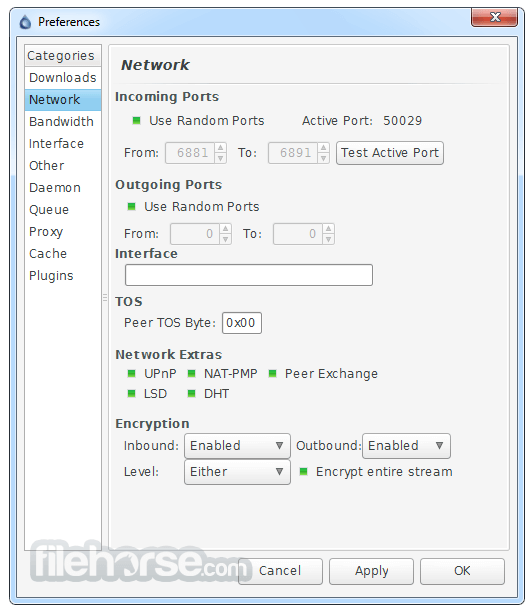
- Configuring Preferences: Access the preferences menu to customize various aspects of the client, including network settings, plugin management, and interface options.
- Remote Management: Utilize the web UI to manage torrents remotely from any web-enabled device.
- Exploring Plugins: Extend Deluge's functionality by exploring and installing plugins from the official repository.
FAQs
Is Deluge compatible with private trackers?
Yes, it supports private trackers and offers features such as tracker authentication and protocol encryption for enhanced compatibility.
Can I schedule downloads with this software?
Yes, it allows users to schedule downloads based on specific times or bandwidth limits using its built-in scheduler feature.
Are there any mobile versions of Deluge available?
While there isn't an official mobile version of Deluge for PC, users can manage torrents remotely using the web UI from any mobile web browser.
Does Deluge support magnet links?
Yes, the app fully supports magnet links, allowing users to add torrents without needing to download a separate torrent file.
Can I control Deluge remotely from another computer?
Yes, it offers a web UI that allows users to manage torrents remotely from any computer with internet access.
Alternatives
qBittorrent - Similar to this app in terms of features and performance, qBittorrent is another popular open-source BitTorrent client that offers a user-friendly interface and extensive customization options.
Transmission - Known for its simplicity and minimalistic design, Transmission is a lightweight BT client available for macOS, Linux, and Windows.
µTorrent - While not open-source like this program, µTorrent is a widely-used BT client known for its speed and efficiency, offering both free and premium versions.
Tixati - A simple, ad-free BitTorrent client that is easy to use and offers several advanced features.
WebTorrent - A web-based BT client that can be used in any web browser, without the need for a dedicated software program.
Audius - A decentralized music-sharing platform with blockchain integration.
LimeWire (revived as a blockchain-based music platform) - Focuses on artist royalties while still enabling music discovery.
Pricing
The program is completely FREE to download and use, with no limitations on features or functionality.
It is released under the GNU General Public License (GPL), making it accessible to users of all budgets.
System Requirements
- Operating System: Windows 11, 10, 8, or 7
- Processor: 1 GHz or faster
- RAM: 512 MB or more
- Disk Space: 50 MB available space
- Lightweight and resource-efficient
- Extensive plugin support for added functionality
- Cross-platform compatibility
- Customizable user interface
- Active development and community support
- Web UI can be less intuitive for beginners
- Limited built-in features compared to some alternatives
- Occasional stability issues with certain plugins
All in all, Deluge for PC is a powerful and versatile BitTorrent client that caters to both novice and advanced users alike. Its lightweight design, extensive plugin support, and cross-platform compatibility make it a compelling choice for anyone looking for a reliable torrenting solution.
While it may lack some of the bells and whistles found in other clients, its simplicity and flexibility more than make up for it.
Download Deluge Latest Version Why is this app published on FileHorse? (More info)
##
畫面截圖
- 2026-05-02 Deluge 2.2.0 39.51 MB
- 2022-07-11 Deluge 2.1.1 34.31 MB
- 2022-06-29 Deluge 2.1.0 34.32 MB
- 2017-05-13 Deluge 1.3.15 15.44 MB
- 2017-03-07 Deluge 1.3.14 15.43 MB
- 2016-07-21 Deluge 1.3.13 15.22 MB
- 2015-10-15 Deluge 1.3.12.1 14.1 MB
- 2015-09-14 Deluge 1.3.12 14.61 MB