DesktopOK 12.71 (64-bit)
v 12.71 (64-bit)
Windows
免費軟體
6.76/10 (46)
- 目前版本12.71 (64-bit)
- 更新日期2026-08-10
- 檔案大小819.2 KB
- 檔案名稱DesktopOK_x64.zip
- 作業系統Windows 7 64 / Windows 8 64 / Windows 10 64 / Windows 11
- 支援語系English
- 授權型式免費軟體
- 開發商 Nenad Hrg
- 軟體分類Windows 軟體 / 桌面強化
##
翻譯排程處理中,以下暫以英文原文呈現
軟體介紹
DesktopOK is a lightweight and free desktop utility for Windows that allows users to save and restore the positions of desktop icons.
This tool is especially useful for users who frequently change screen resolutions, use multiple monitors, or experience icon rearrangements after system restarts.
Key Features
Save and Restore Icon Layouts
Gamers who switch resolutions frequently.
Designers and developers working with multiple screen setups.
Users who prefer a specific desktop arrangement.
IT professionals managing multiple desktops.
How to Use
Download DesktopOK Latest Version Why is this app published on FileHorse? (More info)
This tool is especially useful for users who frequently change screen resolutions, use multiple monitors, or experience icon rearrangements after system restarts.
Key Features
Save and Restore Icon Layouts
- Users can save multiple icon layouts for different scenarios.
- One-click restore feature to bring back a preferred icon arrangement.
- Can be set to automatically save icon layouts at specified time intervals.
- Options for saving at system shutdown, startup, or manual triggers.
- Recognizes different screen resolutions and monitor setups.
- Saves icon positions separately for different display configurations.
- Allows users to create and manage multiple layouts for different use cases.
- Rename, delete, or edit saved layouts easily.
- No installation required; can be run from a USB drive.
- Leaves no unnecessary registry entries.
- Runs quietly in the background with quick access via the system tray.
- Works with Windows 11, 10, 8, 7
- Supports both 32-bit and 64-bit systems.
- Auto-hide desktop icons to reduce clutter.
- Customizable hotkeys for quick access.
- Option to start minimized for a less intrusive experience.
- Export and import saved layouts.
Gamers who switch resolutions frequently.
Designers and developers working with multiple screen setups.
Users who prefer a specific desktop arrangement.
IT professionals managing multiple desktops.
How to Use
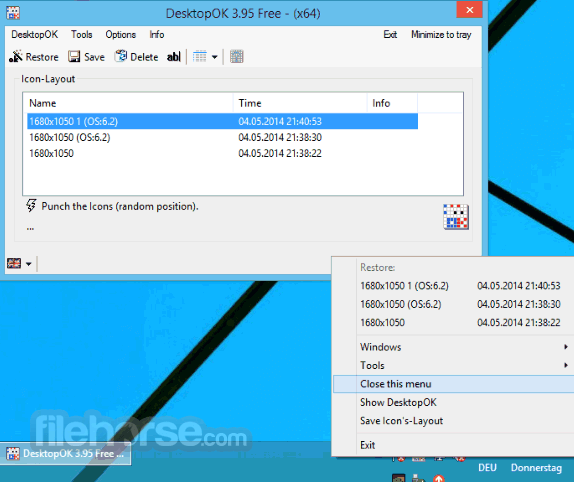
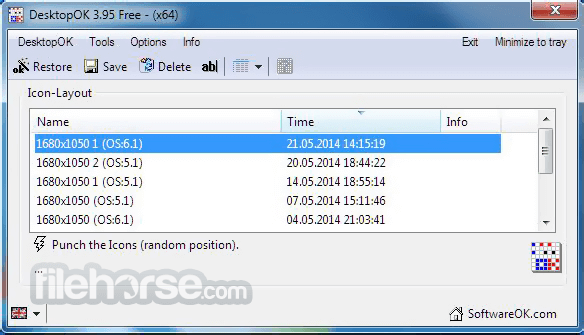
- Launch the program and customize settings as needed.
- Save your desktop icon layout with a single click.
- Restore saved layouts anytime when icons get rearranged.
- Set automatic icon layout backups at regular intervals.
- Access additional options from the system tray.
- Configure multi-monitor support if needed.
- Use hotkeys for quick access to saved layouts.
- Windows 11, 10, 8, 7 (32-bit & 64-bit)
- Minimum 1 GHz processor
- At least 512 MB RAM
- 10 MB free disk space
- Administrator rights for installation
- Saves and restores desktop icon positions
- Lightweight and portable software
- Automatic backups of icon layouts
- Supports multiple monitors
- Free to use without registration
- Basic user interface design
- Lacks advanced customization options
- No cloud backup support
- May not work perfectly on all resolutions
- Limited documentation and user guides
Download DesktopOK Latest Version Why is this app published on FileHorse? (More info)
##
畫面截圖