- 目前版本1.2.5
- 更新日期2025-11-03
- 檔案大小20.5 MB
- 檔案名稱file_lock.exe
- 作業系統Windows XP / Vista / Windows 7 / Windows 8 / Windows 10 / Windows 11
- 支援語系English
- 授權型式試用版
- 開發商 EaseUS
- 軟體分類Windows 軟體 / 安全工具
##
翻譯排程處理中,以下暫以英文原文呈現
軟體介紹
There is are many of critical data in the documents which can't be leaked to any other people. All the secrets should be kept safe. EaseUS LockMyFile is a Military Grade Encryption Tool.
It allows locking and hiding folders on a flash drive, external USB drive, internal hard drive, and more.
You can lock a file or folder with the Windows Explorer context menu or simply drag and drop it into the program’s main window. When forgetting a password, you can find a lost password with your pre-defined e-mail.
Exclude List - There are system files or programs you can not lock; you can use this exclude list to filter them out. You can use Program Log to view the history of operations.
Nobody can uninstall this software without a password, and you can hide this app in Invisible Mode. When someone enters the wrong password more than 5 times, it will send alarm notifications to your pre-defined email, and the unknown login will be temporarily banned.
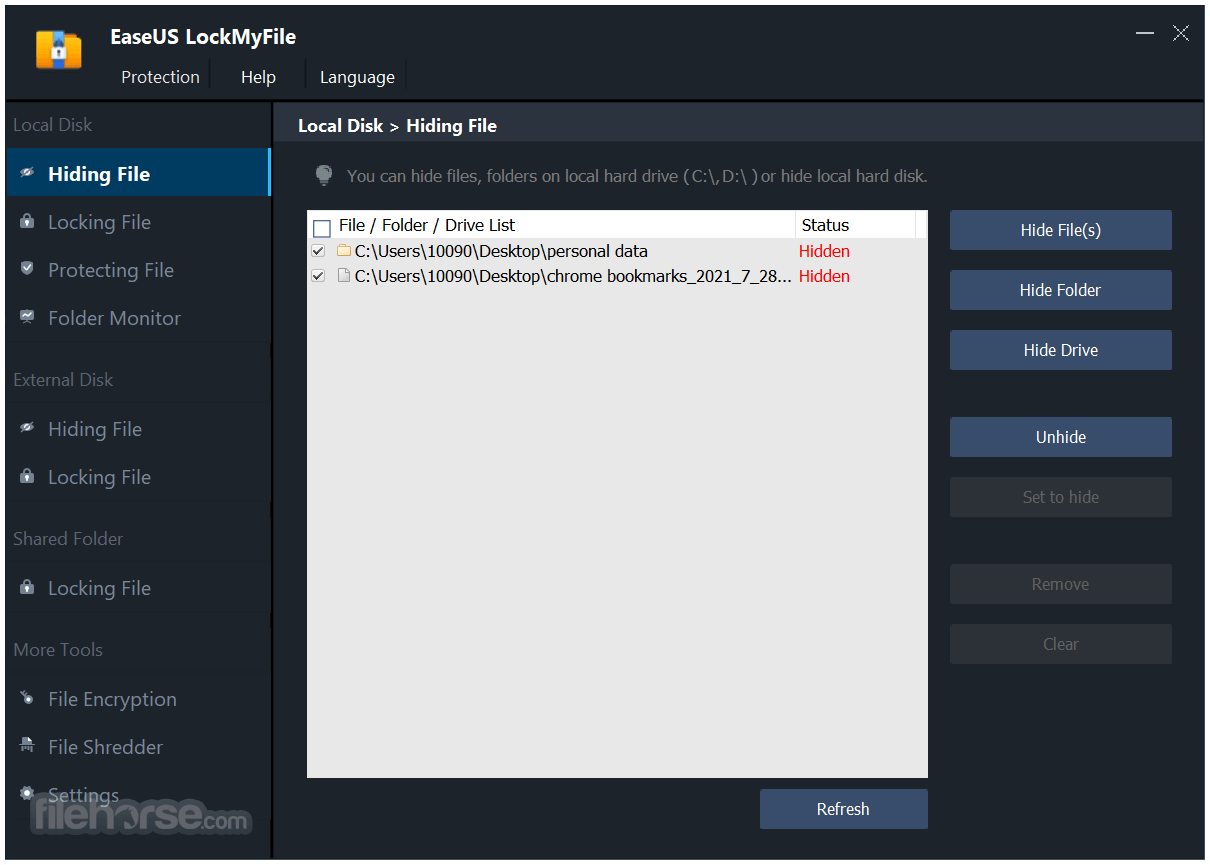
Hide Files/Folders/Drives
EaseUS File Lock can hide private files/folders from the local disk or external (USB) disk, completely invisible to anyone or any programs, even under Windows Safe Mode. All hidden files are never shown in search results.
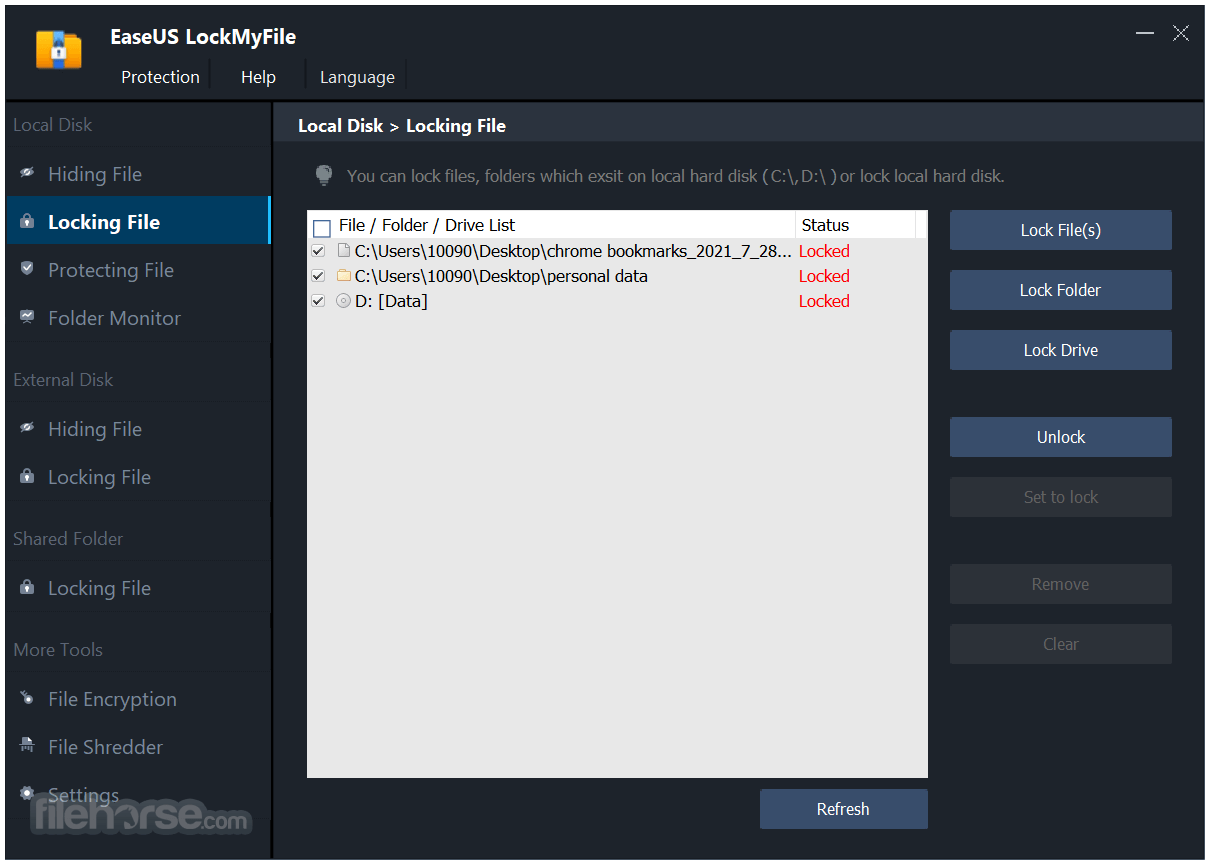
Lock Files/Folders/Drives
Password protects any type of files/folders on the local disk or external (USB) disk, and password protects a folder so all new files added become password-protected. Lock folder on the USB with a master password and a client password.
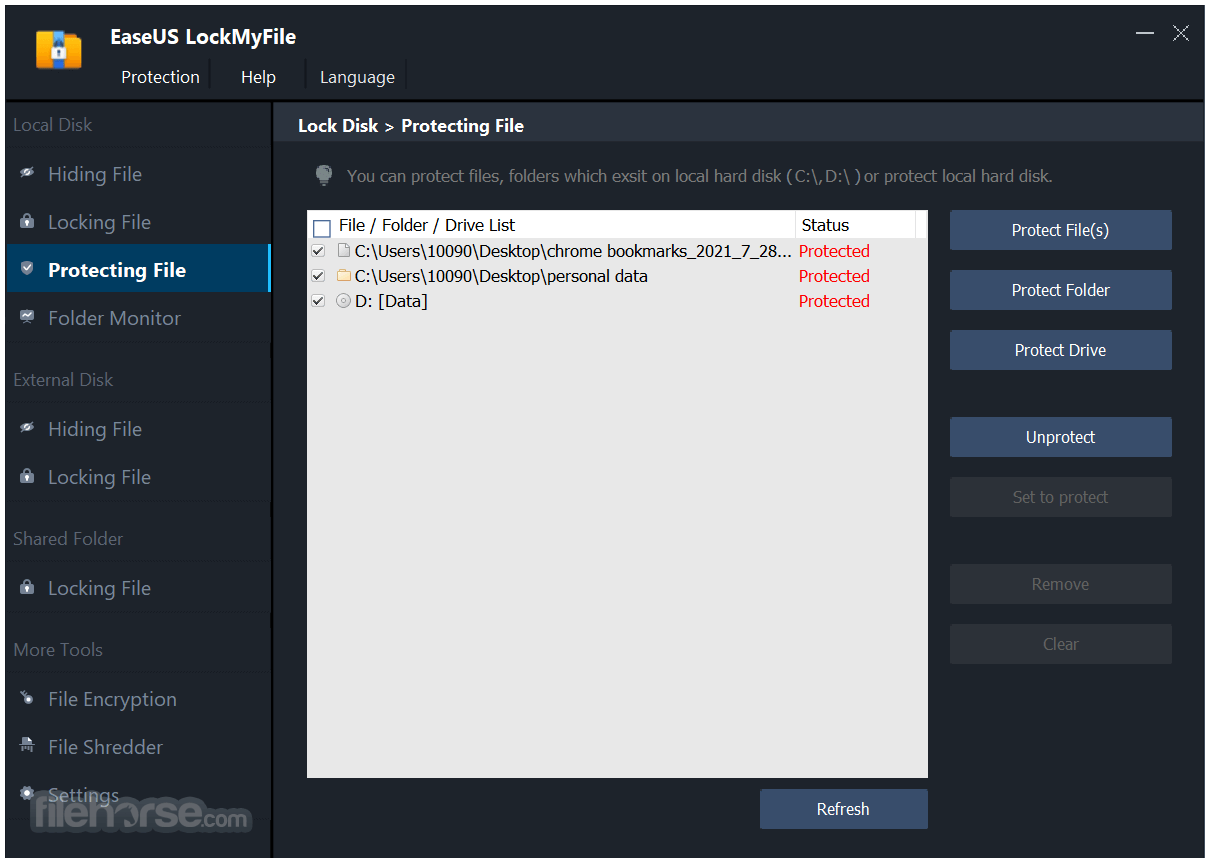
Protect Files/Folders/Drives
Password-protect your important files, folders & drives. People can read the write-protected files, but nobody can modify, delete (even shift delete), or rename them without a password.
Folder/Disk Monitoring
Monitor a disk or a folder and its sub-folders when changing and writing, or any operations or changes are made by a user. Download and install EaseUS LockMyFile for Windows PC today!
Lock LAN Shared Folder
EaseUS Folder Lock app helps you set passwords for your folders shared on networks that limit access to them.
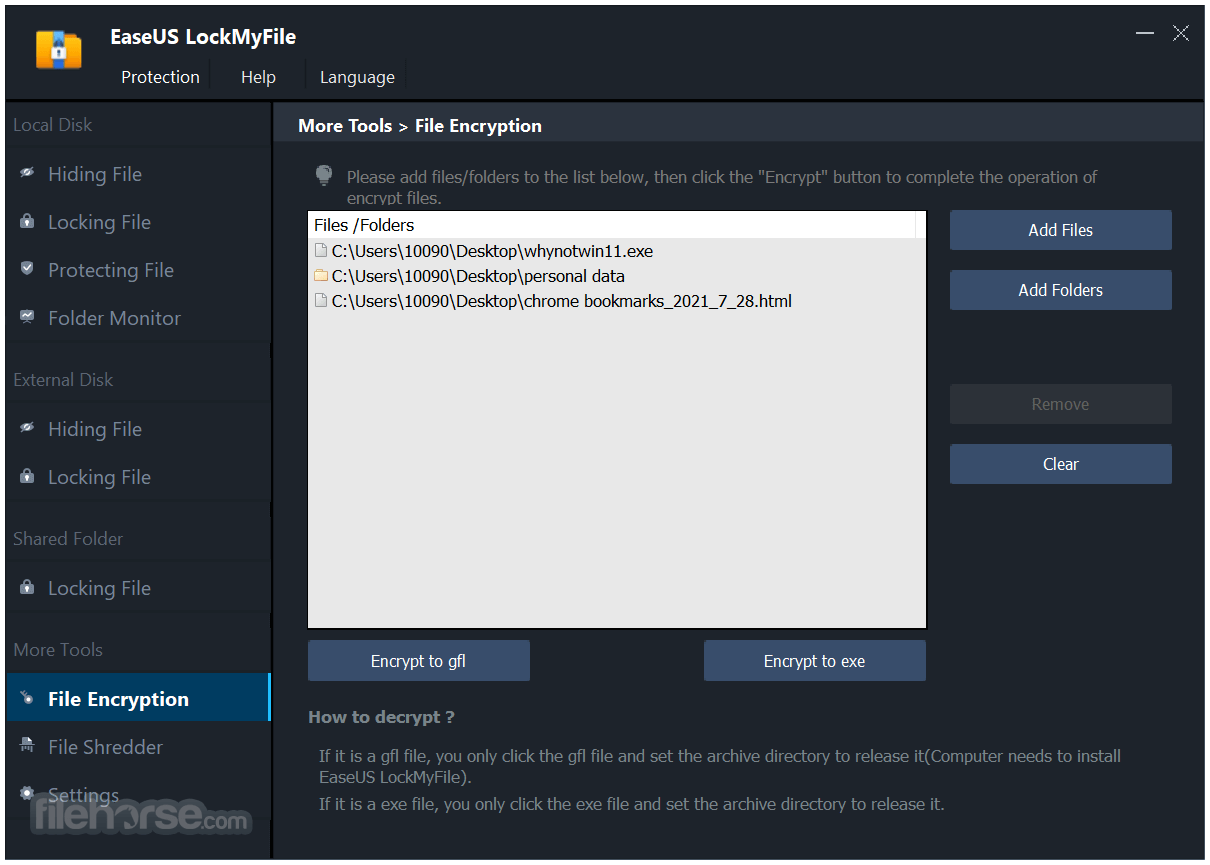
File Encryption/Portable Encryption
Encrypt files and folders into GFL format or EXE format files with the AES encryption algorithm. You can open EXE-encrypted files or folders on other computers.
How to Use
Locking files and folders can be challenging for non-tech-savvy users, but with LockMyFile software, it's a simple and fast process.
Here's how to lock your files in minutes:
Pricing
Folder Lock - Enables you to restrict access to files, folders, and partitions by password.
Wise Folder Hider - Hide private files, photos, videos, and other personal data from your PC
Folder Protect - Prevent View, Access, Delete! Password-protect folders the way you want!
PROS
Download EaseUS LockMyFile Latest Version Why is this app published on FileHorse? (More info)
It allows locking and hiding folders on a flash drive, external USB drive, internal hard drive, and more.
- Safe and effective file protection tool
- Encrypt and hide your folders from other users
- Password-protect files and folders on the Local Drive, USB drive, or LAN Network
- Monitor the Disk or Folder when changes are made by the user
You can lock a file or folder with the Windows Explorer context menu or simply drag and drop it into the program’s main window. When forgetting a password, you can find a lost password with your pre-defined e-mail.
Exclude List - There are system files or programs you can not lock; you can use this exclude list to filter them out. You can use Program Log to view the history of operations.
Nobody can uninstall this software without a password, and you can hide this app in Invisible Mode. When someone enters the wrong password more than 5 times, it will send alarm notifications to your pre-defined email, and the unknown login will be temporarily banned.
Hide Files/Folders/Drives
EaseUS File Lock can hide private files/folders from the local disk or external (USB) disk, completely invisible to anyone or any programs, even under Windows Safe Mode. All hidden files are never shown in search results.
Lock Files/Folders/Drives
Password protects any type of files/folders on the local disk or external (USB) disk, and password protects a folder so all new files added become password-protected. Lock folder on the USB with a master password and a client password.
Protect Files/Folders/Drives
Password-protect your important files, folders & drives. People can read the write-protected files, but nobody can modify, delete (even shift delete), or rename them without a password.
Folder/Disk Monitoring
Monitor a disk or a folder and its sub-folders when changing and writing, or any operations or changes are made by a user. Download and install EaseUS LockMyFile for Windows PC today!
Lock LAN Shared Folder
EaseUS Folder Lock app helps you set passwords for your folders shared on networks that limit access to them.
File Encryption/Portable Encryption
Encrypt files and folders into GFL format or EXE format files with the AES encryption algorithm. You can open EXE-encrypted files or folders on other computers.
How to Use
Locking files and folders can be challenging for non-tech-savvy users, but with LockMyFile software, it's a simple and fast process.
Here's how to lock your files in minutes:
- Launch the Software: Open EaseUS LockMyFile, register with your email, and create a software protection password.
- Choose Locking Options: On the right side, select one of three options: Lock Files, Lock Folder, or Lock Drive.
- Lock Files or Folders: Select the file or folder you want to lock and confirm.
- Check Status: View the status of your locked files or folders to ensure they are secure.
Pricing
- Monthly - $39.95 /month
- Annual - $49.95 /year
- Lifetime Upgrades - $69.95
Folder Lock - Enables you to restrict access to files, folders, and partitions by password.
Wise Folder Hider - Hide private files, photos, videos, and other personal data from your PC
Folder Protect - Prevent View, Access, Delete! Password-protect folders the way you want!
PROS
- Strong file encryption for data protection
- User-friendly interface and easy setup
- Multiple protection methods for flexibility
- Supports a wide range of file formats
- The hidden file and folder feature enhances privacy
- Limited features in the free version
- Advanced options require a premium plan
- No mobile app support for file locking
- Some users report occasional bugs
- Lacks cloud-based file locking features
Download EaseUS LockMyFile Latest Version Why is this app published on FileHorse? (More info)
##
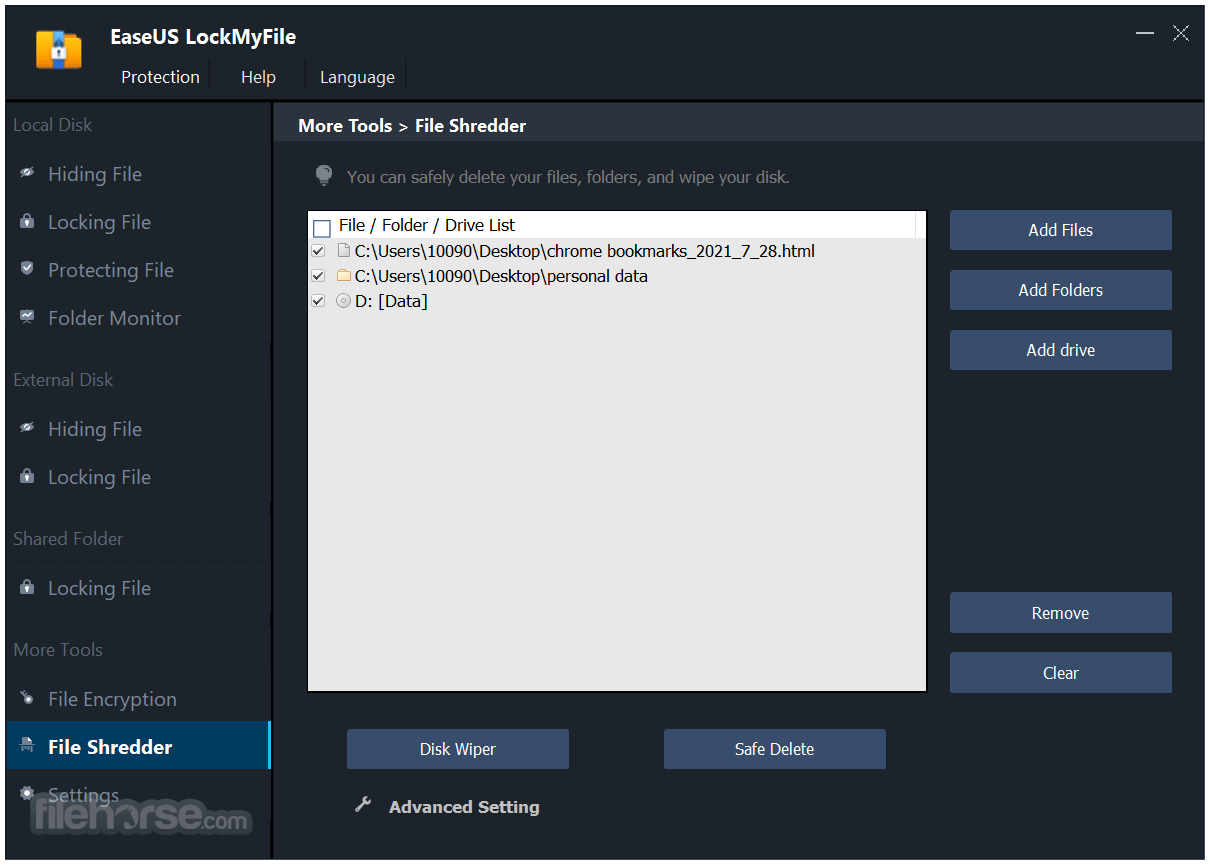
畫面截圖