EaseUS Ringtone Editor 2.0.1
v 2.0.1
Windows
試用版
9.26/10 (4)
- 目前版本2.0.1
- 更新日期2025-12-04
- 檔案大小1.3 MB
- 檔案名稱ringtone_editor_trial_installer.exe
- 作業系統Windows 7 / Windows 8 / Windows 10 / Windows 11
- 支援語系English
- 授權型式試用版
- 開發商 EaseUS
- 軟體分類Windows 軟體 / 音訊軟體
##
翻譯排程處理中,以下暫以英文原文呈現
軟體介紹
With EaseUS Ringtone Editor software, you can make Ringtones for iPhone in the Way You Prefer!
This iPhone ringtone maker from EaseUS allows you to make a custom ringtone using an audio or video file from different sources, fulfilling your needs in various situations.
Apart from audio files, this ringtone maker also works to convert a YouTube video to a ringtone. Videos in MP4, MOV, WMV, FLV, AVI, 3GP, WebM, and MKV formats are all supported.
Some of you may need to make a custom ringtone using an online audio file. EaseUS ringtone maker for iPhone could satisfy you perfectly.
Create Personalized Ringtones for iPhone Using Special Effects
After you finish editing the ringtone, you can push it to your iPhone, iPad, or iPod touch directly. Afterward, you can go to the Settings app on your iOS or iPadOS device to set it as your ringtone or assign it to a specific contact.
Save to the Computer Quickly
You can also choose to save the ringtone to your computer's hard drive if you need to. Download and install EaseUS Ringtone Editor for PC today!
How to make ringtones for iPhone with a few simple clicks
All plans offer a license for 1 PC and up to 5 iOS devices.
Monthly - $9.95
Yearly - $13.95
Lifetime - $19.95
Operating System Requirements:
Download EaseUS Ringtone Editor Latest Version Why is this app published on FileHorse? (More info)
This iPhone ringtone maker from EaseUS allows you to make a custom ringtone using an audio or video file from different sources, fulfilling your needs in various situations.
- Make ringtones for iPhone within seconds
- Support songs from PC, YouTube videos, and SoundCloud
- Allow adding special effects to ringtones
- Export ringtones to a computer or iPhone/iPad/iPod touch
- Compatible with Windows 11/10/8.1/8/7
Apart from audio files, this ringtone maker also works to convert a YouTube video to a ringtone. Videos in MP4, MOV, WMV, FLV, AVI, 3GP, WebM, and MKV formats are all supported.
Some of you may need to make a custom ringtone using an online audio file. EaseUS ringtone maker for iPhone could satisfy you perfectly.
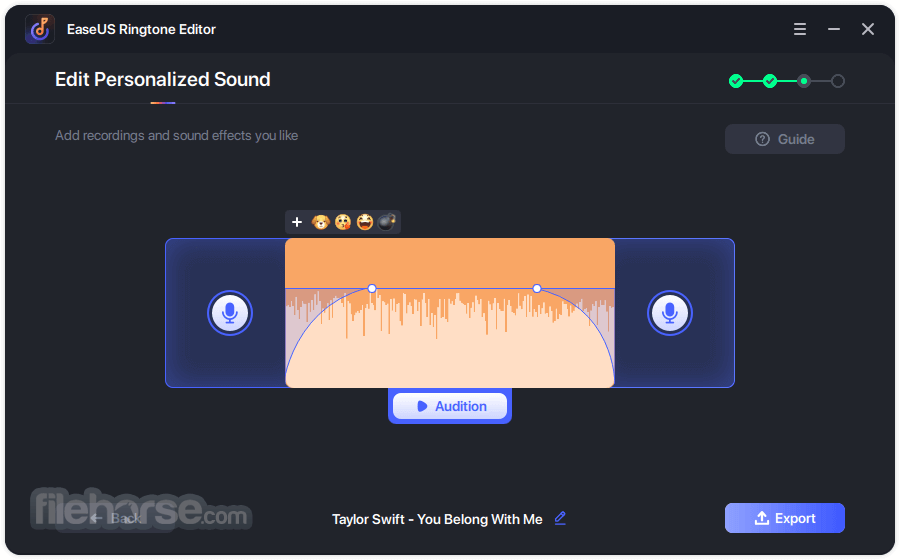
Create Personalized Ringtones for iPhone Using Special Effects
- Integrate Recordings into Ringtones - Make any sound a part of your ringtone
- Rename the Tone - Change the name of the ringtone according to your needs
- Preview the Ringtone - Check and perfect the tone until you are satisfied
- Adjust Volume - Set a proper volume
- Fade In and Out - Make the ringtone more natural
- Add Sound Effects - Bring the emotional intensity
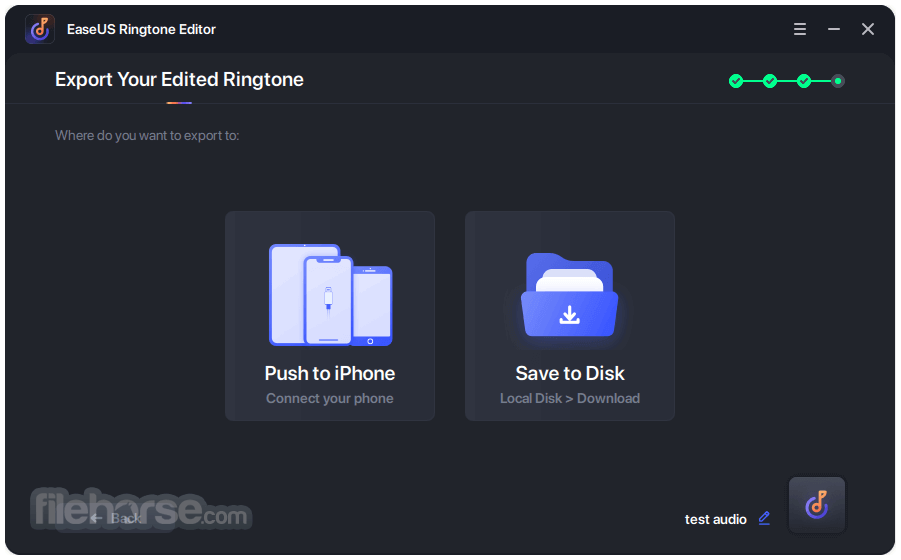
After you finish editing the ringtone, you can push it to your iPhone, iPad, or iPod touch directly. Afterward, you can go to the Settings app on your iOS or iPadOS device to set it as your ringtone or assign it to a specific contact.
Save to the Computer Quickly
You can also choose to save the ringtone to your computer's hard drive if you need to. Download and install EaseUS Ringtone Editor for PC today!
How to make ringtones for iPhone with a few simple clicks
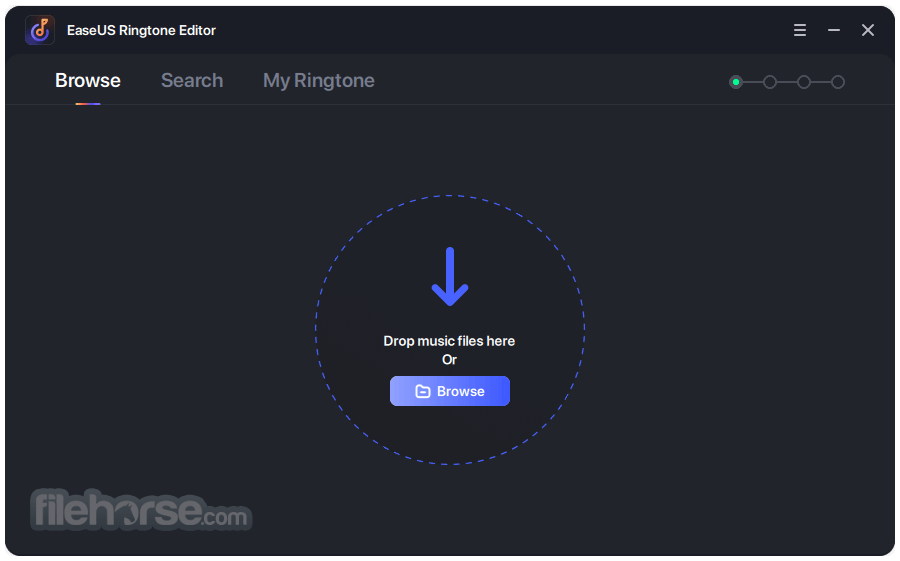
- STEP 1: Choose the file.
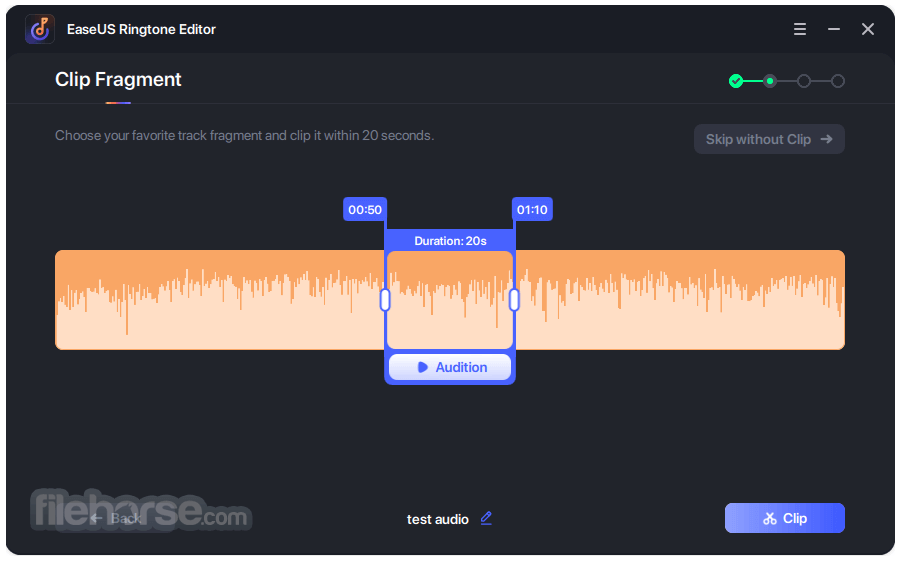
- STEP 2: Clip the ringtone.
- STEP 3: Export the ringtone.
- STEP 4: Choose the destination.
All plans offer a license for 1 PC and up to 5 iOS devices.
Monthly - $9.95
Yearly - $13.95
Lifetime - $19.95
Operating System Requirements:
- Windows 11/10/8/7
- iPhone 4s and later
- iPad 3 and later
- iPad Mini 2 and later
- All iPad Air generations
- All iPad Pro generations
- All iPad Touch generations
- User-Friendly Interface
- Supports Multiple Audio Formats
- Precise Audio Cutting Tools
- Customizable Output Settings
- Fast Processing Speed
- Limited Free Version Features
- No Cloud Integration
- Requires Installation
- Lacks Advanced Audio Effects
- Occasional Export Glitches
Download EaseUS Ringtone Editor Latest Version Why is this app published on FileHorse? (More info)
##
畫面截圖