- 目前版本2.0.13.102
- 更新日期2026-02-12
- 檔案大小51 MB
- 檔案名稱epubor-manager.exe
- 作業系統Windows 7 / Windows 8 / Windows 10 / Windows 11
- 支援語系English
- 授權型式試用版
- 開發商 Epubor Team
- 軟體分類Windows 軟體 / 辦公商務
##
翻譯排程處理中,以下暫以英文原文呈現
軟體介紹
Epubor eBook Manager fits all your eBook needs, including the best eBook Manager, eBook Converter, Device Transfer, eBook Reader, and eBook Editor functions.
Epubor is the best eBook Manager for you to manage your eBooks from different sources. It supports you to classify, modify, convert, and transfer your eBooks. Make managing your ebook collections easier.
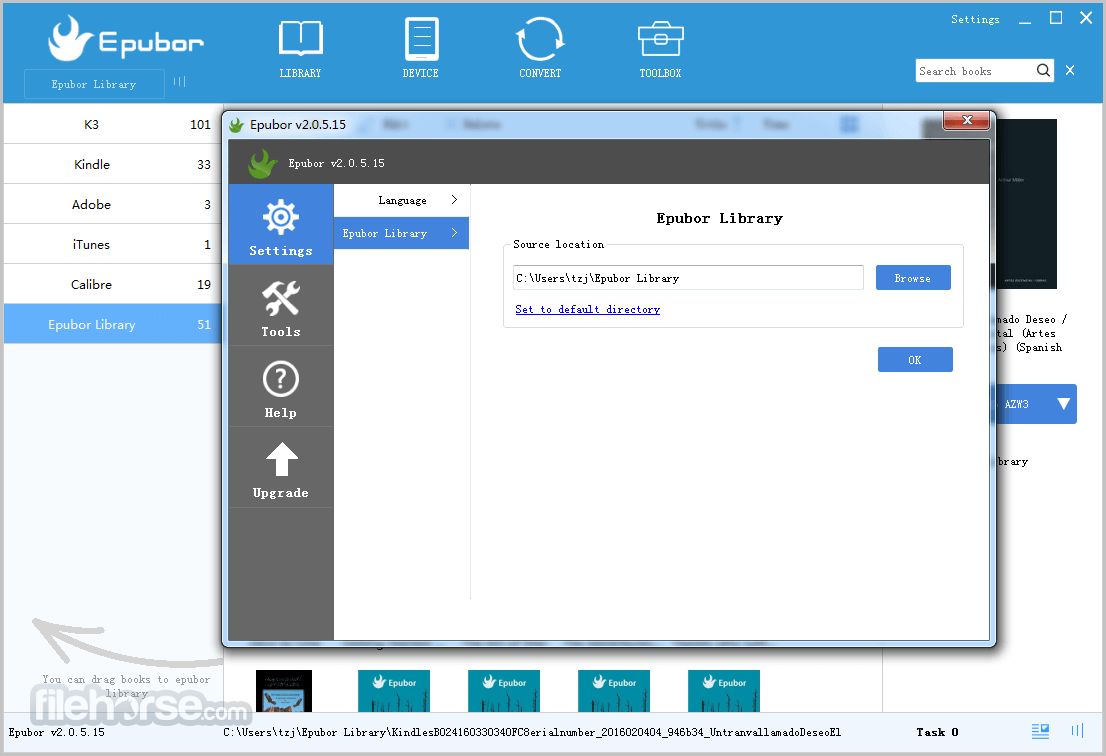
Epubor eBook Manager can catalog eBooks from your devices, Kindle for Mac/PC, Adobe Digital Editions, Calibre, and iTunes by automatically scanning.
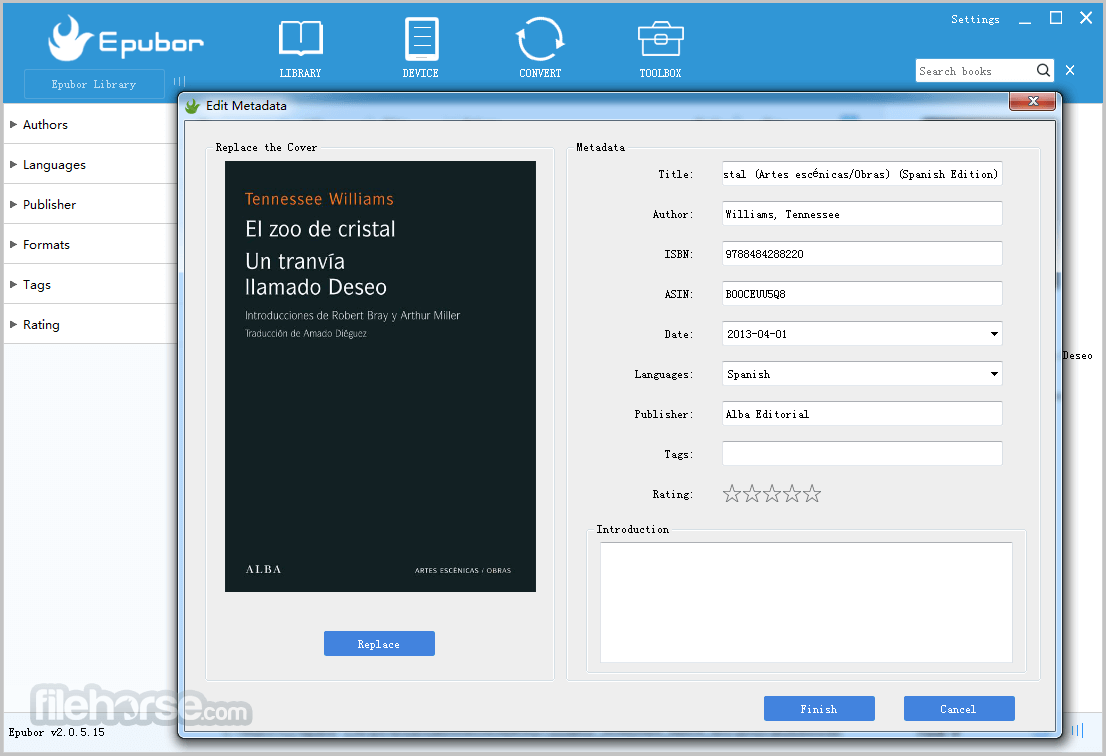
And your books will be sorted by authors, languages, publishers, and formats. You can also add tags to classify all books. By editing the eBooks' metadata, such as title, introduction, author, book cover, language, publisher, ISBN, date, and so on, you can modify all eBooks. Giving a book score can also represent your attitude.
You can batch convert and transfer encrypted eBooks without quality loss. Support the books from Amazon Kindle, Barnes & Noble Nook, Sony, Kobo, Google Play, Lulu, Smashwords, Fictionwise, and more...
Support Devices: Kindle e-ink Readers, Kobo. Support input formats: ePub, PDF, Mobi, AZW, Azw3, Azw4, Prc, Txt, Docx, Doc .etc. Support output formats: ePub, Mobi, AZW3, PDF.
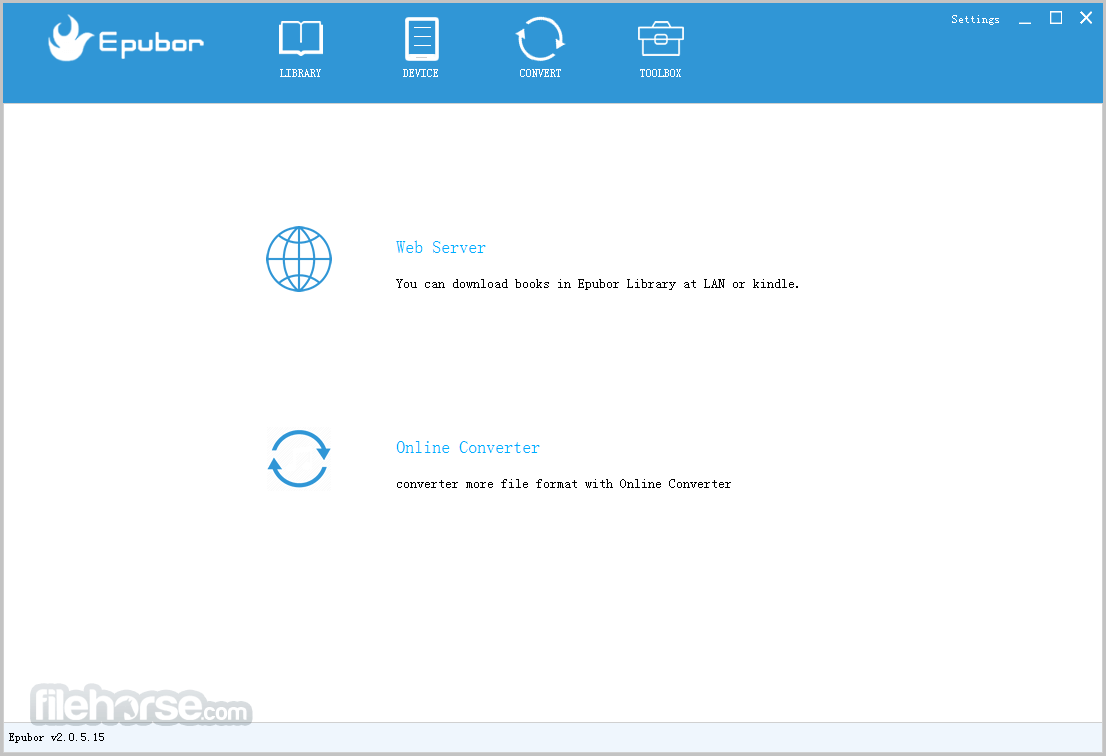
Toolbox: Web Server and Online Converter
Web Server: Epubor will generate an IP address for you. You can use it to access your Epubor Library books on any device that can connect to the internet. Online Converter: There is a free online eBook converter provided for you.
User manual helps you get started quickly
A comprehensive user manual is provided even when the program is easy to use. You can access the specific user manual in the link below, and it is also included with the program installation.
Attentive customer service & instant help
If you experience a problem while using software, an instant troubleshooting guide will pop up to help you find a solution. Customer service is online 12*6 and is totally free for technical support.
FAQs
What is Epubor eBook Manager used for?
Epubor eBook Manager is an eBook management software designed to help users organize, edit, and manage their digital book collections. It allows you to sort eBooks by title, author, ISBN, publisher, and publication date, as well as edit metadata and manage large libraries efficiently.
What file formats does Epubor eBook Manager support?
According to the official website, the software supports popular eBook formats including EPUB, PDF, and MOBI. It enables users to import, organize, and manage these formats within a centralized digital library.
Is Epubor eBook Manager available for Windows and Mac?
Yes. Epubor eBook Manager is officially available for both Windows and macOS systems. Users can download the appropriate version directly from the official Epubor website and use it to manage their eBook collections on their preferred platform.
Pricing
Free Trial: Limited conversions with watermark restrictions.
Lifetime License: $39.99 for a single-user license with lifetime updates and support.
Family License: $69.99 for up to 5 devices.
PROS
Also Available: Download Epubor eBook Manager for Mac
Download Epubor eBook Manager Latest Version Why is this app published on FileHorse? (More info)
Epubor is the best eBook Manager for you to manage your eBooks from different sources. It supports you to classify, modify, convert, and transfer your eBooks. Make managing your ebook collections easier.
Epubor eBook Manager can catalog eBooks from your devices, Kindle for Mac/PC, Adobe Digital Editions, Calibre, and iTunes by automatically scanning.
And your books will be sorted by authors, languages, publishers, and formats. You can also add tags to classify all books. By editing the eBooks' metadata, such as title, introduction, author, book cover, language, publisher, ISBN, date, and so on, you can modify all eBooks. Giving a book score can also represent your attitude.
You can batch convert and transfer encrypted eBooks without quality loss. Support the books from Amazon Kindle, Barnes & Noble Nook, Sony, Kobo, Google Play, Lulu, Smashwords, Fictionwise, and more...
Support Devices: Kindle e-ink Readers, Kobo. Support input formats: ePub, PDF, Mobi, AZW, Azw3, Azw4, Prc, Txt, Docx, Doc .etc. Support output formats: ePub, Mobi, AZW3, PDF.
Toolbox: Web Server and Online Converter
Web Server: Epubor will generate an IP address for you. You can use it to access your Epubor Library books on any device that can connect to the internet. Online Converter: There is a free online eBook converter provided for you.
User manual helps you get started quickly
A comprehensive user manual is provided even when the program is easy to use. You can access the specific user manual in the link below, and it is also included with the program installation.
Attentive customer service & instant help
If you experience a problem while using software, an instant troubleshooting guide will pop up to help you find a solution. Customer service is online 12*6 and is totally free for technical support.
FAQs
What is Epubor eBook Manager used for?
Epubor eBook Manager is an eBook management software designed to help users organize, edit, and manage their digital book collections. It allows you to sort eBooks by title, author, ISBN, publisher, and publication date, as well as edit metadata and manage large libraries efficiently.
What file formats does Epubor eBook Manager support?
According to the official website, the software supports popular eBook formats including EPUB, PDF, and MOBI. It enables users to import, organize, and manage these formats within a centralized digital library.
Is Epubor eBook Manager available for Windows and Mac?
Yes. Epubor eBook Manager is officially available for both Windows and macOS systems. Users can download the appropriate version directly from the official Epubor website and use it to manage their eBook collections on their preferred platform.
Pricing
Free Trial: Limited conversions with watermark restrictions.
Lifetime License: $39.99 for a single-user license with lifetime updates and support.
Family License: $69.99 for up to 5 devices.
PROS
- User-Friendly Interface
- Supports Multiple Formats
- Efficient eBook Organization
- Quick DRM Removal
- Cross-Platform Compatibility
- Limited Free Version Features
- Occasional Conversion Errors
- No Cloud Sync Option
Also Available: Download Epubor eBook Manager for Mac
Download Epubor eBook Manager Latest Version Why is this app published on FileHorse? (More info)
##
畫面截圖