EZ CD Audio Converter 13.1.5
v 13.1.5
Windows
商業試用
7.62/10 (21)
- 目前版本13.1.5
- 更新日期2026-07-02
- 檔案大小44.5 MB
- 檔案名稱ez_cd_audio_converter_setup.exe
- 作業系統Windows 7 / Windows 7 64 / Windows 8 / Windows 8 64 / Windows 10 / Windows 10 64 / Windows 11
- 支援語系English
- 授權型式商業試用
- 開發商 Poikosoft
- 軟體分類Windows 軟體 / 音訊軟體
##
翻譯排程處理中,以下暫以英文原文呈現
軟體介紹
EZ CD Audio Converter is a versatile and powerful audio conversion software for Windows 11/10 that allows users to rip CDs, convert audio files, and burn CDs with high-quality output.
Developed by Poikosoft, the software supports various audio formats, including MP3, FLAC, AAC, WAV, and more.
Its focus on accuracy, speed, and ease of use makes it a go-to choice for audiophiles and music enthusiasts.
Features
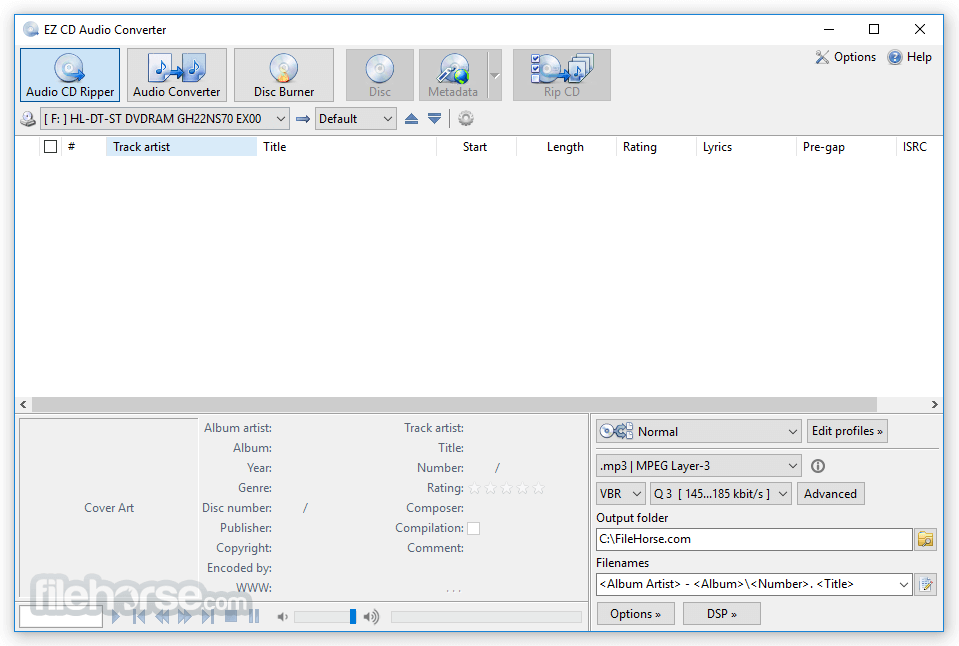
CD Ripping – Extract audio from CDs with advanced error correction and metadata retrieval.
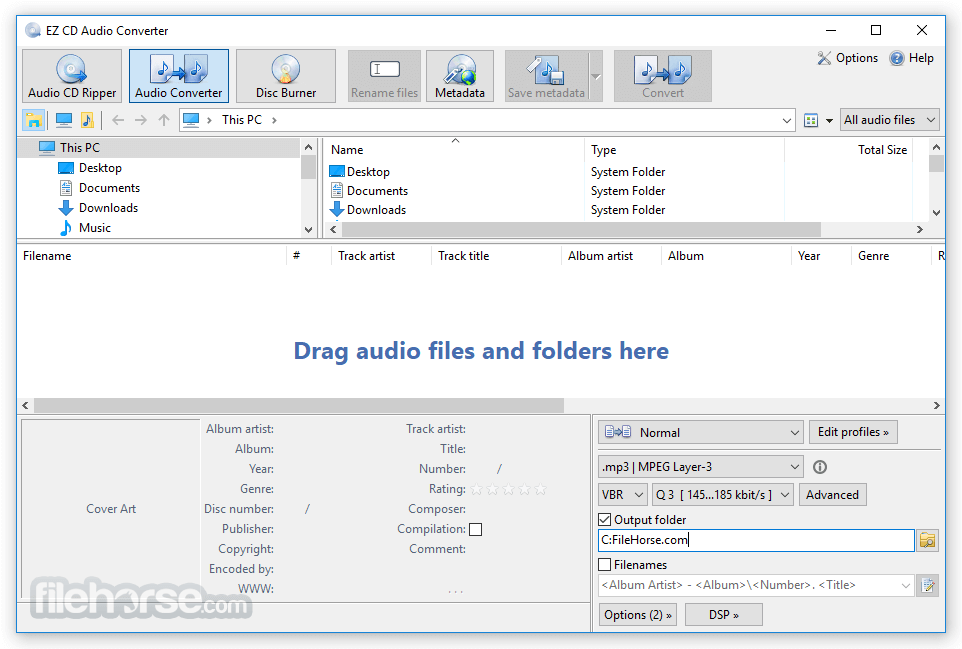
Audio File Conversion – Convert between multiple audio formats with customizable quality settings.
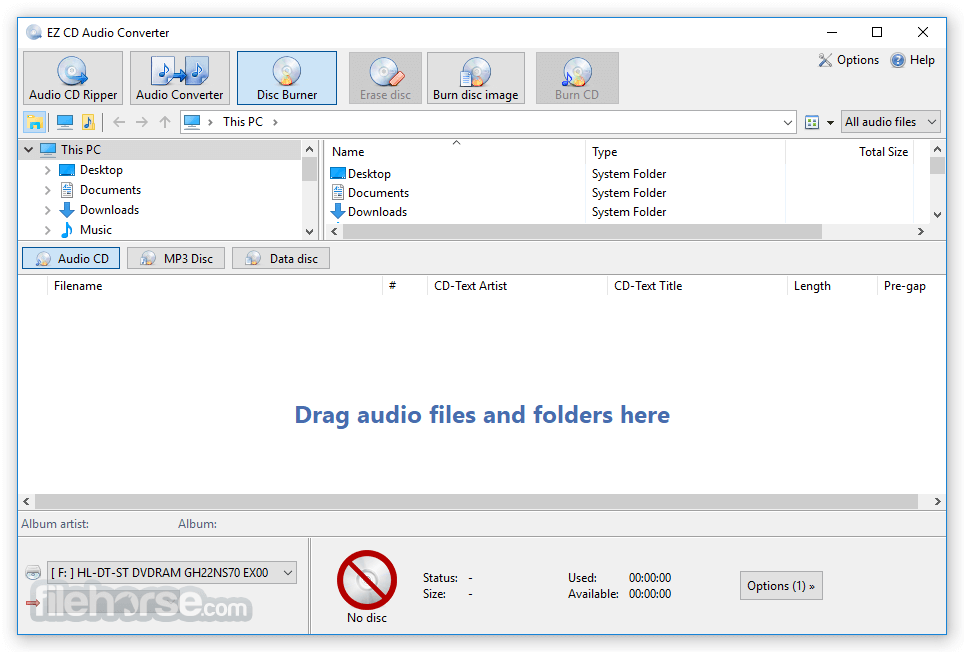
CD Burning – Create audio CDs, MP3 discs, and data CDs with simple drag-and-drop functionality.
Metadata Editing – Automatically fetch and edit song details from online databases.
Batch Processing – Convert multiple files simultaneously with high-speed encoding.
User Interface
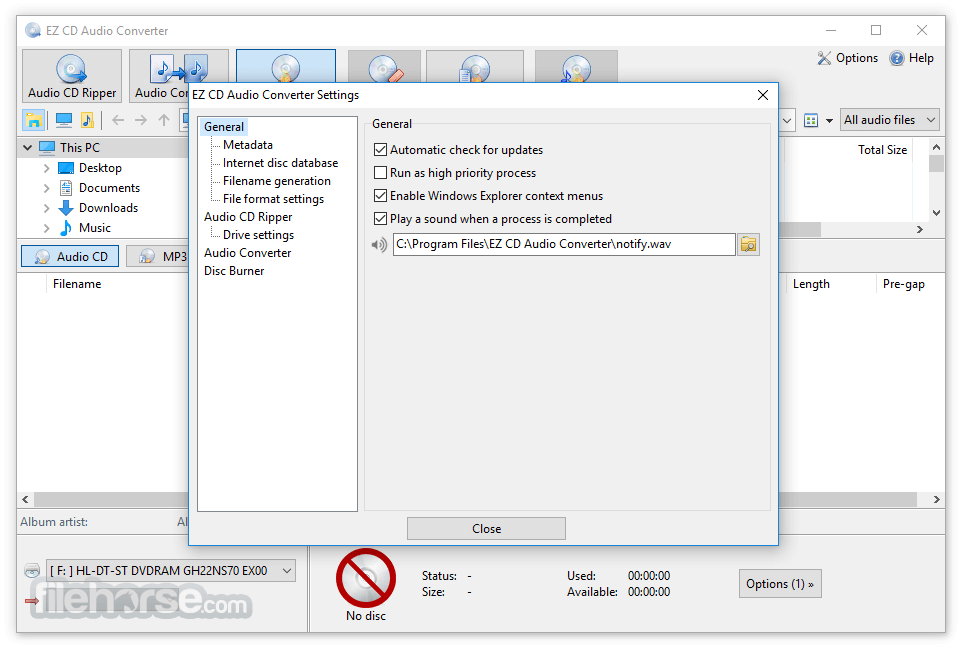
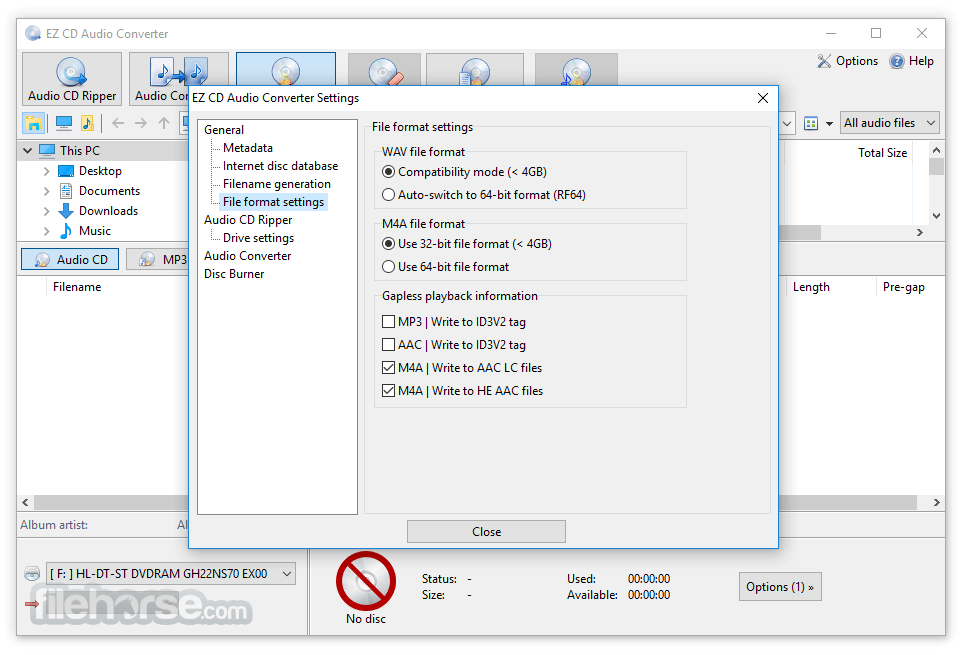
EZ CD Audio Converter features a clean and modern interface with a well-organized layout. Users can easily navigate between CD ripping, audio conversion, and disc burning tabs.
The drag-and-drop functionality simplifies file selection, making it accessible even for beginners.
Installation and Setup
The installation process is straightforward. Users can download the software from the official website or FileHorse, run the installer, and follow the guided setup.
No additional third-party software is required, and the software is lightweight on system resources.
How to Use
CD Ripping – Insert a CD, select tracks, choose output format, and click "Rip."
Audio Conversion – Drag files into the interface, select output format, adjust settings, and convert.
CD Burning – Add tracks, arrange the order, insert a blank disc, and start burning.
FAQ
Is EZ CD Audio Converter free?
No, but a free trial version is available with limited features.
Which audio formats does it support?
It supports MP3, FLAC, WAV, AAC, M4A, OGG, and more.
Does it preserve metadata during conversion?
Yes, metadata and album art are retained when converting files.
Can it bypass copy-protected CDs?
No, it does not support ripping DRM-protected CDs.
Is there a portable version?
Yes, a portable version is available for use without installation.
Alternatives
AVS Audio Converter – Convert audio to any popular format MP3 WAV WMA M4A FLAC.
Freemake Audio Converter – Great converter for MP3, WMA, WAV, FLAC, AAC, M4A and OGG.
dBpoweramp Music Converter – A powerful audio converter with batch processing.
Exact Audio Copy (EAC) – Best for secure and accurate CD ripping.
Ashampoo Music Studio – A versatile audio conversion and editing tool.
Pricing
It offers a free trial, but the full version costs $47.95 for a lifetime license, including updates.
System Requirements
EZ CD Audio Converter is an excellent desktop tool for anyone looking to rip, convert, and burn audio files with ease. Its user-friendly interface, extensive format support, and high-speed performance make it a valuable choice for audiophiles and music professionals. While it comes at a price, its reliability and lifetime updates make it worth considering over free alternatives.
Note: 30 days trial version.
Download EZ CD Audio Converter Latest Version Why is this app published on FileHorse? (More info)
Developed by Poikosoft, the software supports various audio formats, including MP3, FLAC, AAC, WAV, and more.
Its focus on accuracy, speed, and ease of use makes it a go-to choice for audiophiles and music enthusiasts.
Features
CD Ripping – Extract audio from CDs with advanced error correction and metadata retrieval.
Audio File Conversion – Convert between multiple audio formats with customizable quality settings.
CD Burning – Create audio CDs, MP3 discs, and data CDs with simple drag-and-drop functionality.
Metadata Editing – Automatically fetch and edit song details from online databases.
Batch Processing – Convert multiple files simultaneously with high-speed encoding.
User Interface
EZ CD Audio Converter features a clean and modern interface with a well-organized layout. Users can easily navigate between CD ripping, audio conversion, and disc burning tabs.
The drag-and-drop functionality simplifies file selection, making it accessible even for beginners.
Installation and Setup
The installation process is straightforward. Users can download the software from the official website or FileHorse, run the installer, and follow the guided setup.
No additional third-party software is required, and the software is lightweight on system resources.
How to Use
CD Ripping – Insert a CD, select tracks, choose output format, and click "Rip."
Audio Conversion – Drag files into the interface, select output format, adjust settings, and convert.
CD Burning – Add tracks, arrange the order, insert a blank disc, and start burning.
FAQ
Is EZ CD Audio Converter free?
No, but a free trial version is available with limited features.
Which audio formats does it support?
It supports MP3, FLAC, WAV, AAC, M4A, OGG, and more.
Does it preserve metadata during conversion?
Yes, metadata and album art are retained when converting files.
Can it bypass copy-protected CDs?
No, it does not support ripping DRM-protected CDs.
Is there a portable version?
Yes, a portable version is available for use without installation.
Alternatives
AVS Audio Converter – Convert audio to any popular format MP3 WAV WMA M4A FLAC.
Freemake Audio Converter – Great converter for MP3, WMA, WAV, FLAC, AAC, M4A and OGG.
dBpoweramp Music Converter – A powerful audio converter with batch processing.
Exact Audio Copy (EAC) – Best for secure and accurate CD ripping.
Ashampoo Music Studio – A versatile audio conversion and editing tool.
Pricing
It offers a free trial, but the full version costs $47.95 for a lifetime license, including updates.
System Requirements
- Windows 7, 8, 10, or 11 (64-bit)
- Intel or AMD processor
- 2GB RAM or more
- 50MB of free disk space
- Supports a wide range of audio formats
- Fast and high-quality CD ripping and conversion
- Intuitive user interface with easy navigation
- Includes metadata retrieval and editing
- Offers batch processing for bulk conversions
- Paid software with limited trial version
- Does not support DRM-protected CDs
- Lacks advanced audio editing features
EZ CD Audio Converter is an excellent desktop tool for anyone looking to rip, convert, and burn audio files with ease. Its user-friendly interface, extensive format support, and high-speed performance make it a valuable choice for audiophiles and music professionals. While it comes at a price, its reliability and lifetime updates make it worth considering over free alternatives.
Note: 30 days trial version.
Download EZ CD Audio Converter Latest Version Why is this app published on FileHorse? (More info)
##
畫面截圖