⚠ 這是歷史版本頁面 — 查看 FileZilla 3.70.6 (32-bit) 最新版本 →

FileZilla 3.65.0 (32-bit)
v 3.65.0 (32-bit)
Windows
開源軟體
7.8/10 (316)
- 目前版本3.65.0 (32-bit)
- 更新日期2023-07-11
- 檔案大小11.85 MB
- 檔案名稱FileZilla_3.65.0_win32-setup.exe
- 作業系統Windows 8 / Windows 10
- 支援語系English
- 授權型式開源軟體
- 開發商 FileZilla
- 軟體分類Windows 軟體 / 檔案傳輸與網路
##
編輯短評
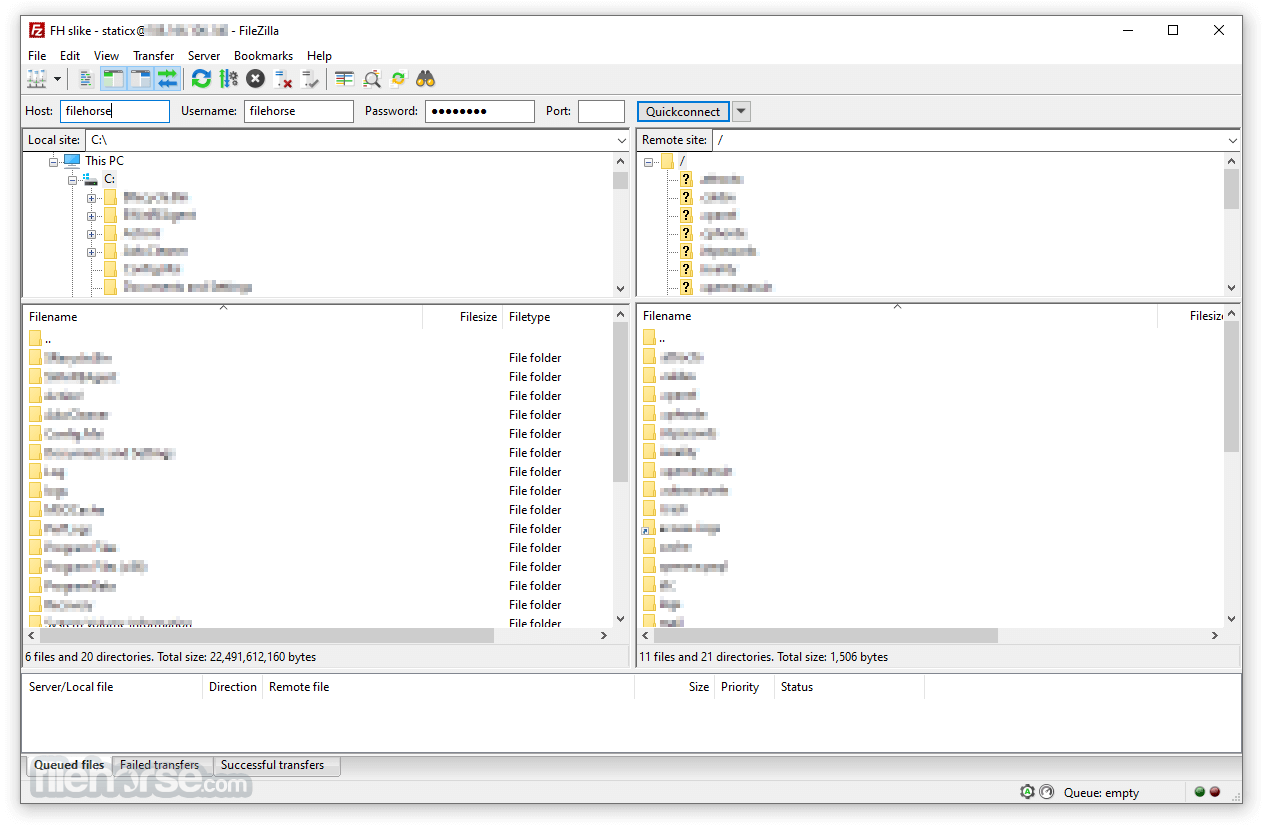
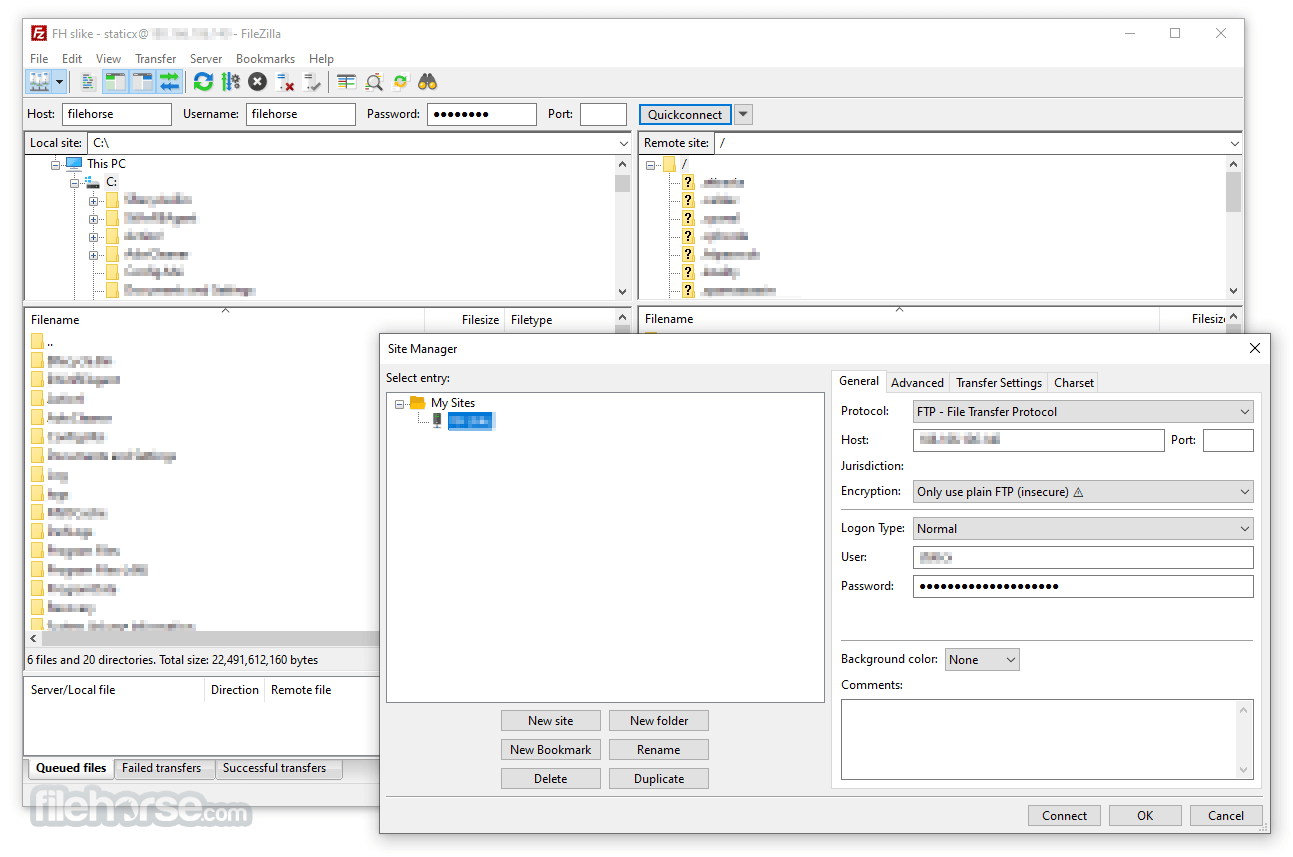
FileZilla 是一款跨平台的 FTP、FTPS 與 SFTP 用戶端,主要用來解決檔案上傳下載的需求。它的介面採用類似檔案總管的雙窗格設計,可以同時瀏覽本機與遠端資料夾,並內建站台管理員儲存連線設定。這套軟體支援防火牆與代理連線,也提供 SSL 與 Kerberos GSS 安全機制,加上 keep alive、自動 ASCII/二進位切換等功能,對新手和進階使用者都算友善。開發團隊持續維護,更新相當活躍,在同類工具中屬於熱門選擇,評價普遍不錯。
如果你需要定期管理網站或伺服器上的檔案,FileZilla 是很實用的工具,尤其適合不想花錢買商業 FTP 軟體的人。與 Internet Download Manager 或 uTorrent 等替代方案相比,FileZilla 專注在傳統的 FTP/SFTP 傳輸,沒有下載加速或 P2P 功能,但介面直覺、操作單純。要注意的是它僅提供英文介面,沒有官方中文版,不過操作邏輯簡單,多數人很快就能上手。授權為開源軟體,可免費使用,平台僅限 Windows。
##
翻譯排程處理中,以下暫以英文原文呈現
軟體介紹
FileZilla Client 32bit is a fast and reliable cross-platform FTP, FTPS and SFTP client with lots of useful features and an intuitive graphical user interface.
It includes a site manager to store all your connection details and logins as well as an Explorer-style interface that shows the local and remote folders and can be customized independently.
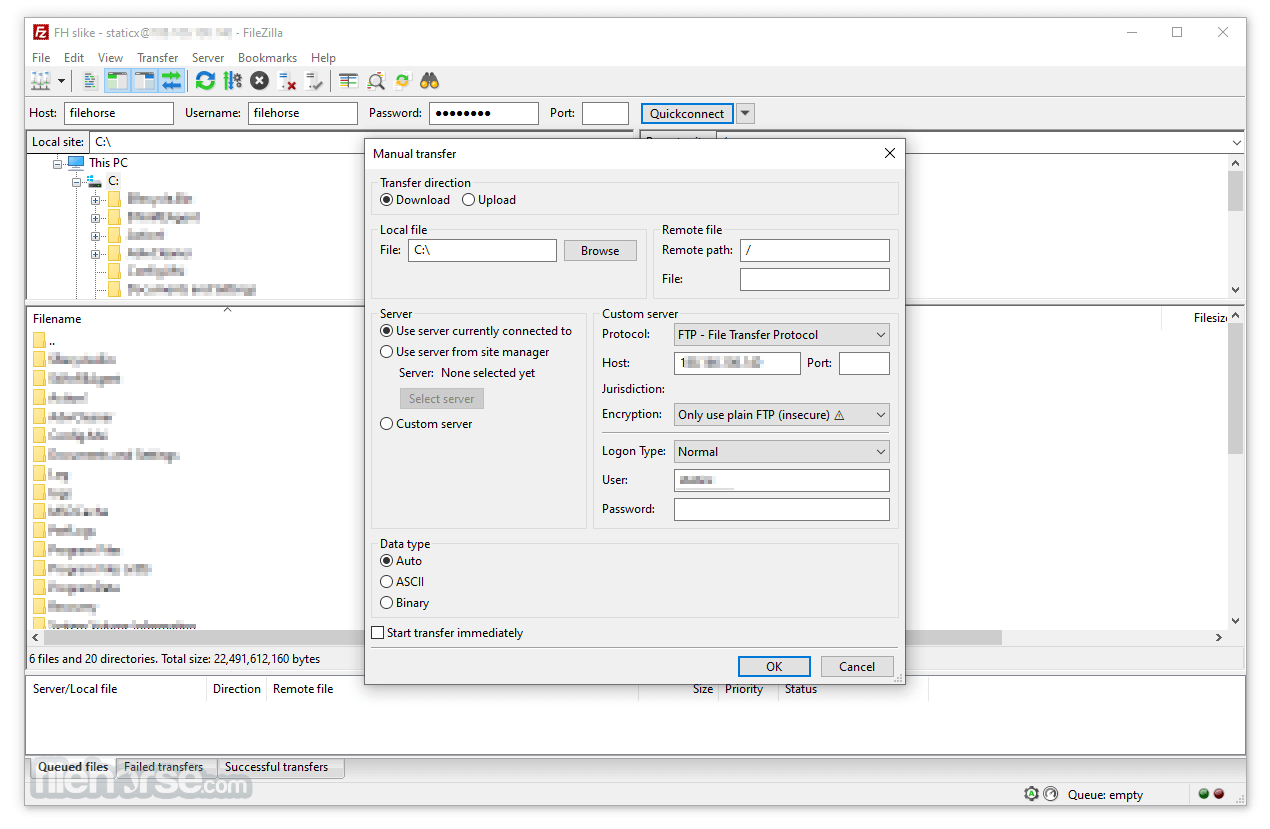
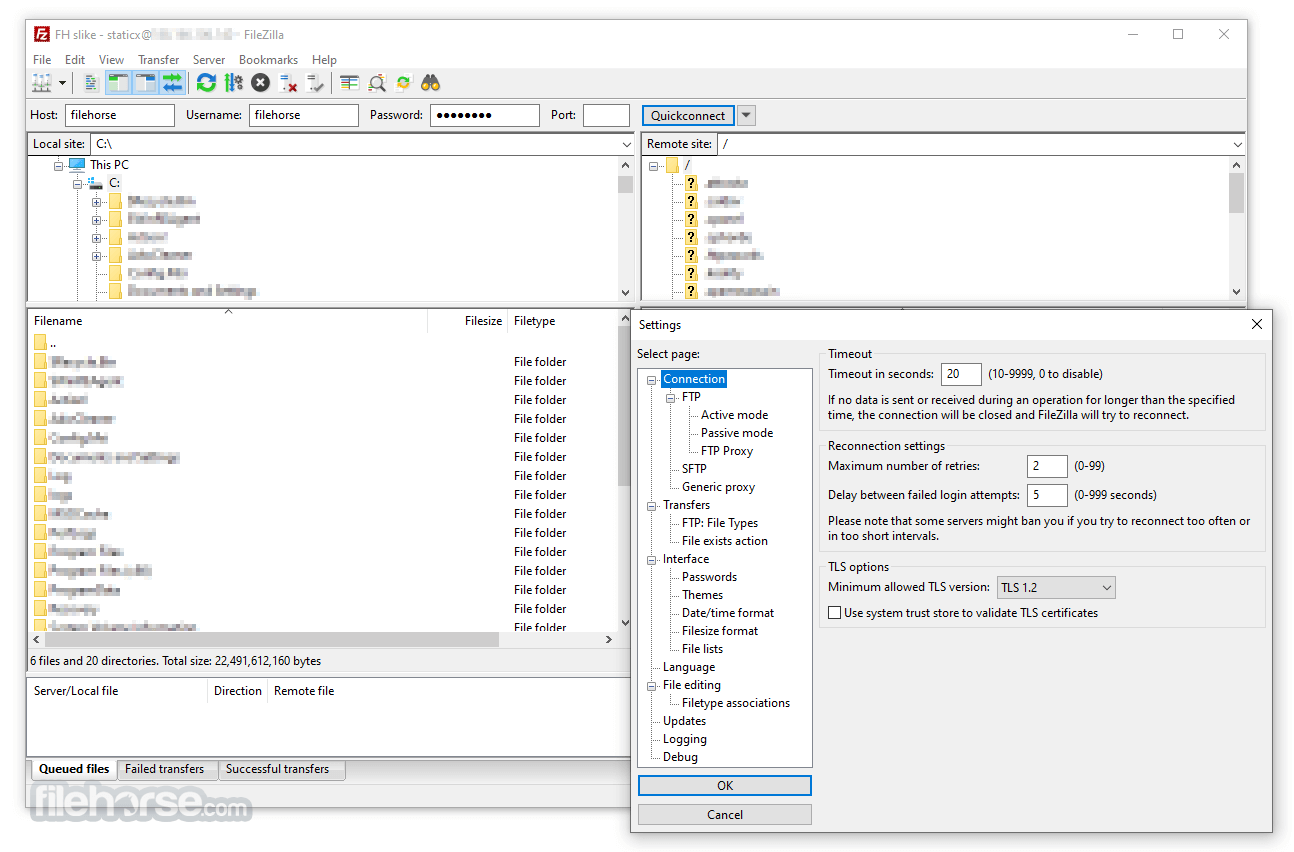
The program offers support for firewalls and proxy connections as well as SSL and Kerberos GSS security. Additional features include keeping alive, auto ASCII/binary transfer, and more. A nice program for beginners and advanced users alike.
FileZilla offline installer for PC is a file transfer protocol (FTP) software that lets you upload websites stored on your PC to your hosting account.
Also available for download is FileZilla Server.
Features and Highlights
Alternatives
WinSCP: Focused on SFTP and SCP with a clean interface.
Cyberduck: Offers cloud storage integration and a simple UI.
Core FTP: A lightweight FTP client with encryption support.
SmartFTP: Transfer files between your local computer and a server on the Internet.
Total Commander: Built-in FTP client with FTPS (encrypted FTP) and HTTP proxy support.
Pricing
Free Version: Includes all essential FTP features.
FileZilla Pro: Priced at $19.99, with additional protocol support for WebDAV, Amazon S3, Backblaze B2, Dropbox, Microsoft OneDrive, Google Drive, Microsoft Azure Blob and File Storage, and Google Cloud Storage.
Also Available: FileZilla (64-bit) and FileZilla for Mac
Download FileZilla (32-bit) Latest Version Why is this app published on FileHorse? (More info)
It includes a site manager to store all your connection details and logins as well as an Explorer-style interface that shows the local and remote folders and can be customized independently.
The program offers support for firewalls and proxy connections as well as SSL and Kerberos GSS security. Additional features include keeping alive, auto ASCII/binary transfer, and more. A nice program for beginners and advanced users alike.
FileZilla offline installer for PC is a file transfer protocol (FTP) software that lets you upload websites stored on your PC to your hosting account.
Also available for download is FileZilla Server.
Features and Highlights
- Easy to use
- The best performance and memory consumption
- Supports FTP, FTP over SSL/TLS (FTPS) and SSH File Transfer Protocol (SFTP)
- Cross-platform. Runs on Windows, Linux, *BSD, macOS and more
- IPv6 support
- Available in many languages
- Supports resume and transfer of large files >4GB
- Tabbed user interface
- Powerful Site Manager and transfer queue
- Bookmarks
- Drag & drop support
- Configurable transfer speed limits
- Filename filters
- Directory comparison
- Network configuration wizard
- Remote file editing
- Keep-alive
- HTTP/1.1, SOCKS5, and FTP-Proxy support
- Logging to file
- Synchronized directory browsing
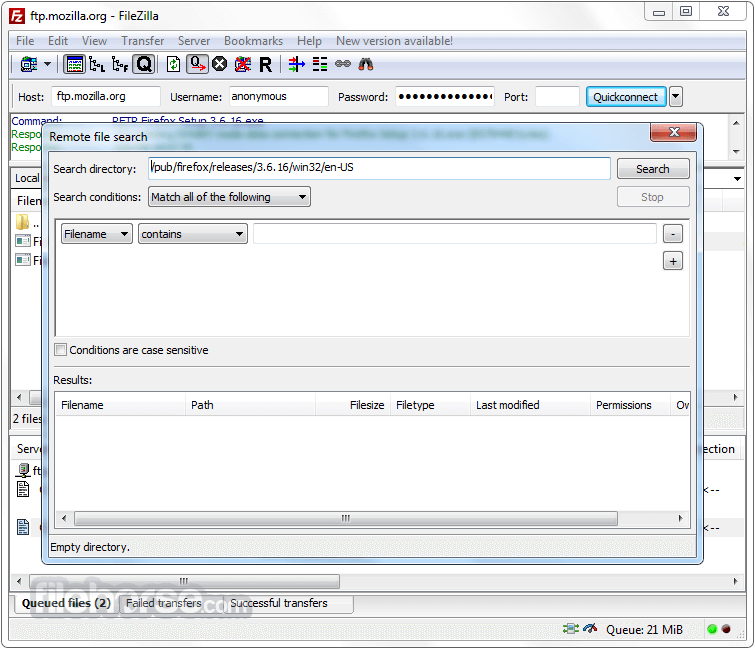
- Remote file search
Alternatives
WinSCP: Focused on SFTP and SCP with a clean interface.
Cyberduck: Offers cloud storage integration and a simple UI.
Core FTP: A lightweight FTP client with encryption support.
SmartFTP: Transfer files between your local computer and a server on the Internet.
Total Commander: Built-in FTP client with FTPS (encrypted FTP) and HTTP proxy support.
Pricing
Free Version: Includes all essential FTP features.
FileZilla Pro: Priced at $19.99, with additional protocol support for WebDAV, Amazon S3, Backblaze B2, Dropbox, Microsoft OneDrive, Google Drive, Microsoft Azure Blob and File Storage, and Google Cloud Storage.
- Support for FTP, FTPS and SFTP
- Support for all major clouds
- Dedicated support channel
- Windows only, Single device
- Operating System: Windows 11, 10, 8 or 7
- Processor: 1 GHz or faster.
- Memory: 512 MB RAM minimum (1 GB recommended).
- Storage: At least 50 MB of free disk space.
- Free and open-source.
- Supports secure transfer protocols.
- Cross-platform compatibility.
- Easy to use with drag-and-drop functionality.
- Regular updates and strong community support.
- Includes bundled offers in the installer.
- Lacks advanced automation features.
- The interface, while functional, may feel dated to some users.
Also Available: FileZilla (64-bit) and FileZilla for Mac
Download FileZilla (32-bit) Latest Version Why is this app published on FileHorse? (More info)
##
畫面截圖
- 2026-06-06 FileZilla 3.70.6 (32-bit) 12.39 MB
- 2026-05-08 FileZilla 3.70.5 (32-bit) 12.38 MB
- 2026-04-20 FileZilla 3.70.4 (32-bit) 12.35 MB
- 2026-02-14 FileZilla 3.69.6 (32-bit) 12.4 MB
- 2025-11-12 FileZilla 3.69.5 (32-bit) 12.4 MB
- 2025-08-01 FileZilla 3.69.3 (32-bit) 12.14 MB
- 2025-07-18 FileZilla 3.69.2 (32-bit) 12.15 MB
- 2025-04-23 FileZilla 3.69.1 (32-bit) 12.14 MB