⚠ 這是歷史版本頁面 — 查看 Foxit PDF Editor 最新版本 →

Foxit PhantomPDF Standard 10.1.0
v 10.1.0
Windows
未分類
8.2/10 (66)
- 目前版本10.1.0
- 更新日期2020-09-28
- 檔案大小598 MB
- 檔案名稱FoxitPhantomPDF101_enu_Setup_Website.exe
- 作業系統Windows 10 / Windows 11
- 支援語系English
- 授權型式未分類
- 開發商 Foxit Corporation
- 軟體分類Windows 軟體 / 辦公商務
##
編輯短評
Foxit PDF Editor 是一套功能完整的 PDF 編輯工具,前身是 Foxit PhantomPDF,主要解決文件編輯、協作、掃描、OCR 辨識與壓縮等需求。它最大的辨識度在於整合了 AI 輔助功能,並提供文件管理、追蹤、保護與簽署等商務導向能力,讓使用者不必在閱讀與編輯之間切換不同軟體。從版本紀錄來看,這套軟體自 2019 年起持續收錄更新,屬於長期維護的產品,不過近一年僅更新一次,步調不算快;在同類工具中,它的評價普遍不錯,但使用者數量與討論熱度並非頂尖,屬於有一定口碑的選擇。
這套軟體適合需要頻繁處理 PDF 的商務使用者,尤其是文件簽署、OCR 掃描與 AI 輔助編輯的情境,能省下不少來回轉檔的時間。與 Microsoft Office 或 PDFZilla 等替代方案相比,Foxit PDF Editor 的優勢在於功能更集中於 PDF 本身,但代價是它僅提供英文介面,對中文使用者來說可能需要適應;授權方式未明確分類,下載前最好先確認授權條款。平台僅限 Windows,若你主要使用其他系統,就得另尋替代工具。
##
翻譯排程處理中,以下暫以英文原文呈現
軟體介紹
Foxit PDF Editor (formerly Foxit PhantomPDF) is a feature-rich PDF Editor program to quickly and easily work on PDF documents. Better collaboration generates better documents and easily modify & edit PDF files. Document management and tracking, Scan, OCR, and compress files.
The all-in-one PDF solution built for business and optimized with AI.
Protect and sign PDFs and Organize and create new PDFs with Foxit PDF Editor app! Are you using PDF reader software? If so, you may be missing out on some great functionality that can make your life easier and make you more productive.
What`s New
AI-Assistant Features
Summarize Complex Documents
Extract insights from meeting notes, reports, and company documents. Generate summaries with key points from long or complicated documents instantly.
Enhance Writing
Reduce repetitive manual work and quickly rewrite documents with increased precision and professionalism.
Define and Clarify
Get definitions, explanations, and rewording suggestions to make documents more engaging while retaining the original meaning.
Translate
Translate PDFs into more than 30 languages, ensuring messaging is always clear and accurate for a global audience.
AI Chat
Speak naturally and ask questions. Foxit's AI chat provides in-depth answers, empowering you to make more informed decisions about your documents.
Features and Highlights
ConnectedPDF – Next generation PDF for the connected world
It goes beyond a typical PDF editor, it’s ConnectedPDF Powered. ConnectedPDF is leading-edge technology that powers cloud-based services for PDF files, services include:
Documents evolve over time and need to be updated. Foxit PDF Editor PhantomPDF Standard version provides powerful PDF Editor capabilities to allow authors to update their documents themselves.
Often we create new documents from pages of existing documents. Foxit PDF Editor allows you to quickly and easily organize and manipulate your PDF to support your workflows.
When teams collaborate and share information, they work at their best. The PDF Editor that links knowledge workers together to increase flexibility and results.
The connected world shares documents in the PDF format. It is the PDF Editor that allows you to create PDFs from all file formats. Foxit is the first vendor to deliver PDF 2.0 file view.
Many workflows require information within PDF documents to be shared in other file formats. It is the PDF Editor that enables users to export PDF files into popular file formats.
Many times hardcopy documents are required to be in digital format. It is the PDF Editor that provides capabilities to support your paperless office workflows.
Many documents contain confidential information. Don't just protect your perimeter, protect information by protecting the PDF documents themselves. The PDF Editor provides multiple security options.
The program is the PDF Editor that enables PDF document accessibility for people with disabilities who use assistive technology to have access to information.
It comes bundled with Phantom PDF Online, a cloud-based PDF editor that provides many of the same capabilities as the Phantom PDF product.
What is the difference between PDF Editor and PDF Editor+?
To streamline plan selection and deliver maximum value, we’ve consolidated our offerings into two options: Foxit PDF Editor and PDF Editor+. PDF Editor+ includes all the features of PDF Editor, along with additional business productivity tools like PDF for Mobile, eSign Essentials, Smart Redaction, and more.
Does Foxit offer a free version?
All Foxit products come with a free, full-featured trial, allowing you to thoroughly explore the software and decide if it meets your needs.
Pricing
FOXIT PDF Editor+ with Admin Console (eSign, Smart Redact, Mobile) - $159
Get early access pricing, starting at $4.99/mo when you add AI Assistant, which includes 2000 credits per month. If you are not an existing subscriber, purchase a plan or download Foxit PDF Reader to get started.
Once purchased, AI Assistant can be utilized across all Foxit platforms including Foxit PDF Editor Cloud, iOS, Android, Mac, Windows, and Reader.
Alternatives
Download Foxit PDF Editor Latest Version Why is this app published on FileHorse? (More info)
The all-in-one PDF solution built for business and optimized with AI.
Protect and sign PDFs and Organize and create new PDFs with Foxit PDF Editor app! Are you using PDF reader software? If so, you may be missing out on some great functionality that can make your life easier and make you more productive.
What`s New
AI-Assistant Features
Summarize Complex Documents
Extract insights from meeting notes, reports, and company documents. Generate summaries with key points from long or complicated documents instantly.
Enhance Writing
Reduce repetitive manual work and quickly rewrite documents with increased precision and professionalism.
Define and Clarify
Get definitions, explanations, and rewording suggestions to make documents more engaging while retaining the original meaning.
Translate
Translate PDFs into more than 30 languages, ensuring messaging is always clear and accurate for a global audience.
AI Chat
Speak naturally and ask questions. Foxit's AI chat provides in-depth answers, empowering you to make more informed decisions about your documents.
Features and Highlights
ConnectedPDF – Next generation PDF for the connected world
It goes beyond a typical PDF editor, it’s ConnectedPDF Powered. ConnectedPDF is leading-edge technology that powers cloud-based services for PDF files, services include:
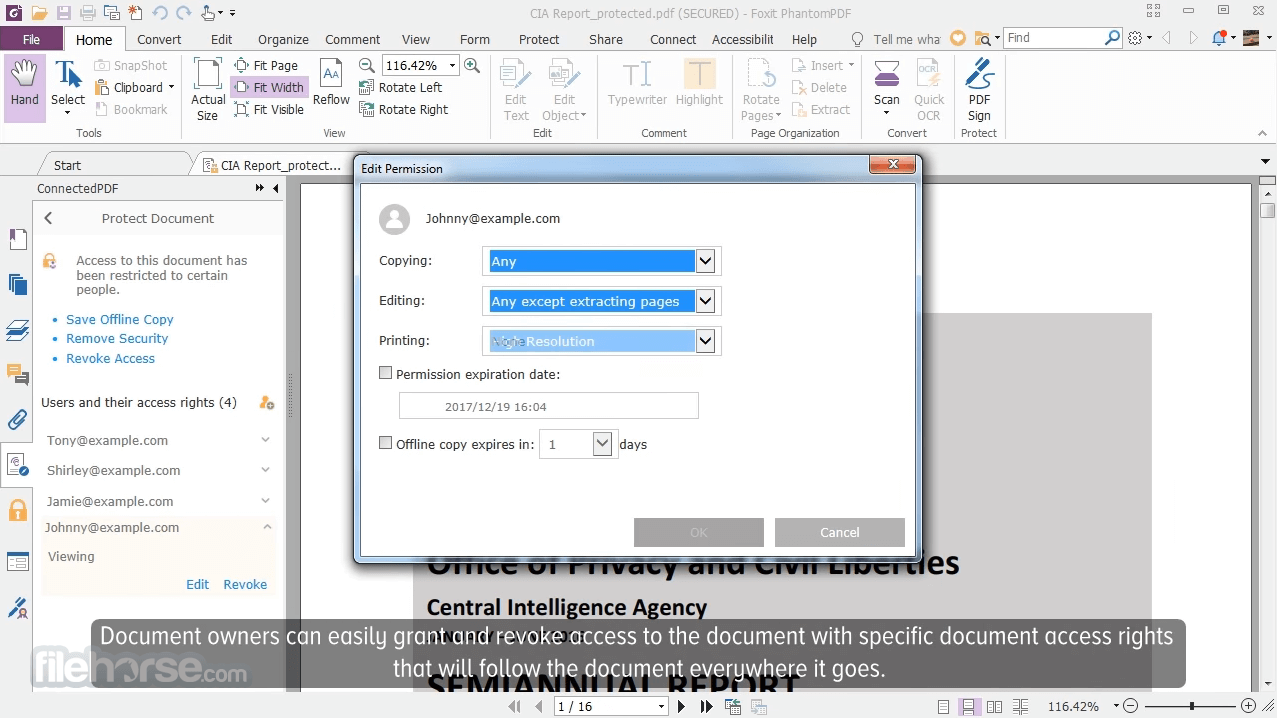
- ConnectedPDF Security - grant and revoke document access.
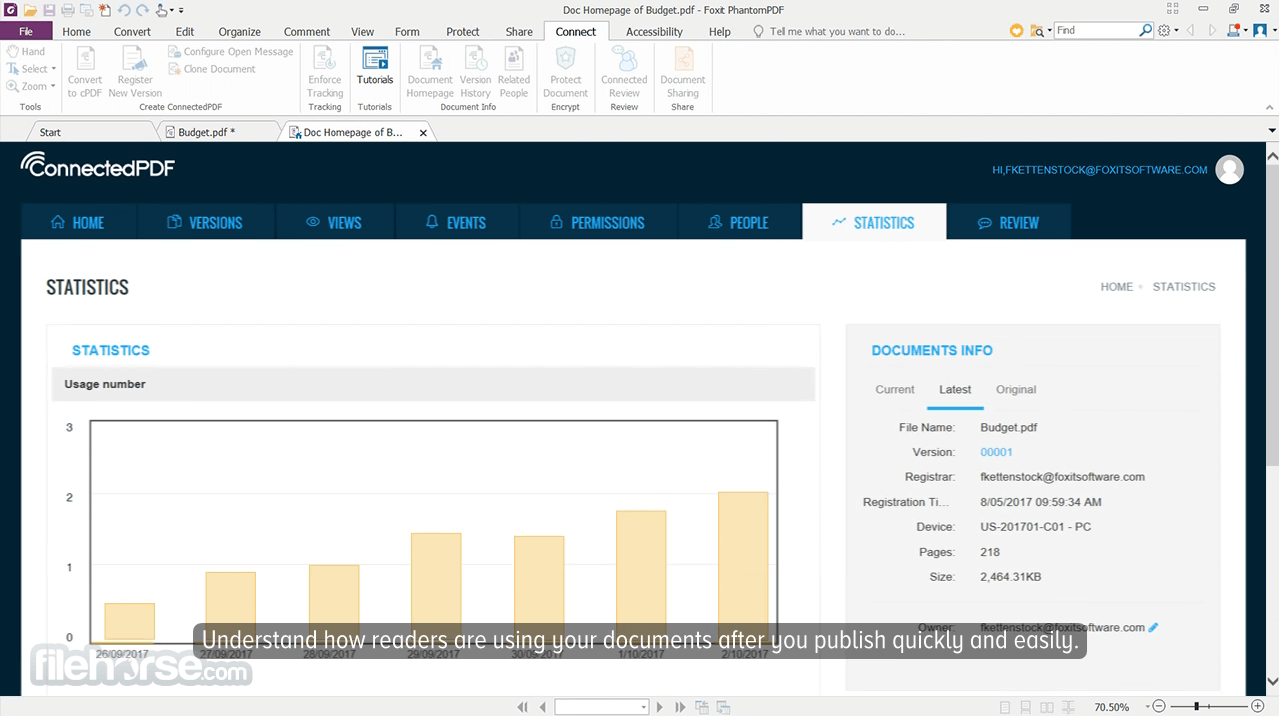
- ConnectedPDF Document Management - Track to see who opens your document and what they do and notify readers of new updates.
- ConnectedPDF Collaboration - Elevate your teamwork with connected reviews or send requests to others to get a file.
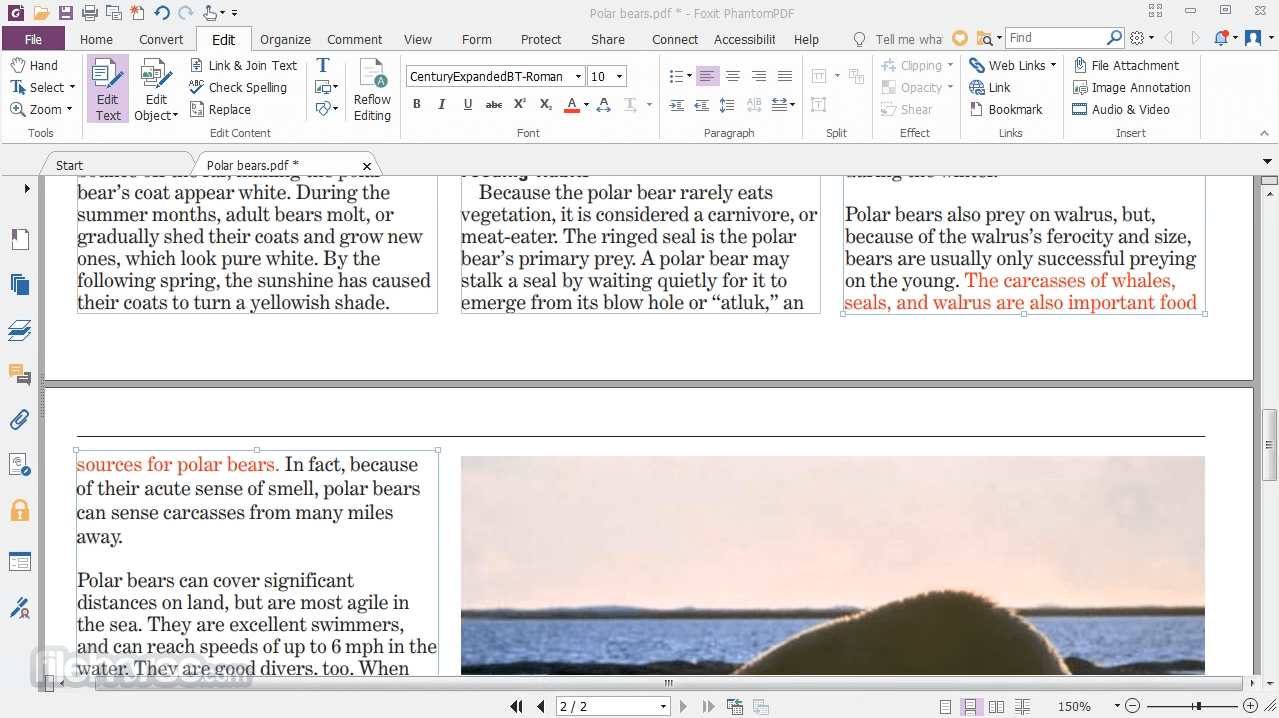
Documents evolve over time and need to be updated. Foxit PDF Editor PhantomPDF Standard version provides powerful PDF Editor capabilities to allow authors to update their documents themselves.
- Paragraph edit and have text flow across multiple paragraphs, columns, and pages.
- Change the PDF document layout by moving text boxes, changing their size, or how text is justified.
- Professionalize PDF documents by adding stamps, watermarks, headers, footers, bates numbers, etc.
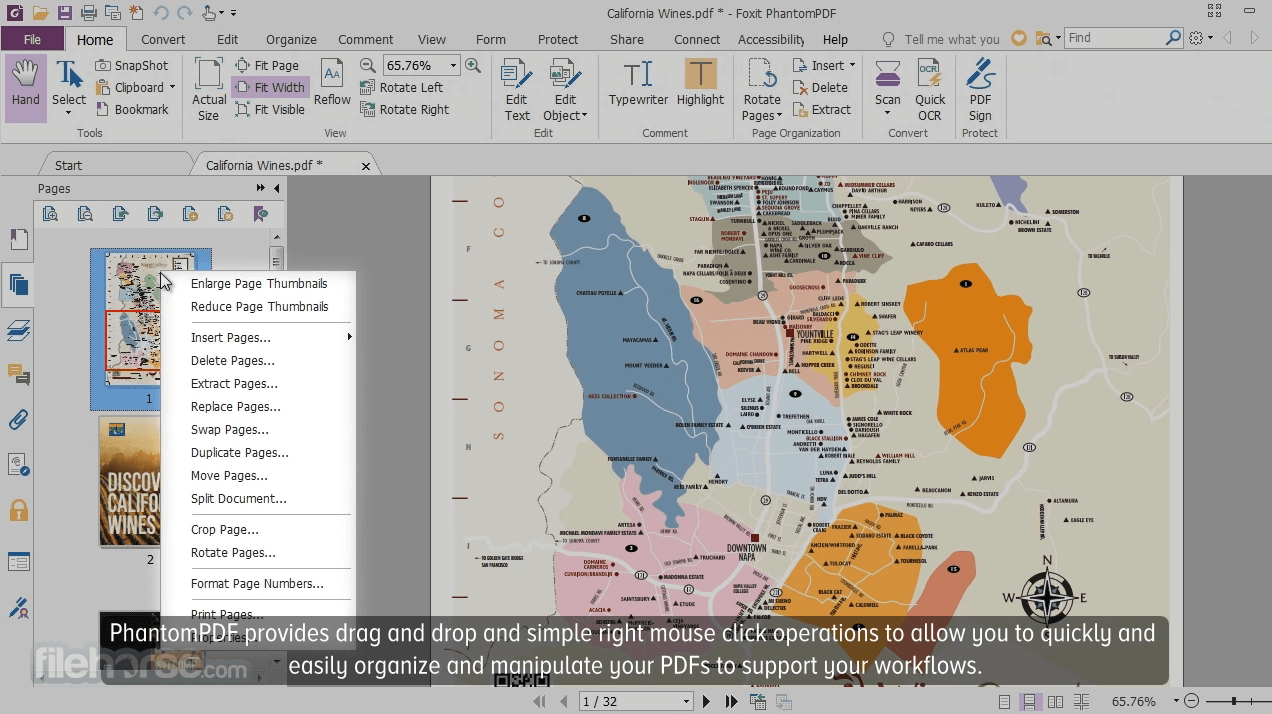
Often we create new documents from pages of existing documents. Foxit PDF Editor allows you to quickly and easily organize and manipulate your PDF to support your workflows.
- Merge PDF documents together or split PDF apart.
- Drag and drop pages within a PDF document or from one PDF document to another.
- Crop, delete, add, swap, flatten and rotate PDF pages.
When teams collaborate and share information, they work at their best. The PDF Editor that links knowledge workers together to increase flexibility and results.
- Integrate PDF with leading Content Management Systems.
- Utilize popular storage sharing products.
- Initiate shared reviews and provide and manage comments.
The connected world shares documents in the PDF format. It is the PDF Editor that allows you to create PDFs from all file formats. Foxit is the first vendor to deliver PDF 2.0 file view.
- Create PDF, PDF/A, PDF/X, and PDF/E documents from Microsoft Office and virtually any file format.
- Create PDF Portfolios to tie multiple files together and PDF Forms to collect data.
- Convert webpages to PDF from the Chrome, Internet Explorer, and Firefox browsers.
Many workflows require information within PDF documents to be shared in other file formats. It is the PDF Editor that enables users to export PDF files into popular file formats.
- Convert PDF documents to Word, PowerPoint, and Excel.
- Convert PDF files to image formats such as JPEG and PNG.
- Convert PDF to HTML and text.
Many times hardcopy documents are required to be in digital format. It is the PDF Editor that provides capabilities to support your paperless office workflows.
- Interfaces with your scanner to scan and convert to PDF documents. Will convert existing scans (i.e. images) to PDF.
- OCRs image-based content into selectable and searchable text. OCR (Optical Character Recognition) identifies characters and words within images.
- OCR option to make PDF text editable, which is really valuable when updating documents when you only have the hardcopy.
Many documents contain confidential information. Don't just protect your perimeter, protect information by protecting the PDF documents themselves. The PDF Editor provides multiple security options.
- ConnectedPDF Powered - grant and revoke PDF document access.
- Extends usage control of Microsoft Rights Management Services to PDF documents.
- Permanently remove (redact) visible text and images from PDF documents to protect sensitive information.
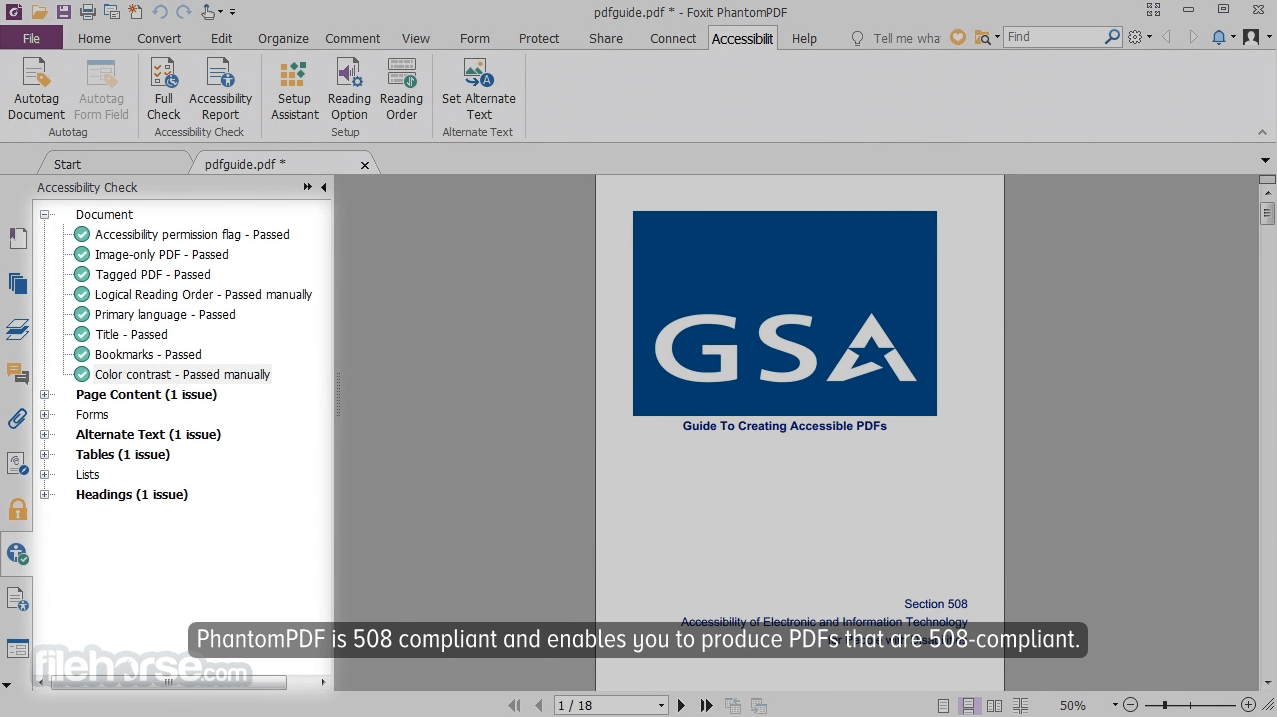
The program is the PDF Editor that enables PDF document accessibility for people with disabilities who use assistive technology to have access to information.
- JAWS (Job Access With Speech) compatibility allowing blind and visually impaired users to read the screen either with a text-to-speech output or by a refreshable Braille.
- Checks accessibility of PDF files to verify if the document complies with Section 508 technology standards. The software identifies and provides fixes for accessibility checker failed results to make the PDF file comply with Section 508 technology standards.
- Enables users to easily create JAWS compliant PDF documents from files using Microsoft Office file formats.
It comes bundled with Phantom PDF Online, a cloud-based PDF editor that provides many of the same capabilities as the Phantom PDF product.
- PDF editor capabilities available through a web browser, so you have access to your documents everywhere, all the time.
- Bundled with subscriptions.
- Bundled with 1-time purchases for one year and customers who are current on maintenance.
What is the difference between PDF Editor and PDF Editor+?
To streamline plan selection and deliver maximum value, we’ve consolidated our offerings into two options: Foxit PDF Editor and PDF Editor+. PDF Editor+ includes all the features of PDF Editor, along with additional business productivity tools like PDF for Mobile, eSign Essentials, Smart Redaction, and more.
Does Foxit offer a free version?
All Foxit products come with a free, full-featured trial, allowing you to thoroughly explore the software and decide if it meets your needs.
Pricing
FOXIT PDF Editor+ with Admin Console (eSign, Smart Redact, Mobile) - $159
- Desktop + web + mobile
- AI-Assistant + AI Smart Redact
- Advanced document management with legally binding eSignature
- Access to 150GB of cloud storage
- Sign documents, request signatures, and track responses in real time
- Create, edit, and convert PDFs on your mobile device
- Identify and redact sensitive PII information with AI-enabled batch smart redact capabilities
- Edit text and images in a PDF
- Convert PDFs and export to Microsoft Word, Excel, and PowerPoint
- Easily create, fill, sign, and send forms
- Scan documents into editable, searchable PDFs (OCR)
- Compare two versions of a PDF to review all differences
- Add security and password-protect PDF files
Get early access pricing, starting at $4.99/mo when you add AI Assistant, which includes 2000 credits per month. If you are not an existing subscriber, purchase a plan or download Foxit PDF Reader to get started.
Once purchased, AI Assistant can be utilized across all Foxit platforms including Foxit PDF Editor Cloud, iOS, Android, Mac, Windows, and Reader.
Alternatives
- Adobe Acrobat Pro
- PDFelement
- iTop PDF
- Smallpdf
- UPDF
- Adobe Acrobat Reader
- Flip PDF Plus Pro
- Soda PDF
- HiPDF
- New AI assistant
- User-friendly interface
- Robust collaboration tools
- Advanced editing features
- Cross-platform compatibility
- Excellent security options
- Higher cost for premium versions
- Limited free trial options
- Occasional performance issues
- Complex licensing process
Download Foxit PDF Editor Latest Version Why is this app published on FileHorse? (More info)
##
影片介紹
##
畫面截圖
- 2026-08-13 Foxit PDF Editor 2026.1.2.36551
- 2023-07-20 Foxit PDF Editor 12.1.3 729 MB
- 2023-04-19 Foxit PDF Editor 12.1.2 728 MB
- 2023-02-15 Foxit PDF Editor 12.1.1 728 MB
- 2022-12-14 Foxit PDF Editor 12.1.0 728 MB
- 2022-11-01 Foxit PDF Editor 12.0.2 727 MB
- 2022-06-27 Foxit PDF Editor 12.0.0 727 MB
- 2022-05-09 Foxit PDF Editor 11.2.2 773 MB