⚠ 這是歷史版本頁面 — 查看 FreeCommander XE 2026 Build 最新版本 →

FreeCommander XE 2020 Build 810
v 810
Windows
免費軟體
7.1/10 (33)
- 目前版本810
- 更新日期2020-01-04
- 檔案大小9.2 MB
- 檔案名稱FreeCommanderXE-32-public_setup.exe
- 作業系統Windows 7 / Windows 8 / Windows 10 / Windows 11
- 支援語系English
- 授權型式免費軟體
- 開發商 Marek Jasinski
- 軟體分類Windows 軟體 / 檔案傳輸與網路
##
編輯短評
FreeCommander XE 是一款取代 Windows 檔案總管的免費檔案管理工具,主打雙視窗介面,讓你在同一畫面同時瀏覽與操作兩個資料夾,大幅提升檔案搬移、比對與同步的效率。內建分頁瀏覽、檔案預覽與同步功能,比系統內建總管更進階,但依然保持輕量。這套軟體自推出以來持續更新,屬於同類工具中的長青選擇,雖然使用者評分不算突出,但仍有穩定的愛用者社群。
它適合需要頻繁處理大量檔案、常在多個目錄間切換的使用者,例如程式開發者、設計師或一般上班族。與 Internet Download Manager 或 uTorrent 等專注下載的工具不同,FreeCommander 著重於本機檔案管理,若你只需要偶爾整理檔案,內建總管可能已足夠;但若追求更高效率,它的雙窗格與分頁設計會是實用取捨。軟體為免費授權,僅提供英文介面,且需安裝於 Windows 平台,使用前請確認你對英文操作介面能適應。
##
翻譯排程處理中,以下暫以英文原文呈現
軟體介紹
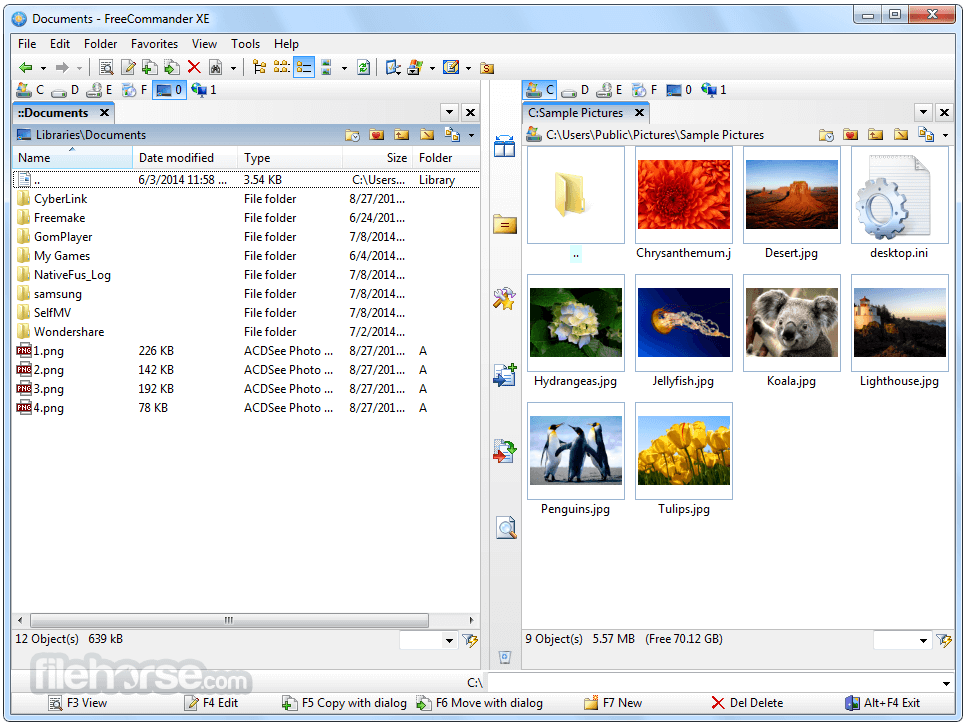
FreeCommander is a free, lightweight, and powerful alternative to Windows File Explorer. It provides advanced file management capabilities with a dual-pane interface, making file organization more efficient.
Designed for both casual users and professionals, it offers features that go beyond basic file handling.
Key Features
Dual-Pane Interface – View and manage files in two locations simultaneously.
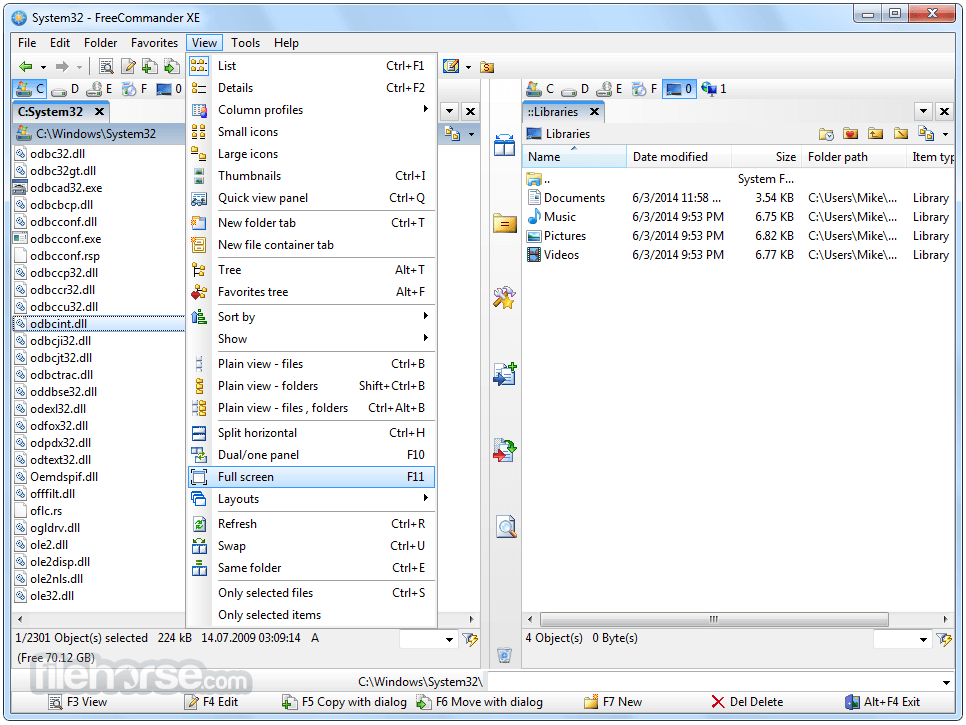
Tabbed Browsing – Open multiple folders within the same window.
Built-in File Viewer – Preview images, text, and more without opening separate applications.
File Synchronization – Compare and sync files between different locations.
Archive Support – Manage ZIP, RAR, and other archive formats directly.
FTP/SFTP Support – Connect to remote servers for file transfers.
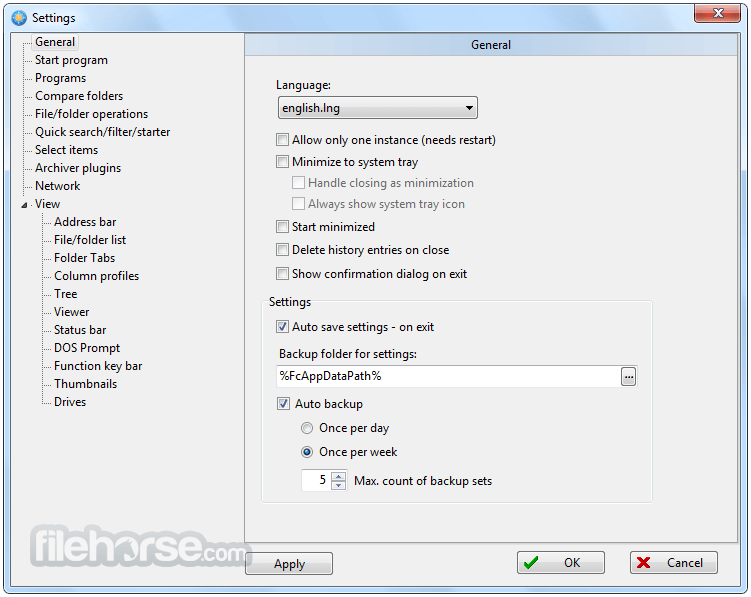
Customizable Interface – Modify toolbars, hotkeys, and color schemes for a personalized experience.
User Interface
The UI is user-friendly, with a classic dual-pane setup that enhances workflow efficiency. While it may seem outdated compared to modern file managers, its simplicity is a strength for those looking for a no-frills solution.
Installation and Setup
FreeCommander is available as both an installer and a portable version. Installation is straightforward, requiring minimal setup. The portable version allows users to carry it on a USB drive for use on multiple computers.
How to Use
Is FreeCommander completely free?
Yes, FreeCommander is free for personal and business use, with an optional donation to support development.
Can FreeCommander replace Windows File Explorer?
Yes, it offers enhanced features, but some users may still prefer Explorer for basic tasks.
Does FreeCommander support cloud storage?
No, but you can use it with third-party cloud sync tools like OneDrive and Google Drive.
Is FreeCommander available for Mac or Linux?
No, it is exclusive to Windows. Mac users can try alternatives like Commander One.
Can FreeCommander handle large file transfers?
Yes, it supports efficient file operations, including large file transfers and folder synchronization.
Advantages of the 64-bit version
Alternatives
Total Commander – A paid alternative with additional plugins and customization.
XYplorer – A portable file manager with advanced scripting support.
Directory Opus – A premium, highly customizable file explorer.
Q-Dir – A free quad-pane file manager for power users.
Pricing
FreeCommander 32bit is completely free to use. There is also a FreeCommander XE 64bit version with additional premium features.
System Requirements
FreeCommander is an excellent alternative to Windows File Explorer, offering powerful features for efficient file management. Its dual-pane interface, customization options, and portability make it a strong choice for users who need more than the default Windows file manager.
Download FreeCommander Latest Version Why is this app published on FileHorse? (More info)
Designed for both casual users and professionals, it offers features that go beyond basic file handling.
Key Features
Dual-Pane Interface – View and manage files in two locations simultaneously.
Tabbed Browsing – Open multiple folders within the same window.
Built-in File Viewer – Preview images, text, and more without opening separate applications.
File Synchronization – Compare and sync files between different locations.
Archive Support – Manage ZIP, RAR, and other archive formats directly.
FTP/SFTP Support – Connect to remote servers for file transfers.
Customizable Interface – Modify toolbars, hotkeys, and color schemes for a personalized experience.
User Interface
The UI is user-friendly, with a classic dual-pane setup that enhances workflow efficiency. While it may seem outdated compared to modern file managers, its simplicity is a strength for those looking for a no-frills solution.
Installation and Setup
FreeCommander is available as both an installer and a portable version. Installation is straightforward, requiring minimal setup. The portable version allows users to carry it on a USB drive for use on multiple computers.
How to Use
- Download and install FreeCommander from the official website.
- Launch the software and navigate using the dual-pane layout.
- Use the toolbar for quick access to copy, move, delete, and sync operations.
- Customize the layout by adjusting colors, fonts, and toolbars.
- Utilize shortcuts for faster file management.
Is FreeCommander completely free?
Yes, FreeCommander is free for personal and business use, with an optional donation to support development.
Can FreeCommander replace Windows File Explorer?
Yes, it offers enhanced features, but some users may still prefer Explorer for basic tasks.
Does FreeCommander support cloud storage?
No, but you can use it with third-party cloud sync tools like OneDrive and Google Drive.
Is FreeCommander available for Mac or Linux?
No, it is exclusive to Windows. Mac users can try alternatives like Commander One.
Can FreeCommander handle large file transfers?
Yes, it supports efficient file operations, including large file transfers and folder synchronization.
Advantages of the 64-bit version
- The 64-bit version natively displays the context menu, unlike the 32-bit version, which relies on an external utility.
- The 64-bit version includes an internal PDF viewer, while the 32-bit version requires external PDF software and configuration.
- Only the 64-bit version can search for text in PDFs and Office files (docx, xlsx, odt).
- The 32-bit version supports FTP, but the 64-bit version supports both FTP and SFTP.
- The 64-bit version offers built-in dark and light color schemes.
- The 64-bit version receives multiple updates per year, whereas the 32-bit version gets one annual update.
Alternatives
Total Commander – A paid alternative with additional plugins and customization.
XYplorer – A portable file manager with advanced scripting support.
Directory Opus – A premium, highly customizable file explorer.
Q-Dir – A free quad-pane file manager for power users.
Pricing
FreeCommander 32bit is completely free to use. There is also a FreeCommander XE 64bit version with additional premium features.
System Requirements
- OS: Windows 7, 8, 10, 11
- Processor: 1 GHz or higher
- RAM: 512 MB minimum
- Storage: 50 MB free disk space
- Free and lightweight
- Dual-pane file management
- Portable version available
- Built-in file viewer and FTP support
- Highly customizable
- Dated user interface
- No cloud storage integration
- Lacks some advanced features found in premium file managers
FreeCommander is an excellent alternative to Windows File Explorer, offering powerful features for efficient file management. Its dual-pane interface, customization options, and portability make it a strong choice for users who need more than the default Windows file manager.
Download FreeCommander Latest Version Why is this app published on FileHorse? (More info)
##
畫面截圖
- 2026-02-02 FreeCommander XE 2026 Build 941 18.19 MB
- 2025-12-28 FreeCommander XE 2026 Build 940 18.18 MB
- 2024-12-28 FreeCommander XE 2025 Build 921 18.07 MB
- 2024-12-22 FreeCommander XE 2025 Build 920 18.07 MB
- 2024-02-06 FreeCommander XE 2024 Build 901 15.12 MB
- 2023-12-18 FreeCommander XE 2024 Build 900 15.12 MB
- 2022-12-17 FreeCommander XE 2023 Build 880 14.84 MB
- 2022-02-13 FreeCommander XE 2022 Build 861 14.61 MB