
- 目前版本5.3.2
- 更新日期2012-02-13
- 檔案大小9.78MB
- 檔案名稱frostwire-5.3.2.windows.exe
- 作業系統Windows 7 / Windows 8 / Windows 10 / Windows 11
- 支援語系English
- 授權型式開源軟體
- 開發商 FrostWire Team
- 軟體分類Windows 軟體 / 檔案傳輸與網路
編輯短評
FrostWire 是一款開源的 P2P 檔案分享軟體,主要用來搜尋與下載各類檔案,並支援 BT 通訊協定,也能與 iTunes 相容。它最鮮明的特色是介面乾淨、完全沒有廣告與間諜軟體,同時具備穿透防火牆的能力,讓使用者不必擔心被擋住而無法分享檔案。這款軟體由 FrostWire Team 長期維護,更新相當活躍,在同類工具中屬於熱門選擇,評價普遍不錯,尤其受到重視隱私與開源精神的使用者喜愛。
如果你習慣使用 FOXY、eMule 或 BT 這類點對點傳輸工具,又厭倦了夾帶廣告或暗中蒐集資料的軟體,FrostWire 會是值得一試的替代方案。它還內建簡單的聊天室,適合在分享檔案的同時與其他用戶互動。與 Internet Download Manager 或 uTorrent 相比,FrostWire 更強調開放原始碼與跨平台支援,但僅提供英文介面,且目前主要針對 Windows 與 macOS 平台,使用前需留意語系與操作習慣的適應。
軟體介紹
最初以 LimeWire 為基礎,FrostWire for PC 在 LimeWire(舊專案)停止開發後,發展成一個獨立平台。
它整合了媒體播放器、內建搜尋引擎與檔案分享功能,使其成為需要具備額外功能的 torrent 用戶端使用者的全方位工具。
主要功能
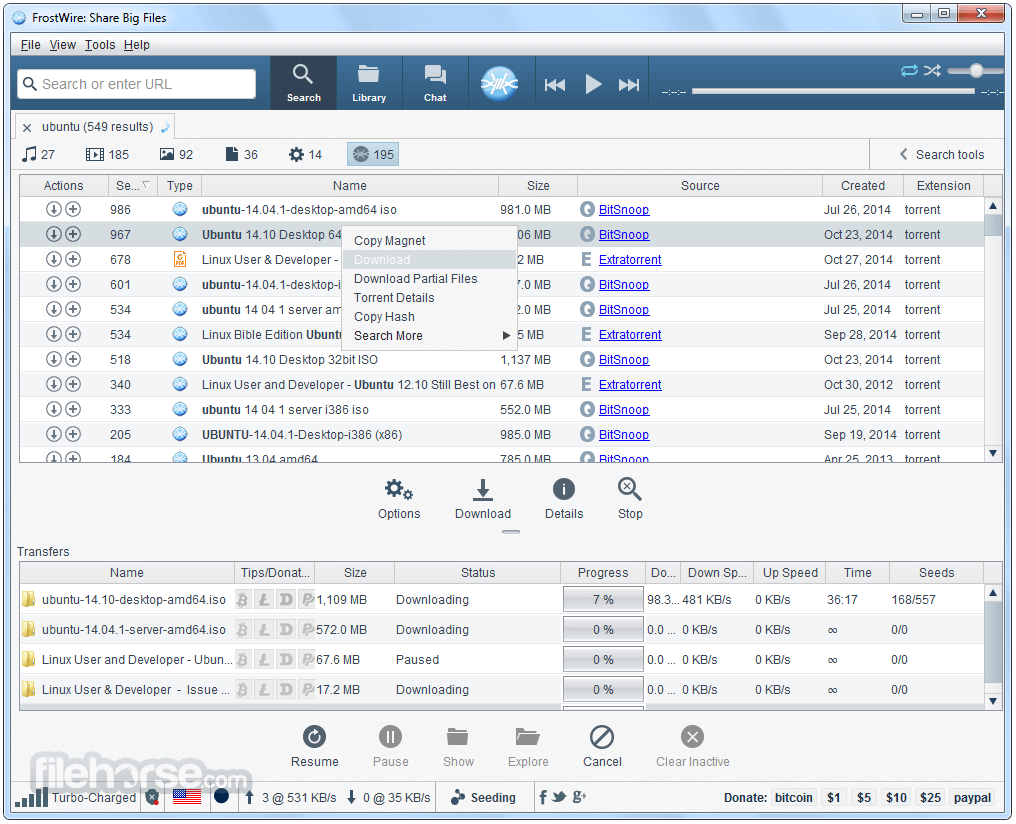
內建 Torrent 搜尋:與許多其他 torrent 用戶端不同,它具備內建搜尋功能,讓使用者無需外部網站即可找到檔案。
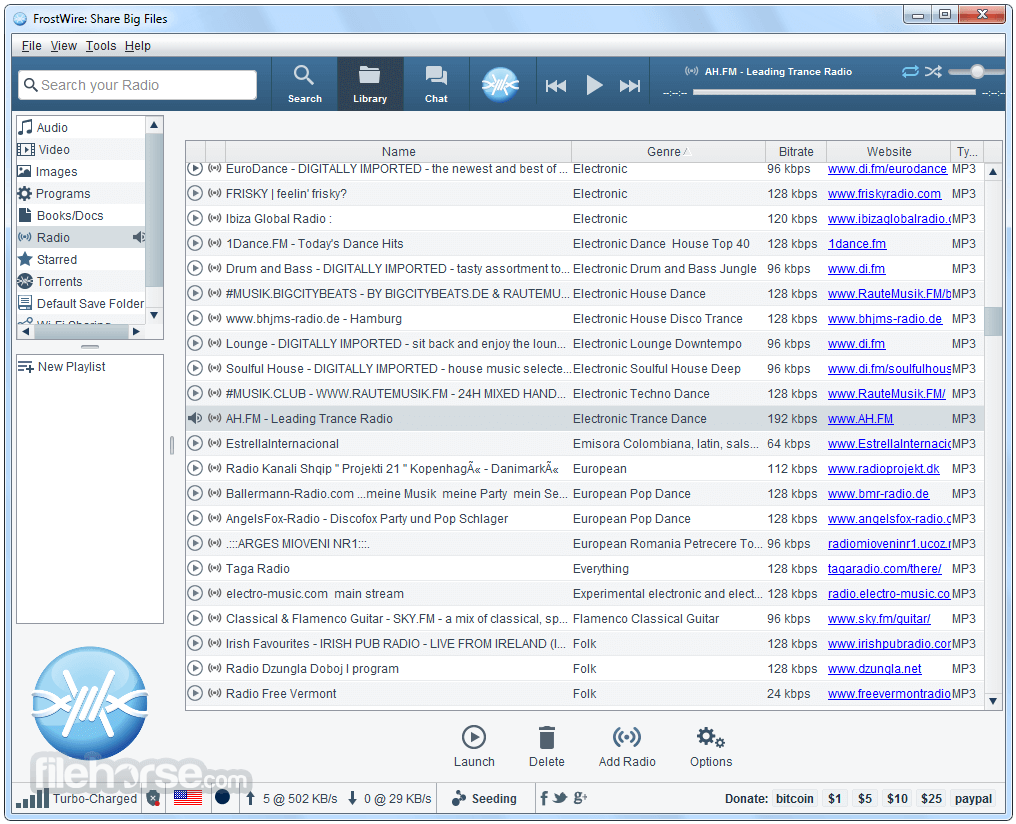
媒體播放器:內建媒體播放器,讓使用者可直接在應用程式內預覽與播放音訊及視訊檔案。
雲端下載支援:使用者也能從雲端儲存平台下載檔案,擴展其用途,不僅限於 torrent。
媒體庫與檔案管理:軟體包含媒體庫系統,可有效整理下載的檔案。
無廣告體驗:FrostWire 不會顯示干擾性廣告,提供更乾淨的使用者體驗。
使用者介面
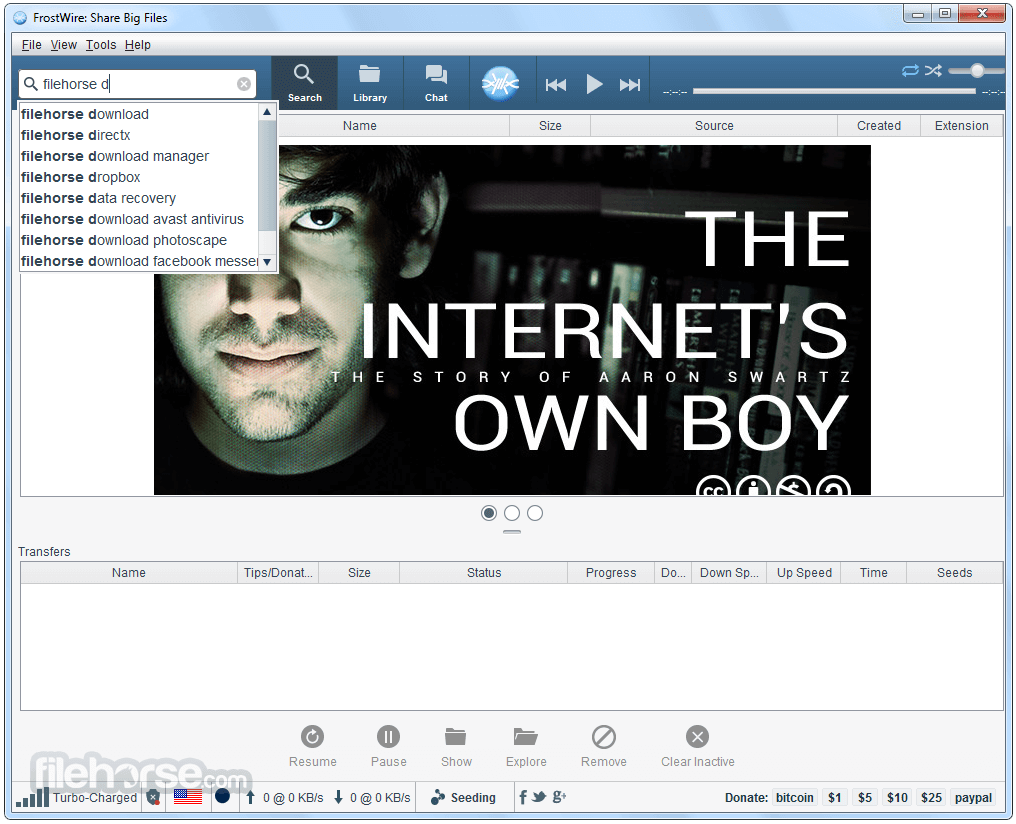
它具備簡單且易於使用的介面。首頁提供搜尋、torrent 下載與媒體播放選項的直接存取。
導覽設計直觀,即使是新手使用者也能輕鬆上手,無需陡峭的學習曲線。此外,它也提供深色模式選項,對於偏好視覺舒適顯示的使用者相當實用。
安裝與設定
- 從官方網站或可信來源下載 FrostWire。
- 執行安裝程式並依照螢幕指示操作。
- 選擇安裝偏好設定,包括預設下載位置。
- 安裝完成後,啟動應用程式並設定您的選項以獲得最佳體驗。
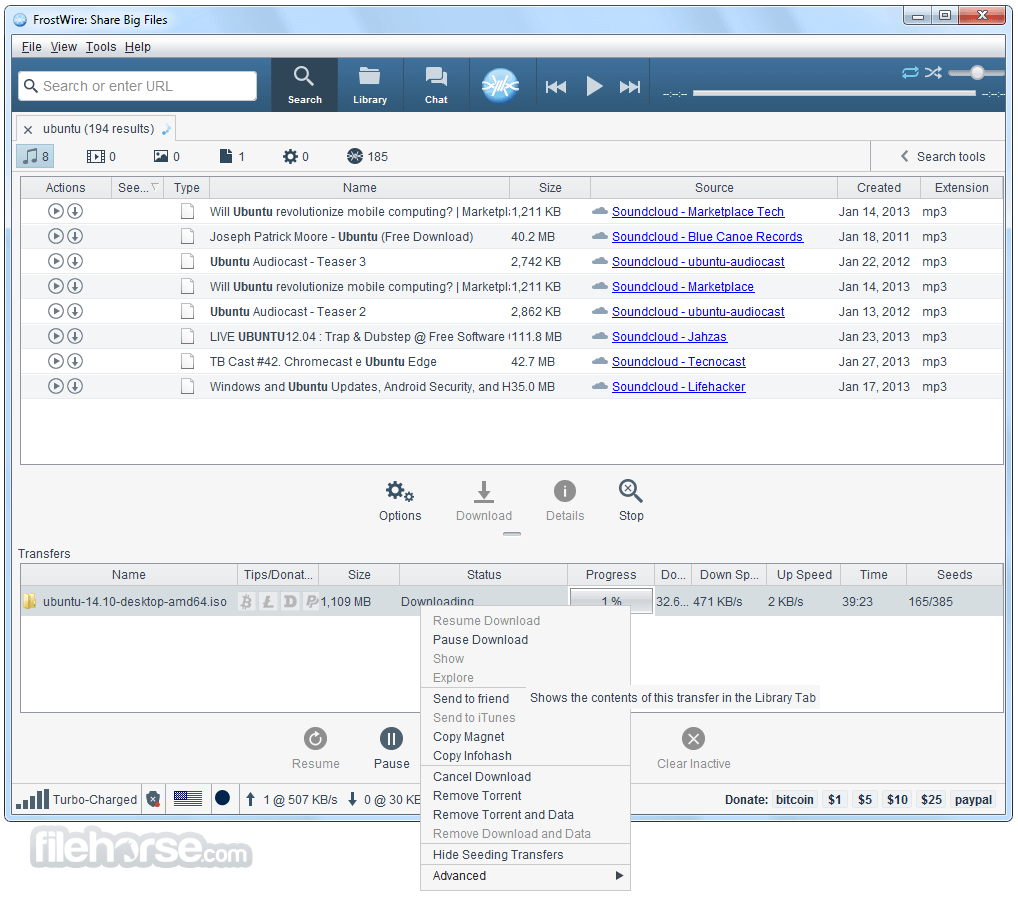
搜尋檔案:使用內建搜尋列直接在應用程式內尋找 torrent。
下載 Torrent:點選所需檔案並選擇「下載」以開始程序。
播放媒體:前往媒體庫,直接使用內建媒體播放器開啟媒體檔案。
管理下載:將下載內容整理到資料夾中,並依類別分類檔案。
分享檔案:利用 FrostWire 的點對點分享功能,有效率地散佈檔案。
常見問題
FrostWire 合法嗎?
程式本身是合法的,但未經授權下載受版權保護的內容則不合法。使用者應僅下載與分享合法檔案。
FrostWire 是否包含惡意軟體或病毒?
不會,若從官方網站下載,此軟體不含惡意軟體。但使用者應謹慎對待第三方來源。
我可以不使用 VPN 使用 FrostWire 嗎?
雖然您可以在沒有 VPN 的情況下使用 FrostWire,但建議在進行 torrent 下載時使用 VPN 以保障隱私與安全。
為什麼 FrostWire 的下載速度很慢?
下載速度取決於種子數、您的網路連線,以及軟體設定中的頻寬限制。
FrostWire 支援 magnet 連結嗎?
是的,它支援 magnet 連結,讓使用者無需單獨的 torrent 檔案即可下載。
替代方案
qBittorrent:輕量、開放原始碼的替代方案,無廣告。
BitTorrent:最受歡迎的 torrent 用戶端之一,介面簡潔。
uTorrent:廣泛使用的 torrent 用戶端,提供付費版本以獲得額外功能。
Deluge:可自訂且功能強大的 BitTorrent 用戶端,支援外掛程式。
Vuze:具備內建媒體播放與豐富設定選項的 torrent 用戶端。
系統需求
- 作業系統:Windows 7、8、10 或 11(32位元/64位元)
- 處理器:1 GHz 或更高
- 記憶體:512 MB(建議 1 GB 或以上以獲得較佳效能)
- 儲存空間:至少 100 MB 可用磁碟空間
- 網路連線:下載 torrent 時需要
- 免費且開放原始碼
- 內建 torrent 搜尋功能
- 無干擾性廣告
- 整合媒體播放器
- 雲端下載支援
- 相較於其他用戶端,進階 torrent 功能有限
- 處理大型檔案時偶爾出現效能問題
- 自訂選項少於競爭對手
FrostWire 是一款可靠的 torrent 用戶端,適合需要一體化下載與媒體播放解決方案的 Windows 使用者。其內建搜尋功能與媒體播放器使其有別於其他 torrent 用戶端,對於追求流暢體驗的使用者來說是方便的選擇。
然而,需要更多設定選項的進階使用者可能會發現 qBittorrent 或 Deluge 等其他用戶端更為合適。整體而言,FrostWire 是休閒 torrent 使用者的絕佳選擇,他們重視簡單與易用性。
注意:需要 Java Runtime Environment。
也可下載:FrostWire for Mac
下載 FrostWire 最新版本 為什麼此應用程式發佈在 FileHorse 上?(更多資訊)
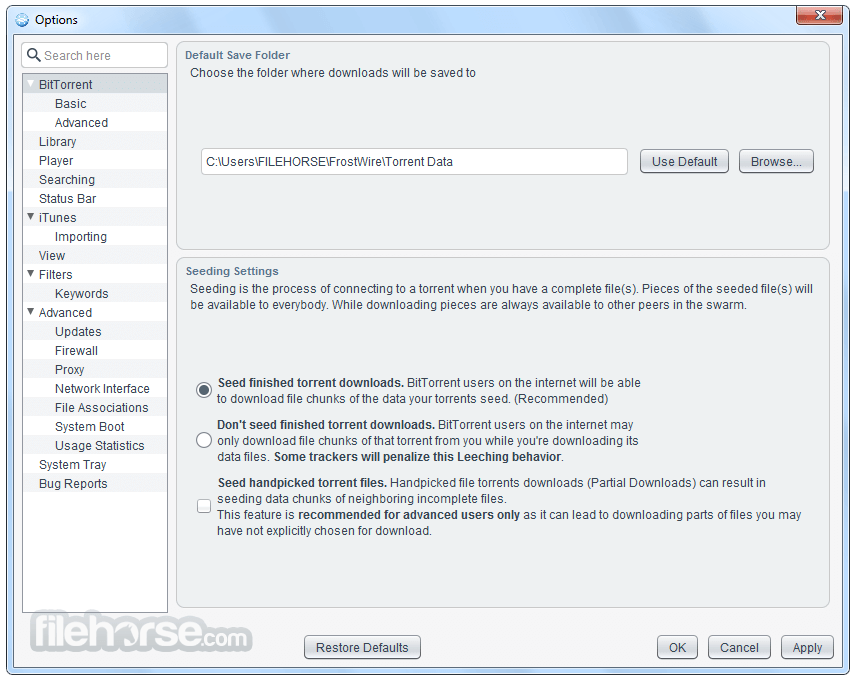
畫面截圖
更新日誌
5.3.2 * Reverted H2 library to v1.3.160
* Updated default album cover image with an anti-aliased frostwire sphere.
* Fixes bug where clicking on the current song would switch to the library but the button on the top would not be selected.
* Adds missing icon for "copy magnet" on Send file dialog.
* Library explorer and Playlist explorer are now divided by a split pane for a better experience.
* Hides hints popup when search is triggered with a mouse click.
* Updated search icon (magnifier).
* Fonts are reset when the setup wizard is shown so the wizard can work properly.
* New View > Reset Font Sizes action.
* The first time the Library button is used "Finished Downloads" is preselected to give the user a clue of what can be done.
* When a new playlist is created, a graphic is shown to hint the user about dragging audio files there.
* Updated H2 library to v1.3.164
* Search form looks similar to FrostWire 4 but now allows user to search for more than one file type at once.
* Improvements in search algorithm.
* Send file/folder feature more effective between just 2 peers.
* Simplification of search form interface, looks similar to FrostWire 4
* Phone & Tablets tab is gone, integration with Android devices is now part of the Library under a "Devices" tree item.
* Browses, Streams audio, and downloads files made public by Android devices in the same network.
* When entering a search hints are shown to type less (powered by Google).
* Sorts transfers by "Seeds" correctly.
* Improvements on Library action buttons, now a "Launch" action is available and buttons are shown/hidden depending on context.
* Fixes bugs where files on a audio playlist could not be dragged out.
* Fixes bugs where deleted files would still appear on the library.
* When right clicking on selected finished transfers and copying an infohash you won't end up with a trailing newline on the clipboard.
* Sharing ratio of a torrent that you stopped and started seeding again will not be infinite and will be based on the total sizes of the files being shared.
* Now when the transfer split pane is dragged up, the pane border is painted correctly on top of the image overlay.
* Fixes repainting glitch when moving split pane on top of promotional graphic.
* Lots of icons have been revamped for a more uniform look.
* Null Pointer Exception issues #100, #103, #104.
* Fixes issue #93 chat action causing frostwire crash.
* Flickering issue on song progress bar resolved.
* Simplified torrent creation. User now doesn't have to make up her mind about choosing a file or a folder, the file selection dialog now handles this for her.
* Brought back "Stop" search button.
* Removed lingering "Show/Hide player" menu entry on status bar context menu.
* If seeding transfers are meant to be finished, newly finished transfers are not hidden for that session.
* Audio files can be launched using the operating system's default player Right click on a file "Launc in "
* Removed BTJunkie search engine.
* Added KickAssTorrents (kat.ph) search engine.
* Fixes issue where downloading removing a partial transfer would delete previously completed downloads of that same torrent.
- 2026-04-24 FrostWire 7.0.4 80.34 MB
- 2026-03-25 FrostWire 7.0.3 72.31 MB
- 2025-12-30 FrostWire 7.0.2 72.09 MB
- 2025-12-08 FrostWire 7.0.1 72.08 MB
- 2025-12-02 FrostWire 7.0.0 72.08 MB
- 2025-05-15 FrostWire 6.14.0 72.25 MB
- 2024-11-26 FrostWire 6.13.5 69.41 MB
- 2024-10-17 FrostWire 6.13.4 69.37 MB