- 目前版本6.0.927.1
- 更新日期2026-07-27
- 檔案大小128 MB
- 檔案名稱GeoGebra-Windows-Installer-6-0-920-0.exe
- 作業系統Windows 7 / Windows 8 / Windows 10 / Windows 11
- 支援語系English
- 授權型式開源軟體
- 開發商 International GeoGebra Institute
- 軟體分類Windows 軟體 / 辦公商務
##
翻譯排程處理中,以下暫以英文原文呈現
軟體介紹
GeoGebra is a powerful and versatile mathematics software for Windows 11/10 designed to support students, educators, and professionals in fields such as geometry, algebra, calculus, and statistics.
It is an open-source, interactive tool that combines geometry, algebra, tables, graphing, calculus, and statistics into a single application.
GeoGebra Desktop is widely used in educational institutions and is an excellent tool for visualizing and solving mathematical problems.
GeoGebra is available for multiple platforms, including Windows, macOS, Linux, iOS, and Android.
The Windows PC version offers a robust and user-friendly experience, allowing users to create dynamic mathematical models, conduct experiments, and visualize mathematical concepts with ease.
Main Features
Dynamic Geometry – Users can create geometric constructions, manipulate shapes, and visualize relationships in real time.
Graphing and Algebra – Supports graphing functions, solving equations, and manipulating algebraic expressions.
Spreadsheet Integration – Combines a spreadsheet with graphical representation, allowing users to analyze and interpret data.
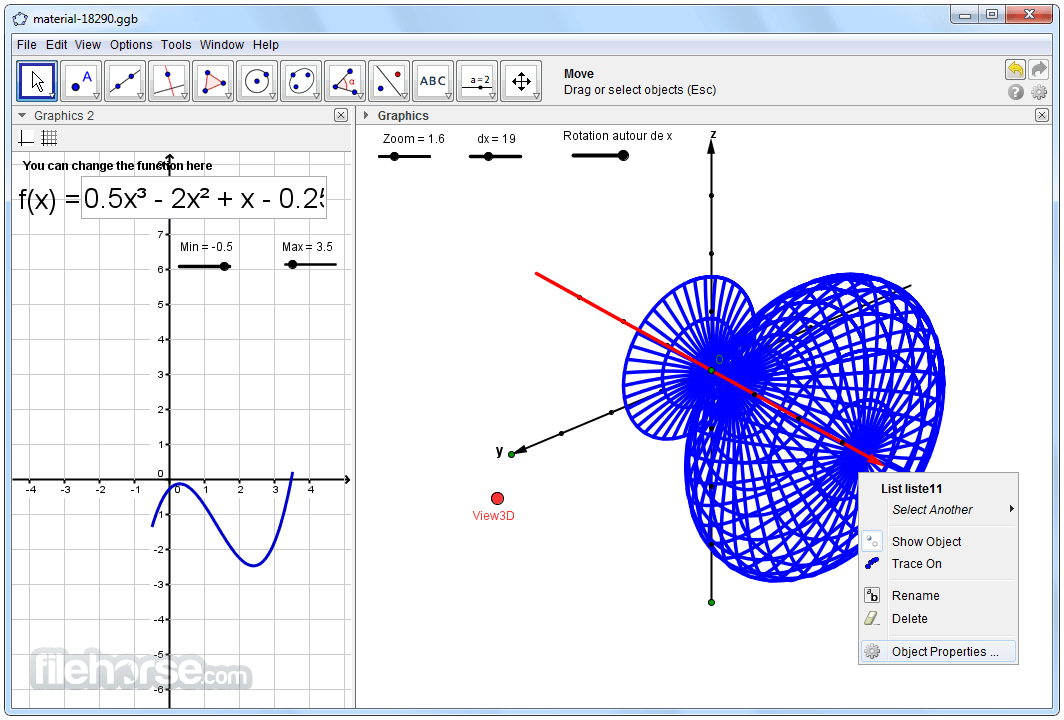
3D Graphing – Enables the visualization of three-dimensional graphs and surfaces.
CAS (Computer Algebra System) – Facilitates symbolic calculations, helping users solve equations and simplify expressions.
Statistics and Probability Tools – Includes tools for data analysis, probability calculations, and statistical visualization.
Cross-Platform Accessibility – Works seamlessly across devices with cloud-based syncing options.
Scripting and Customization – Users can write custom scripts and use JavaScript for additional functionality.
Educational Resources – Offers pre-made learning materials, interactive exercises, and an active online community.
Collaboration Features – Users can share their work online with students or colleagues.
Which Calculator to use?
GeoGebra Calculator Suite: Supports ALL features.
Graphing Calculator: Lacks spreadsheet & symbolic calculations.
Geometry: Lacks table of values, spreadsheet, symbolic calculations, & probability calculator.
3D Calculator: Lacks table of values, spreadsheet, symbolic calculations, & probability calculator.
CAS Calculator: Lacks spreadsheet & probability calculator.
Scientific Calculator: Only supports numeric calculations & table of values.
User Interface
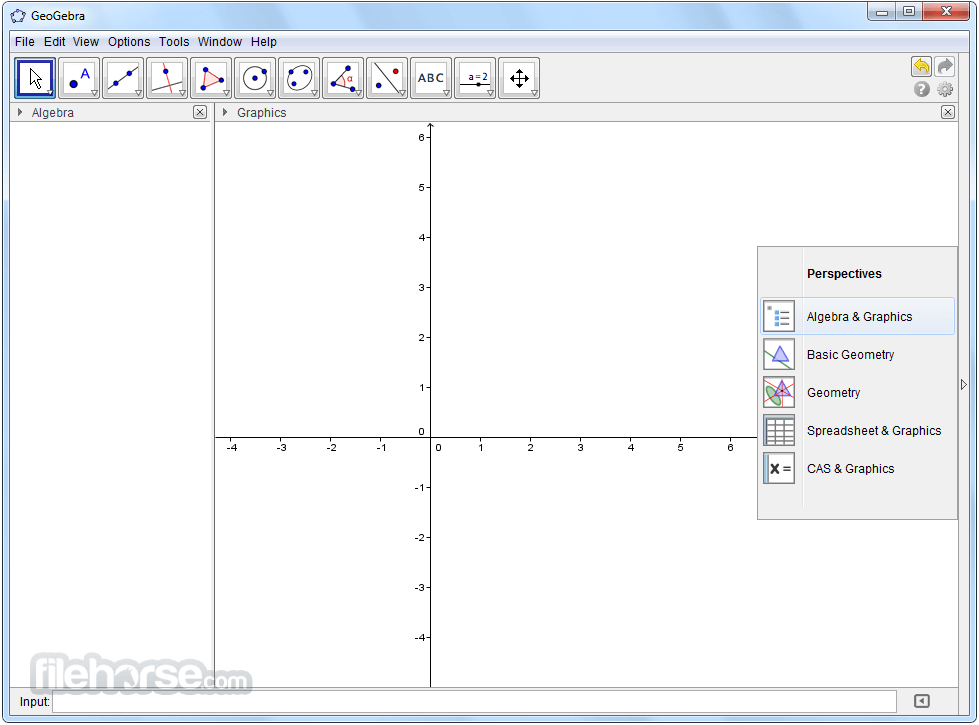
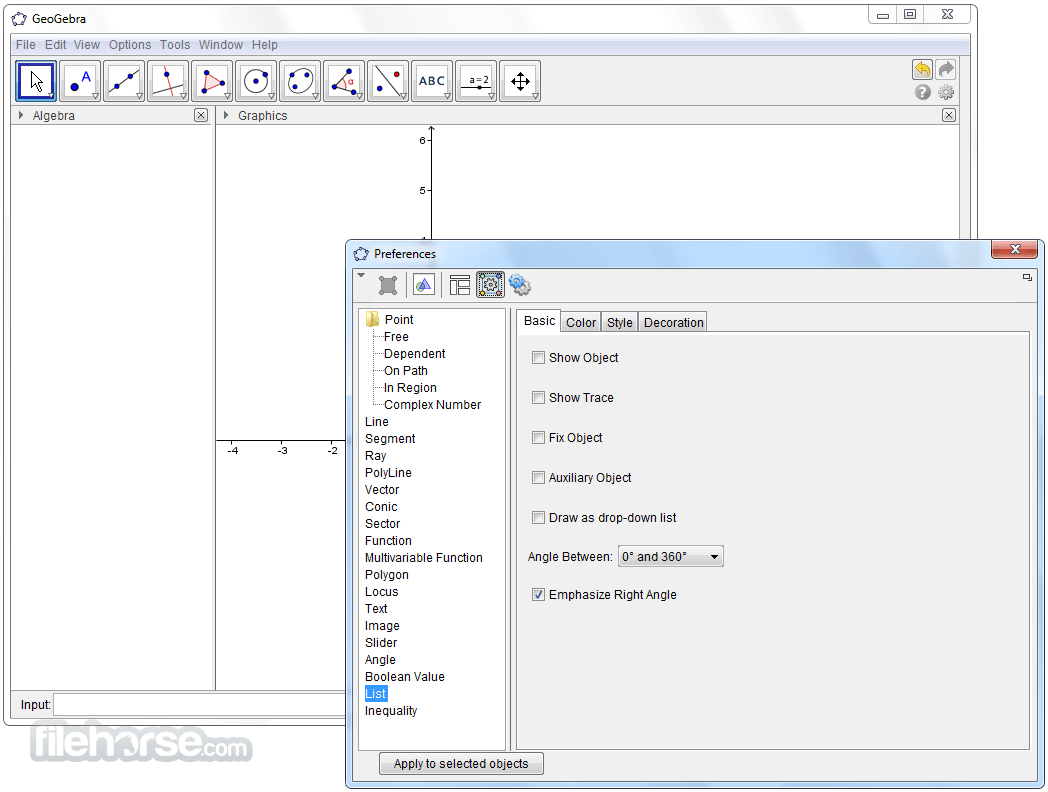
It features an intuitive and clean interface, with a toolbar that provides quick access to essential mathematical tools. The interface is divided into multiple views:
Algebra View – Displays algebraic expressions and solutions.
Graphics View – Allows users to interact with geometric shapes and graphs.
Spreadsheet View – Supports tabular data entry and analysis.
CAS View – Enables symbolic calculations.
3D Graphics View – Provides a 3D representation of mathematical objects.
The drag-and-drop functionality and customizable interface make it easy for users of all levels to navigate and use the software effectively.
Installation and Setup
Creating Geometric Constructions
Is GeoGebra Desktop free to use?
Yes, this program is completely free and open-source. Users can download, install, and use it without any cost.
Can I use GeoGebra offline?
Yes, it offers an offline version for Windows PC. However, the cloud-based features require an internet connection.
Is GeoGebra suitable for advanced mathematics?
Yes, it supports advanced mathematics, including calculus, 3D graphing, and symbolic algebra calculations.
Can I export my work from GeoGebra?
Yes, users can export their work as images, PDFs, and interactive HTML files for sharing and presentations.
Does GeoGebra support scripting?
Yes, it supports JavaScript and GeoGebra scripting for automation and customization of tasks.
Alternatives
Desmos – A web-based graphing calculator with a clean interface and strong algebraic capabilities.
Gnuplot – A command-line tool for graphing mathematical functions and data visualization.
Microsoft Math Solver – A tool for solving equations and graphing functions with step-by-step solutions.
Wolfram Alpha – A powerful computational engine useful for symbolic calculations and solving complex mathematical problems.
Pricing
The software is completely FREE to download and use. The open-source nature of the software makes it accessible to students, educators, and professionals without any subscription or licensing fees.
System Requirements
Minimum Requirements:
GeoGebra is an excellent mathematics tool for students, educators, and professionals looking for an interactive and versatile software solution. With its wide range of features, including dynamic geometry, algebraic computation, 3D visualization, and scripting, it provides a comprehensive learning experience for mathematics.
Its free availability and cross-platform support make it a go-to application for anyone involved in mathematical exploration and education.
Note: Requires Java Runtime Environment.
Also Available: Download GeoGebra for Mac
Download GeoGebra Latest Version Why is this app published on FileHorse? (More info)
It is an open-source, interactive tool that combines geometry, algebra, tables, graphing, calculus, and statistics into a single application.
GeoGebra Desktop is widely used in educational institutions and is an excellent tool for visualizing and solving mathematical problems.
GeoGebra is available for multiple platforms, including Windows, macOS, Linux, iOS, and Android.
The Windows PC version offers a robust and user-friendly experience, allowing users to create dynamic mathematical models, conduct experiments, and visualize mathematical concepts with ease.
Main Features
Dynamic Geometry – Users can create geometric constructions, manipulate shapes, and visualize relationships in real time.
Graphing and Algebra – Supports graphing functions, solving equations, and manipulating algebraic expressions.
Spreadsheet Integration – Combines a spreadsheet with graphical representation, allowing users to analyze and interpret data.
3D Graphing – Enables the visualization of three-dimensional graphs and surfaces.
CAS (Computer Algebra System) – Facilitates symbolic calculations, helping users solve equations and simplify expressions.
Statistics and Probability Tools – Includes tools for data analysis, probability calculations, and statistical visualization.
Cross-Platform Accessibility – Works seamlessly across devices with cloud-based syncing options.
Scripting and Customization – Users can write custom scripts and use JavaScript for additional functionality.
Educational Resources – Offers pre-made learning materials, interactive exercises, and an active online community.
Collaboration Features – Users can share their work online with students or colleagues.
Which Calculator to use?
GeoGebra Calculator Suite: Supports ALL features.
Graphing Calculator: Lacks spreadsheet & symbolic calculations.
Geometry: Lacks table of values, spreadsheet, symbolic calculations, & probability calculator.
3D Calculator: Lacks table of values, spreadsheet, symbolic calculations, & probability calculator.
CAS Calculator: Lacks spreadsheet & probability calculator.
Scientific Calculator: Only supports numeric calculations & table of values.
User Interface
It features an intuitive and clean interface, with a toolbar that provides quick access to essential mathematical tools. The interface is divided into multiple views:
Algebra View – Displays algebraic expressions and solutions.
Graphics View – Allows users to interact with geometric shapes and graphs.
Spreadsheet View – Supports tabular data entry and analysis.
CAS View – Enables symbolic calculations.
3D Graphics View – Provides a 3D representation of mathematical objects.
The drag-and-drop functionality and customizable interface make it easy for users of all levels to navigate and use the software effectively.
Installation and Setup
- Visit the official website (download page) or FileHorse.com and download the Windows Desktop version.
- Run the installer and follow the on-screen instructions.
- Select the components you want to install.
- Once installed, launch the application and start exploring mathematical models.
- It requires minimal system resources and installs quickly without the need for extensive configurations.
Creating Geometric Constructions
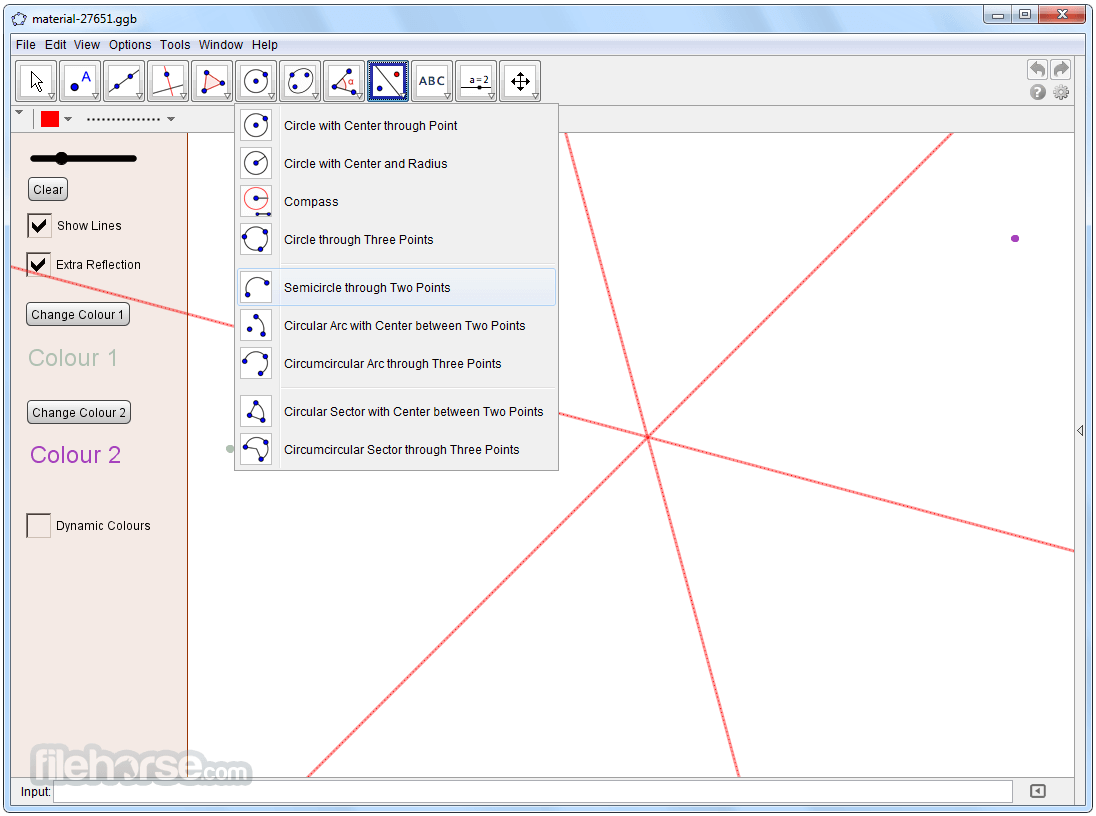
- Open the Graphics View and select geometric tools from the toolbar.
- Use the Point, Line, Circle, and Polygon tools to create shapes.
- Drag points and observe how the construction dynamically updates.
- Open the Algebra View and enter an equation (e.g., y = x^2).
- The graph appears in the Graphics View instantly.
- Adjust parameters using sliders for dynamic exploration.
- Enter numerical data into the spreadsheet.
- Generate charts and graphs to analyze data trends.
- Open the CAS View and enter expressions for simplification or solving equations.
- Open the 3D Graphics View and enter equations or create 3D shapes.
- GeoGebra provides extensive tutorials and resources to help users maximize their experience.
Is GeoGebra Desktop free to use?
Yes, this program is completely free and open-source. Users can download, install, and use it without any cost.
Can I use GeoGebra offline?
Yes, it offers an offline version for Windows PC. However, the cloud-based features require an internet connection.
Is GeoGebra suitable for advanced mathematics?
Yes, it supports advanced mathematics, including calculus, 3D graphing, and symbolic algebra calculations.
Can I export my work from GeoGebra?
Yes, users can export their work as images, PDFs, and interactive HTML files for sharing and presentations.
Does GeoGebra support scripting?
Yes, it supports JavaScript and GeoGebra scripting for automation and customization of tasks.
Alternatives
Desmos – A web-based graphing calculator with a clean interface and strong algebraic capabilities.
Gnuplot – A command-line tool for graphing mathematical functions and data visualization.
Microsoft Math Solver – A tool for solving equations and graphing functions with step-by-step solutions.
Wolfram Alpha – A powerful computational engine useful for symbolic calculations and solving complex mathematical problems.
Pricing
The software is completely FREE to download and use. The open-source nature of the software makes it accessible to students, educators, and professionals without any subscription or licensing fees.
System Requirements
Minimum Requirements:
- OS: Windows 7 or later
- Processor: 1 GHz or faster
- RAM: 512 MB
- Disk Space: 200 MB available
- Internet connection (for cloud-based features)
- OS: Windows 10 or Windows 11
- Processor: 2 GHz or faster
- RAM: 2 GB or more
- Disk Space: 500 MB available
- Dedicated GPU for 3D graphing
- Free and open-source
- User-friendly interface with intuitive tools
- Supports 2D and 3D graphing
- Includes a powerful CAS system
- Strong community support and extensive resources
- Works across multiple platforms and devices
- Limited support for programming and advanced numerical analysis
- 3D rendering may lag on lower-end systems
- Some advanced mathematical operations require workarounds
- Lacks direct integration with some scientific computing software
GeoGebra is an excellent mathematics tool for students, educators, and professionals looking for an interactive and versatile software solution. With its wide range of features, including dynamic geometry, algebraic computation, 3D visualization, and scripting, it provides a comprehensive learning experience for mathematics.
Its free availability and cross-platform support make it a go-to application for anyone involved in mathematical exploration and education.
Note: Requires Java Runtime Environment.
Also Available: Download GeoGebra for Mac
Download GeoGebra Latest Version Why is this app published on FileHorse? (More info)
##
畫面截圖