
- 軟體名稱HandBrake
- 目前版本0.9.4
- 更新日期2009-11-25
- 檔案大小4.66MB
- 檔案名稱HandBrake-0.9.4-Win_GUI.exe
- 作業系統Windows 10 / Windows 11
- 支援語系English
- 授權型式開源軟體
- 開發商 Handbrake Team
- 軟體分類Windows 軟體 / 影片軟體
編輯短評
HandBrake 是一套開放原始碼的影片轉碼工具,主要解決將 DVD 或藍光影片轉換為 MP4、MKV 等常見格式的需求,也能把影片轉成適合 iPhone、iPod 等行動裝置觀看的規格。它最具辨識度的特色在於支援多執行緒轉檔,並能直接讀取 VIDEO_TS 目錄、DVD 映像檔或光碟,輸出時可選擇 H.264、MPEG-4、AAC 等多種編碼,彈性相當大。這套軟體由社群長期維護,更新頻率穩定,在同類工具中屬於熱門選擇,使用者評價普遍不錯。
HandBrake 適合需要批次轉檔或處理光碟備份的使用者,尤其是想把收藏的 DVD 轉成數位檔案、或將影片調整為特定裝置可播放格式的人。與 KMPlayer、K-Lite Codec Pack 這類播放或解碼工具不同,HandBrake 專注於轉檔而非播放,因此若只是要看影片,它並非替代選項;但若需要格式轉換,它提供的控制選項比一般簡易轉檔軟體更深入。軟體以 GPL 授權釋出,完全免費,支援 Windows、macOS 與 Linux,不過目前介面僅有英文,使用上需留意選單與設定皆為原文。
軟體介紹
最初是為了擷取 DVD 而開發,HandBrake 已發展成功能完整的轉檔工具,無論是一般使用者或專業人士都適用。
支援批次處理、預設模式,以及多種自訂選項,HandBrake 是 Windows 電腦上強大的影片轉檔解決方案。
主要功能
多格式支援:可轉換多種格式的影片,包括 MP4、MKV、AVI 等。
內建預設模式:提供裝置專屬預設(例如 iPhone、Android、Roku),讓轉檔輕鬆無負擔。
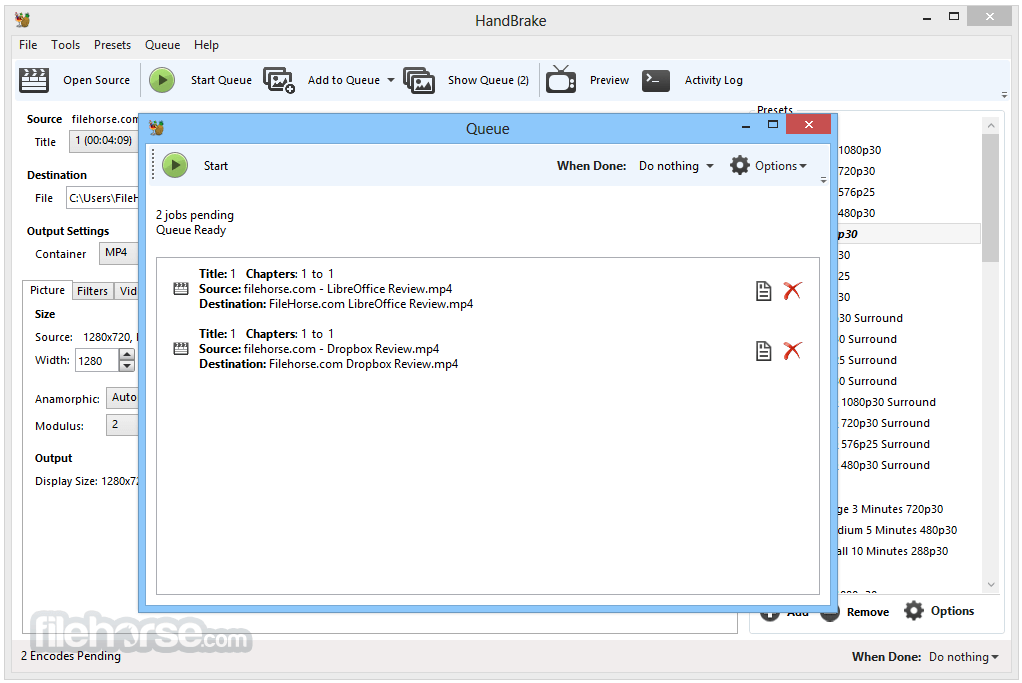
批次編碼:可將多個檔案加入佇列進行轉換,節省時間。
硬體加速:支援 Intel QSV、NVIDIA NVENC 與 AMD VCE 的 GPU 編碼。
進階濾鏡:可套用去交錯、縮放、裁切、降噪等影片濾鏡。
字幕支援:可新增、移除或直接傳輸字幕(SRT、VobSub 等)。
章節標記:在輸出檔案中保留或新增章節標記。
可自訂輸出設定:可微調影片/音訊編碼、位元率、解析度等。
使用者介面
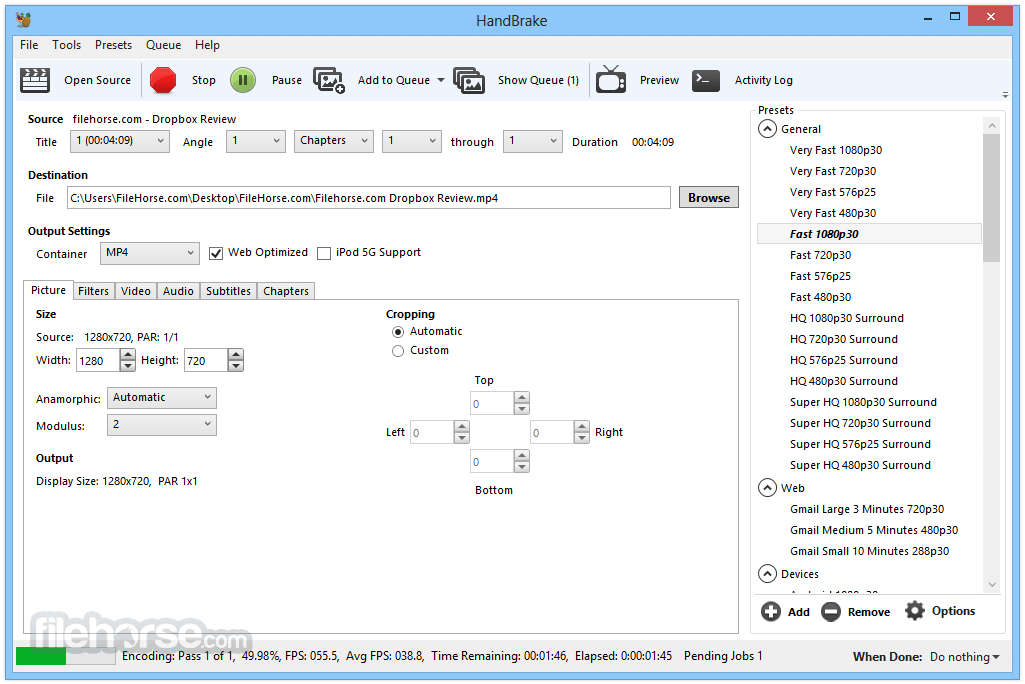
HandBrake 的介面注重實用而非花俏。它提供簡單的儀表板,使用者可以載入影片、選擇輸出設定、選取預設模式,然後開始編碼。
基本操作上介面相當直覺,但進階功能分散在各個分頁中,新手可能需要一些時間熟悉。
即時預覽功能在確認編碼設定時非常方便。
安裝與設定
安裝這款影片程式非常簡單。從官方網站下載安裝檔、執行,然後依照指示操作即可。
安裝過程輕量,不包含任何垃圾軟體或第三方推廣。安裝完成後即可直接使用,無需額外安裝編碼器或外掛。
使用方式
- 啟動 HandBrake,透過拖曳或點擊「Open Source」按鈕載入來源檔案。
- 從右側面板選擇預設模式(例如「Fast 1080p30」)。
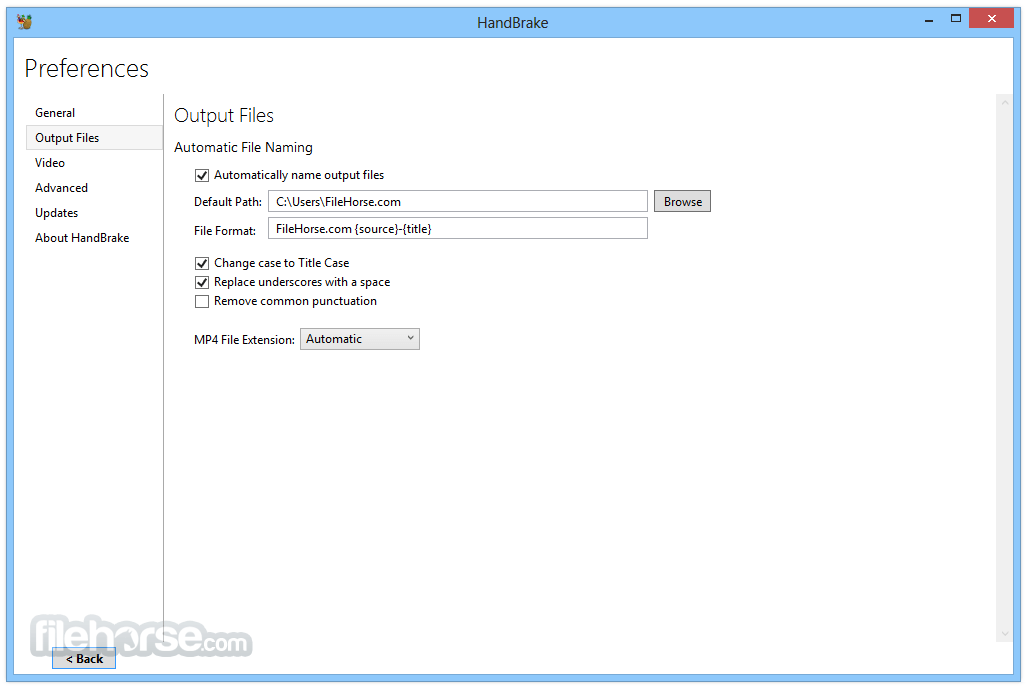
- 選擇目的地資料夾與檔案名稱。
- 如有需要,可自訂影片/音訊/字幕設定。
- 點擊「Start Encode」開始轉檔。
其他功能
- 支援輸出 MP4、MKV 與 WebM 格式。
- 相容於 AV1、H.265、H.264、MPEG-4、MPEG-2、VP8 與 VP9 影片編碼器。
- 提供選用的硬體加速影片編碼。
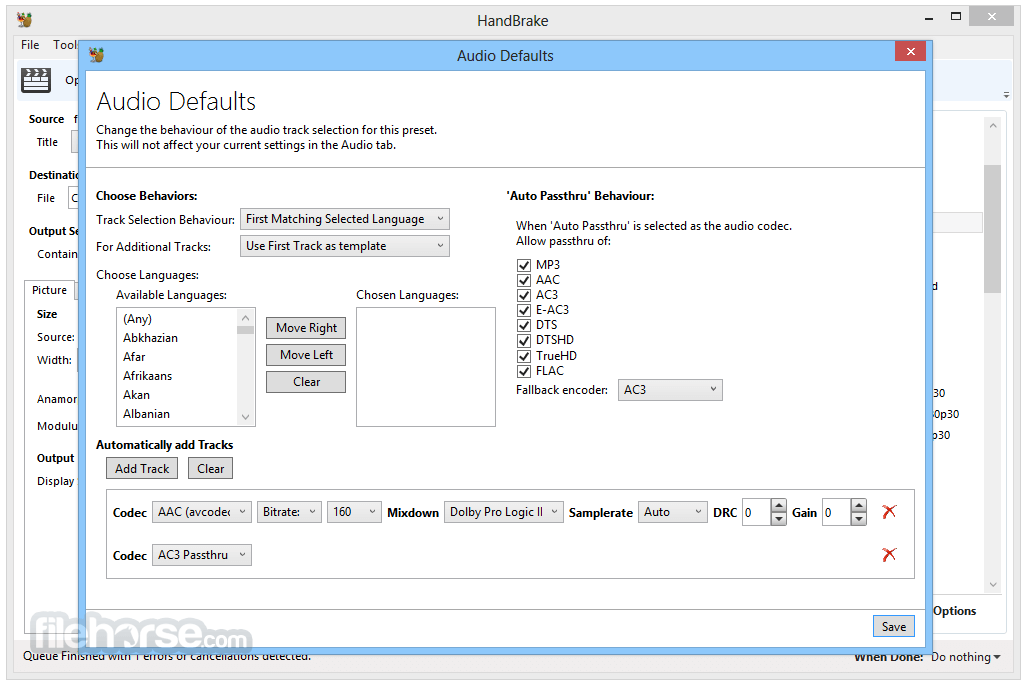
- 音訊編碼支援 AAC、HE-AAC、MP3、FLAC、AC3、E-AC3、Opus 與 Vorbis 格式。
- 允許音訊直接傳輸 AC-3、E-AC3、FLAC、DTS、DTS-HD、TrueHD、AAC、Opus、MP3 與 MP2。
- 支援標題、章節與範圍選擇進行編碼。
- 可批次掃描並同時將多個編碼任務加入佇列。
- 輸出檔案中包含章節標記。
- 字幕支援 VobSub、CEA-608 隱藏式字幕、SSA 與 SRT 格式。
- 提供固定品質與平均位元率兩種編碼選項。
- 支援可變幀率(VFR)與固定幀率(CFR)。
- 內建去交錯、去梳、降噪、去電視電影、去區塊、灰階、色彩空間、裁切與縮放等濾鏡。
- 編碼期間提供即時靜態與影片預覽。
- 支援 HDR 直通,保留高動態範圍內容。
HandBrake 可以轉檔 DVD 或藍光嗎?
可以,但僅限未受保護的光碟。對於商業光碟,需要第三方工具來繞過 DRM 保護。
HandBrake 支援批次處理嗎?
支援。您可以將多個檔案加入佇列,依序處理。
轉檔後可以保留字幕嗎?
可以。根據您的設定,可以直通或燒錄字幕。
HandBrake 安全且無廣告嗎?
是的,它是開放原始碼軟體,完全沒有廣告或綑綁軟體。
它支援硬體加速嗎?
支援。它支援 Intel QSV、NVIDIA NVENC 與 AMD VCE,可加速編碼。
替代方案
FFmpeg:命令列工具,控制力更強,但學習曲線較陡。
Format Factory:整合影片、音訊與圖片轉檔於一體。
Any Video Converter:易於使用的工具,具備額外編輯功能。
MediaCoder:高度可自訂的轉檔器,但較不直覺。
價格
這款工具 100% 免費且開放原始碼。沒有付費版本或付費功能。
系統需求
- 作業系統:Windows 11 或 Windows 10(僅限 64 位元)
- CPU:Intel 或 AMD 處理器,支援 SSE4
- 記憶體:最低 4 GB,建議 8 GB
- 儲存空間:安裝至少需 100 MB;處理檔案時需要更多空間
- GPU:選用,用於硬體加速
- 免費且開放原始碼
- 強大的編碼選項
- 支援硬體加速
- 定期更新
- 支援批次處理
- 進階功能對新手不友善
- 不支援加密的 DVD/藍光
- 編輯功能有限
HandBrake 是一款強大且可靠的影片轉檔工具,非常適合需要多功能轉檔與最佳化影片內容的 Windows 使用者。雖然對於進階工作流程,它可能不適合完全的新手,但其預設模式、效能與自由度,讓它成為業界愛用的工具,絕非偶然。
注意:需要 .NET Framework。
另有提供:下載 HandBrake Mac 版
下載 HandBrake 最新版本 為什麼這個應用程式會發布在 FileHorse 上?(更多資訊)
畫面截圖
5 張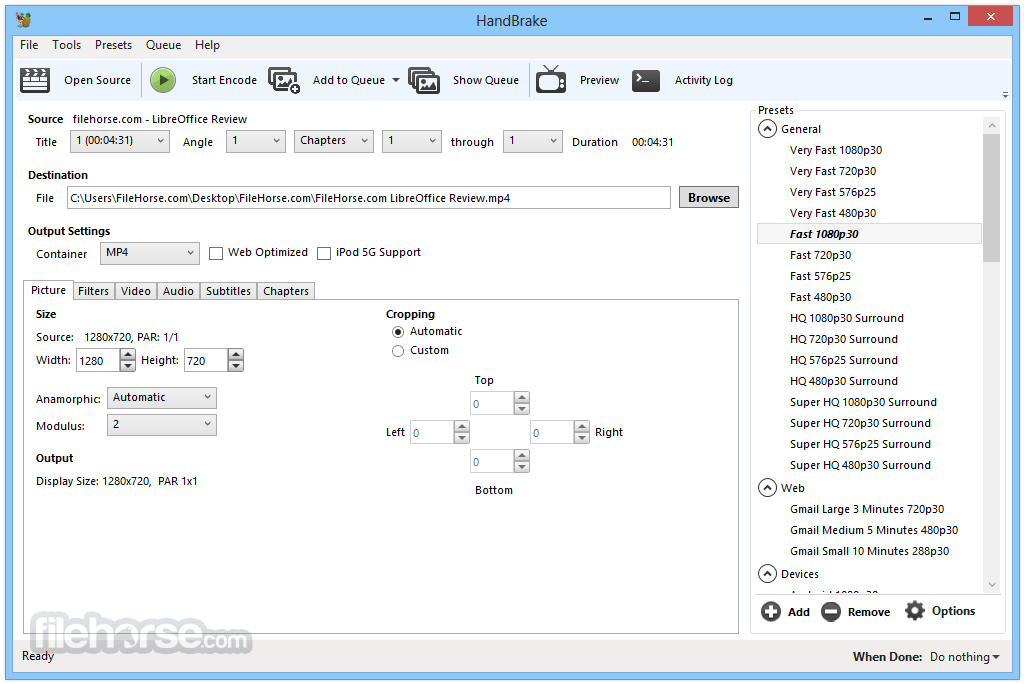

更新日誌
0.9.4 Core:
* New build system, allowing 64-bit binaries (around 10% faster)
* Soft subtitles and Closed Captions:
- DVD Closed Captions
- ATSC Closed Captions
- SRT subtitle import
- Text soft subtitles in MP4 and MKV output
- Bitmap soft subtitles in MKV output
* Better support for DVD inputs:
- Uses libdvdnav
- DVD angles support
- Workaround for libdvdread malloc bomb on invalid PGC entry
- DVD drive region detection support in Linux
- Handles DVD programs with more than 16 streams
- No longer tries to detect and discard duplicate titles when scanning
- Libdvdnav patched to perform read error recovery
- Libdvdread patched to allow raw device access in Windows
- Handles poorly mastered DVDs that had the menus ripped out of them
* Better support for non-DVD inputs:
- Preserves MP4 metadata
- TrueHD
- DTS-HD demuxing
- 8 bit audio
- Better handling of transport streams where audio starts first
- Better handling of transport streams that have been spliced together, leading to duplicate timestamps
- Better VC-1 frame detection
- Fixes bug that was causing one sec. of audio to be dropped on many ffmpeg files
- Looks harder for aspect ratio info from DV sources
- No longer truncates the last (dummy) chapter
- Allows specifying field parity for detelecine and decomb
* Better AV sync
* Support for sources with no audio
* DTS passthrough for MKV
* x264 bumped from r1169 to r1347, which means speed optimizations, new default settings (see r2742 commit comment), the magic of macroblock tree rate control (mbtree), a new CRF curve (meaning you will get different, generally lower bitrates at the same RF, with similar quality metrics), and weighted P-Frames (disabled by default for Baseline encodes and the AppleTV preset).
* Better sample interleaving
* Better, optional deinterlacer for decomb (EEDI2)
* New mode structure for the decomb filter
* Variable verbose logging levels
* Fixed timing for first two frames coming out of filters
* Libtheora bumped to 1.1.0
* Improvements to our theora implementation (2 pass encoding + soft target rate control)
* Caters to Theora's insistence on content having mod16 framing dimensions specified
* Flushes LAME encoder's final packets
* Fixed interjob framerate calculation
* Fixed pthreads regression in cygwin
* Tweaks for packaging tools
* Solaris 10 build support
All interfaces:
* Live video preview
* New subtitle tab
* New filters and picture settings inspector
* Custom anamorphic mode
* Updated Sparkle
* Custom number of preview images
* Quality slider now works off actual rate factor/quantizer values instead of percentages
* Partially updated advanced x264 tab
* New built-in presets
* Use libdvdnav by default on DVD sources
* Removed Constant QP encoding option for x264 (use CRF)
* Various bug fixes and UI tweaks
* x264 turbo 1st pass mode now uses subme=2 not subme=1
Windows:
* New audio tab
* AAC audio source decoding bug fixed
* Tray minimization is now optional
* Queue can now be started from main window
* Growl for Windows notification support
* General UI improvements
* Preset import
* Preferred language control for audio dubs and subtitles
* Fixed file extensions resetting to m4v when enabling chapter markers in mkv
* Faster updating of GUI elements from CLI data
* Cleanup / Improved some of the programs options. (Growl, use m4v, drive detection)
* Numerous fixes in the Picture Settings Panel and CLI Query Handling code.
* Bug Fixes and Usability improvements.
CLI:
* Options to handle new subtitle, anamorphic, and preview features
* --srt-file, --srt-codeset, --srt-offset, --srt-lang, --srt-default
* --native-dub option lets users request dubbing instead of subs when the audio isn't in their native language
* Allow encoding sources with no audio without explicitly stating -a none
* Update checker on MinGW built exe should now work correctly.
* Matches GUIs' default verbosity level of 1
歷史版本
完整清單 →- 2026-06-08 HandBrake 1.11.2 24.16 MB
- 2026-03-23 HandBrake 1.11.1 24.13 MB
- 2026-03-09 HandBrake 1.11.0 24.11 MB
- 2025-09-07 HandBrake 1.10.2 23.18 MB
- 2025-08-24 HandBrake 1.10.1 23.19 MB
- 2025-08-11 HandBrake 1.10.0 23.18 MB
- 2025-02-24 HandBrake 1.9.2 23.16 MB
- 2025-02-13 HandBrake 1.9.1 23.13 MB