HitmanPro 3.8.50 Build 346 (64-bit)
v 346 (64-bit)
Windows
商業試用
6.02/10 (331)
- 目前版本346 (64-bit)
- 更新日期2026-03-23
- 檔案大小14 MB
- 檔案名稱HitmanPro_x64.exe
- 作業系統Windows 7 64 / Windows 8 64 / Windows 10 64 / Windows 11
- 支援語系English
- 授權型式商業試用
- 開發商 Sophos Ltd.
- 軟體分類Windows 軟體 / 防毒軟體
##
翻譯排程處理中,以下暫以英文原文呈現
軟體介紹
HitmanPro is a popular antivirus software that aims to protect your computer from malware, viruses, and other malicious software. SurfRight, the makers of HitmanPro, joined Sophos in 2015.
Sophos is a company that specializes in cybersecurity solutions for businesses and individuals. The app is known for its advanced scanning technology and its ability to detect and remove even the most stubborn viruses and malware.
HitmanPro 64bit is a lightweight software that can be downloaded in a matter of seconds, unless you are using a dial-up internet connection.
It only occupies 10MB of space on your computer, and you don't need to go through a lengthy installation process. Download and run the software to start scanning your computer for malware and viruses.
It also leverages the expertise of four different security labs, including SophosLabs, to ensure thorough and reliable scanning and cleaning. The software removes not only malware but also repairs damaged Windows resources to restore your system to its safe, original state.
Furthermore, it can detect and remove persistent threats that affect critical system files and boot records. These threats can manipulate the Windows operating system and even evade an installed antivirus app.
It can remove these threats from within the running operating system and its boot records, providing deep cleaning for your computer.
Features
Advanced scanning technology
It uses advanced scanning technology that can detect and remove even the most stubborn viruses and malware.
Cloud-assisted scanning
The app also uses cloud-assisted scanning, which allows it to identify new threats and quickly provide protection against them.
Real-time protection
It provides real-time protection against malware and viruses, keeping your computer safe at all times.
Behavior-based scanning
It also uses behavior-based scanning, which means it can detect malware based on how it behaves, even if it's not in its virus database.
Ransomware protection
It also comes with ransomware protection, which can prevent ransomware from encrypting your files and holding them for ransom.
What’s New
How to Use
Is HitmanPro FREE?
No, HitmanPro is not free. It comes with a 30-day free trial, after which you will need to purchase a license to continue using it.
Is HitmanPro compatible with Windows 11/10?
Yes, the program is compatible with Windows 11/10 as well as other versions of Windows.
Does HitmanPro work with other antivirus software?
Yes, it can be used alongside other antivirus software to provide an additional layer of protection.
Can HitmanPro remove ransomware?
Yes, it comes with ransomware protection and can remove ransomware from your computer.
Does HitmanPro slow down my computer?
No, the app is designed to run smoothly in the background and should not slow down your computer.
Alternatives
Malwarebytes - An industry-leading Windows desktop and laptop scanner that detects and removes malware.
Norton AntiVirus - A popular antivirus software that offers real-time protection against malware and viruses.
Kaspersky Anti-Virus - It is another popular antivirus software that provides real-time protection against viruses, malware, and other online threats.
Bitdefender Antivirus Plus - An antivirus software that provides real-time protection against viruses, malware, and other online threats.
McAfee Total Protection - It comes with advanced scanning technology, behavior-based scanning, and cloud-assisted scanning.
Pricing
It offers a 30-day free trial, after which you will need to purchase a license to continue using it.
HitmanPro for 1 PC - $19.95 per year
Finds malware. Destroys malware. Doesn’t apologize.
HitmanPro.Alert for 1 PC - $29.95 per year
Removes malware. Prevents hacking. Stops Ransomware. Always On.
System Requirements
Overall, HitmanPro is a powerful antivirus software that provides advanced scanning technology, real-time protection, and ransomware protection.
While it may not be the most affordable option on the market, it's definitely worth considering if you're looking for an antivirus solution that provides advanced features and reliable protection.
If you're not sure if HitmanPro is right for you, you can try it out for free with the 30-day trial and see how it performs on your computer. The FileHorse review team highly recommends this exceptional anti-malware software.
Note: Unlimited free scanning and a free 30-day version to remove detected malware.
Download HitmanPro Latest Version Why is this app published on FileHorse? (More info)
Sophos is a company that specializes in cybersecurity solutions for businesses and individuals. The app is known for its advanced scanning technology and its ability to detect and remove even the most stubborn viruses and malware.
HitmanPro 64bit is a lightweight software that can be downloaded in a matter of seconds, unless you are using a dial-up internet connection.
It only occupies 10MB of space on your computer, and you don't need to go through a lengthy installation process. Download and run the software to start scanning your computer for malware and viruses.
- Just download and run
- No need to uninstall any other software
- Only takes 10MB of space
It also leverages the expertise of four different security labs, including SophosLabs, to ensure thorough and reliable scanning and cleaning. The software removes not only malware but also repairs damaged Windows resources to restore your system to its safe, original state.
Furthermore, it can detect and remove persistent threats that affect critical system files and boot records. These threats can manipulate the Windows operating system and even evade an installed antivirus app.
It can remove these threats from within the running operating system and its boot records, providing deep cleaning for your computer.
Features
Advanced scanning technology
It uses advanced scanning technology that can detect and remove even the most stubborn viruses and malware.
Cloud-assisted scanning
The app also uses cloud-assisted scanning, which allows it to identify new threats and quickly provide protection against them.
Real-time protection
It provides real-time protection against malware and viruses, keeping your computer safe at all times.
Behavior-based scanning
It also uses behavior-based scanning, which means it can detect malware based on how it behaves, even if it's not in its virus database.
Ransomware protection
It also comes with ransomware protection, which can prevent ransomware from encrypting your files and holding them for ransom.
What’s New
- Added support for detecting and removing PUA extensions in Chromium-based browsers.
- Added a Disk Access Mode indicator in the title bar to show the current disk compatibility status.
- Updated the interface visuals to align with Sophos branding.
- Improved overall security through additional hardening measures.
- Fixed scanning issues on ARM-based devices.
- Resolved problems with failed uploads on ARM systems.
How to Use
- Download and install HitmanPro from the official website or FileHorse.
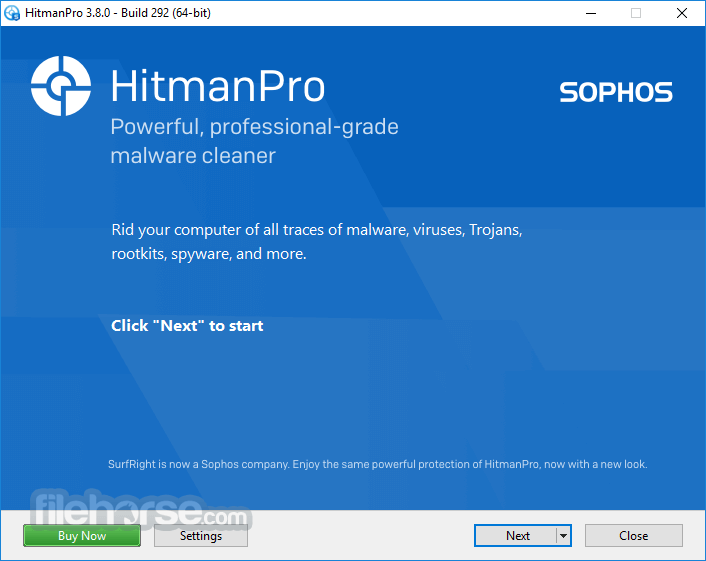
- Open the app and click on the "Next" button to start the scan.
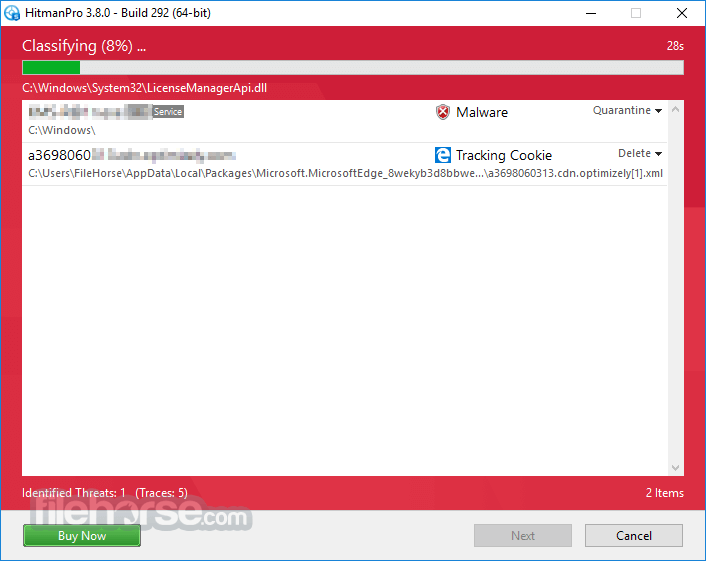
- Wait for the scan to complete. It will detect any malware and viruses on your computer.
- Click on "Next" to remove the malware and viruses from your computer.
- Restart your computer to complete the removal process.
Is HitmanPro FREE?
No, HitmanPro is not free. It comes with a 30-day free trial, after which you will need to purchase a license to continue using it.
Is HitmanPro compatible with Windows 11/10?
Yes, the program is compatible with Windows 11/10 as well as other versions of Windows.
Does HitmanPro work with other antivirus software?
Yes, it can be used alongside other antivirus software to provide an additional layer of protection.
Can HitmanPro remove ransomware?
Yes, it comes with ransomware protection and can remove ransomware from your computer.
Does HitmanPro slow down my computer?
No, the app is designed to run smoothly in the background and should not slow down your computer.
Alternatives
Malwarebytes - An industry-leading Windows desktop and laptop scanner that detects and removes malware.
Norton AntiVirus - A popular antivirus software that offers real-time protection against malware and viruses.
Kaspersky Anti-Virus - It is another popular antivirus software that provides real-time protection against viruses, malware, and other online threats.
Bitdefender Antivirus Plus - An antivirus software that provides real-time protection against viruses, malware, and other online threats.
McAfee Total Protection - It comes with advanced scanning technology, behavior-based scanning, and cloud-assisted scanning.
Pricing
It offers a 30-day free trial, after which you will need to purchase a license to continue using it.
HitmanPro for 1 PC - $19.95 per year
Finds malware. Destroys malware. Doesn’t apologize.
HitmanPro.Alert for 1 PC - $29.95 per year
Removes malware. Prevents hacking. Stops Ransomware. Always On.
System Requirements
- Windows 7 or higher
- 512 MB of RAM
- 500 MB of available free disk space
- Internet connection (for product activation and updates)
- Advanced scanning technology that can detect and remove even the most stubborn viruses and malware.
- Cloud-assisted scanning for identifying new threats quickly.
- Real-time protection keeps your computer safe at all times.
- Behavior-based scanning detects malware based on how it behaves.
- Ransomware protection that prevents ransomware from encrypting your files.
- It is not a free antivirus software.
- Some users may find it to be more expensive than other antivirus software on the market.
- The interface can be overwhelming for some users, especially those who are not familiar with antivirus software.
Overall, HitmanPro is a powerful antivirus software that provides advanced scanning technology, real-time protection, and ransomware protection.
While it may not be the most affordable option on the market, it's definitely worth considering if you're looking for an antivirus solution that provides advanced features and reliable protection.
If you're not sure if HitmanPro is right for you, you can try it out for free with the 30-day trial and see how it performs on your computer. The FileHorse review team highly recommends this exceptional anti-malware software.
Note: Unlimited free scanning and a free 30-day version to remove detected malware.
Download HitmanPro Latest Version Why is this app published on FileHorse? (More info)
##
影片介紹
##
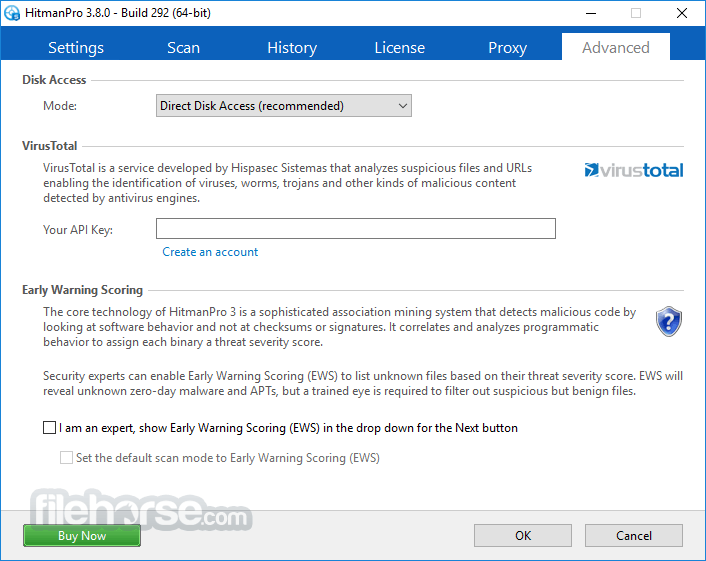
畫面截圖