- 目前版本7.0.2
- 更新日期2026-07-14
- 檔案大小16.23 MB
- 檔案名稱innosetup-7.0.2-x64.exe
- 作業系統Windows 7 64 / Windows 8 64 / Windows 10 64 / Windows 11
- 支援語系English
- 授權型式開源軟體
- 開發商 Jordan Russell
- 軟體分類Windows 軟體 / 開發者工具
##
翻譯排程處理中,以下暫以英文原文呈現
軟體介紹
Inno Setup is a tool, designed for creating professional installation programs, which can run on all Windows platforms between Windows 2000 and Windows 11 (this includes business versions of this OS, with 32 and 64-bit versions also fully supported).
Although this open-source program can be used by anyone for free, Inno Setup is really stable and offers more features than most of its similar paid alternatives.
This made it incredibly popular with worldwide audience who demanded access to perfect tools, wide OS support and advanced features such as complete uninstall tools, disk spanning, single EXE installers, support for multiple binaries inside a single package, INI/Registry management, integrated scripting engine (based on Pascal), passworded and encrypted packages, support for multiple compression algorithms, multilingual install interfaces and much more.
The first version of Inno Setup was created by developer Jordan Russell in IDE software package Embarcadero Delphi in distant 1997.
From that moment, this free software received countless updates and streamlining of a visual interface that can today easily be used by both users who have very little technical knowledge about software development and seasoned professionals.
The installers created with Inno can be of the conventional “wizard” type, can create shortcuts, launch or delete files, and can be password-protected or encrypted. The interface is not very intuitive, but various front-ends have been developed to make working with this product easier.
InnoSetup is a 100% free application that can be even used commercially, although its original developer is open to receive donations that are funding active development of this popular developer tool.
Features and Highlights
Download Inno Setup Latest Version Why is this app published on FileHorse? (More info)
Although this open-source program can be used by anyone for free, Inno Setup is really stable and offers more features than most of its similar paid alternatives.
This made it incredibly popular with worldwide audience who demanded access to perfect tools, wide OS support and advanced features such as complete uninstall tools, disk spanning, single EXE installers, support for multiple binaries inside a single package, INI/Registry management, integrated scripting engine (based on Pascal), passworded and encrypted packages, support for multiple compression algorithms, multilingual install interfaces and much more.
The first version of Inno Setup was created by developer Jordan Russell in IDE software package Embarcadero Delphi in distant 1997.
From that moment, this free software received countless updates and streamlining of a visual interface that can today easily be used by both users who have very little technical knowledge about software development and seasoned professionals.
The installers created with Inno can be of the conventional “wizard” type, can create shortcuts, launch or delete files, and can be password-protected or encrypted. The interface is not very intuitive, but various front-ends have been developed to make working with this product easier.
InnoSetup is a 100% free application that can be even used commercially, although its original developer is open to receive donations that are funding active development of this popular developer tool.
Features and Highlights
- Broad Windows Compatibility: Supports all Windows versions since 2006, including Windows 11, Windows 10 (x64 & Arm64), Windows Server editions, and older versions like Windows 7 and 8.
- Comprehensive Installation Support: Works for both 64-bit and 32-bit applications, with options for administrative and non-administrative installs.
- Single EXE Distribution: Creates a standalone installer for easy online sharing, with disk spanning support.
- Customizable Installation: Offers setup types such as Full, Minimal, and Custom, along with multilingual and right-to-left language support.
- Advanced File Handling: Supports various compression formats (deflate, bzip2, 7-Zip LZMA/LZMA2), version-based file replacement, DLL/OCX registration, font installation, and shortcut creation.
- Registry & Configuration Management: Enables adding registry and .INI entries.
- Execution Control: Allows running additional programs before, during, or after installation.
- Security Features: Includes password-protected, encrypted, and digitally signed installs and uninstalls.
- Silent & Automated Installs: Supports silent installation/uninstallation and Unicode setups.
- Extensive Customization: Features an integrated preprocessor and Pascal scripting engine for advanced runtime modifications.
- Compact & Open Source: Small 1.75 MB installer overhead, fully documented, and source code available on GitHub.
- Trusted by Industry Leaders: Used by Microsoft Visual Studio Code and Embarcadero Delphi.
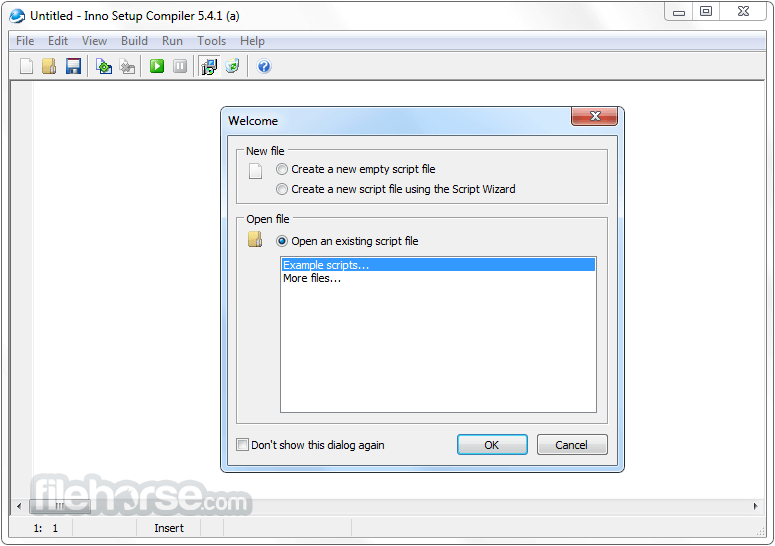
- Launch the Inno Setup Compiler.
- Create a new script or use the script wizard.
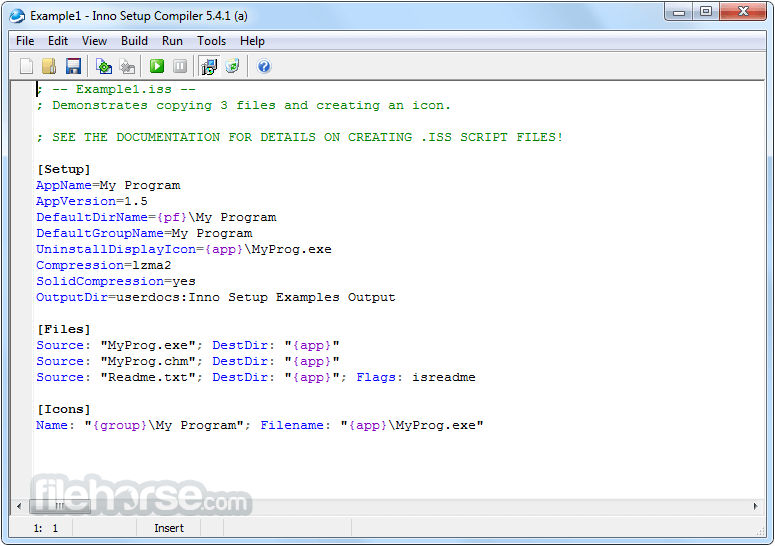
- Customize installation settings in the script.
- Compile the script to generate the installer.
- Test the installer on a Windows system.
- Distribute the setup file to users.
- Windows 7, 8, 10, 11 (32-bit or 64-bit)
- 1 GHz processor or faster
- 512 MB RAM or more
- 50 MB free disk space
- Administrator privileges for installation
- Free and open-source
- Easy-to-use scripting language
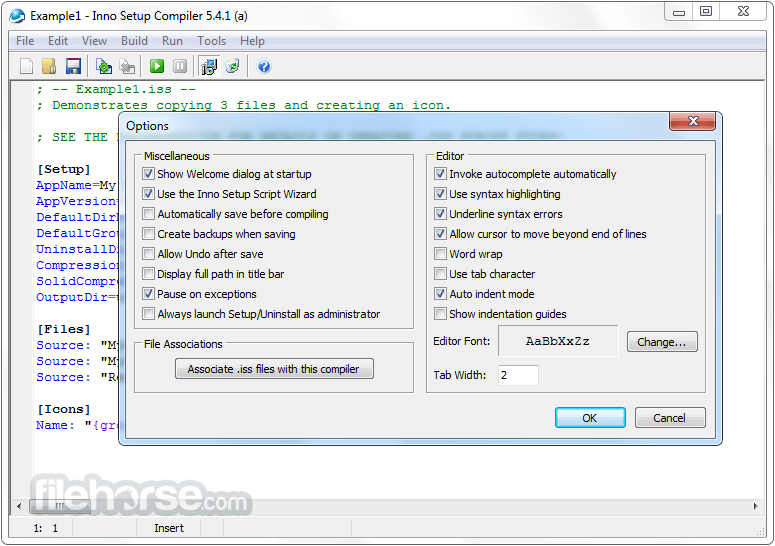
- Customizable installer options
- Supports silent installations
- Works on all Windows versions
- No official GUI-based editor
- Limited support for advanced UI
- No built-in update system
- Requires scripting knowledge
- Lacks native 64-bit compression
Download Inno Setup Latest Version Why is this app published on FileHorse? (More info)
##
畫面截圖