InstallAware Studio for Windows Installer X16
v InstallAware Studio for Windows Installer X16
Windows
商業試用
7.62/10 (13)
- 目前版本InstallAware Studio for Windows Installer X16
- 更新日期2025-11-20
- 檔案大小74.42 MB
- 檔案名稱InstallAware_X16.exe
- 作業系統Windows 7 / Windows 8 / Windows 10 / Windows 11
- 支援語系English
- 授權型式商業試用
- 開發商 InstallAware Software
- 軟體分類Windows 軟體 / 開發者工具
##
翻譯排程處理中,以下暫以英文原文呈現
軟體介紹
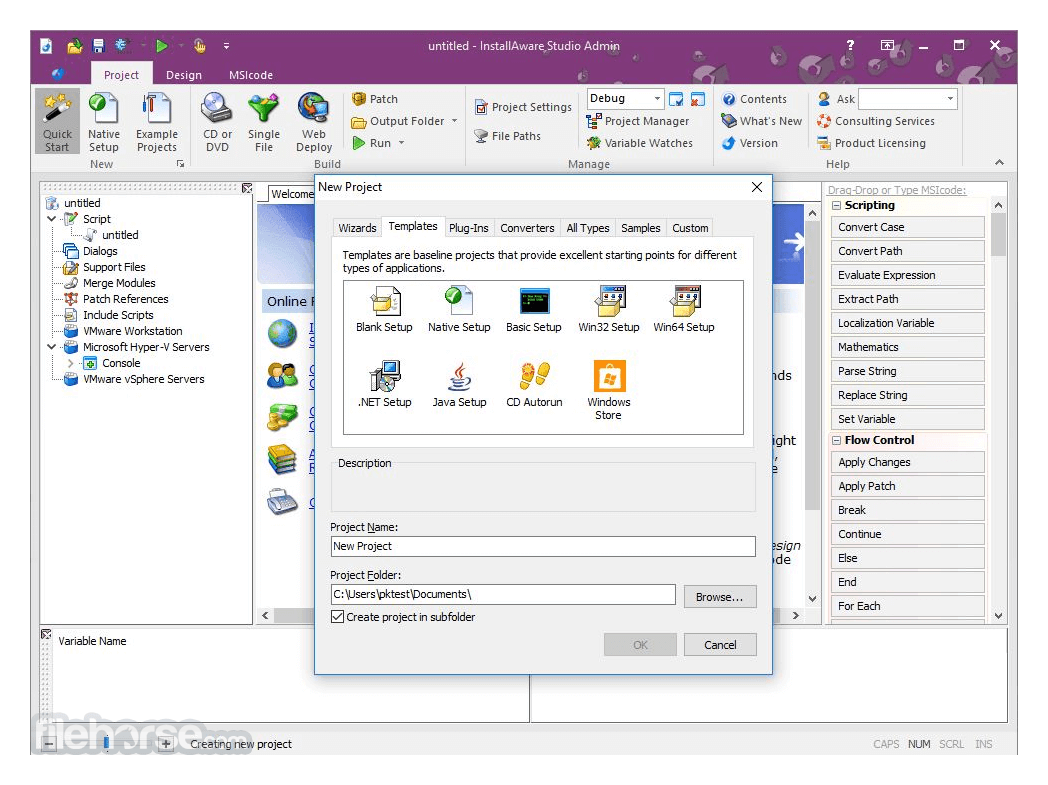
InstallAware Studio for PC is the only software installation solution for Windows that provides you with the latest features and technology support, with the advantages of true rapid Windows Installer development productivity.
InstallAware Studio for Windows Installer now includes advanced service configuration options, including service failure actions - run programs, display messages, reboot the PC, and restart your service when it fails repeatedly after your installation has completed - increasing the resiliency of your apps in the field.
The company produces software installation and compression technologies for the Windows Installer (MSI) platform on the Microsoft Windows Operating System. It is supported by thousands of users worldwide and is a Borland Technology Partner.
The Freeware, Express, Developer, Studio, and Studio Admin editions
Web-Based Download: 74.4 MB - 4.67 GB (MD5: 5891d71828c384213cbcfe27dbb742ab)
New Features and Highlights
Hybrid Installation Technology with InstantInstall Acceleration: Speeds up setups by allowing a switch between Native Code and Windows Installer engines at runtime, ensuring faster installations and resilience against corrupted Windows Installer stacks.
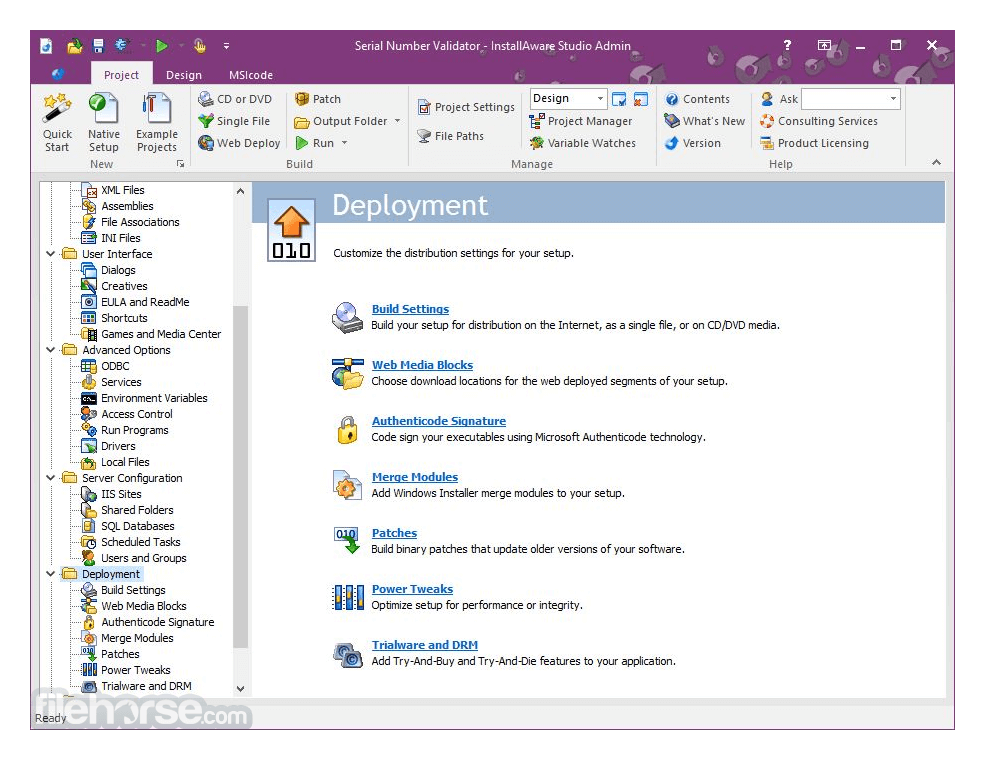
MSIX Builder and Windows Store Bridge: It provides industry-leading MSIX Builder tools, genuinely supporting MSIX files for direct Windows Store deployment, bridging traditional apps (Win32, Win64, and .NET) to the Universal Windows Platform.
Enhanced Application Runtime Wizard and Build Events: The Application Runtime Wizard facilitates the creation of custom prerequisite installers, while Build Events allow custom logic integration at various build stages.
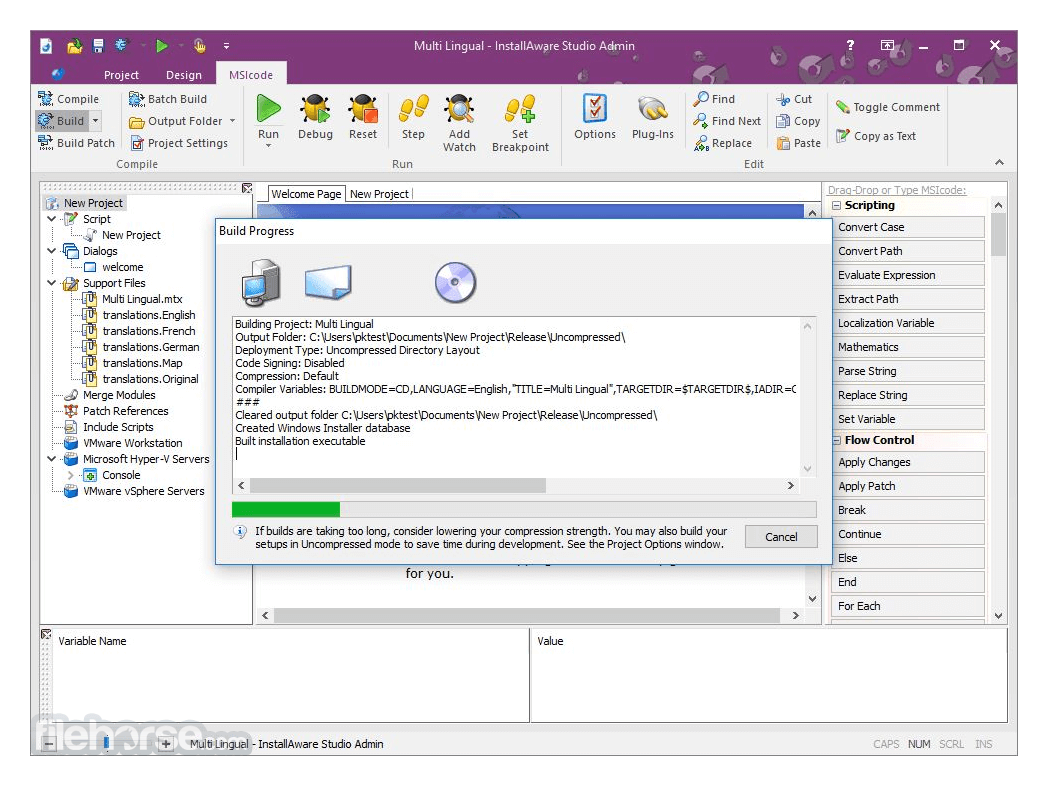
Automated Virtual Machine Testing and Simplified MSI Development: InstallAware uniquely offers automated VM testing for setup projects and simplifies MSI setup development with user-friendly MSIcode, supporting advanced features without programming skills.
Hybrid App-V Builder and App-V Viewer: InstallAware’s App-V tools allow seamless packaging of applications for virtual environments, with an App-V Viewer for inspection of packaged content.
Digital Rights Management (DRM): Protects applications with expiration parameters without altering source code, perfect for trial and subscription-based software.
Windows 11 and System Compatibility: Optimized for Windows 11, supporting 32-bit, 64-bit, and ARM64 systems with a single installer, and featuring detection for virtual machine environments.
Advanced Visual Development and UI Support: Includes real-time mirrored code/visual development, Mica Material, Dark Mode, and Fluent Design for a cohesive Windows 11 experience.
FAQs
What makes InstallAware Studio different from other installer-building tools?
InstallAware Studio uses a unique hybrid technology that lets you switch between a native EXE engine and a standard MSI installer at runtime, which gives you faster installs plus full Windows Installer compatibility.
How does Studio simplify creating setup dialogs and UI?
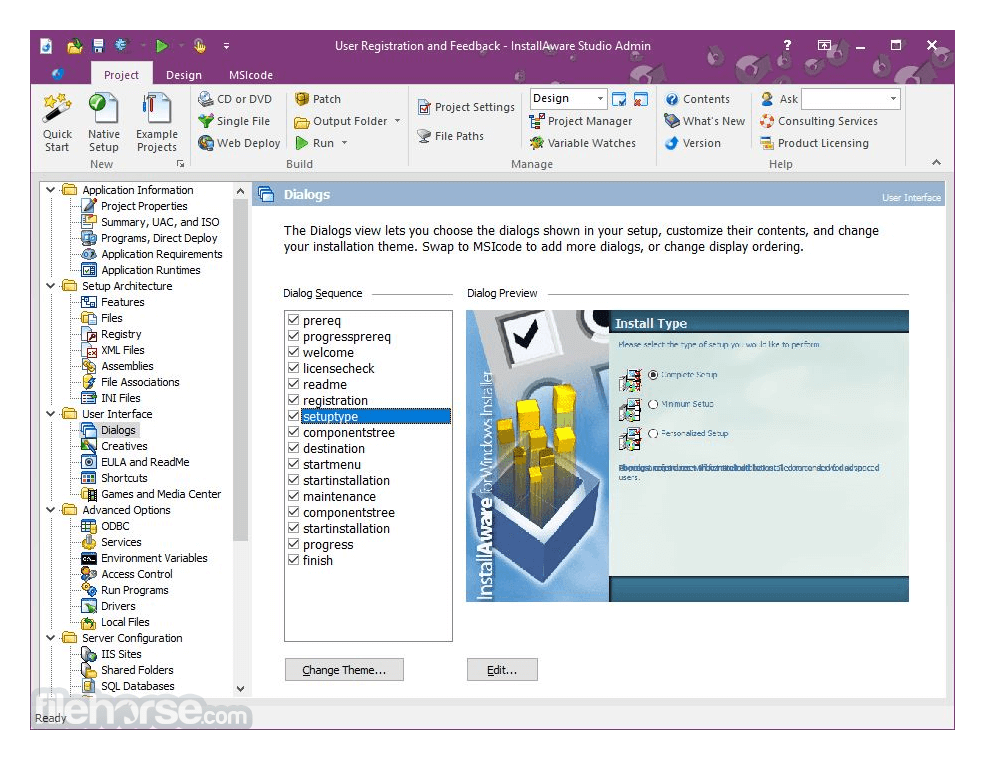
It comes with a visual dialog designer, prebuilt themes (18 of them), and support for Fluent-style Mica Material and Dark Mode for modern Windows, plus you can edit dialogs visually or switch to script mode instantly.
Can I test my installer across different Windows versions or VMs easily?
Yes, InstallAware Studio supports automated virtual-machine testing, so you can run unit tests of your setup simultaneously on multiple guest OSs and catch errors early.
Does InstallAware support modern packaging formats like MSIX or App-V?
Absolutely, it has a built-in MSIX Builder and a Hybrid App-V Builder, letting you produce MSIX packages or App-V virtualization packages from the same project.
How do I handle build customization and automation with Studio?
Studio provides “Build Events” before and after compile, compression, or wrapping, so you can run custom logic, inject code signing, or run scripts during the build process.
Does InstallAware support advanced installation scenarios like self-healing or on-demand installs?
Yes, you can create self-healing applications using advertised file types, and set up installation-on-demand for features or prerequisites via custom shortcuts.
Pricing
Order directly from the official website, and easily configure your product options with instant quote generation:
If you are looking for an excellent alternative to this product, we recommend Advanced Installer.
PROS
InstallAware's innovations combine power, ease of use, and forward compatibility, making it an advanced choice for software deployment needs.
Note: 30-day trial version.
Download InstallAware Studio Latest Version Why is this app published on FileHorse? (More info)
InstallAware Studio for Windows Installer now includes advanced service configuration options, including service failure actions - run programs, display messages, reboot the PC, and restart your service when it fails repeatedly after your installation has completed - increasing the resiliency of your apps in the field.
- MSlcode scripting
- App-V
- Command line builds
- Two-way integrated IDE
- MSIcode debugger
- Dialog designer
- Compiler variables
The company produces software installation and compression technologies for the Windows Installer (MSI) platform on the Microsoft Windows Operating System. It is supported by thousands of users worldwide and is a Borland Technology Partner.
The Freeware, Express, Developer, Studio, and Studio Admin editions
Web-Based Download: 74.4 MB - 4.67 GB (MD5: 5891d71828c384213cbcfe27dbb742ab)
- The fastest way to start with InstallAware
- Optional features downloaded from the Internet
- Minimum setup works without an Internet connection
- Set up automatically resumes interrupted web downloads
- InstallAware for offline installations/backups
- Contains all product features in a single file
- An Internet connection is not required
- Smallest cumulative download size
New Features and Highlights
Hybrid Installation Technology with InstantInstall Acceleration: Speeds up setups by allowing a switch between Native Code and Windows Installer engines at runtime, ensuring faster installations and resilience against corrupted Windows Installer stacks.
MSIX Builder and Windows Store Bridge: It provides industry-leading MSIX Builder tools, genuinely supporting MSIX files for direct Windows Store deployment, bridging traditional apps (Win32, Win64, and .NET) to the Universal Windows Platform.
Enhanced Application Runtime Wizard and Build Events: The Application Runtime Wizard facilitates the creation of custom prerequisite installers, while Build Events allow custom logic integration at various build stages.
Automated Virtual Machine Testing and Simplified MSI Development: InstallAware uniquely offers automated VM testing for setup projects and simplifies MSI setup development with user-friendly MSIcode, supporting advanced features without programming skills.
Hybrid App-V Builder and App-V Viewer: InstallAware’s App-V tools allow seamless packaging of applications for virtual environments, with an App-V Viewer for inspection of packaged content.
Digital Rights Management (DRM): Protects applications with expiration parameters without altering source code, perfect for trial and subscription-based software.
Windows 11 and System Compatibility: Optimized for Windows 11, supporting 32-bit, 64-bit, and ARM64 systems with a single installer, and featuring detection for virtual machine environments.
Advanced Visual Development and UI Support: Includes real-time mirrored code/visual development, Mica Material, Dark Mode, and Fluent Design for a cohesive Windows 11 experience.
FAQs
What makes InstallAware Studio different from other installer-building tools?
InstallAware Studio uses a unique hybrid technology that lets you switch between a native EXE engine and a standard MSI installer at runtime, which gives you faster installs plus full Windows Installer compatibility.
How does Studio simplify creating setup dialogs and UI?
It comes with a visual dialog designer, prebuilt themes (18 of them), and support for Fluent-style Mica Material and Dark Mode for modern Windows, plus you can edit dialogs visually or switch to script mode instantly.
Can I test my installer across different Windows versions or VMs easily?
Yes, InstallAware Studio supports automated virtual-machine testing, so you can run unit tests of your setup simultaneously on multiple guest OSs and catch errors early.
Does InstallAware support modern packaging formats like MSIX or App-V?
Absolutely, it has a built-in MSIX Builder and a Hybrid App-V Builder, letting you produce MSIX packages or App-V virtualization packages from the same project.
How do I handle build customization and automation with Studio?
Studio provides “Build Events” before and after compile, compression, or wrapping, so you can run custom logic, inject code signing, or run scripts during the build process.
Does InstallAware support advanced installation scenarios like self-healing or on-demand installs?
Yes, you can create self-healing applications using advertised file types, and set up installation-on-demand for features or prerequisites via custom shortcuts.
Pricing
Order directly from the official website, and easily configure your product options with instant quote generation:
- Product edition - choose the version of this app most suited to your needs - Express, Developer, Studio, Studio Admin.
- Instant discounts - take up to 50% off when upgrading an older version of the app, or a competitive product.
- Maintenance - add one or two years of unlimited upgrades. Only available at time of purchase.
- Floating licenses - share your app license with other developers.
- Gold support - gain access to priority technical support, in addition to the free peer support forums for InstallAware.
- Consulting - hire certified software consulting professionals to get a jump start on your project.
If you are looking for an excellent alternative to this product, we recommend Advanced Installer.
PROS
- Flexible deployment options
- Advanced compression technology
- Integration with Visual Studio
- Comprehensive customization tools
- Easy MSI and EXE builds
- Limited third-party integrations
- Occasional performance lag
- Complex UI for advanced settings
InstallAware's innovations combine power, ease of use, and forward compatibility, making it an advanced choice for software deployment needs.
Note: 30-day trial version.
Download InstallAware Studio Latest Version Why is this app published on FileHorse? (More info)
##
畫面截圖