
- 目前版本3.1 Beta
- 更新日期2012-11-30
- 檔案大小4.07MB
- 檔案名稱beta.exe
- 作業系統Windows 7 64 / Windows 8 64 / Windows 10 64 / Windows 11
- 支援語系English
- 授權型式試用版
- 開發商 Smart Projects
- 軟體分類Windows 軟體 / 光碟藍光
編輯短評
IsoBuster是一套CD/DVD档案恢复工具,专门解决光碟读取失败或加密档案无法取出的问题。它的最大特色是支援拖曳操作,让不熟悉指令的使用者也能轻松上手,同时涵盖CD、DVD、蓝光等多种格式,并强化错误处理与重试机制。这款软件长期维护,更新活跃,在同类工具中属于小众选择,但使用者评价普遍不错。
IsoBuster适合需要抢救光碟资料的使用者,例如光碟刮伤、读取错误或想提取加密影音内容时。与DVD Shrink、DAEMON Tools Lite等替代软件相比,它更专注于档案恢复,但试用版可能限制部分功能。此外,仅支援Windows平台,且界面为英文,使用前需留意授权与语系问题。
軟體介紹
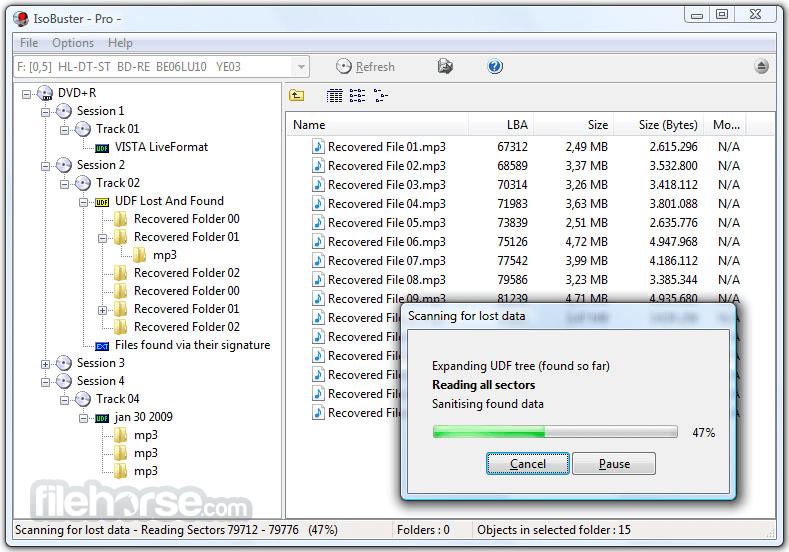
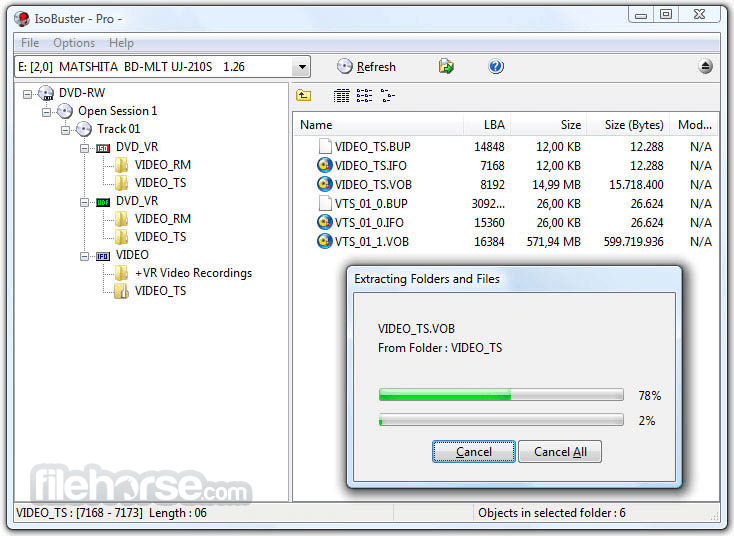
- 資料回復成CD、DVD、藍光,支援格式有CD-i, VCD, SVCD, SACD, CD-ROM, CD-ROM XA, CD-R, CD-RW, CD-MRW, ... DVD-ROM, DVCD, DVD-RAM, DVD-R, DVD-RW, DVD+R, DVD+RW等。
- 更好的錯誤處理和重試機制,來幫助使用者操作。
- 支援直接光碟壓縮文件。
- 支援微軟的Live文件系統。
畫面截圖
更新日誌
3.1 Beta # Changes:
- On Windows VISTA and higher, if you do not run in admin mode by default (UAC not disabled) you get the UAC (User Account Control) popup each time when you start IsoBuster. This is because admin rights are required to talk to Hard Drives and USB/Flash drives etc. However, in this version, if you disable listing Hard Drives and Flash drives in Options or during install, then you don't get the UAC anymore. The same is true when you run the shell command "extract" or when you start IsoBuster with command line parameters /nodrives or /nohd.
- Support for GPT (GUID) Partition formatting
- Also list empty card readers etc. when detected. Insert a card, hit refresh, and IsoBuster will show the content, like it does on optical media
- Windows 7 (and higher) progress indication via the taskbar
- Added the ability to choose how the VIDEO_TSVTS_0x_0x.VOB file size is determined in the VIDEO file-system (Via Options)
- Implemented extra columns in Listview (Blocks, Offset, Last LBA, Attributes)
- List unallocated space as a hidden partition, provided it has a reasonable size
- File signature recognition for *.cr2 (Canon photo format)
# Improvements:
- Improvements for Floppy/Diskette detection
- Improvements for finding NTFS file systems (for instance when there's no partition data to start from)
- Try to guess the correct code page of CD-Text on an Audio CD based on its Language field
- Allow columns order to be changed
- Popup to enable/disable columns
- Store new column order, width, hidden etc.
- Which column is sorted, and in what direction, is now shown properly
- Once a column header is clicked to sort, that sorting order is also applied to every other folder you browse to
- Various speed and memory allocation improvements throughout the code, noticeable during all sorts of functions.
- Always use code page 10000 when parsing HFS, this improves special characters display such as the small TM in the top corner
- Improvements in the detection between optical and other type media image files with shared extensions (e.g. .img)
- Removed older Win9x / NT4 / Aspi related settings from Options / Communication
- Introduced ability to start IsoBuster with only optical / only other than optical / both or none at all.
- Added command line switches: /nocd and /nohd
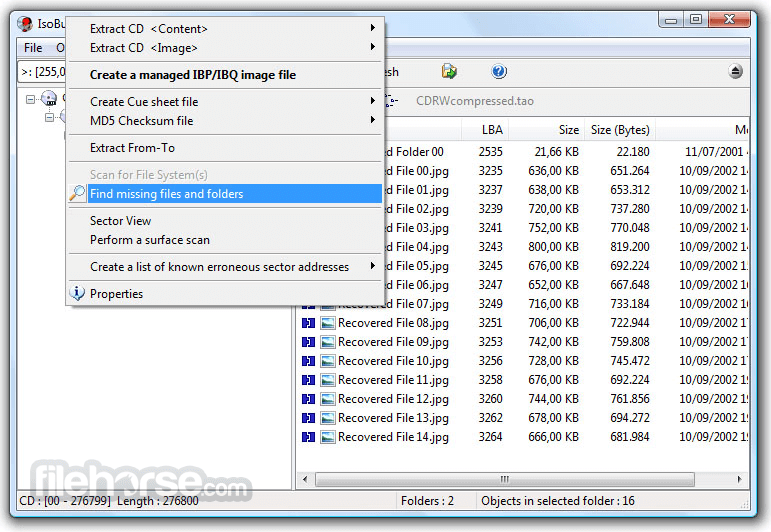
- Improved scanning for lost files and folders by reducing false positives for certain FAT and UDF structures
- Exposed more settings via Options / GUI / Messages, for which a popup occured but no way to change it again existed
- Various other smaller GUI improvements
# Fixes:
- Fixed a possible exception error when scanning for lost files and folders on +VR discs
- Fixed several excpetion errors that could occur while scanning for lost files and folders, due to buggy MS Office documents detection code.
- Fixed issue that would prevent ibp images files of other-than-optical media to be accessed properly at all times, because space outside the partitions would stay hidden.
- Fixed issue that caused an extended partition to be shown as well even though it contained other partitions
- Fixed issue that sometimes prevented IsoBuster to see all partitions
- Fixed it so that partitions are sorted, since the partition table may not be sorted
- Fixed issue causing multi-session optical discs not to produce correct image files all the time.
- Fixed rare exception errors when opening certain image files where IsoBuster needed to detect optical vs. HD/Flash etc.
- Fixed rare stack overflow error when deleting a file.
- Fixed rare exception error when the 'Default' button is clicked in Options
- 2026-05-12 IsoBuster 5.8 12.79 MB
- 2025-11-24 IsoBuster 5.7 12.43 MB
- 2025-05-13 IsoBuster 5.6 10.4 MB
- 2025-01-26 IsoBuster 5.5.2 10.29 MB
- 2025-01-13 IsoBuster 5.5.1 10.29 MB
- 2024-12-09 IsoBuster 5.5 10.3 MB
- 2024-06-06 IsoBuster 5.4.1 8.12 MB
- 2024-05-21 IsoBuster 5.4 8.12 MB