
- 目前版本2.0
- 更新日期2006-12-24
- 檔案大小2.61MB
- 檔案名稱isobuster_all_lang.exe
- 作業系統Windows 7 64 / Windows 8 64 / Windows 10 64 / Windows 11
- 支援語系English
- 授權型式試用版
- 開發商 Smart Projects
- 軟體分類Windows 軟體 / 光碟藍光
編輯短評
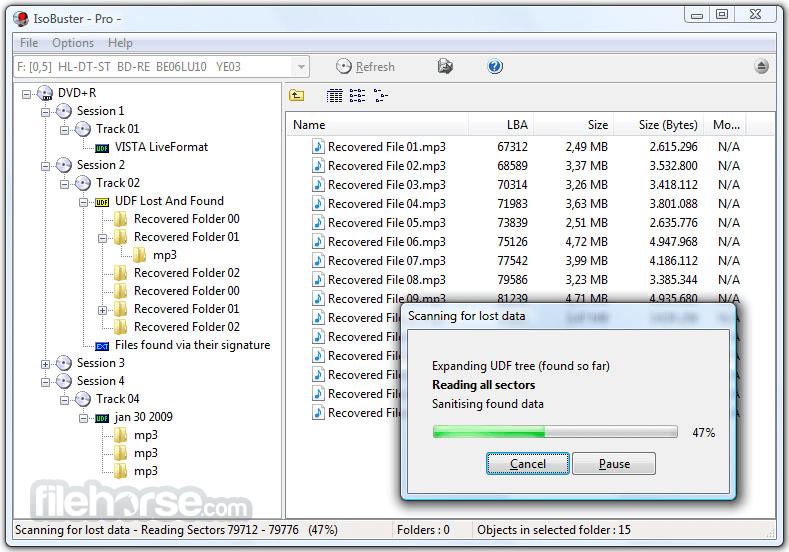
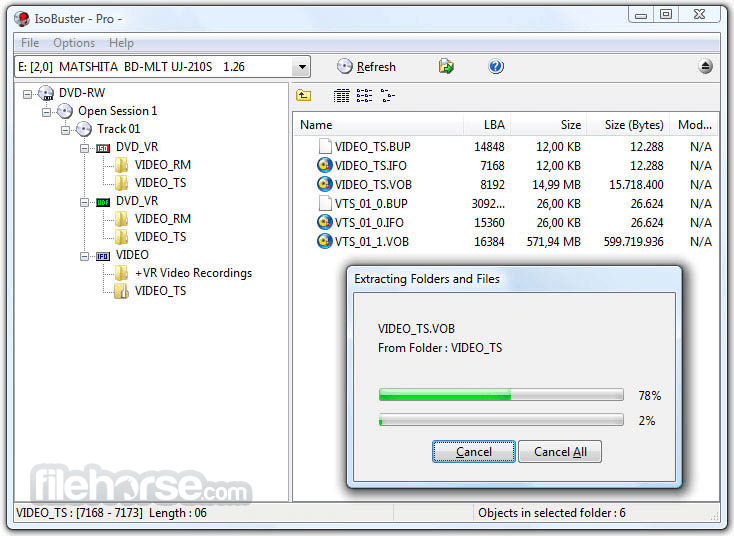
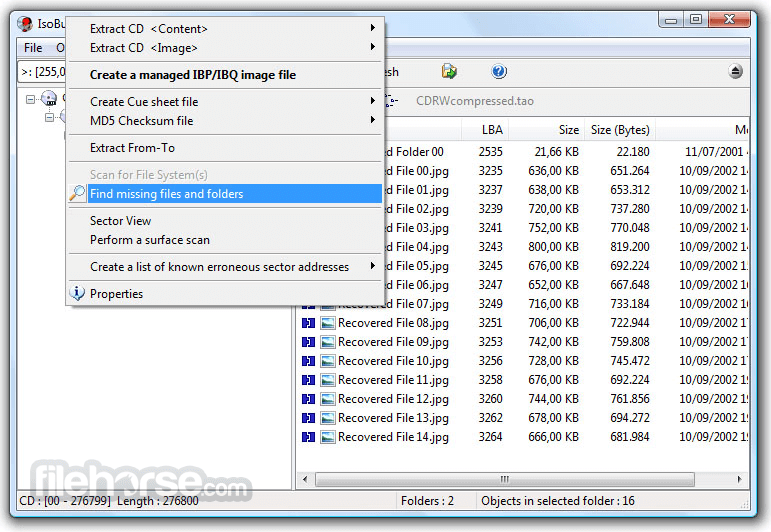
IsoBuster是一套CD/DVD档案恢复工具,专门解决光碟读取失败或加密档案无法取出的问题。它的最大特色是支援拖曳操作,让不熟悉指令的使用者也能轻松上手,同时涵盖CD、DVD、蓝光等多种格式,并强化错误处理与重试机制。这款软件长期维护,更新活跃,在同类工具中属于小众选择,但使用者评价普遍不错。
IsoBuster适合需要抢救光碟资料的使用者,例如光碟刮伤、读取错误或想提取加密影音内容时。与DVD Shrink、DAEMON Tools Lite等替代软件相比,它更专注于档案恢复,但试用版可能限制部分功能。此外,仅支援Windows平台,且界面为英文,使用前需留意授权与语系问题。
軟體介紹
- 資料回復成CD、DVD、藍光,支援格式有CD-i, VCD, SVCD, SACD, CD-ROM, CD-ROM XA, CD-R, CD-RW, CD-MRW, ... DVD-ROM, DVCD, DVD-RAM, DVD-R, DVD-RW, DVD+R, DVD+RW等。
- 更好的錯誤處理和重試機制,來幫助使用者操作。
- 支援直接光碟壓縮文件。
- 支援微軟的Live文件系統。
畫面截圖
更新日誌
2.0 Changes:
- BD (Blu Ray) and HD DVD support.
- UDF 2.6.
- Implemented the ability to use other system installed code pages, such as MAC, SYMBOL, UTF8 etc., for ISO9660.
- Properties for drives show, next to CD and DVD, also BD and HD DVD Read and Write capabilities.
- Installation and IsoBuster.exe are now code signed to make Windows (more or less) happy.
- Implemented ASynchronous Drag and Drop (file extraction) on VISTA systems to avoid the VISTA over-write dialogue to become stuck under the IsoBuster window, which looks like a hang, but it isn't.
- VISTA style directory icons when ran on a VISTA system.
- Start with font Tahoma on XP or Segoe UI on VISTA.
- Smaller changes here and there.
Improvements:
- Default to SPTI on a VISTA system, even when the app is not running in admin mode.
- Now possible to drag files immediately to the XP writer drive letter (staging area)
- HTML help would not launch on VISTA due to OS changes. This is now correctly implemented.
- On VISTA the Panel with image-file-name was often not properly painted. Changed the Panel with a another Windows component.
- File-extension associations setting in the installer now improved with 'set all', 'clear all' buttons.
- HFS(+) Mac File System, with multiple of 512 byte blocks support.
- Cut long boot image-file name to spec value (if not delimited by terminating zero) to avoid illegal filename according to Windows.
- Improvements in the file-type-recognition code (files found based on their signature): *.qt, *.kbf
- Added *.VRO to the file-type list that gets the dialogue that also offers to replace with all zeroes on read errors.
- Directory (Folder) names are now ALWAYS trimmed on the right side, if the file-system contains such folder names. Windows cannot create a folder name with a trailing blank, so file extractions to that folder would fail.
- Release SPTI handle immediately of all non-optical devices. No reason to keep it open during program execution.
- Do not automatically suggest to create an IBP/IBQ file anymore if the "drive" is in fact an image file ! (any image file).
- Properties' dialogues for files and folders now show the attributes (A,R,S,H,C)
- Various small improvements here and there.
Fixes:
- In certain situations, with certain DVD discs, on certain DVD drives, not all sessions were seen. This is now fixed in the new CD/DVD recognition engine.
- Fix in Boot Emulation size determination. Before, the actual amount of 512 byte blocks was not correctly taken in account. In real life however the implementation was correctly dealing with most situations out there.
- Fixed that +VR recording-sizes were wrapped when the recording is larger than 4 GB
- 2026-05-12 IsoBuster 5.8 12.79 MB
- 2025-11-24 IsoBuster 5.7 12.43 MB
- 2025-05-13 IsoBuster 5.6 10.4 MB
- 2025-01-26 IsoBuster 5.5.2 10.29 MB
- 2025-01-13 IsoBuster 5.5.1 10.29 MB
- 2024-12-09 IsoBuster 5.5 10.3 MB
- 2024-06-06 IsoBuster 5.4.1 8.12 MB
- 2024-05-21 IsoBuster 5.4 8.12 MB