
- 目前版本3.3 Beta
- 更新日期2013-11-28
- 檔案大小4.45MB
- 檔案名稱beta.exe
- 作業系統Windows 7 64 / Windows 8 64 / Windows 10 64 / Windows 11
- 支援語系English
- 授權型式試用版
- 開發商 Smart Projects
- 軟體分類Windows 軟體 / 光碟藍光
軟體介紹
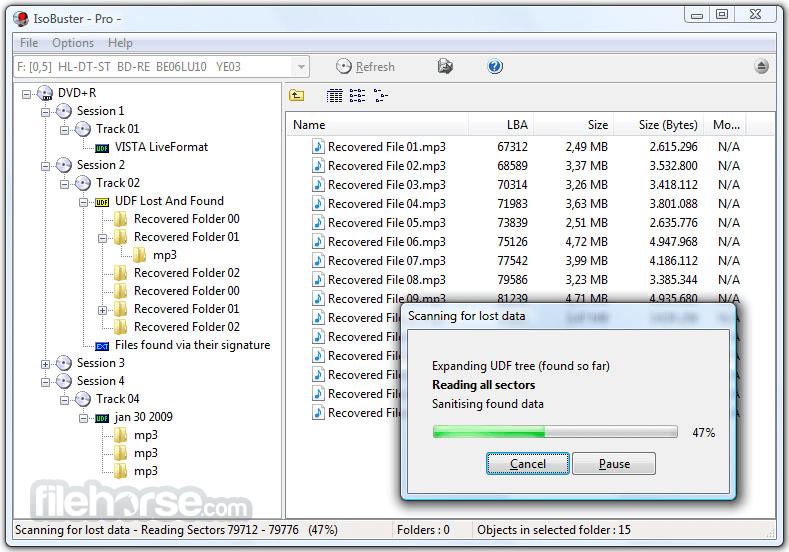
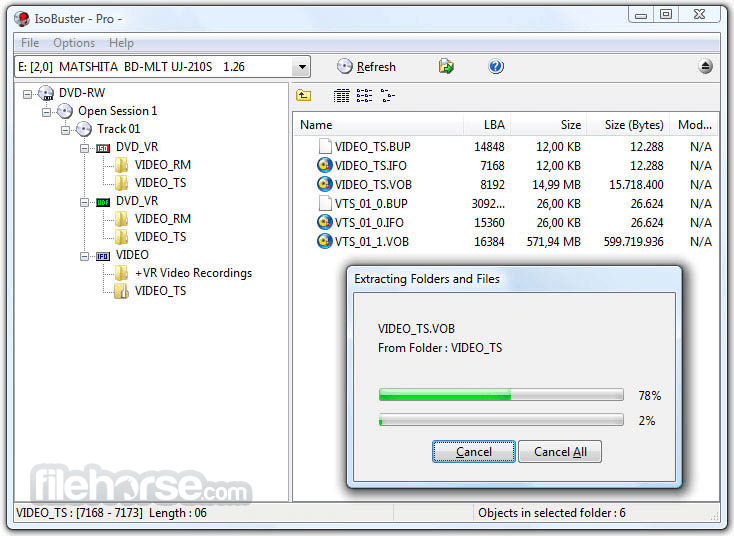
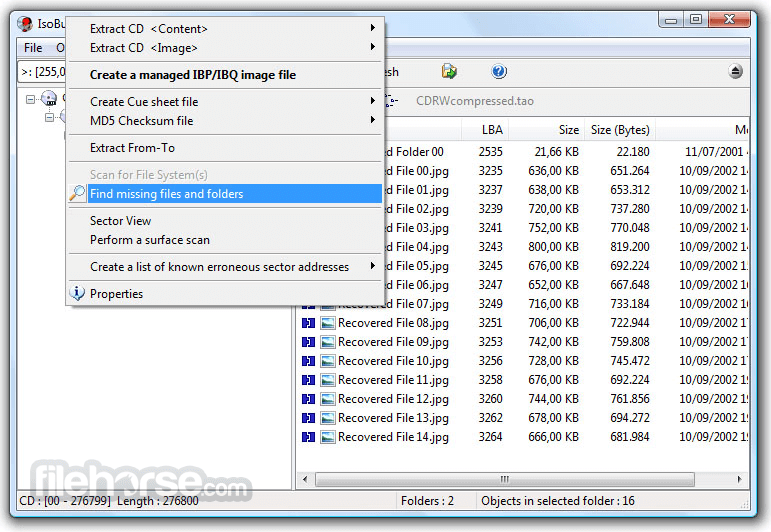
- 資料回復成CD、DVD、藍光,支援格式有CD-i, VCD, SVCD, SACD, CD-ROM, CD-ROM XA, CD-R, CD-RW, CD-MRW, ... DVD-ROM, DVCD, DVD-RAM, DVD-R, DVD-RW, DVD+R, DVD+RW等。
- 更好的錯誤處理和重試機制,來幫助使用者操作。
- 支援直接光碟壓縮文件。
- 支援微軟的Live文件系統。
畫面截圖
更新日誌
3.3 Beta # Changes:
* Added "Extract but filter Mpg" for all files, not just mpeg1 filtering of *.dat files on VCD. If you extract a *.VOB file from a DVD this way you end up with a perfect mpeg2 *.mpg file. See DVDVob2Mpg for more information
* Detect Encrypted partitions on which no file-systems can be found (for instance encrypted with TrueCrypt)
* Implemented certain shell commands. Right mouse click on an optical drive will show "investigate with IsoBuster". IsoBuster is added to the list of programs that is available via "Open with"
# Improvements:
* The toolbar installation is unchecked by default, so that people who don't read and just install, don't get the toolbar. Seems like a good compromise.
* FAT Improvement. Test the backup BPB as well, even if the primary BPB is readable and seems ok, and next decide on the best one to use.
* FAT Improvement. No read-ahead anymore of the FAT. On large volumes this can be time consuming and the FAT records may even not be in use
* Deal smarter with huge FATs, suppress warning message and don't load in memory all at once
* Better error display instead of the horrific and way too generic Borland C++ Builder 'EEFFACE' message for C++ exceptions
* Avoid Nikon *.nef files being found as Kodak *.kdc files
* Suppress Windows 2000 dialog when there is no floppy in the drive and the drive is being scanned
* Implemented the ability to detect a floppy drive for what it really is even if there is no floppy in the drive. Before it was not possible to detect a floppy drive properly if it had no disk inside.
* Scan the full drive letter range A - Z in search of floppy drives, instead of just A and B, now that they can be detected more reliable
* Small speed improvements here and there, trying to serve results faster when and where possible.
* Improvements in finding the proper recordings' names on edited DVD-VR discs
* Improvements to deal with bad (non-windows compatible) file names
* Improvement in building FAT long file names from corrupted directory tables with wrong checksums
* Improvement to detect UDF on a CD-R with incorrect track layout
* Remove certain dialogs with questions during startup for very new users (no prior install), to not confuse them. Use the best Exploration settings instead
* Updated LibEWF support to libewf-20130416
* Show compressed folders blue in the Treeview (left pane), not just the ListView (right pane)
* Show encrypted files and folders green in both left and right pane
* Show encrypted partitions green in both left and right pane
* Show "Sparse" for LastLBA in case the object (or last extent) is Sparse
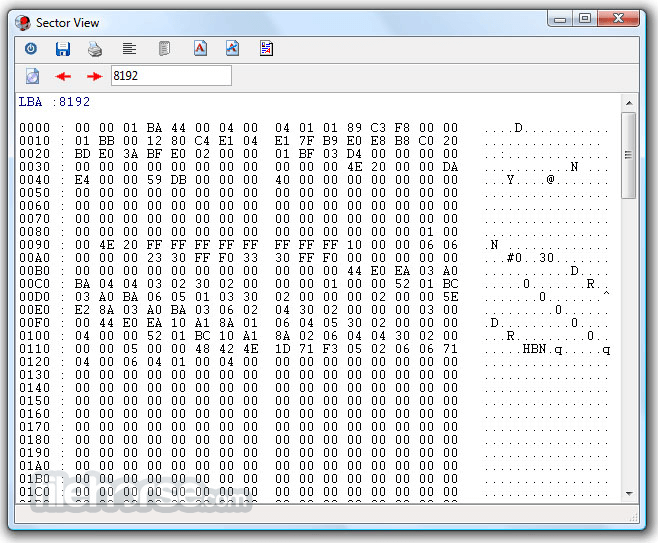
* Show an empty block and do not read block 0 in case the object is sparse during a SectorView
* When an NTFS extent is extracted on its own ([Professional] license) and when that extent is a compressed part of a compressed file, then it's decompressed on the fly as well
* Various other smaller GUI improvements
# Fixes:
* On Windows 2000 an error dialog was shown (sometimes) when another language was selected because of a change in the language resource dlls in previous version. All fixed now.
* Fixed NTFS issue, probably only seen on large volumes (Terabytes). Fragmented MFT files were not always properly seen as such, so that parts or even the root of the file system could not be found.
* Fixed FAT issue on large FAT volumes that are formatted by other software than Windows itself. In other words an improvement to deal with unexpectedly huge FATs
* Fixed Uninstallation error "Runtime Error (...): Could not call proc."
- 2026-05-12 IsoBuster 5.8 12.79 MB
- 2018-12-18 IsoBuster 4.3 CD DVD Blu-ray Data Recovery for PC Windows 4.97MB
- 2018-12-18 IsoBuster 4.3 4.97MB
- 2018-12-04 IsoBuster 4.3 Beta 5.04MB
- 2018-06-24 IsoBuster 4.2 5.02MB
- 2018-06-08 IsoBuster 4.2 Beta 4.70MB
- 2017-12-13 IsoBuster 4.1 4.67MB
- 2017-11-29 IsoBuster 4.1 Beta 4.64MB