
- 目前版本2.5.5.1
- 更新日期2009-07-09
- 檔案大小4.43MB
- 檔案名稱isobuster_all_lang.exe
- 作業系統Windows 7 64 / Windows 8 64 / Windows 10 64 / Windows 11
- 支援語系English
- 授權型式試用版
- 開發商 Smart Projects
- 軟體分類Windows 軟體 / 光碟藍光
編輯短評
IsoBuster是一套CD/DVD档案恢复工具,专门解决光碟读取失败或加密档案无法取出的问题。它的最大特色是支援拖曳操作,让不熟悉指令的使用者也能轻松上手,同时涵盖CD、DVD、蓝光等多种格式,并强化错误处理与重试机制。这款软件长期维护,更新活跃,在同类工具中属于小众选择,但使用者评价普遍不错。
IsoBuster适合需要抢救光碟资料的使用者,例如光碟刮伤、读取错误或想提取加密影音内容时。与DVD Shrink、DAEMON Tools Lite等替代软件相比,它更专注于档案恢复,但试用版可能限制部分功能。此外,仅支援Windows平台,且界面为英文,使用前需留意授权与语系问题。
軟體介紹
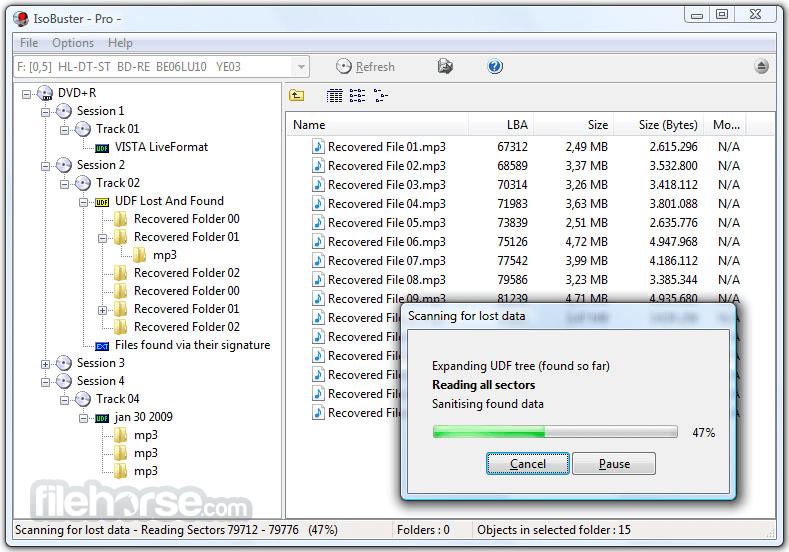
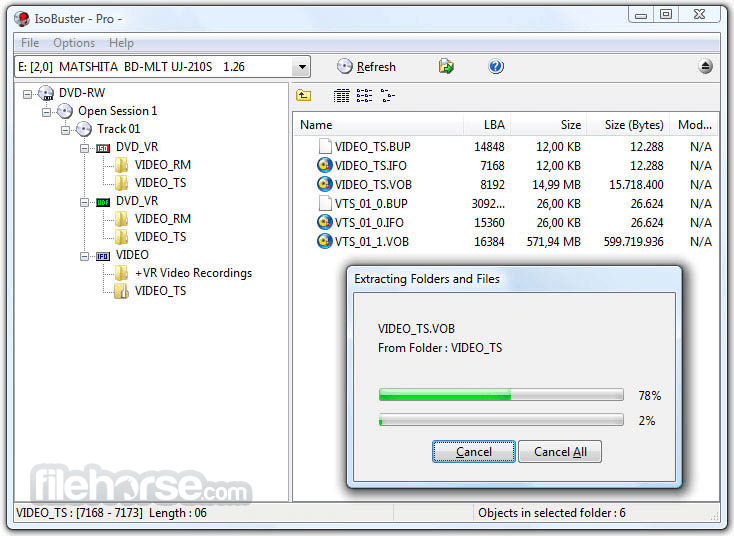
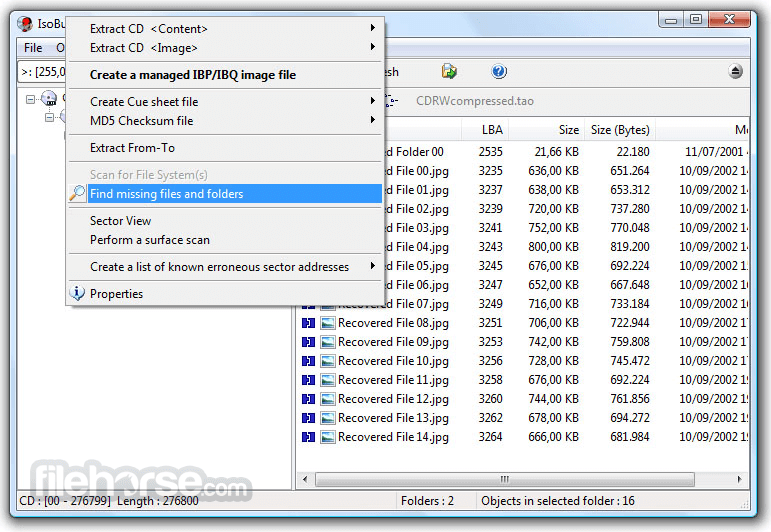
- 資料回復成CD、DVD、藍光,支援格式有CD-i, VCD, SVCD, SACD, CD-ROM, CD-ROM XA, CD-R, CD-RW, CD-MRW, ... DVD-ROM, DVCD, DVD-RAM, DVD-R, DVD-RW, DVD+R, DVD+RW等。
- 更好的錯誤處理和重試機制,來幫助使用者操作。
- 支援直接光碟壓縮文件。
- 支援微軟的Live文件系統。
畫面截圖
更新日誌
2.5.5.1 Changes:
* Expert Witness Format image-file support (*.E01, *.S01, *.L01)
Improvements:
* Improved support for Japanese text in DVD-VR Label and Title
* Implemented *.orf file-type recognition for found files based on their signature
* Implemented *.ncd file-type recognition for found files based on their signature
* "Do not bother me with this message" option in message when going online
* Command line parameters: "/nodrives" and "/nosplash"
* Improved error message when it's impossible to open or create a file
* Improved font support in the editor window when displaying text other than sector view
* Do not prompt to make a CUE file if the actual image file was deleted after errors
* The Windows shell command "extract" will now start with "/nodrives"
* Various other GUI improvements
Fixes:
* The program now prompts to overwrite a resource-fork-only file on an NTFS system (rare situation)
* Fixed double prompt for action when NTFS stream(s) and the main file would contain read errors
* When tracks are dragged and extracted, but are split into muliple files, all subfiles are now moved as well from the Drag temp folder to the final folder
* Fixed very rare instance where aborting extraction of a track would cause the next track to be skipped entirely
- 2026-05-12 IsoBuster 5.8 12.79 MB
- 2025-11-24 IsoBuster 5.7 12.43 MB
- 2025-05-13 IsoBuster 5.6 10.4 MB
- 2025-01-26 IsoBuster 5.5.2 10.29 MB
- 2025-01-13 IsoBuster 5.5.1 10.29 MB
- 2024-12-09 IsoBuster 5.5 10.3 MB
- 2024-06-06 IsoBuster 5.4.1 8.12 MB
- 2024-05-21 IsoBuster 5.4 8.12 MB