
- 目前版本3.8
- 更新日期2016-06-26
- 檔案大小4.19MB
- 檔案名稱isobuster_install.exe
- 作業系統Windows 7 64 / Windows 8 64 / Windows 10 64 / Windows 11
- 支援語系English
- 授權型式試用版
- 開發商 Smart Projects
- 軟體分類Windows 軟體 / 光碟藍光
編輯短評
IsoBuster是一套CD/DVD档案恢复工具,专门解决光碟读取失败或加密档案无法取出的问题。它的最大特色是支援拖曳操作,让不熟悉指令的使用者也能轻松上手,同时涵盖CD、DVD、蓝光等多种格式,并强化错误处理与重试机制。这款软件长期维护,更新活跃,在同类工具中属于小众选择,但使用者评价普遍不错。
IsoBuster适合需要抢救光碟资料的使用者,例如光碟刮伤、读取错误或想提取加密影音内容时。与DVD Shrink、DAEMON Tools Lite等替代软件相比,它更专注于档案恢复,但试用版可能限制部分功能。此外,仅支援Windows平台,且界面为英文,使用前需留意授权与语系问题。
軟體介紹
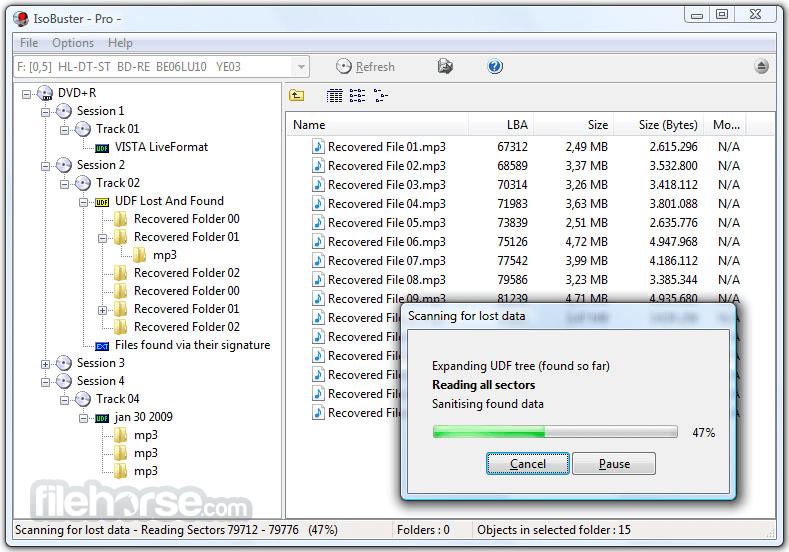
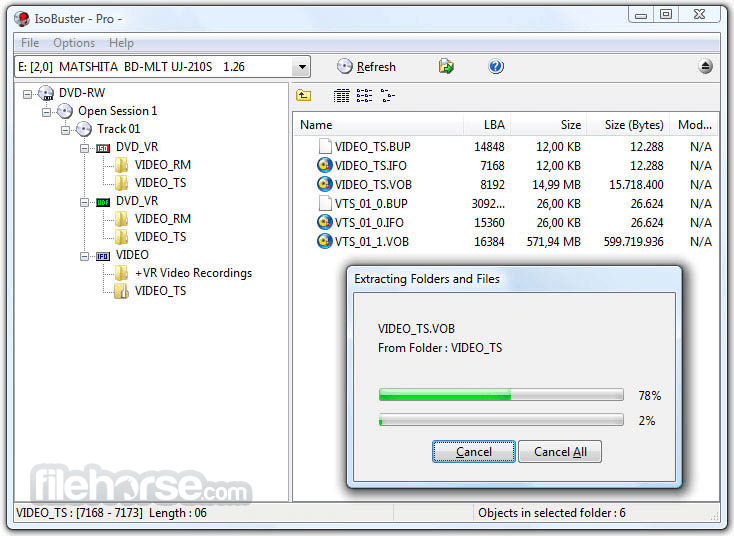
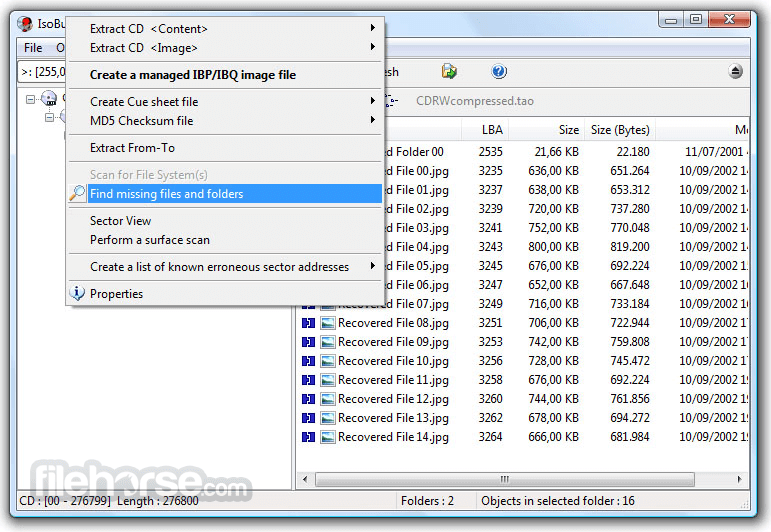
- 資料回復成CD、DVD、藍光,支援格式有CD-i, VCD, SVCD, SACD, CD-ROM, CD-ROM XA, CD-R, CD-RW, CD-MRW, ... DVD-ROM, DVCD, DVD-RAM, DVD-R, DVD-RW, DVD+R, DVD+RW等。
- 更好的錯誤處理和重試機制,來幫助使用者操作。
- 支援直接光碟壓縮文件。
- 支援微軟的Live文件系統。
畫面截圖
更新日誌
3.8 # Changes / New:
- Overhaul of all visual aspects of the software to improve things for the visually impaired, for instance high contrast mode works optimally now
- Overhaul of all visual aspects of the software to improve scaling (larger than default fonts - still with limits)
- Overhaul of all visual aspects of the software to improve and fix Right-to-Left reading where appropriate
- The use of 32 bit + Alpha channel icons throughout the software (Sorry Win2K users)
- Load and use system icons when appropriate (e.g. Help, Information, Exclamation etc.)
- Support for *.vhd Fixed, Dynamic and Differencing Virtual Disk Images
- Support for *.vhdx Fixed, Dynamic and Differencing Virtual Disk Images
- Support for *.vdi Fixed, Dynamic and Differencing Virtual Disk Images
- Full support for 4Kn drives (drives with 4096 bytes per logical sector)
- Browse back and forth between earlier made selections
- Complete IBP/IBQ managed image files 'on demand' as sectors are required and read. Requires a [Professional] license
- Show streams, attached to files or folders, via right mouse click selection
- Show extents of folders, very much the same like on fragmented files
# Improvements:
- Show Hint text when hovering over Details, List and Small Icons buttons on the main form
- Improved ancient annoyance where the StatusBar text/hint when hovering over a TreeNode or selecting a ListNode would disappear again immediately
- IsoBuster gets focus again when selected via the task bar and when the properties window is showing
- Improved the location of the right mouse click popup, so that it now appears more inline with what Windows does
- Improved things so that both percent labels on the progress dialog get updated when 2 progress bars are showing
- Ability to resize the device-selection combo-box in the top left corner and option to keep the combo-box and tree-view under it at the same width
- Search dialog and Options/Settings dialog resizing by the user
- Show Video icon next to "Extract but filter MPEG frames" where it is almost certainly appropriate and make the entry default (bold) to hopefully steer the user in the right direction
- Improved the right mouse click popup on a properties window
- Show red error icon next to building lists of erroneous sectors (single objects only, not folders)
- Default saving disk fragments (From-To) and partitions etc. to file extension *.dsk instead of *.img for better loading support (*.img can also be optical)
- Do not show the File/Folder Search option in case the folder has been expanded already and proves to be empty
- Add Application and Version information in CUE file
- When closing the tray, do not show an error message anymore when the error is illegal field in CDB (05/24/00) or related, because laptops etc. don't support closing and report this with an illegal field in CDB.
- Don't even suggest to complete an IBP/IBQ file if there are no other devices other than the IBP/IBQ itself (e.g. no devices found or finding devices disabled and no other image files loaded)
- Fomat large numbers with dots or commas (depending on Windows settings) on more locations
- Dialogs that take addresses and sizes as input, now allow the input to be formatted with commas and dots
- The breadcrumbs control uses the same icons as shown in the treeview control, based on settings
- Seriously improved the look and feel of the breadcrumbs control for Windows XP and High Contrast mode
- The about box has a fresh new look and hopefully helps with the confusion between PRO - [Personal] and [professional] licenses
- "@open:" opens the Open Image file dialog, "@open:c:yzw.xyz" opens file: "c:yzw.xyz"
- Command: @show:extents or @show:streams or @show:
esourcefork
- Added Ctrl+BackSpace shortcut to trigger the Breadcrumbs Edit function
- Added Ctrl+Shift+Q shortcut to start the IBP/IBQ Manager -or- EWF Properties (depending on the image file that is loaded)
- Added Ctrl+Shift+R shortcut to 'run' a file
- Added F8 shortcut to bring up the Options/Settings dialog
- Improve the workings of Ctrl+Shift+M to either create or complete an image file, making sure they don't conflict
- Esc closes the From-To Dialog, the IBP/IBQ Manager, the About window, Properties and the file edit dialog
- Improved building the previously opened image file's list and make sure a separator is not drawn as a thick line
- Make sure there are tab characters between text and shortcut, in popup menus, to keep it all readable
- Also support reverse reading when filling gaps
- Also support reverse reading of tracks in their session (last track first)
- Improved Buttons' height in Toolbar (Up, Details, List, Icons, ...)
- Improvements in the navigation bar, support for '..', '' etc.
- Show "Extracting Name-of-?" instead of "Extracting CD" when extracting a non-optical disk to a folder containing its partitions
- Auto-Save managed IBP/IBQ image file making every 5 / 10 minutes, depending
- A few improvements, changes and re-writes in the core code / engine, as this is a living project and to deal with the ever growing new functionality
- Various other, not listed, GUI improvements
# Fixes:
- Fixed improper updating of the *.IBP, Managed Image File, after the reverse reading feature had been used
- Showing the previous search results, initiated via the search dialog did not work properly
- Ctrl+C would not always work in other windows than the main window (e.g. Sector View), because the main window would 'steal' the input
- Made changes to the breadcrumbs control, so that IsoBuster now runs on Windows 2000 (Win2K) again
- Several improvements parsing NTFS to deal with illegal values, especially during a scan for missing or deleted files/folders, to avoid exception errors
- Fixed an exception error when opening a CUE that points to multiple files but more than one of those files are not available
- Fixed a serious and possible data corruption issue with NTFS for large + fragmented files, on extraction to HD or elsewhere, because the offset in the first block would be wrong
- Fixed a data corruption issue with NTFS for files that fit in the $MFT records, but only on 4Kn drives, so drives that have 4096 bytes per block native and expose those blocks as such (so not 512e drives)
- 2026-05-12 IsoBuster 5.8 12.79 MB
- 2025-11-24 IsoBuster 5.7 12.43 MB
- 2025-05-13 IsoBuster 5.6 10.4 MB
- 2025-01-26 IsoBuster 5.5.2 10.29 MB
- 2025-01-13 IsoBuster 5.5.1 10.29 MB
- 2024-12-09 IsoBuster 5.5 10.3 MB
- 2024-06-06 IsoBuster 5.4.1 8.12 MB
- 2024-05-21 IsoBuster 5.4 8.12 MB