
- 目前版本4.0 Beta
- 更新日期2017-06-06
- 檔案大小4.69MB
- 檔案名稱beta.exe
- 作業系統Windows 7 64 / Windows 8 64 / Windows 10 64 / Windows 11
- 支援語系English
- 授權型式試用版
- 開發商 Smart Projects
- 軟體分類Windows 軟體 / 光碟藍光
編輯短評
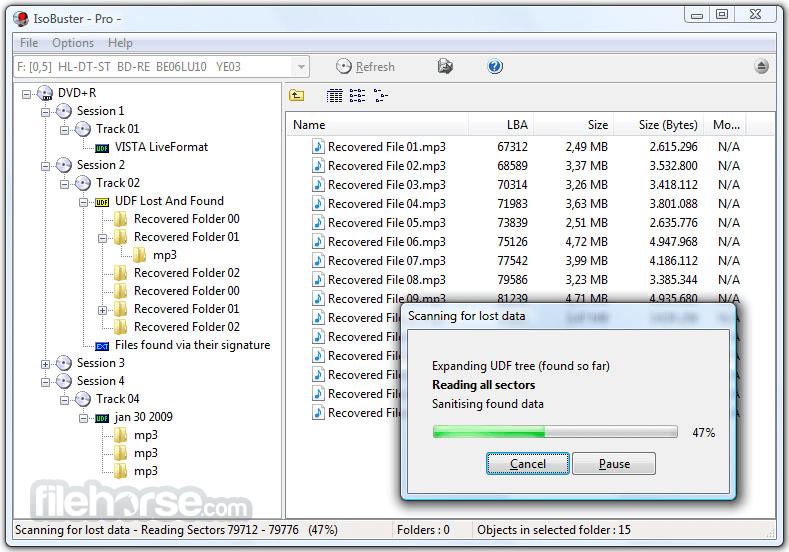
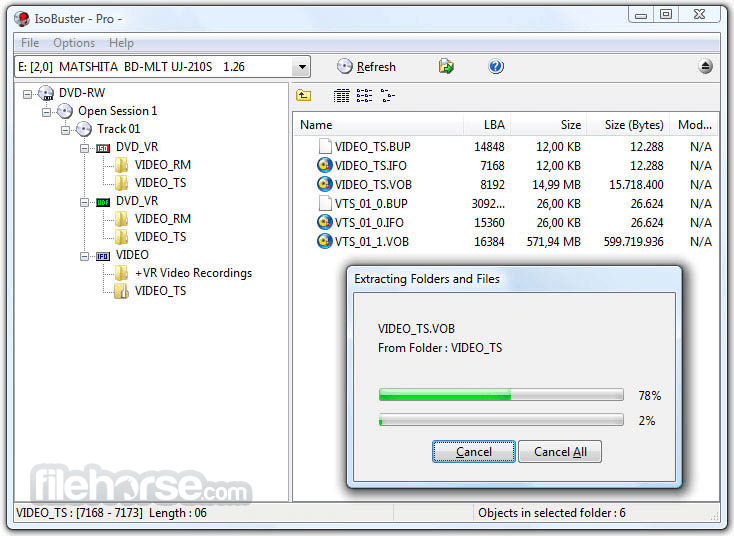
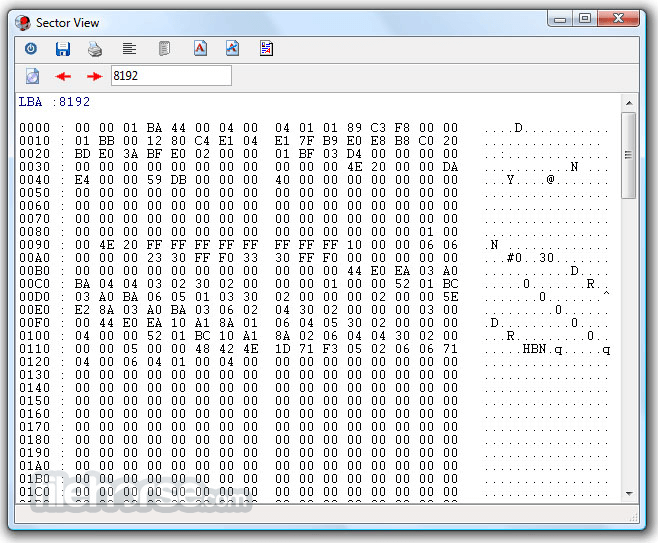
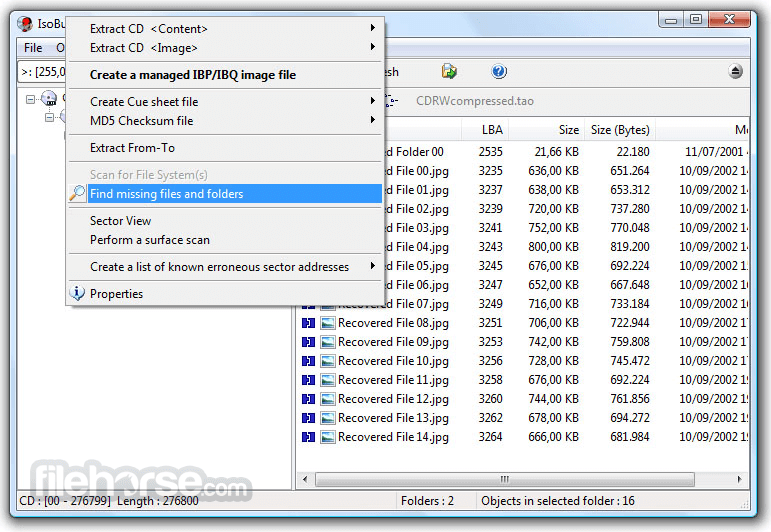
IsoBuster是一套CD/DVD档案恢复工具,专门解决光碟读取失败或加密档案无法取出的问题。它的最大特色是支援拖曳操作,让不熟悉指令的使用者也能轻松上手,同时涵盖CD、DVD、蓝光等多种格式,并强化错误处理与重试机制。这款软件长期维护,更新活跃,在同类工具中属于小众选择,但使用者评价普遍不错。
IsoBuster适合需要抢救光碟资料的使用者,例如光碟刮伤、读取错误或想提取加密影音内容时。与DVD Shrink、DAEMON Tools Lite等替代软件相比,它更专注于档案恢复,但试用版可能限制部分功能。此外,仅支援Windows平台,且界面为英文,使用前需留意授权与语系问题。
軟體介紹
- 資料回復成CD、DVD、藍光,支援格式有CD-i, VCD, SVCD, SACD, CD-ROM, CD-ROM XA, CD-R, CD-RW, CD-MRW, ... DVD-ROM, DVCD, DVD-RAM, DVD-R, DVD-RW, DVD+R, DVD+RW等。
- 更好的錯誤處理和重試機制,來幫助使用者操作。
- 支援直接光碟壓縮文件。
- 支援微軟的Live文件系統。
畫面截圖
更新日誌
4.0 Beta Changes / New:
Huge changes to the GUI to keep up with current and newer OS.
Added very powerful search functionality immediately accessible via the main window.
Added predefined search queries. For instance search for pictures, video etc.
Detect whether drives are added or removed from the system and automatically update the drive selection combo box without affecting the currently selected drive or image file.
Automatic drive add or removal detection can be enabled / disabled in Options (On by default).
Ability to show graphical representation of good vs bad blocks on all objects, files, partitions, tracks etc via the Properties dialog.
Good vs bad blocks are also shown in the Managed Image File Manager [Professional license]. Here it is possible to select a block or zoom into the block and auto-fill the Address and Blocks' fields to easily define what blocks need to be re-read etc.
Added easy history browsing via the breadcrumbs control.
Improvements:
Improved opening image files while another process (Refreshing) is ongoing.
Improved checking if a file is already opened, no matter what method is used to open the file.
A managed clone will detect when its target drive is connected to the system.
Avoid trying to read Path Table found ISO9660/Joliet folders without a size again and again in case of read errors.
Huge changes in the underlying GUI code/engine to be able to keep up with modern OS and prepare for the future.
Improved the search engine dramatically to be extremely powerful. Easily find fragmented files, extents, streams, etc.
Improved message boxes.
Improved breadcrumbs control so that is behaves similar than modern OS.
Improved image file (ISO, IMG, VDI, IBP/IBQ, ...) access and reading, for most type images files, so that it is a lot faster now.
Show Media in the breadcrumb bar when selecting a drive (or when starting up with a drive).
Show NTFS File System Root properties.
Better filtering of illegal characters from devices names.
Choosing large fonts also auto-selects the use of larger icons.
Double clicking a Partition, Track or Session in List View now also shows its children in List View (except for Audio CDs).
File systems are listed in List View as well, when the track or partition in selected in the Tree View.
Easy way via List View to start a scan for missing files and folders, when a partition without file systems is selected.
Ability to right mouse click and show a file's resource fork.
Updated file system icons.
Avoid excessive IBP updating, mainly when completing on demand.
Lots of improvements, changes and re-writes in the core code / engine, as this is a living project and to deal with the ever growing new functionality.
Various other, not listed, GUI improvements.
Fixes:
Do not allow to select a new device via the back and forward (history) buttons when critical GUI List/Tree Item processes are ongoing.
Fix it so that a check to see if a file contains video keeps returning consistent data after for instance Extract2Mpg has been chosen.
Fixed rare stack overflow when exploring NTFS, in case of many small nested folders.
Fix and return consistent data after an NTFS search for deleted files/folders when sorting is turned off entirely.
- 2026-05-12 IsoBuster 5.8 12.79 MB
- 2025-11-24 IsoBuster 5.7 12.43 MB
- 2025-05-13 IsoBuster 5.6 10.4 MB
- 2025-01-26 IsoBuster 5.5.2 10.29 MB
- 2025-01-13 IsoBuster 5.5.1 10.29 MB
- 2024-12-09 IsoBuster 5.5 10.3 MB
- 2024-06-06 IsoBuster 5.4.1 8.12 MB
- 2024-05-21 IsoBuster 5.4 8.12 MB