- 目前版本3.15.13
- 更新日期2026-07-15
- 檔案大小120 MB
- 檔案名稱IVPN-Client-v3.15.13.exe
- 作業系統Windows 10 / Windows 11
- 支援語系English
- 授權型式商業試用
- 開發商 IVPN Limited
- 軟體分類Windows 軟體 / VPN
##
翻譯排程處理中,以下暫以英文原文呈現
軟體介紹
The IVPN Client VPN is a robust virtual private network solution for Windows 11/10 designed to safeguard your online activities and protect your digital privacy.
Developed by IVPN, a company renowned for its commitment to online privacy and security, this client software ensures that your internet connection remains secure, anonymous, and free from prying eyes.
Key Features
Strong Encryption: It employs industry-standard encryption protocols, including OpenVPN, IKEv2/IPsec, and WireGuard, to secure your internet traffic and keep it private.
Multi-Platform Support: It's compatible with Windows, macOS, iOS, Android, and even Linux, ensuring that you can protect your online presence across all your devices.
Strict No-Logs Policy: The program follows a strict no-logs policy, meaning it doesn't store any user data, ensuring your privacy remains intact.
Kill Switch: This feature automatically disconnects your internet if the VPN connection drops, preventing your data from being exposed.
Multi-Hop: IVPN's Multi-Hop feature routes your connection through multiple servers, adding an extra layer of anonymity.
Split Tunneling: You can choose which apps or websites use the VPN connection and which ones don't, giving you more control over your online privacy.
High-Speed Servers: With servers in over 45 countries, it ensures fast and reliable connections, reducing lag and buffering.
Dedicated IP: For users who require a fixed IP address, it offers dedicated IPs that maintain your privacy while allowing you to access specific services securely.
All Features
IVPN's user interface is clean, intuitive, and user-friendly. Upon launching the tool, users are greeted with a minimalist design that emphasizes ease of use.
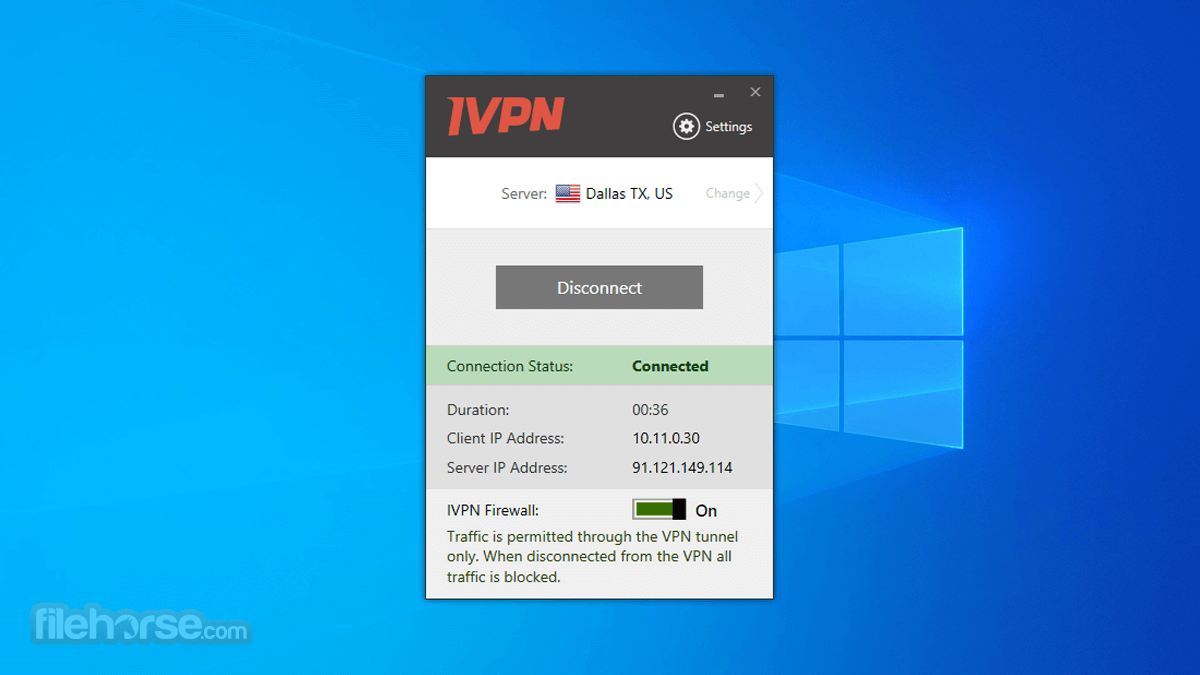
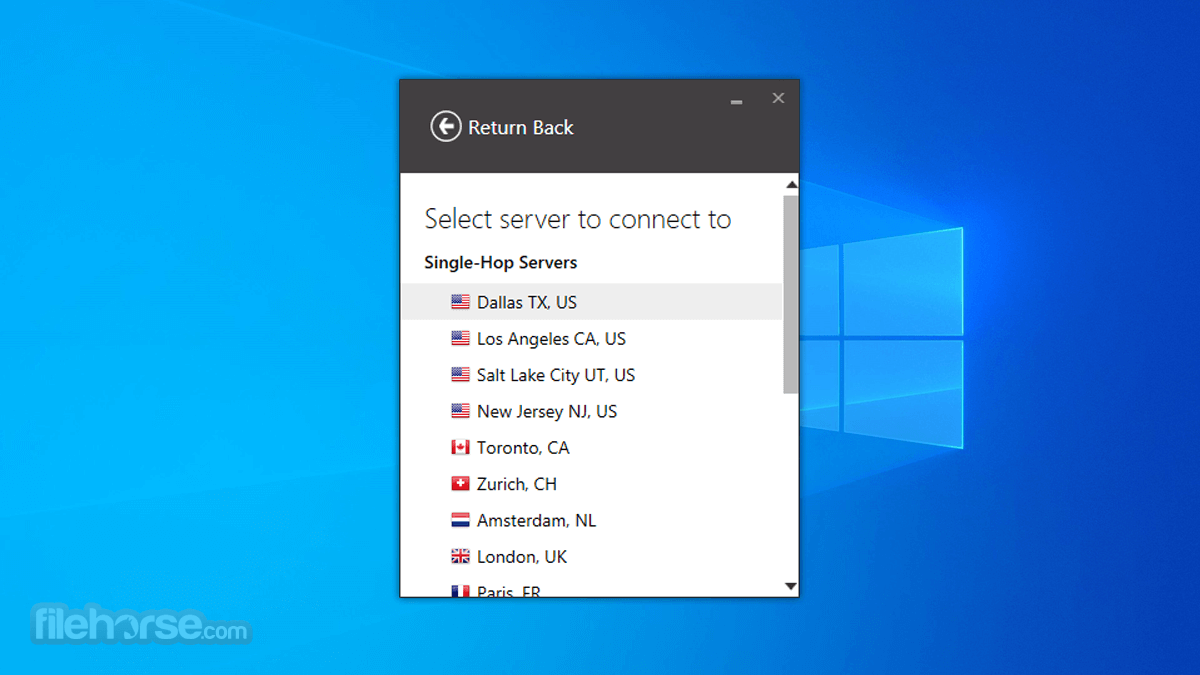
The main dashboard prominently displays the connection status, server location, and a quick connect button. Users can easily select a server location, access settings, and toggle features like the Kill Switch and Multi-Hop with just a few clicks.
Overall, the UI provides an excellent balance between simplicity and customization, making it accessible for both beginners and advanced users.
Installation and Setup
Download: Visit the official website and download the client software for your respective operating system.
Installation: Run the installer and follow the on-screen instructions. The installation typically takes a few minutes.
Login: After installation, launch the app and log in with your account credentials.
Connect: Click the "Connect" button to establish a secure VPN connection. You can also select a specific server location if desired.
IVPN's setup process is hassle-free, and their website provides detailed guides for various platforms if you encounter any issues.
How to Use
FAQ
Is IVPN truly anonymous?
Yes, the app is committed to user privacy. They have a strict no-logs policy and utilize strong encryption protocols, ensuring that your online activities remain anonymous.
How many devices can I use with my IVPN account?
You can use one program account on up to seven devices simultaneously, making it a versatile choice for securing your entire digital ecosystem.
Can I use IVPN for streaming and torrenting?
Absolutely. It allows P2P traffic on select servers and is an excellent choice for streaming services, as it offers high-speed servers optimized for content access.
Do they offer customer support?
Yes, it offers responsive customer support through email. They also provide an extensive knowledge base on their website.
Alternatives
NordVPN - Known for its strong security features and extensive server network.
ExpressVPN - Offers lightning-fast speeds and a user-friendly interface.
Surfshark VPN - Affordable VPN with unlimited simultaneous connections.
Private Internet Access (PIA) - Emphasizes privacy and advanced security features.
ProtonVPN - Provides a free tier with no data limitations and strong privacy policies.
System Requirements
OS: Windows 8 / 10 / 11 (64-bit)
Pricing
IVPN Standard for PC
The IVPN Client VPN stands as a robust and dependable tool for those who prioritize online privacy and security. With a strict no-logs policy, strong encryption, a user-friendly interface, and an array of useful features like Multi-Hop and split tunneling, it caters to both novice users and tech enthusiasts.
While the pricing may be on the higher side compared to some alternatives, the level of privacy and security it provides is well worth the investment. Whether you're looking to protect your personal data, access geo-restricted content, or secure your online activities, IVPN app is a commendable choice that delivers on its promises.
Note: 3-day trial (requires credit card subscription). Requires .NET Framework.
Also Available: Download IVPN Client for Mac
Download IVPN Client Latest Version Why is this app published on FileHorse? (More info)
Developed by IVPN, a company renowned for its commitment to online privacy and security, this client software ensures that your internet connection remains secure, anonymous, and free from prying eyes.
Key Features
Strong Encryption: It employs industry-standard encryption protocols, including OpenVPN, IKEv2/IPsec, and WireGuard, to secure your internet traffic and keep it private.
Multi-Platform Support: It's compatible with Windows, macOS, iOS, Android, and even Linux, ensuring that you can protect your online presence across all your devices.
Strict No-Logs Policy: The program follows a strict no-logs policy, meaning it doesn't store any user data, ensuring your privacy remains intact.
Kill Switch: This feature automatically disconnects your internet if the VPN connection drops, preventing your data from being exposed.
Multi-Hop: IVPN's Multi-Hop feature routes your connection through multiple servers, adding an extra layer of anonymity.
Split Tunneling: You can choose which apps or websites use the VPN connection and which ones don't, giving you more control over your online privacy.
High-Speed Servers: With servers in over 45 countries, it ensures fast and reliable connections, reducing lag and buffering.
Dedicated IP: For users who require a fixed IP address, it offers dedicated IPs that maintain your privacy while allowing you to access specific services securely.
All Features
- WireGuard or OpenVPN protocols.
- GUI or CLI (command-line interface).
- WireGuard privacy controls - Define an automatic key and IP address rotation schedule.
- AntiTracker that blocks ads, adware, malicious websites, and data harvesting trackers.
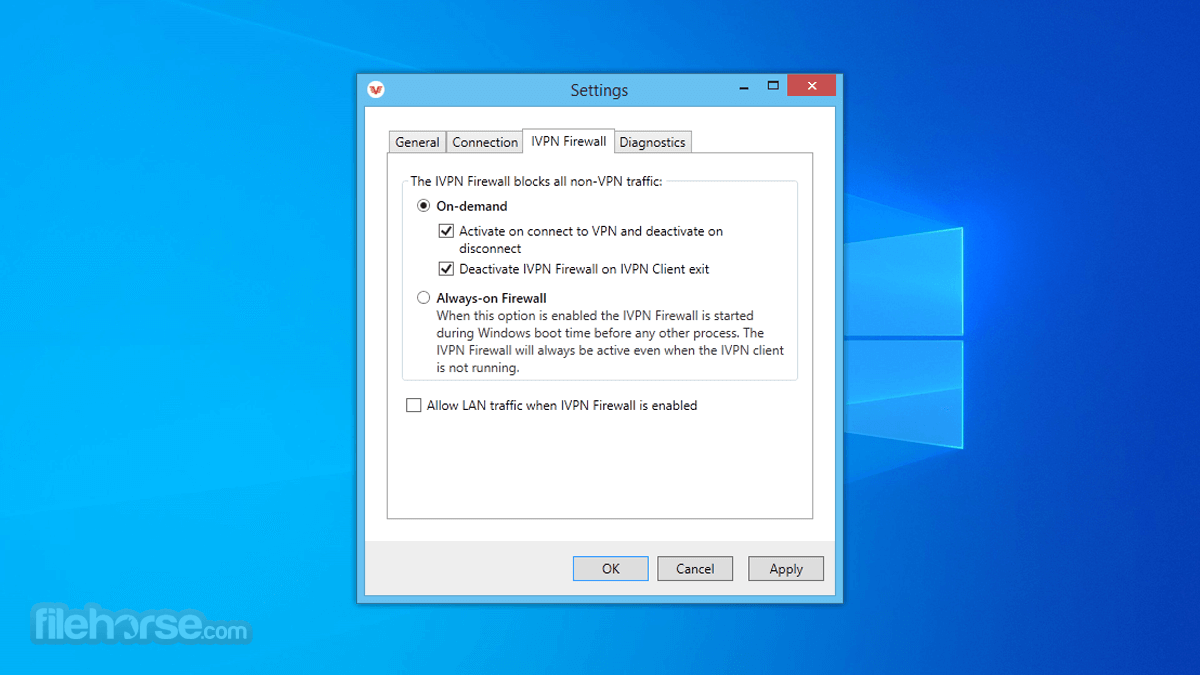
- Firewall / killswitch - Ability to configure as on-demand or always-on. Offers comprehensive protection against DNS, IPv6, disconnection, and WebRTC leaks.
- Ability to define trusted Wi-Fi networks and create rules for automatic VPN connection/disconnection.
- Multi-hop VPN routes. Connect through multiple servers in separate jurisdictions for enhanced privacy.
- Allow LAN traffic when connected to VPN.
- Pause the VPN when disabling the VPN connection temporarily is required.
- Obfsproxy option to circumvent censorship.
- Custom DNS servers, with DoH.
- Split tunneling.
- Auto-update.
- Auto-connect on launch / on joining insecure Wi-Fi.
IVPN's user interface is clean, intuitive, and user-friendly. Upon launching the tool, users are greeted with a minimalist design that emphasizes ease of use.
The main dashboard prominently displays the connection status, server location, and a quick connect button. Users can easily select a server location, access settings, and toggle features like the Kill Switch and Multi-Hop with just a few clicks.
Overall, the UI provides an excellent balance between simplicity and customization, making it accessible for both beginners and advanced users.
Installation and Setup
Download: Visit the official website and download the client software for your respective operating system.
Installation: Run the installer and follow the on-screen instructions. The installation typically takes a few minutes.
Login: After installation, launch the app and log in with your account credentials.
Connect: Click the "Connect" button to establish a secure VPN connection. You can also select a specific server location if desired.
IVPN's setup process is hassle-free, and their website provides detailed guides for various platforms if you encounter any issues.
How to Use
- Launch the App: Open the application on your device.
- Login: Enter your account credentials.
- Connect: Click the "Connect" button to establish a VPN connection to the best server automatically or select a specific server location from the list.
- Customize: You can customize your settings, enable Multi-Hop, or configure split tunneling based on your preferences.
- Disconnect: To disconnect from the VPN, click the "Disconnect" button.
FAQ
Is IVPN truly anonymous?
Yes, the app is committed to user privacy. They have a strict no-logs policy and utilize strong encryption protocols, ensuring that your online activities remain anonymous.
How many devices can I use with my IVPN account?
You can use one program account on up to seven devices simultaneously, making it a versatile choice for securing your entire digital ecosystem.
Can I use IVPN for streaming and torrenting?
Absolutely. It allows P2P traffic on select servers and is an excellent choice for streaming services, as it offers high-speed servers optimized for content access.
Do they offer customer support?
Yes, it offers responsive customer support through email. They also provide an extensive knowledge base on their website.
Alternatives
NordVPN - Known for its strong security features and extensive server network.
ExpressVPN - Offers lightning-fast speeds and a user-friendly interface.
Surfshark VPN - Affordable VPN with unlimited simultaneous connections.
Private Internet Access (PIA) - Emphasizes privacy and advanced security features.
ProtonVPN - Provides a free tier with no data limitations and strong privacy policies.
System Requirements
OS: Windows 8 / 10 / 11 (64-bit)
Pricing
IVPN Standard for PC
- 1 Week - $2
- 1 Month - $6
- 1 Year - $60
- 2 Years - $100
- 3 Years - $140
- All protocols
- 2 devices
- AntiTracker
- 1 Week - $4
- 1 Month - $10
- 1 Year - $100
- 2 Years - $160
- 3 Years - $220
- All protocols
- 7 devices
- AntiTracker
- Multi-hop
- Strong commitment to privacy and no-logs policy.
- User-friendly and intuitive interface.
- Multi-platform support.
- High-speed servers in over 45 countries.
- Multi-Hop and split tunneling for added security.
- Dedicated IP option.
- Excellent customer support.
- Premium pricing compared to some competitors.
The IVPN Client VPN stands as a robust and dependable tool for those who prioritize online privacy and security. With a strict no-logs policy, strong encryption, a user-friendly interface, and an array of useful features like Multi-Hop and split tunneling, it caters to both novice users and tech enthusiasts.
While the pricing may be on the higher side compared to some alternatives, the level of privacy and security it provides is well worth the investment. Whether you're looking to protect your personal data, access geo-restricted content, or secure your online activities, IVPN app is a commendable choice that delivers on its promises.
Note: 3-day trial (requires credit card subscription). Requires .NET Framework.
Also Available: Download IVPN Client for Mac
Download IVPN Client Latest Version Why is this app published on FileHorse? (More info)
##
畫面截圖