- 目前版本54.04
- 更新日期2026-07-30
- 檔案大小345 MB
- 檔案名稱karaoke5.exe
- 作業系統Windows 7 / Windows 7 64 / Windows 8 / Windows 8 64 / Windows 10 / Windows 10 64 / Windows 11
- 支援語系English
- 授權型式試用版
- 開發商 Mediasoft
- 軟體分類Windows 軟體 / 音訊軟體
##
翻譯排程處理中,以下暫以英文原文呈現
軟體介紹
Karaoke 5 is a professional karaoke player and manager that caters to both home users and professional DJs. It allows users to play karaoke tracks, edit them, and even create new ones.
The Karaoke 5 for PC software supports a wide range of formats, including MP3, MP4, MIDI, and KAR, making it a highly compatible choice for karaoke enthusiasts.
Its advanced tools and multi-language support ensure that users worldwide can take full advantage of its capabilities.
Highlights
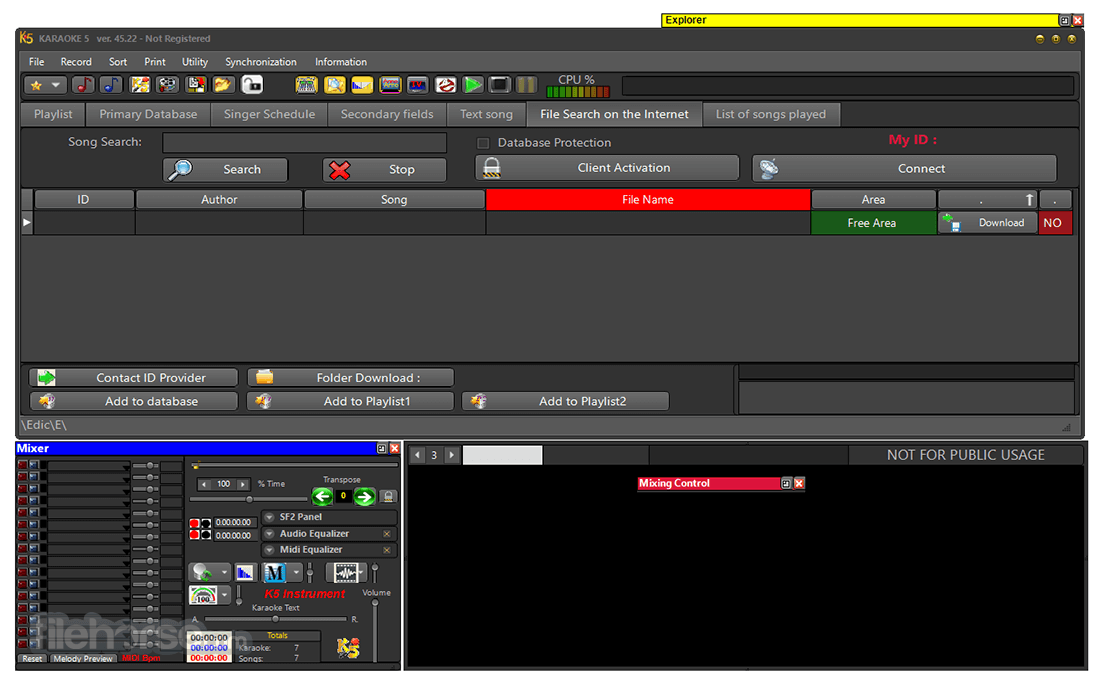
The Main Window
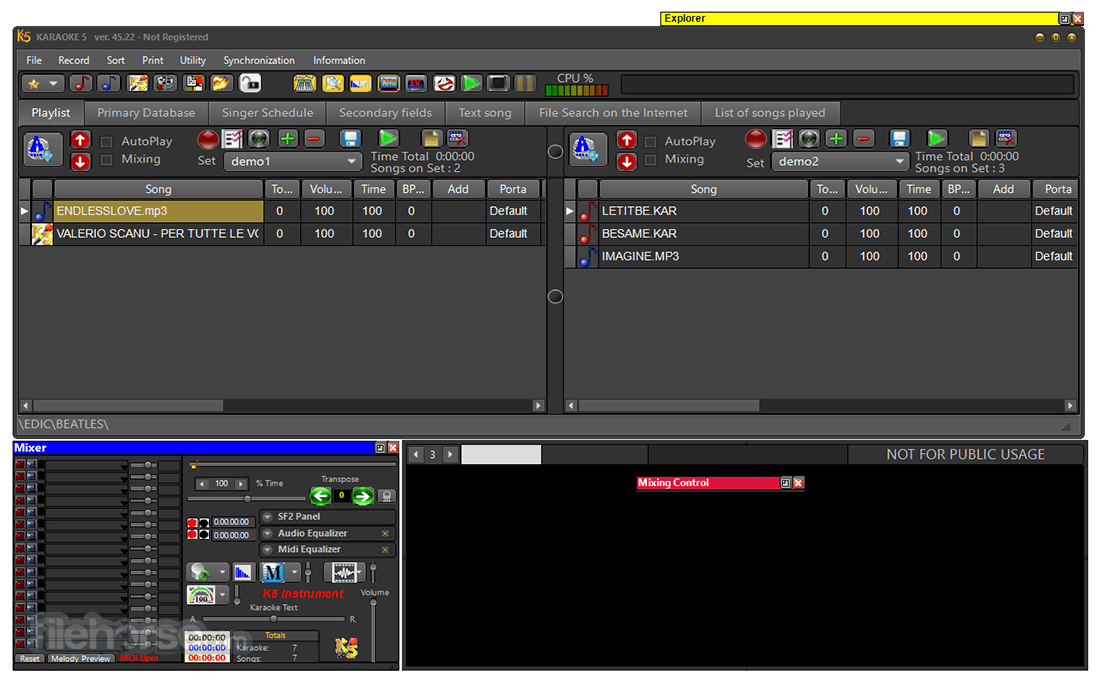
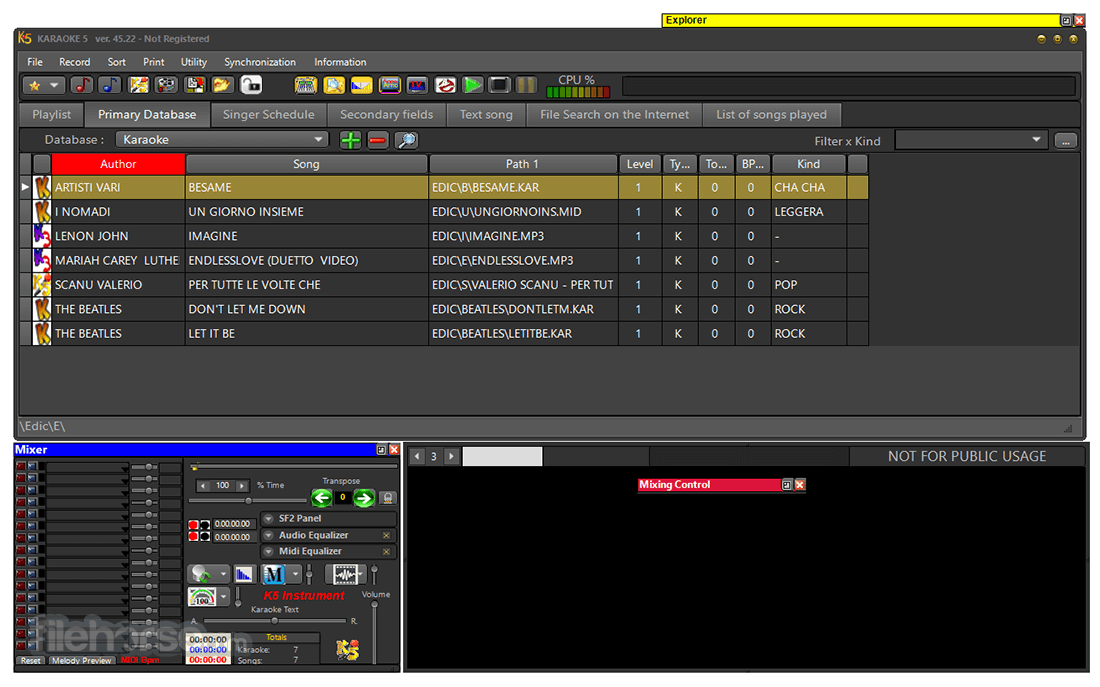
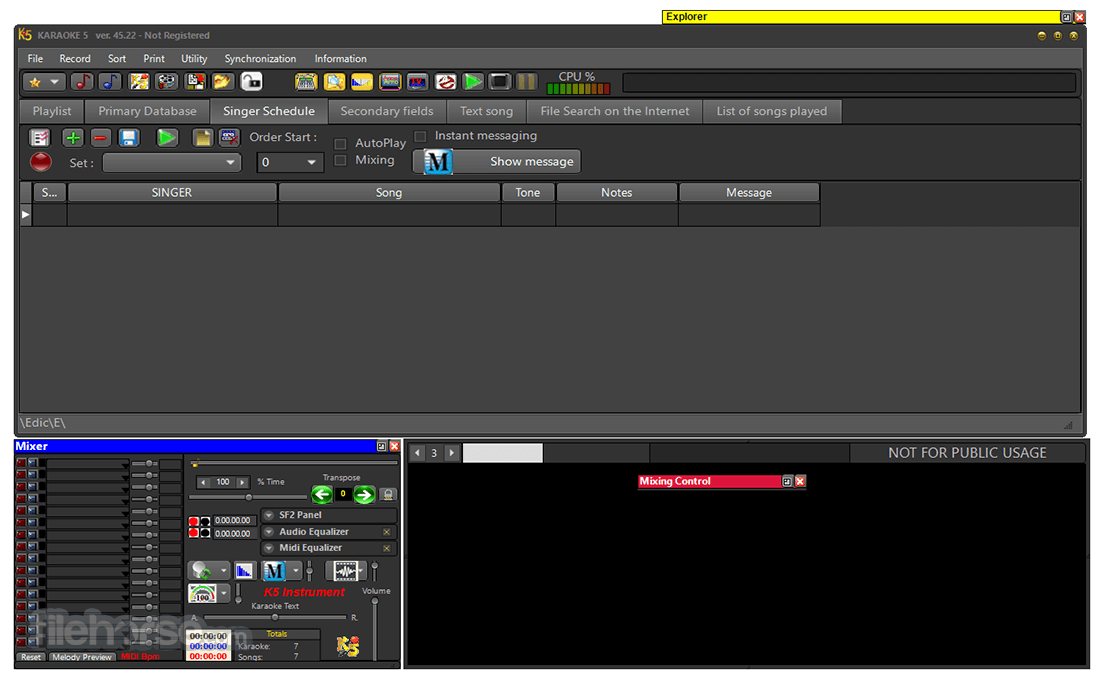
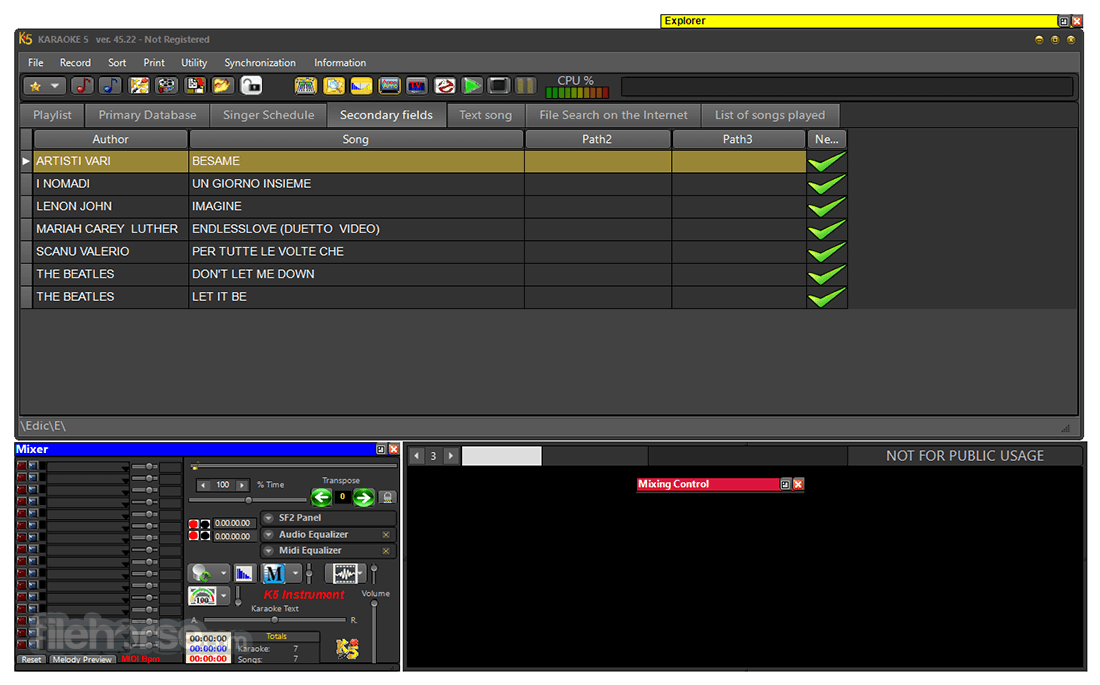
In the professional or home version, the software is an excellent text synchronizer used to create Midi, MP3, K5, and MP4 files and an excellent management tool with Double Screen "TV" (only in the PRO version), mixing of songs through the Mix Control, K5 Virtual Instruments, fast database searches, an Internet search of musical karaoke bases quickly and easily, window with artists lineup... to be used during performances or shows.
The Mixer
The mixer contains several controls like transposing, instant messaging (a powerful tool to send video messages, applause, jingles), and a whole section on equalizers.
The Karaoke Window
The Karaoke Window displays the synchronized lyrics of a song on the PC.
The Mixer Control
How many times have you wanted to stop a track (maybe too long or because you simply didn't feel like singing it anymore) to immediately go to the next one? With the innovative Mixing Control window, this becomes easy and fun.
The Explorer Window
The Explorer window allows communication with internal and external hard drives with fast searches and total control of your music files and for cueing songs on the headset.
TV Window
Available only in the professional version, an essential tool to have on your pc, second monitor, or TV split-screen.
The Playlist
In addition to the Main Database on the main window, there are two additional windows, side by side, called Playlist to have maximum control in every situation.
Features
Multiformat Compatibility: Supports MP3, MIDI, KAR, MP4, and other common karaoke file types.
File Management: Comprehensive tools to organize and manage karaoke tracks.
Karaoke Creation: Users can create and edit karaoke tracks with built-in tools.
Live Performance Mode: Features designed for live DJ performances, such as dual-screen display and live mixing.
Lyrics Synchronization: Allows precise synchronization of lyrics with music.
Multilanguage Support: Interface available in multiple languages.
Scoring System: Built-in scoring for karaoke competitions.
Cloud Integration: Ability to save and retrieve playlists from cloud services.
User Interface
Control Panel: Intuitive layout for quick access to essential features.
Playlist Manager: Allows users to drag and drop tracks for easy playlist creation.
Dual-Screen Support: Offers a singer’s screen and a separate screen for controlling tracks.
Customization Options: Themes and display settings for personalized user experiences.
Installation and Setup
Add Songs: Import songs via the "Add" button or drag and drop files into the playlist manager.
Edit Tracks: Use the built-in editor to synchronize lyrics, adjust tempo, and customize tracks.
Create Playlists: Organize tracks for events or personal use.
Live Performances: Enable dual-screen mode and manage tracks live during performances.
Save Projects: Save and export your playlists for future use or cloud storage.
FAQ
Is Karaoke 5 free?
It offers both free and premium versions. The free version includes basic features, while the premium version unlocks advanced tools.
Can I import my own karaoke files?
Yes, it supports importing various karaoke file formats.
Does Karaoke 5 support scoring?
Yes, it includes a scoring system for karaoke competitions.
Can I use Karaoke 5 for live DJ performances?
Absolutely. Its dual-screen mode and live mixing features are tailored for professional DJs.
Is it compatible with macOS?
This program is primarily a Windows application but can run on macOS using emulators or dual-boot setups.
Alternatives
Kanto Karaoke: Known for its modern interface and high-quality playback.
KaraFun Karaoke Player: Offers a vast online karaoke library.
Pricing
It offers two pricing tiers:
Free Version: Limited features but sufficient for casual users.
Premium Version: Priced at approximately $50 (varies by region), unlocking advanced tools such as the karaoke editor and live performance features.
System Requirements
Download Karaoke 5 Latest Version Why is this app published on FileHorse? (More info)
The Karaoke 5 for PC software supports a wide range of formats, including MP3, MP4, MIDI, and KAR, making it a highly compatible choice for karaoke enthusiasts.
Its advanced tools and multi-language support ensure that users worldwide can take full advantage of its capabilities.
Highlights
The Main Window
In the professional or home version, the software is an excellent text synchronizer used to create Midi, MP3, K5, and MP4 files and an excellent management tool with Double Screen "TV" (only in the PRO version), mixing of songs through the Mix Control, K5 Virtual Instruments, fast database searches, an Internet search of musical karaoke bases quickly and easily, window with artists lineup... to be used during performances or shows.
The Mixer
The mixer contains several controls like transposing, instant messaging (a powerful tool to send video messages, applause, jingles), and a whole section on equalizers.
The Karaoke Window
The Karaoke Window displays the synchronized lyrics of a song on the PC.
The Mixer Control
How many times have you wanted to stop a track (maybe too long or because you simply didn't feel like singing it anymore) to immediately go to the next one? With the innovative Mixing Control window, this becomes easy and fun.
The Explorer Window
The Explorer window allows communication with internal and external hard drives with fast searches and total control of your music files and for cueing songs on the headset.
TV Window
Available only in the professional version, an essential tool to have on your pc, second monitor, or TV split-screen.
The Playlist
In addition to the Main Database on the main window, there are two additional windows, side by side, called Playlist to have maximum control in every situation.
Features
Multiformat Compatibility: Supports MP3, MIDI, KAR, MP4, and other common karaoke file types.
File Management: Comprehensive tools to organize and manage karaoke tracks.
Karaoke Creation: Users can create and edit karaoke tracks with built-in tools.
Live Performance Mode: Features designed for live DJ performances, such as dual-screen display and live mixing.
Lyrics Synchronization: Allows precise synchronization of lyrics with music.
Multilanguage Support: Interface available in multiple languages.
Scoring System: Built-in scoring for karaoke competitions.
Cloud Integration: Ability to save and retrieve playlists from cloud services.
User Interface
Control Panel: Intuitive layout for quick access to essential features.
Playlist Manager: Allows users to drag and drop tracks for easy playlist creation.
Dual-Screen Support: Offers a singer’s screen and a separate screen for controlling tracks.
Customization Options: Themes and display settings for personalized user experiences.
Installation and Setup
- Download the installer from the official website or FileHorse.
- Run the installer and follow on-screen instructions.
- Select the preferred language and installation folder.
- Configure audio and video settings during the initial setup.
- System requirements are minimal, ensuring compatibility with most modern PCs.
Add Songs: Import songs via the "Add" button or drag and drop files into the playlist manager.
Edit Tracks: Use the built-in editor to synchronize lyrics, adjust tempo, and customize tracks.
Create Playlists: Organize tracks for events or personal use.
Live Performances: Enable dual-screen mode and manage tracks live during performances.
Save Projects: Save and export your playlists for future use or cloud storage.
FAQ
Is Karaoke 5 free?
It offers both free and premium versions. The free version includes basic features, while the premium version unlocks advanced tools.
Can I import my own karaoke files?
Yes, it supports importing various karaoke file formats.
Does Karaoke 5 support scoring?
Yes, it includes a scoring system for karaoke competitions.
Can I use Karaoke 5 for live DJ performances?
Absolutely. Its dual-screen mode and live mixing features are tailored for professional DJs.
Is it compatible with macOS?
This program is primarily a Windows application but can run on macOS using emulators or dual-boot setups.
Alternatives
Kanto Karaoke: Known for its modern interface and high-quality playback.
KaraFun Karaoke Player: Offers a vast online karaoke library.
Pricing
It offers two pricing tiers:
Free Version: Limited features but sufficient for casual users.
Premium Version: Priced at approximately $50 (varies by region), unlocking advanced tools such as the karaoke editor and live performance features.
System Requirements
- Operating System: Windows 7, 8, 10, or 11
- Processor: 1 GHz or faster
- RAM: 2 GB minimum
- Storage: 200 MB of available space
- Graphics: DirectX-compatible graphics card
- Audio: DirectX-compatible sound card
- Supports multiple file formats.
- Robust tools for editing and creating karaoke tracks.
- Suitable for both casual and professional use.
- Scoring and live performance features.
- Outdated user interface.
- Advanced features require a premium subscription.
- Limited macOS compatibility.
Download Karaoke 5 Latest Version Why is this app published on FileHorse? (More info)
##
畫面截圖