- 目前版本12.9.0.3
- 更新日期2026-08-11
- 檔案大小370 MB
- 檔案名稱LansweeperSetup.exe
- 作業系統Windows 7 / Windows 8 / Windows 10 / Windows 11
- 支援語系English
- 授權型式試用版
- 開發商 Lansweeper Team
- 軟體分類Windows 軟體 / 檔案傳輸與網路
##
翻譯排程處理中,以下暫以英文原文呈現
軟體介紹
Lansweeper is an advanced IT asset management and network discovery tool designed for Windows environments
It helps businesses and IT administrators scan, manage, and track devices, software, and network assets without requiring agent installations.
Lansweeper provides comprehensive insights into hardware inventory, software usage, and security vulnerabilities, making it an essential tool for IT professionals.
Key Features
Agentless Network Scanning – Automatically scans all connected devices without the need for additional agents.
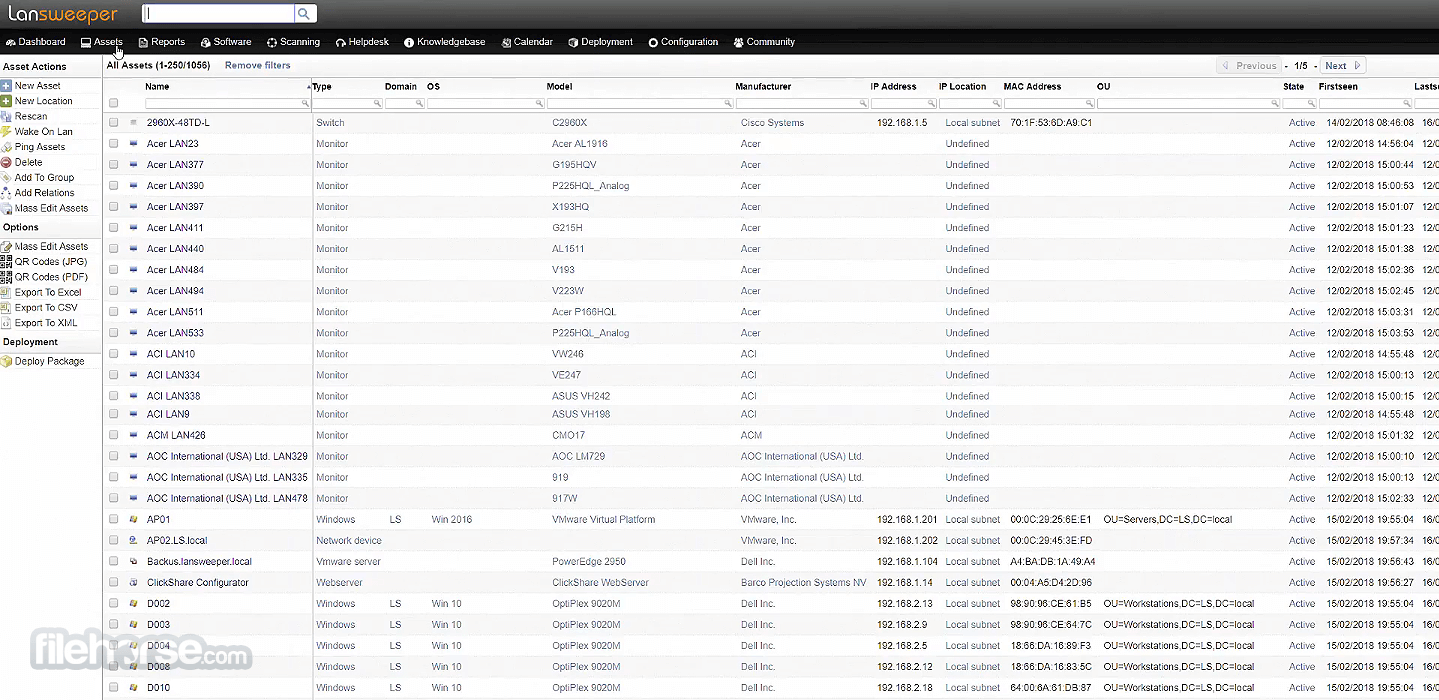
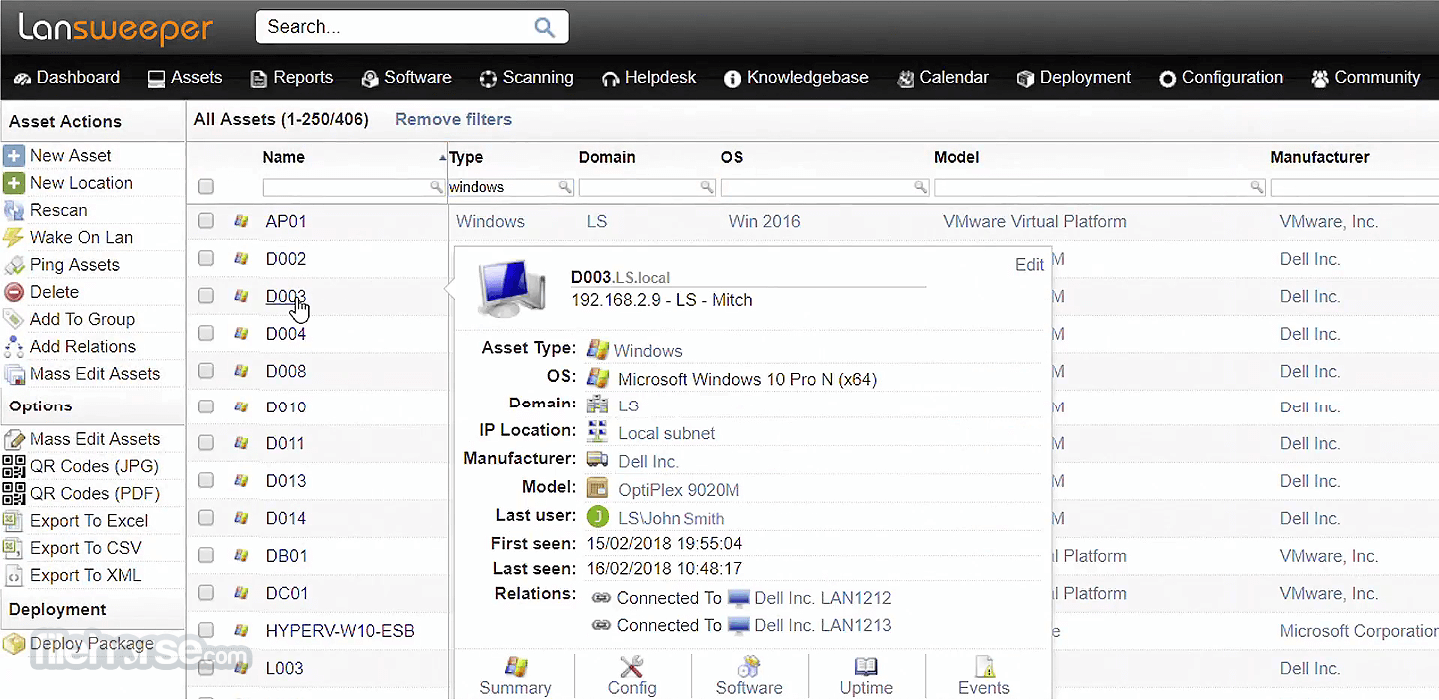
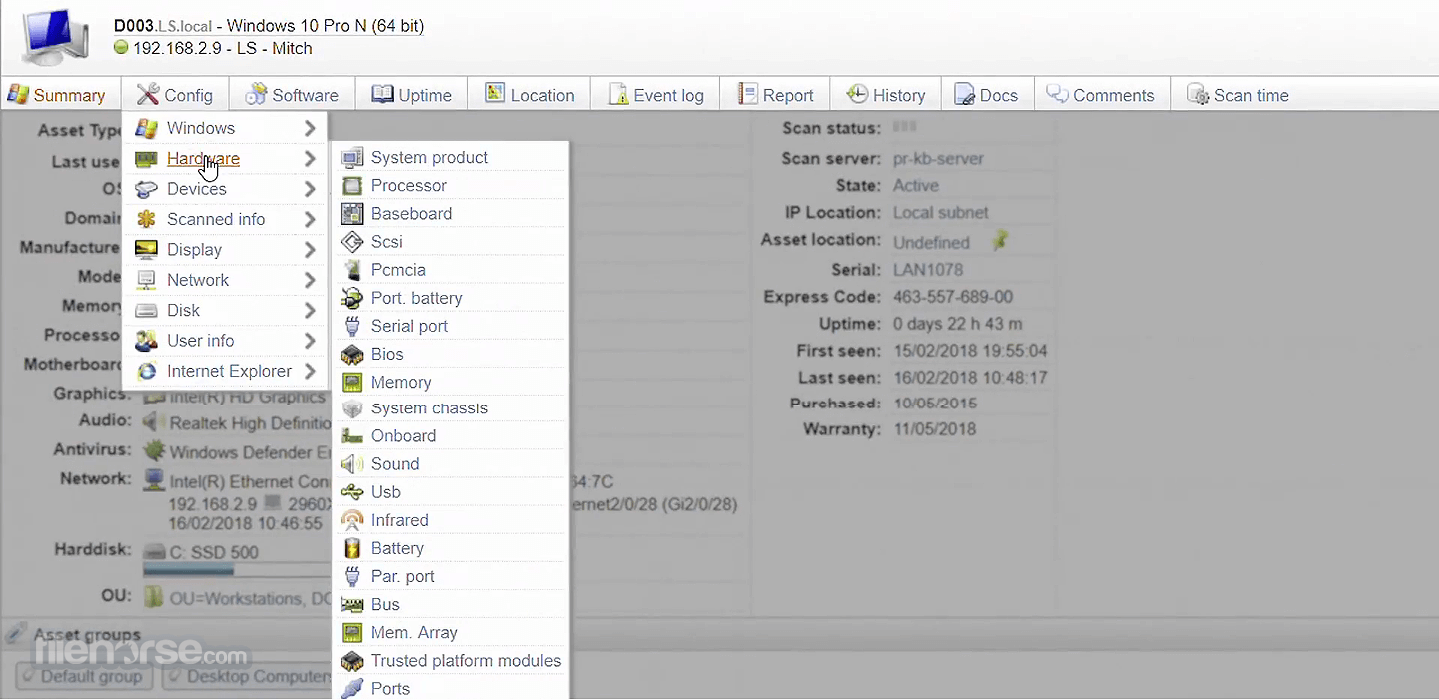
Detailed IT Asset Inventory – Provides in-depth hardware and software information, including system specifications, license details, and warranty status.
Software License Management – Tracks software installations and licensing compliance.
Security & Vulnerability Detection – Identifies outdated software and security risks across the network.
Custom Reporting & Dashboards – Generates customizable reports to analyze IT infrastructure.
User Interface
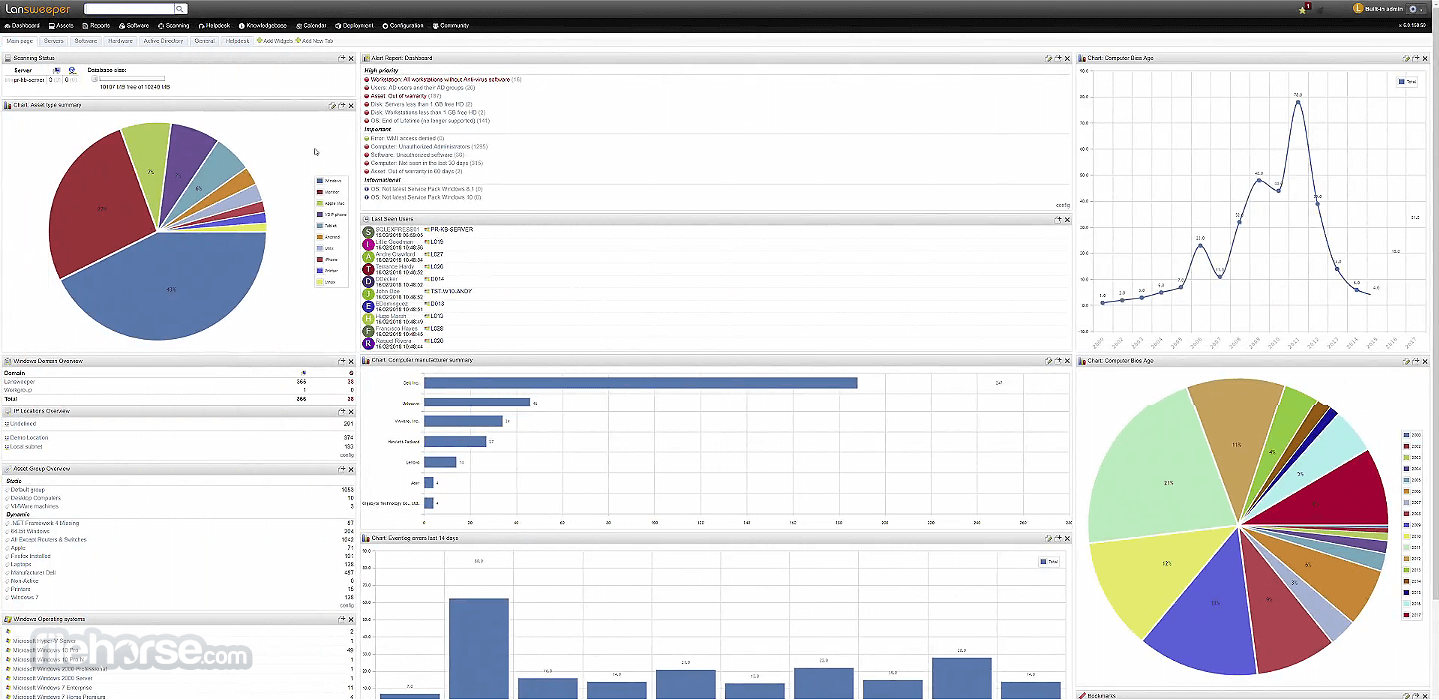
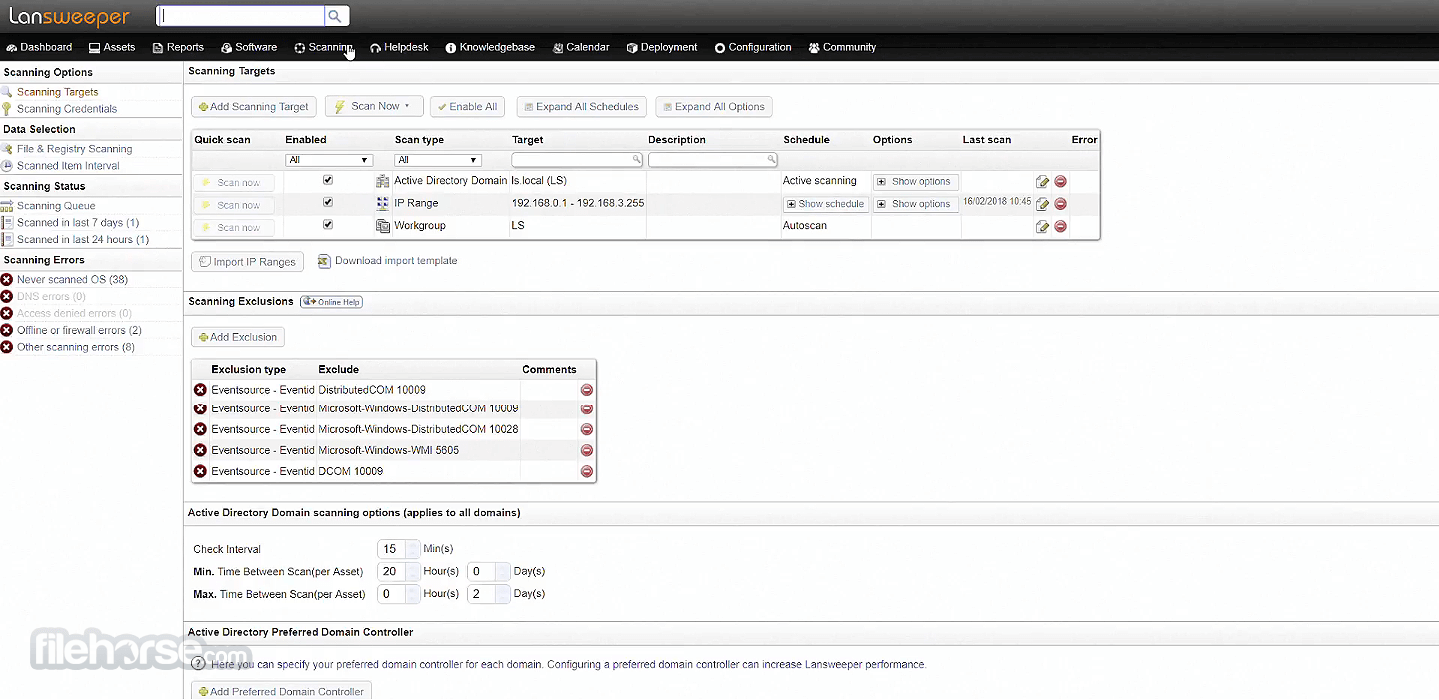
It features a clean, web-based dashboard that presents IT assets in an organized manner.
The UI is structured for easy navigation, with intuitive search and reporting tools that help users quickly find the information they need.
Installation & Setup
Is Lansweeper free?
It offers a free version with limited scanning capabilities, while paid plans provide full IT asset management features.
Can Lansweeper scan non-Windows devices?
Yes, it supports scanning Linux, macOS, and network devices such as routers and printers.
Does Lansweeper require an agent?
No, it uses agentless scanning, but optional agents are available for remote systems.
Can I integrate Lansweeper with other IT tools?
Yes, it integrates with tools like ServiceNow, Splunk, and Microsoft SCCM.
Does Lansweeper offer cloud-based access?
The program provides both on-premises and cloud options, depending on your needs.
Alternatives
ManageEngine OpManager Plus – Integrated network, server, and application performance monitoring.
ManageEngine NetFlow Analyzer – Network traffic analysis and bandwidth monitoring tool.
Pricing
It offers a free version for small networks and tiered pricing for businesses, starting at approximately $1 per asset per year, with enterprise options available.
System Requirements
Lansweeper is a powerful and affordable IT asset management solution for businesses of all sizes. With its agentless scanning, in-depth reporting, and security insights, it provides IT teams with full visibility into their infrastructure.
While there is a slight learning curve, its capabilities far outweigh the initial setup effort. For organizations looking for an efficient way to manage and track IT assets, this platform is a top-tier choice.
Note: Requires MS .NET Framework. Limited to 100 assets in the demo version.
Download Lansweeper Latest Version Why is this app published on FileHorse? (More info)
It helps businesses and IT administrators scan, manage, and track devices, software, and network assets without requiring agent installations.
Lansweeper provides comprehensive insights into hardware inventory, software usage, and security vulnerabilities, making it an essential tool for IT professionals.
Key Features
Agentless Network Scanning – Automatically scans all connected devices without the need for additional agents.
Detailed IT Asset Inventory – Provides in-depth hardware and software information, including system specifications, license details, and warranty status.
Software License Management – Tracks software installations and licensing compliance.
Security & Vulnerability Detection – Identifies outdated software and security risks across the network.
Custom Reporting & Dashboards – Generates customizable reports to analyze IT infrastructure.
User Interface
It features a clean, web-based dashboard that presents IT assets in an organized manner.
The UI is structured for easy navigation, with intuitive search and reporting tools that help users quickly find the information they need.
Installation & Setup
- Download the installer from the official website or FileHorse.
- Run the setup and configure the database (SQL or built-in).
- Set up network scanning parameters.
- Access the web-based dashboard to start managing assets.
- Configure network scanning to detect all connected devices.
- Generate reports on hardware, software, and security vulnerabilities.
- Track IT asset changes over time.
- Set up alerts for outdated software or unauthorized device connections.
Is Lansweeper free?
It offers a free version with limited scanning capabilities, while paid plans provide full IT asset management features.
Can Lansweeper scan non-Windows devices?
Yes, it supports scanning Linux, macOS, and network devices such as routers and printers.
Does Lansweeper require an agent?
No, it uses agentless scanning, but optional agents are available for remote systems.
Can I integrate Lansweeper with other IT tools?
Yes, it integrates with tools like ServiceNow, Splunk, and Microsoft SCCM.
Does Lansweeper offer cloud-based access?
The program provides both on-premises and cloud options, depending on your needs.
Alternatives
ManageEngine OpManager Plus – Integrated network, server, and application performance monitoring.
ManageEngine NetFlow Analyzer – Network traffic analysis and bandwidth monitoring tool.
Pricing
It offers a free version for small networks and tiered pricing for businesses, starting at approximately $1 per asset per year, with enterprise options available.
System Requirements
- Windows 11 or Windows 10
- Windows Server 2012 or later
- SQL Server (optional for database storage)
- At least 4GB RAM (8GB+ recommended for larger networks)
- .NET Framework 4.8 or later
- Comprehensive IT asset discovery
- Agentless scanning for easy deployment
- Detailed reporting and security insights
- Integrations with major IT management tools
- Affordable pricing for SMBs and enterprises
- Learning curve for first-time users
- Requires proper database setup for large networks
- Limited free version
Lansweeper is a powerful and affordable IT asset management solution for businesses of all sizes. With its agentless scanning, in-depth reporting, and security insights, it provides IT teams with full visibility into their infrastructure.
While there is a slight learning curve, its capabilities far outweigh the initial setup effort. For organizations looking for an efficient way to manage and track IT assets, this platform is a top-tier choice.
Note: Requires MS .NET Framework. Limited to 100 assets in the demo version.
Download Lansweeper Latest Version Why is this app published on FileHorse? (More info)
##
畫面截圖