⚠ 這是歷史版本頁面 — 查看 LibreOffice 26.2.4 (64-bit) 最新版本 →

LibreOffice 25.2.0 (64-bit)
v 25.2.0 (64-bit)
Windows
開源軟體
8.58/10 (246)
- 目前版本25.2.0 (64-bit)
- 更新日期2025-02-10
- 檔案大小347.36 MB
- 檔案名稱LibreOffice_25.2.0_Win_x86-64.msi
- 作業系統Windows 7 64 / Windows 8 64 / Windows 10 64 / Windows 11
- 支援語系English
- 授權型式開源軟體
- 開發商 The Document Foundation
- 軟體分類Windows 軟體 / 辦公商務
##
編輯短評
LibreOffice 是一套開放原始碼的辦公生產力套件,涵蓋文書處理、試算表、簡報、資料庫管理等常用工具,主要解決商業辦公軟體授權費用高昂的問題。它繼承 OpenOffice 的基礎,由大型社群持續開發,更新相當活躍,在同類開源方案中屬於主流首選,使用者評價普遍不錯,尤其受到重視隱私與成本效益的族群歡迎。
這套軟體適合預算有限、不想綁定商業授權的個人或小型企業,也常用於需要跨平台(Windows、macOS、Linux)一致體驗的環境。與微軟 Office 相比,功能完整但部分複雜文件的格式相容性可能略有落差,需留意轉檔後的排版。此版本僅提供英文介面,且為 64 位元安裝版,使用前請確認系統環境與語系需求。
##
翻譯排程處理中,以下暫以英文原文呈現
軟體介紹
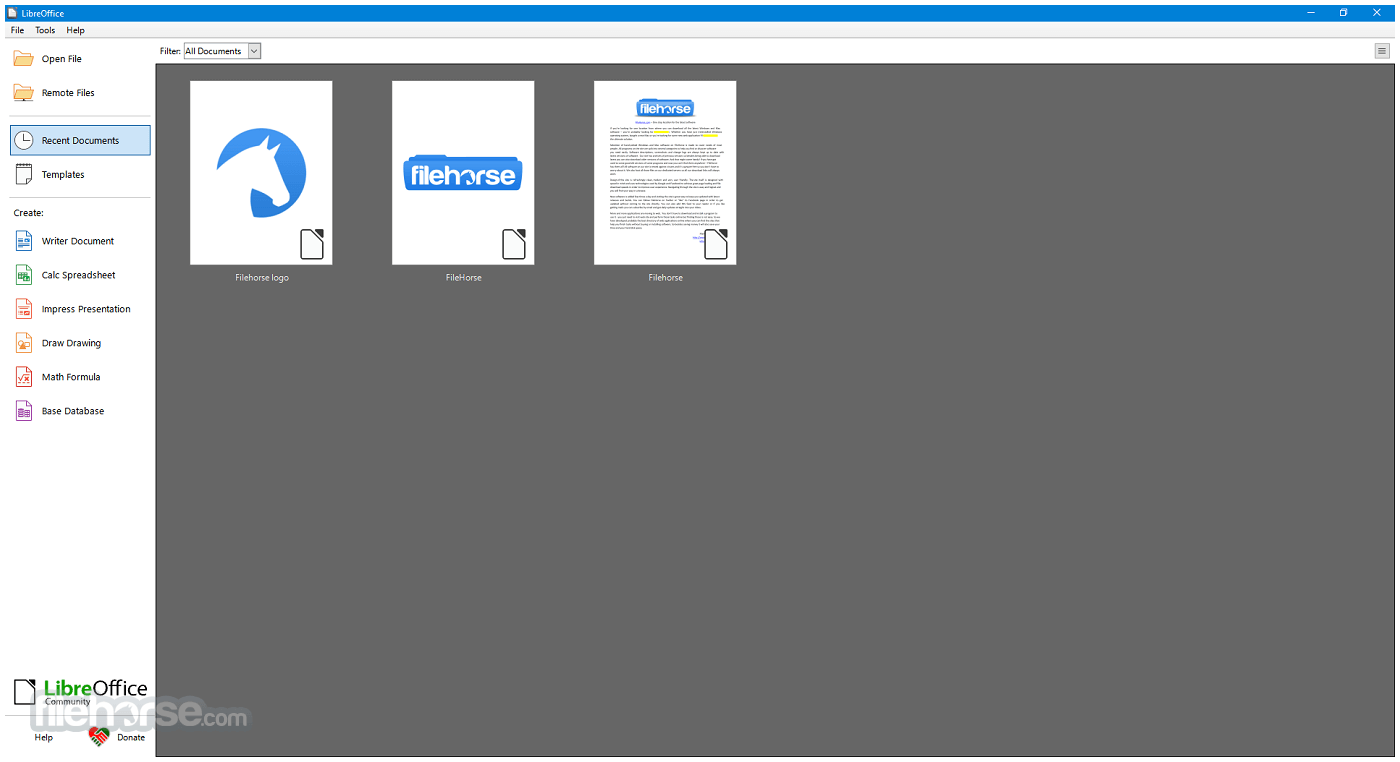
LibreOffice is a powerful, open-source office productivity suite for Windows developed by The Document Foundation.
It offers a robust alternative to commercial software like Microsoft Office, featuring a wide array of tools for word processing, spreadsheets, presentations, database management, and more.
Available for Windows, macOS, and Linux, LibreOffice is particularly popular among users looking for a cost-effective, feature-rich, and privacy-respecting productivity solution.
LibreOffice 64bit is built upon the legacy of OpenOffice and continues to be actively developed by a large community of contributors. For Windows users, it presents an excellent option for both personal and professional use.
What`s New
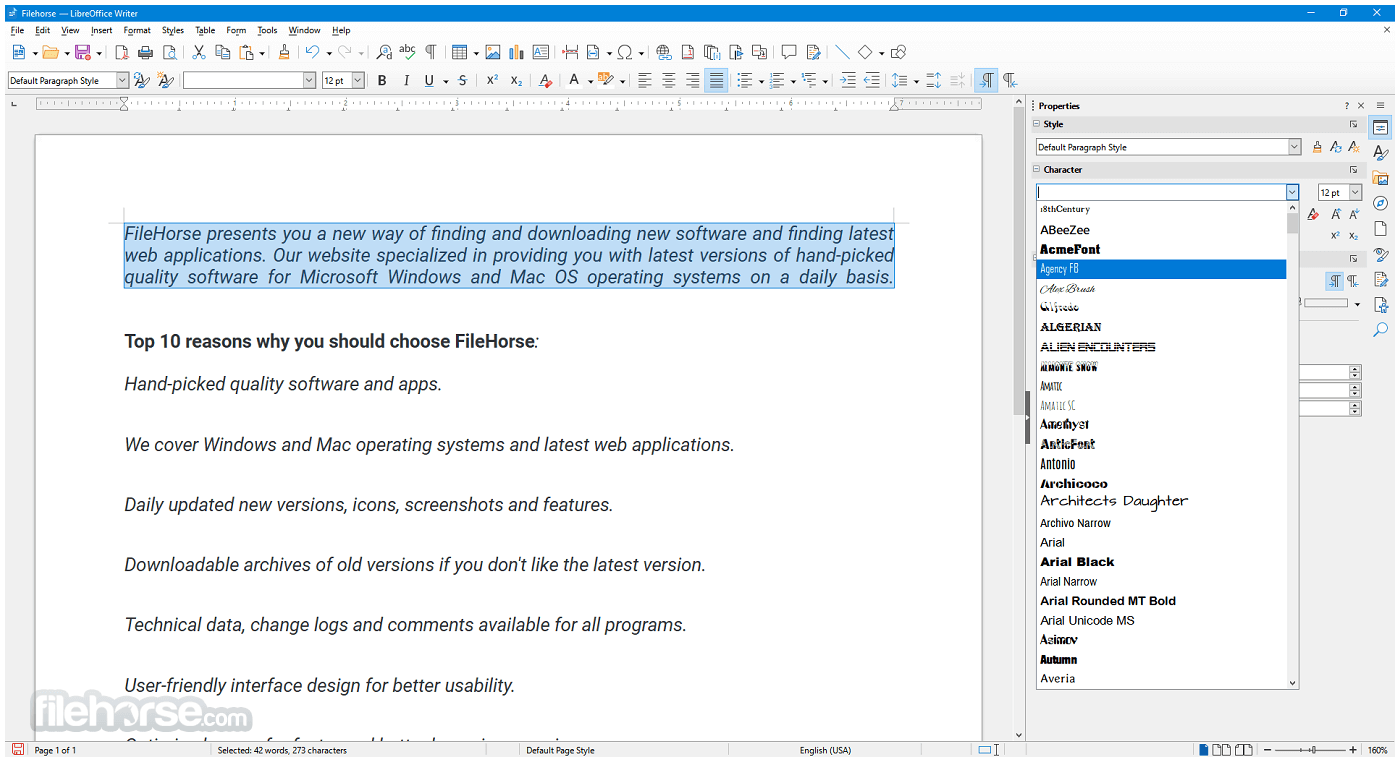
Writer: A word processor for creating letters, reports, books, and more.
Calc: A spreadsheet program similar to Microsoft Excel, supporting complex formulas, charts, and data analysis tools.
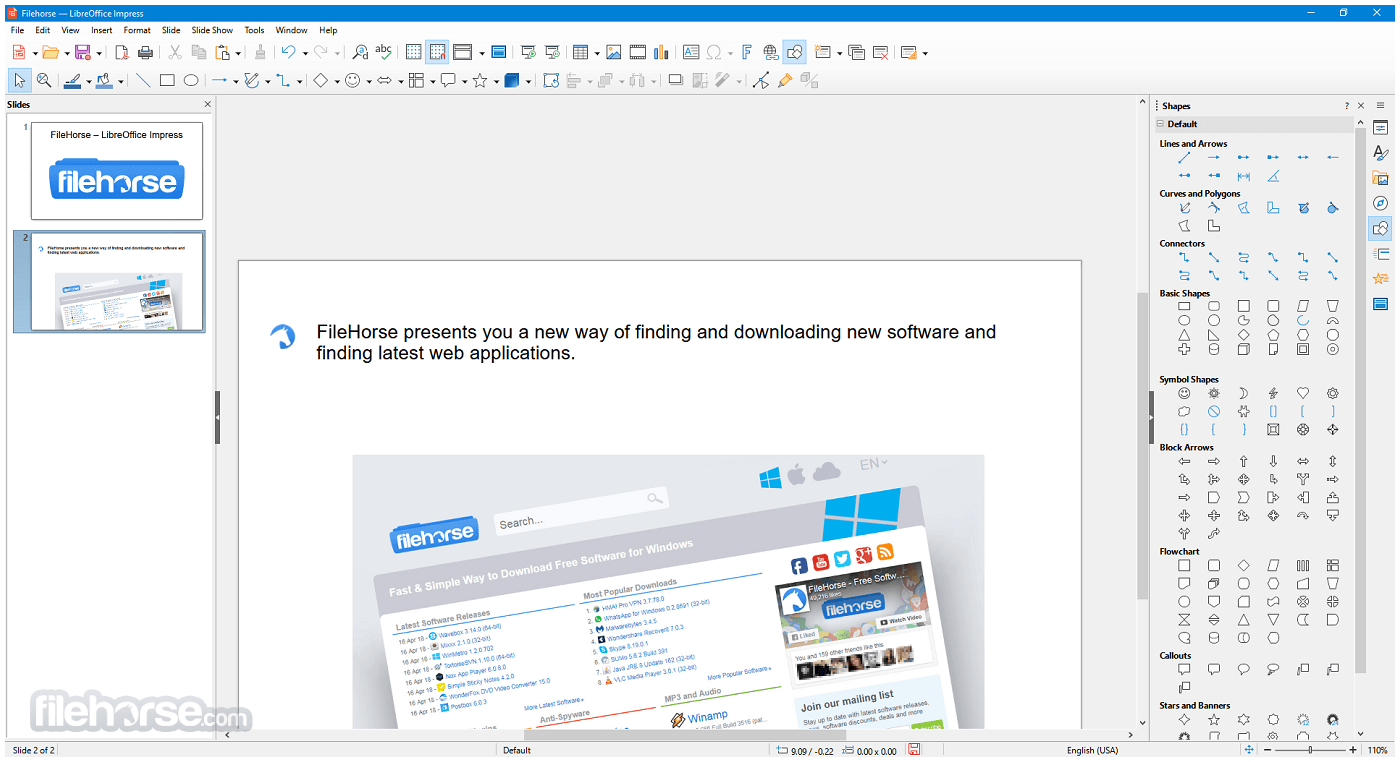
Impress: A presentation tool for creating slideshows, supporting multimedia integration and animation.
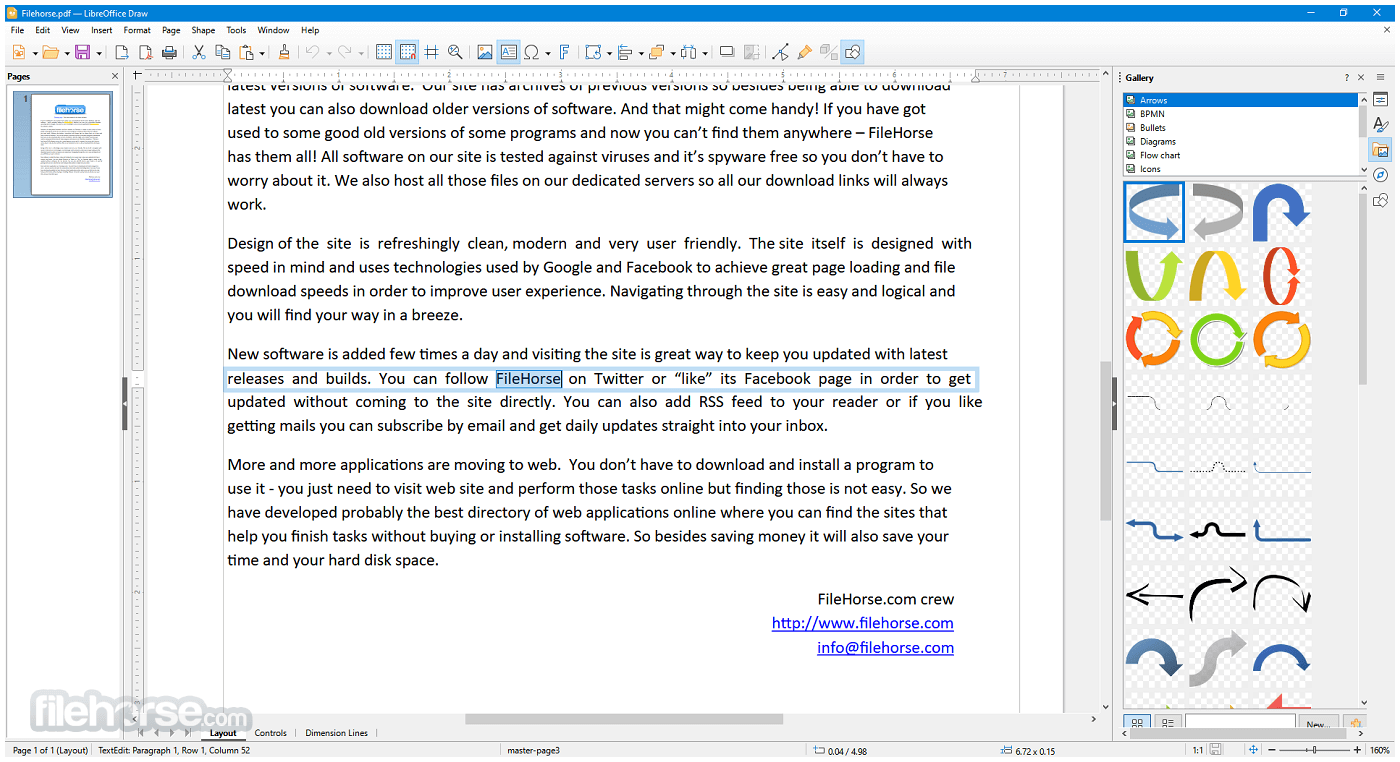
Draw: A vector graphics editor that allows diagramming, flowcharts, brochures, and technical drawings.
Base: A database front-end similar to Microsoft Access, useful for creating and managing databases.
Math: A formula editor for writing mathematical and scientific equations.
It also supports a wide range of document formats, including Microsoft Word (.doc/.docx), Excel (.xls/.xlsx), and PowerPoint (.ppt/.pptx), as well as its own native Open Document Format (ODF).
User Interface
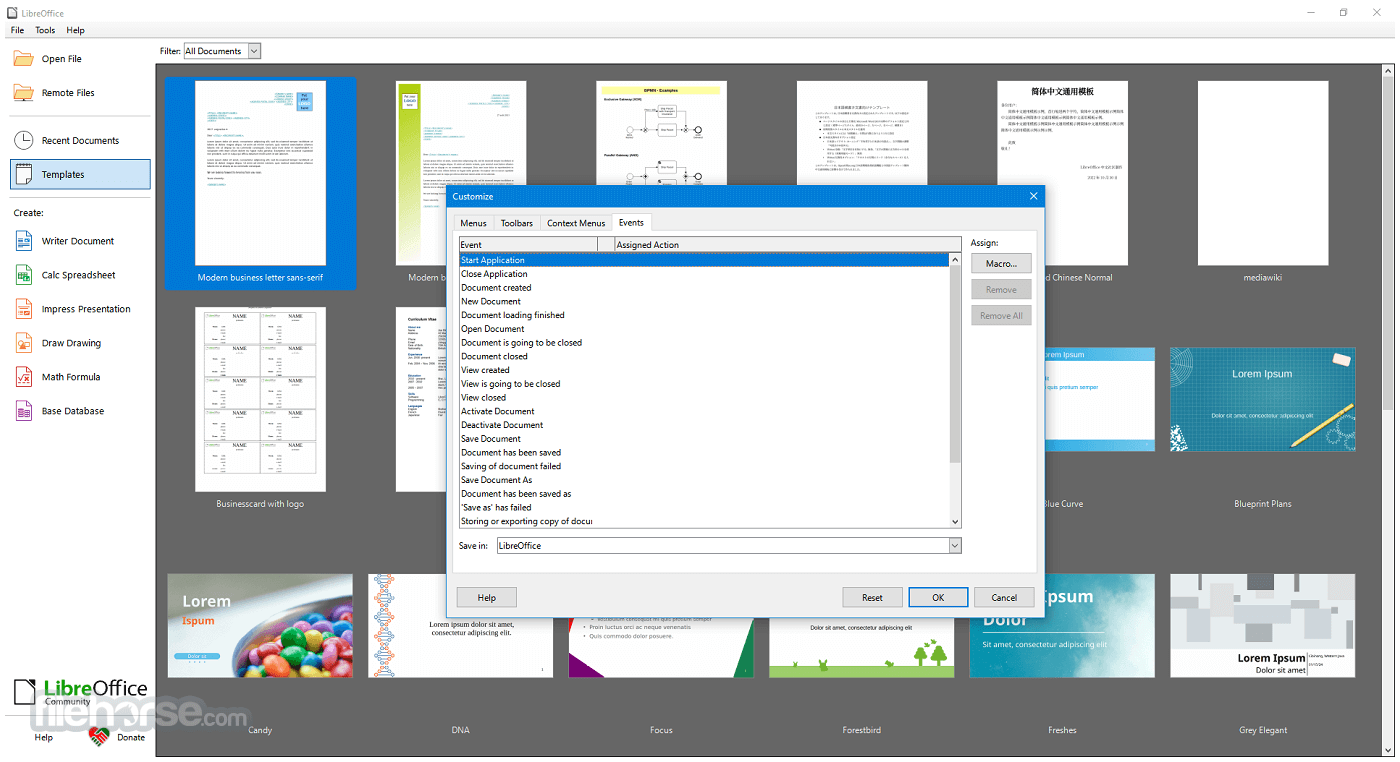
The app sports a traditional desktop application UI, ideal for users who prefer a more classic, menu-driven interface over ribbon-style layouts. However, for those who enjoy a more modern look, LibreOffice includes an optional “Tabbed” interface that mimics the feel of Microsoft Office’s ribbon.
The UI is generally consistent across all modules, which makes learning the suite easier. Customization options are extensive, with the ability to personalize toolbars, menus, keyboard shortcuts, and themes.
While not as sleek or polished as some proprietary alternatives, the interface is functional, intuitive, and gets the job done.
Installation and Setup
Launching Applications: After installation, you can open individual components like Writer, Calc, or Impress directly from the Start Menu or the LibreOffice launcher.
Creating Documents: Create a new document by selecting a template or blank file. Each module includes templates to get started quickly.
Saving and Exporting: Documents can be saved in ODF format or exported to Microsoft formats or PDF.
Collaboration: While LibreOffice doesn’t offer real-time cloud-based collaboration, it supports comments, change tracking, and version comparison.
It provides helpful documentation and a vibrant community forum for new users. There's also a built-in help system and tooltips for guidance.
FAQs
Can LibreOffice open Microsoft Office files?
Yes, it can open and edit Word, Excel, and PowerPoint files, including both older (.doc, .xls) and newer (.docx, .xlsx) formats.
Is LibreOffice 64bit completely free?
Yes, this program is 100% free to download and use, with no subscriptions, ads, or licensing fees.
Does LibreOffice work offline?
Yes, all applications in LibreOffice are desktop-based and work fully offline.
Can I use LibreOffice for business?
Absolutely. LibreOffice is licensed under the Mozilla Public License, making it suitable for both personal and commercial use.
Are there updates or support available?
The software receives regular updates from The Document Foundation. While community support is free, professional support is available via certified partners.
Alternatives
Apache OpenOffice: Similar origins to LibreOffice but less actively developed.
WPS Office: A lightweight, freemium office suite that offers a UI similar to Microsoft Office.
OnlyOffice: Another open-source alternative focused on collaboration and Microsoft format compatibility.
Microsoft Office: The industry standard, with robust features and cloud integration, but requires a paid license.
Google Workspace: Cloud-based and ideal for collaboration, but dependent on an internet connection and less powerful for complex tasks.
Pricing
This program is entirely FREE. It is open-source software, which means there are no hidden costs, license renewals, or advertisements.
You can download, install, and use it for as long as you like.
Users and organizations who benefit from LibreOffice are encouraged to contribute to its development, either through donations or code contributions.
System Requirements
PROS
LibreOffice 64bit for Windows PC is a powerful, versatile, and completely free office suite that continues to improve with every release. It covers the full spectrum of office productivity needs—from writing and number crunching to presentations and database management.
While it may lack some of the polish and integrated cloud features of commercial alternatives, its strengths lie in its flexibility, strong document compatibility, and active community-driven development.
Note: Requires Java Runtime Environment. Administrator rights are needed for the installation process.
Also Available: LibreOffice (32-bit) and LibreOffice for Mac
Download LibreOffice (64-bit) Latest Version Why is this app published on FileHorse? (More info)
It offers a robust alternative to commercial software like Microsoft Office, featuring a wide array of tools for word processing, spreadsheets, presentations, database management, and more.
Available for Windows, macOS, and Linux, LibreOffice is particularly popular among users looking for a cost-effective, feature-rich, and privacy-respecting productivity solution.
LibreOffice 64bit is built upon the legacy of OpenOffice and continues to be actively developed by a large community of contributors. For Windows users, it presents an excellent option for both personal and professional use.
What`s New
- Improved compatibility with Microsoft Office file formats (DOCX, XLSX, PPTX).
- Enhanced performance when opening large documents and spreadsheets.
- Refined user interface with updated icons and theme improvements.
- Writer updates with better comment handling and change tracking.
- Calc improvements including new functions and faster recalculation.
- Impress enhancements with smoother slide transitions and export options.
- Improved PDF export with added security and accessibility options.
- Stronger interoperability with modern OpenDocument (ODF) standards.
- Better spell-checking and language support updates.
- Bug fixes and stability improvements across all modules.
Writer: A word processor for creating letters, reports, books, and more.
Calc: A spreadsheet program similar to Microsoft Excel, supporting complex formulas, charts, and data analysis tools.
Impress: A presentation tool for creating slideshows, supporting multimedia integration and animation.
Draw: A vector graphics editor that allows diagramming, flowcharts, brochures, and technical drawings.
Base: A database front-end similar to Microsoft Access, useful for creating and managing databases.
Math: A formula editor for writing mathematical and scientific equations.
It also supports a wide range of document formats, including Microsoft Word (.doc/.docx), Excel (.xls/.xlsx), and PowerPoint (.ppt/.pptx), as well as its own native Open Document Format (ODF).
User Interface
The app sports a traditional desktop application UI, ideal for users who prefer a more classic, menu-driven interface over ribbon-style layouts. However, for those who enjoy a more modern look, LibreOffice includes an optional “Tabbed” interface that mimics the feel of Microsoft Office’s ribbon.
The UI is generally consistent across all modules, which makes learning the suite easier. Customization options are extensive, with the ability to personalize toolbars, menus, keyboard shortcuts, and themes.
While not as sleek or polished as some proprietary alternatives, the interface is functional, intuitive, and gets the job done.
Installation and Setup
- Download the latest stable version for Windows.
- Run the installer file and follow the step-by-step setup instructions.
- Choose between a Typical or Custom installation.
- The software installs all modules by default, but users can select specific components if needed.
- The entire installation typically completes within a few minutes. No additional bloatware or third-party software is included.
Launching Applications: After installation, you can open individual components like Writer, Calc, or Impress directly from the Start Menu or the LibreOffice launcher.
Creating Documents: Create a new document by selecting a template or blank file. Each module includes templates to get started quickly.
Saving and Exporting: Documents can be saved in ODF format or exported to Microsoft formats or PDF.
Collaboration: While LibreOffice doesn’t offer real-time cloud-based collaboration, it supports comments, change tracking, and version comparison.
It provides helpful documentation and a vibrant community forum for new users. There's also a built-in help system and tooltips for guidance.
FAQs
Can LibreOffice open Microsoft Office files?
Yes, it can open and edit Word, Excel, and PowerPoint files, including both older (.doc, .xls) and newer (.docx, .xlsx) formats.
Is LibreOffice 64bit completely free?
Yes, this program is 100% free to download and use, with no subscriptions, ads, or licensing fees.
Does LibreOffice work offline?
Yes, all applications in LibreOffice are desktop-based and work fully offline.
Can I use LibreOffice for business?
Absolutely. LibreOffice is licensed under the Mozilla Public License, making it suitable for both personal and commercial use.
Are there updates or support available?
The software receives regular updates from The Document Foundation. While community support is free, professional support is available via certified partners.
Alternatives
Apache OpenOffice: Similar origins to LibreOffice but less actively developed.
WPS Office: A lightweight, freemium office suite that offers a UI similar to Microsoft Office.
OnlyOffice: Another open-source alternative focused on collaboration and Microsoft format compatibility.
Microsoft Office: The industry standard, with robust features and cloud integration, but requires a paid license.
Google Workspace: Cloud-based and ideal for collaboration, but dependent on an internet connection and less powerful for complex tasks.
Pricing
This program is entirely FREE. It is open-source software, which means there are no hidden costs, license renewals, or advertisements.
You can download, install, and use it for as long as you like.
Users and organizations who benefit from LibreOffice are encouraged to contribute to its development, either through donations or code contributions.
System Requirements
- Operating System: Windows 11, 10, 8 or 7 (64-bit)
- Processor: Pentium-compatible PC (Pentium III or later)
- RAM: Minimum 256 MB RAM (512 MB recommended)
- Hard Drive: At least 1.5 GB of free space
- Display: 1024x768 resolution (higher recommended)
PROS
- Free and open-source
- Rich feature set comparable to paid alternatives
- Excellent compatibility with Microsoft Office formats
- Regular updates and strong community support
- Cross-platform support
- No built-in cloud collaboration tools
- Slightly outdated interface compared to competitors
- Compatibility issues with some complex Office documents
- Lacks integrated email client or scheduling features
- Occasional performance lag with large files
LibreOffice 64bit for Windows PC is a powerful, versatile, and completely free office suite that continues to improve with every release. It covers the full spectrum of office productivity needs—from writing and number crunching to presentations and database management.
While it may lack some of the polish and integrated cloud features of commercial alternatives, its strengths lie in its flexibility, strong document compatibility, and active community-driven development.
Note: Requires Java Runtime Environment. Administrator rights are needed for the installation process.
Also Available: LibreOffice (32-bit) and LibreOffice for Mac
Download LibreOffice (64-bit) Latest Version Why is this app published on FileHorse? (More info)
##
畫面截圖
- 2026-06-06 LibreOffice 26.2.4 (64-bit) 355.28 MB
- 2026-03-27 LibreOffice 26.2.2 (64-bit) 355.47 MB
- 2026-02-28 LibreOffice 26.2.1 (64-bit) 355.36 MB
- 2026-02-06 LibreOffice 26.2.0 (64-bit) 354.73 MB
- 2025-12-19 LibreOffice 25.8.4 (64-bit) 348.24 MB
- 2025-11-15 LibreOffice 25.8.3 (64-bit) 348.46 MB
- 2025-10-11 LibreOffice 25.8.2 (64-bit) 348.52 MB
- 2025-08-30 LibreOffice 25.8.1 (64-bit) 348.54 MB