⚠ 這是歷史版本頁面 — 查看 Lunascape Phoebe 最新版本 →

Lunascape Phoebe 0.31.2
v 0.31.2
Windows
免費軟體
7/10 (65)
- 目前版本0.31.2
- 更新日期2025-03-21
- 檔案大小119 MB
- 檔案名稱Phoebe-0.31.2.Setup.exe
- 作業系統Windows 10 / Windows 11
- 支援語系English
- 授權型式免費軟體
- 開發商 Lunascape Team
- 軟體分類Windows 軟體 / 瀏覽器與外掛
##
編輯短評
Lunascape Phoebe 是一款以「三引擎整合」為核心特色的 Windows 瀏覽器,將 Trident、Gecko 與 WebKit 三種渲染引擎收進同一個介面,讓使用者能依需求隨時切換,解決不同網站因引擎相容性而顯示異常的困擾。這項設計在瀏覽器市場中相當少見,對需要同時檢視多種渲染結果的人來說辨識度極高。開發團隊持續投入更新,近一年內仍維持多次版本釋出,屬於維護相當活躍的軟體;在瀏覽器分類中雖非主流首選,但使用者評價普遍不錯,累積了一定數量的忠實用戶。
這套軟體最適合網頁開發者、前端工程師,或是經常需要確認網站在不同引擎下呈現效果的測試人員,能省去同時安裝多套瀏覽器的麻煩。與 Google Chrome 或 Firefox 等主流瀏覽器相比,Lunascape Phoebe 的擴充套件生態與市佔率明顯遜色,日常使用上可能較難找到對應的外掛,但換來的是獨特的引擎切換彈性。軟體本身為免費授權,僅提供英文介面,且目前只支援 Windows 平台,使用前需留意語系與系統相容性;若你對多引擎切換沒有強烈需求,一般瀏覽用途仍以主流瀏覽器更為順手。
##
翻譯排程處理中,以下暫以英文原文呈現
軟體介紹
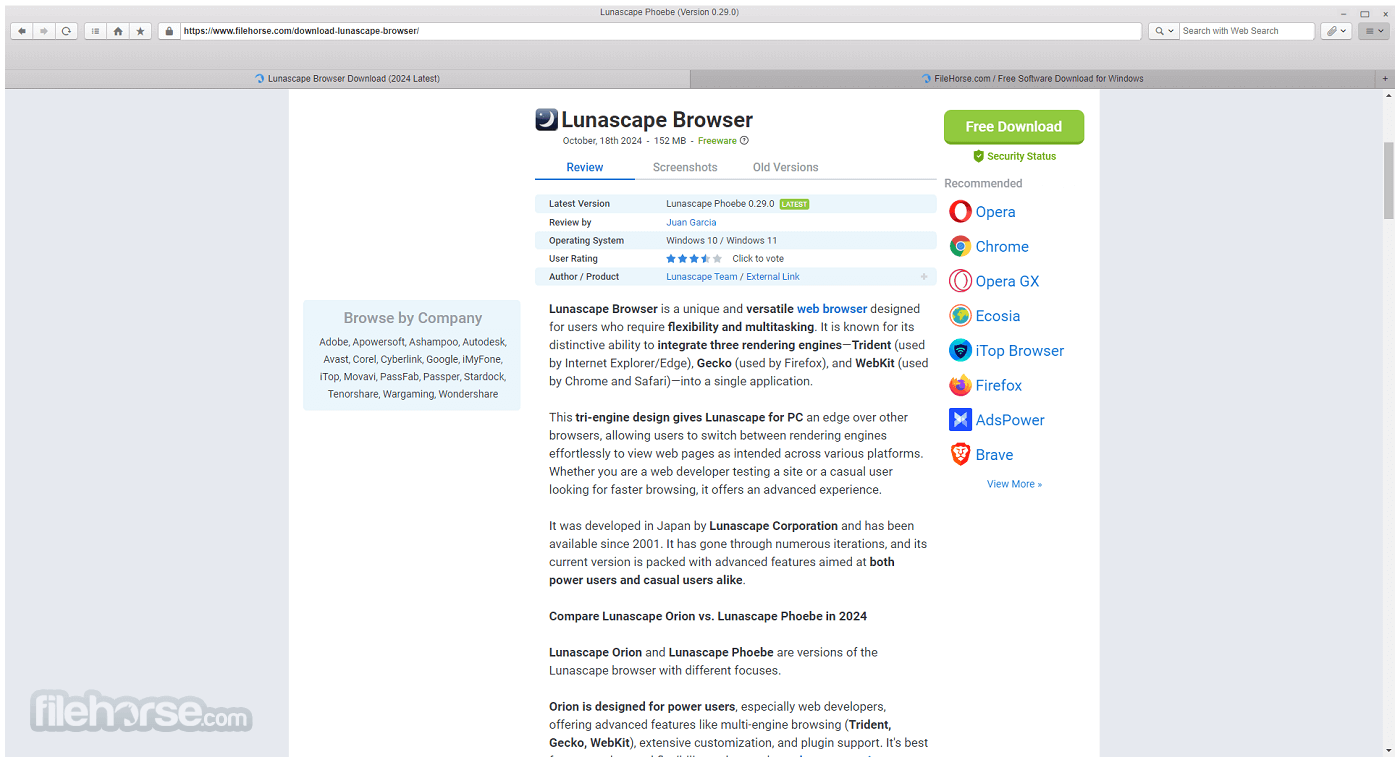
Lunascape Browser is a unique and versatile web browser designed for users who require flexibility and multitasking. It is known for its distinctive ability to integrate three rendering engines—Trident (used by Internet Explorer/Edge), Gecko (used by Firefox), and WebKit (used by Chrome and Safari)—into a single application.
This tri-engine design gives Lunascape for PC an edge over other browsers, allowing users to switch between rendering engines effortlessly to view web pages as intended across various platforms. Whether you are a web developer testing a site or a casual user looking for faster browsing, it offers an advanced experience.
It was developed in Japan by Lunascape Corporation and has been available since 2001. It has gone through numerous iterations, and its current version is packed with advanced features aimed at both power users and casual users alike.
Compare Lunascape Orion vs. Lunascape Phoebe in 2026
Lunascape Orion and Lunascape Phoebe are versions of the Lunascape browser with different focuses.
Orion is designed for power users, especially web developers, offering advanced features like multi-engine browsing (Trident, Gecko, WebKit), extensive customization, and plugin support. It's best for users who need flexibility and control over browser engines.
In contrast, Phoebe targets casual users, providing a simpler, faster, and more streamlined browsing experience with fewer advanced features, focusing on speed and ease of use. It’s ideal for general browsing without the complexity of Orion.
Lunascape Phoebe New Features
Fast and Efficient Browsing: This app is designed to load websites quickly, with a 5-25% faster display speed than typical browsers.
Ad Blocker: It includes an ad-blocking feature that removes ads, improving speed and reducing data usage while protecting user privacy by not sending browsing history.
Privacy Protection: Emphasizing privacy, the software does not send users' browsing data to servers, ensuring safe and secure browsing.
Data and Battery Saving: The combination of ad blocking and privacy protection reduces data traffic, which helps save on mobile data costs and prolongs battery life on laptops.
Advanced Features: It offers mouse gestures for quick navigation, a password manager for storing login details, and a built-in EPUB reader to view e-books without extra software.
Customizable Search Engine: Users can easily switch between search engines like Google or Wikipedia and add more as needed.
General Features
Triple Rendering Engines: Lunascape’s standout feature is its ability to use Trident, Gecko, and WebKit engines, providing users with the option to choose the best engine for each specific web page.
Tabbed Browsing: It allows for extensive tab management with features like multi-row tabs, saving tab groups, and locking tabs to prevent accidental closure.
Customizable User Interface: You can modify the interface by changing themes, adding toolbars, and customizing buttons.
RSS Reader: Built-in RSS reader lets you follow your favorite websites, blogs, and news feeds without leaving the browser.
Mouse Gestures and Keyboard Shortcuts: These enable efficient navigation through pages without relying on standard browser buttons.
Security Features: Includes anti-phishing and anti-tracking protection to provide a more secure browsing environment.
Synchronize Bookmarks: Users can synchronize their bookmarks across different browsers and devices.
Extensions and Plugins: It supports Firefox’s extensions when using the Gecko engine, providing an extensive range of tools to enhance browsing.
Engine Auto-Switch: Based on predefined rules, it can automatically switch between engines when visiting specific sites for better performance and compatibility.
User Interface
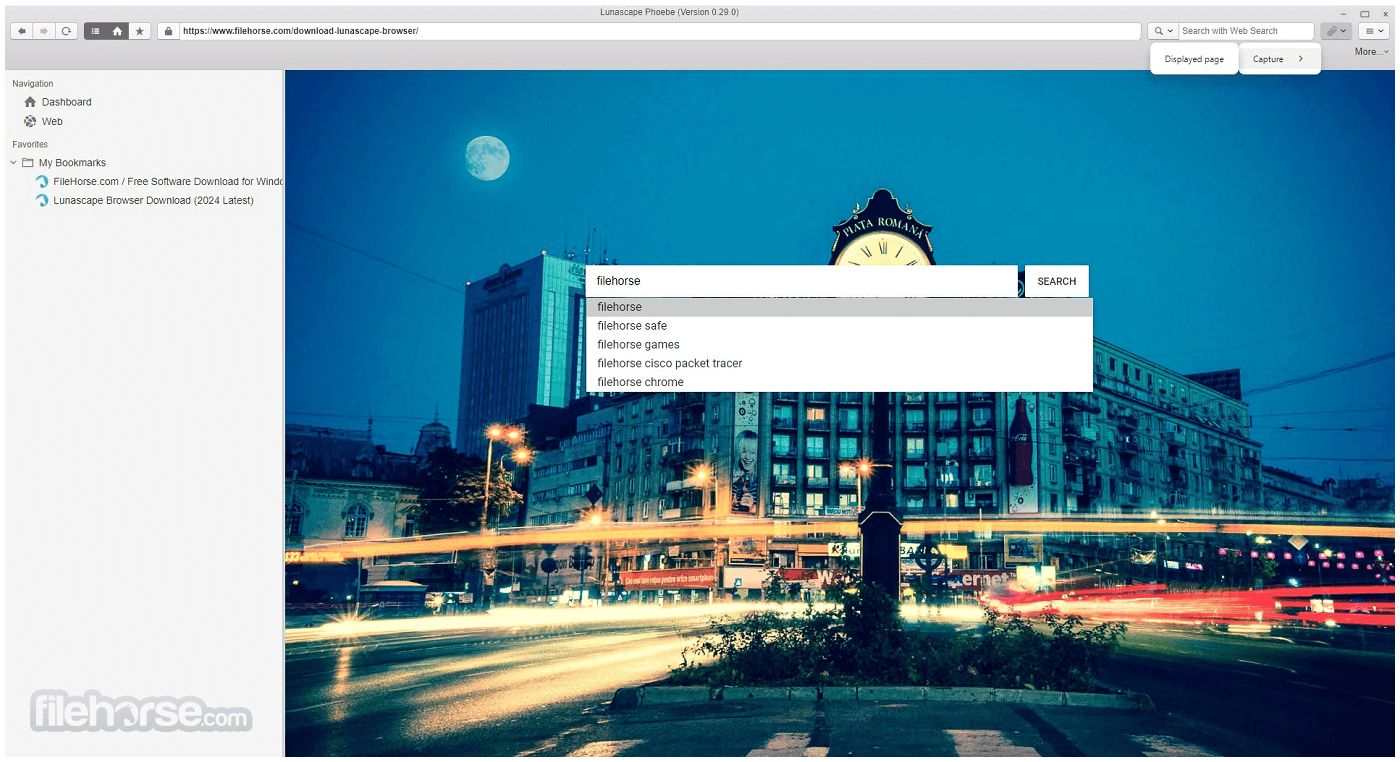
Lunascape’s user interface is designed to accommodate the needs of advanced users while remaining accessible to beginners. The browser has a default modern look, with a customizable toolbar that allows users to add shortcuts for their favorite features or plugins.
The tri-engine switching option is seamlessly integrated into the interface. Users can switch rendering engines directly from the browser’s toolbar, making it easy to view a page in another engine with just a click.
The tabbed browsing experience is excellent, with additional features like tab locking and tab stacking for power users. However, while functional, the interface can appear cluttered if too many customizations are applied, making it less intuitive for some users.
Installation and Setup
Download: Visit the official website or FileHorse.com to download the latest version. The download package is lightweight, so installation takes only a few minutes.
Setup: Once installed, users are prompted to set their preferred default engine. If you don’t make a choice, the internet browser starts with Trident as the default but allows you to change it later.
Customizing Settings: After installation, the browser offers an optional setup wizard to guide you through customizing the layout, security settings, and enabling specific features like the RSS reader or mouse gestures.
It offers helpful tutorials and user guides for anyone unfamiliar with its features, making it easy for new users to get accustomed to the browser.
How to Use
Basic Browsing: As with any browser, you enter the URL or use a search engine. If a site isn’t rendering correctly or feels slow, you can quickly switch to another rendering engine by clicking the engine icon in the toolbar.
Tabs and Tab Management: Open multiple tabs as you normally would, and manage them using program’s enhanced tab features like saving tab groups or arranging tabs across multiple rows.
Add Extensions: To enhance the functionality of the browser, especially while using the Gecko engine, install Firefox extensions by navigating to app’s settings and selecting the “Add-ons” tab.
Mouse Gestures: Navigate through web pages by holding down the right mouse button and moving the mouse in a predefined pattern to execute commands like back, forward, or refresh.
RSS Feeds: Open the built-in RSS reader, add your favorite website feed, and read the latest updates directly from this browser.
FAQ
Can Lunascape be set to use a specific engine for all websites?
Yes, you can choose a default engine during setup or change it anytime in the browser settings.
Is Lunascape compatible with Firefox extensions?
Yes, when using the Gecko engine, it supports most Firefox extensions, though not all are fully functional.
How do I switch between engines while browsing?
You can switch engines via the icon in the toolbar. Just click on the engine you want to switch to, and the page will reload using the selected engine.
Does Lunascape support syncing across devices?
Yes, it can sync bookmarks across devices using cloud services.
Can I disable certain engines I don’t use?
Yes, it allows you to disable unused engines to streamline your browsing experience and reduce resource usage.
Alternatives
Firefox: Known for its customization options and privacy features, Firefox offers a more simplified experience with a focus on security and speed. However, it lacks multi-engine support.
Chrome: Popular for its speed and seamless integration with Google services, Chrome doesn’t offer engine switching but provides an extensive library of extensions and tools.
Opera: With features like a built-in VPN, ad blocker, and messaging apps, Opera competes in the innovative browser space but lacks the engine versatility of this app.
Vivaldi: Vivaldi focuses on customization and power user features, similar to this app, but without the multiple rendering engines.
System Requirements
Lunascape Browser is a powerhouse of features packed into a single application, ideal for users who need versatility, particularly web developers and advanced users. The ability to switch between three rendering engines gives it a unique advantage over other browsers, while its robust customization and tab management tools enhance productivity.
However, the learning curve and potential resource strain may deter casual users looking for a more streamlined experience. For users who value flexibility and engine versatility, it offers an unparalleled browsing experience at no cost.
Download Lunascape Browser Latest Version Why is this app published on FileHorse? (More info)
This tri-engine design gives Lunascape for PC an edge over other browsers, allowing users to switch between rendering engines effortlessly to view web pages as intended across various platforms. Whether you are a web developer testing a site or a casual user looking for faster browsing, it offers an advanced experience.
It was developed in Japan by Lunascape Corporation and has been available since 2001. It has gone through numerous iterations, and its current version is packed with advanced features aimed at both power users and casual users alike.
Compare Lunascape Orion vs. Lunascape Phoebe in 2026
Lunascape Orion and Lunascape Phoebe are versions of the Lunascape browser with different focuses.
Orion is designed for power users, especially web developers, offering advanced features like multi-engine browsing (Trident, Gecko, WebKit), extensive customization, and plugin support. It's best for users who need flexibility and control over browser engines.
In contrast, Phoebe targets casual users, providing a simpler, faster, and more streamlined browsing experience with fewer advanced features, focusing on speed and ease of use. It’s ideal for general browsing without the complexity of Orion.
Lunascape Phoebe New Features
Fast and Efficient Browsing: This app is designed to load websites quickly, with a 5-25% faster display speed than typical browsers.
Ad Blocker: It includes an ad-blocking feature that removes ads, improving speed and reducing data usage while protecting user privacy by not sending browsing history.
Privacy Protection: Emphasizing privacy, the software does not send users' browsing data to servers, ensuring safe and secure browsing.
Data and Battery Saving: The combination of ad blocking and privacy protection reduces data traffic, which helps save on mobile data costs and prolongs battery life on laptops.
Advanced Features: It offers mouse gestures for quick navigation, a password manager for storing login details, and a built-in EPUB reader to view e-books without extra software.
Customizable Search Engine: Users can easily switch between search engines like Google or Wikipedia and add more as needed.
General Features
Triple Rendering Engines: Lunascape’s standout feature is its ability to use Trident, Gecko, and WebKit engines, providing users with the option to choose the best engine for each specific web page.
Tabbed Browsing: It allows for extensive tab management with features like multi-row tabs, saving tab groups, and locking tabs to prevent accidental closure.
Customizable User Interface: You can modify the interface by changing themes, adding toolbars, and customizing buttons.
RSS Reader: Built-in RSS reader lets you follow your favorite websites, blogs, and news feeds without leaving the browser.
Mouse Gestures and Keyboard Shortcuts: These enable efficient navigation through pages without relying on standard browser buttons.
Security Features: Includes anti-phishing and anti-tracking protection to provide a more secure browsing environment.
Synchronize Bookmarks: Users can synchronize their bookmarks across different browsers and devices.
Extensions and Plugins: It supports Firefox’s extensions when using the Gecko engine, providing an extensive range of tools to enhance browsing.
Engine Auto-Switch: Based on predefined rules, it can automatically switch between engines when visiting specific sites for better performance and compatibility.
User Interface
Lunascape’s user interface is designed to accommodate the needs of advanced users while remaining accessible to beginners. The browser has a default modern look, with a customizable toolbar that allows users to add shortcuts for their favorite features or plugins.
The tri-engine switching option is seamlessly integrated into the interface. Users can switch rendering engines directly from the browser’s toolbar, making it easy to view a page in another engine with just a click.
The tabbed browsing experience is excellent, with additional features like tab locking and tab stacking for power users. However, while functional, the interface can appear cluttered if too many customizations are applied, making it less intuitive for some users.
Installation and Setup
Download: Visit the official website or FileHorse.com to download the latest version. The download package is lightweight, so installation takes only a few minutes.
Setup: Once installed, users are prompted to set their preferred default engine. If you don’t make a choice, the internet browser starts with Trident as the default but allows you to change it later.
Customizing Settings: After installation, the browser offers an optional setup wizard to guide you through customizing the layout, security settings, and enabling specific features like the RSS reader or mouse gestures.
It offers helpful tutorials and user guides for anyone unfamiliar with its features, making it easy for new users to get accustomed to the browser.
How to Use
Basic Browsing: As with any browser, you enter the URL or use a search engine. If a site isn’t rendering correctly or feels slow, you can quickly switch to another rendering engine by clicking the engine icon in the toolbar.
Tabs and Tab Management: Open multiple tabs as you normally would, and manage them using program’s enhanced tab features like saving tab groups or arranging tabs across multiple rows.
Add Extensions: To enhance the functionality of the browser, especially while using the Gecko engine, install Firefox extensions by navigating to app’s settings and selecting the “Add-ons” tab.
Mouse Gestures: Navigate through web pages by holding down the right mouse button and moving the mouse in a predefined pattern to execute commands like back, forward, or refresh.
RSS Feeds: Open the built-in RSS reader, add your favorite website feed, and read the latest updates directly from this browser.
FAQ
Can Lunascape be set to use a specific engine for all websites?
Yes, you can choose a default engine during setup or change it anytime in the browser settings.
Is Lunascape compatible with Firefox extensions?
Yes, when using the Gecko engine, it supports most Firefox extensions, though not all are fully functional.
How do I switch between engines while browsing?
You can switch engines via the icon in the toolbar. Just click on the engine you want to switch to, and the page will reload using the selected engine.
Does Lunascape support syncing across devices?
Yes, it can sync bookmarks across devices using cloud services.
Can I disable certain engines I don’t use?
Yes, it allows you to disable unused engines to streamline your browsing experience and reduce resource usage.
Alternatives
Firefox: Known for its customization options and privacy features, Firefox offers a more simplified experience with a focus on security and speed. However, it lacks multi-engine support.
Chrome: Popular for its speed and seamless integration with Google services, Chrome doesn’t offer engine switching but provides an extensive library of extensions and tools.
Opera: With features like a built-in VPN, ad blocker, and messaging apps, Opera competes in the innovative browser space but lacks the engine versatility of this app.
Vivaldi: Vivaldi focuses on customization and power user features, similar to this app, but without the multiple rendering engines.
System Requirements
- Operating System: Windows 7/8/10/11 (32-bit or 64-bit)
- CPU: 1 GHz or faster
- RAM: 1 GB or more
- Disk Space: 100 MB of free space
- Internet Connection: Required for installation and updates
- Triple rendering engines for ultimate compatibility
- High degree of customization
- Supports Firefox extensions (via Gecko engine)
- Excellent tab management features
- Free to use
- Can be resource-intensive when multiple engines are enabled
- User interface may feel cluttered with heavy customization
- Some Firefox extensions may not work seamlessly
Lunascape Browser is a powerhouse of features packed into a single application, ideal for users who need versatility, particularly web developers and advanced users. The ability to switch between three rendering engines gives it a unique advantage over other browsers, while its robust customization and tab management tools enhance productivity.
However, the learning curve and potential resource strain may deter casual users looking for a more streamlined experience. For users who value flexibility and engine versatility, it offers an unparalleled browsing experience at no cost.
Download Lunascape Browser Latest Version Why is this app published on FileHorse? (More info)
##
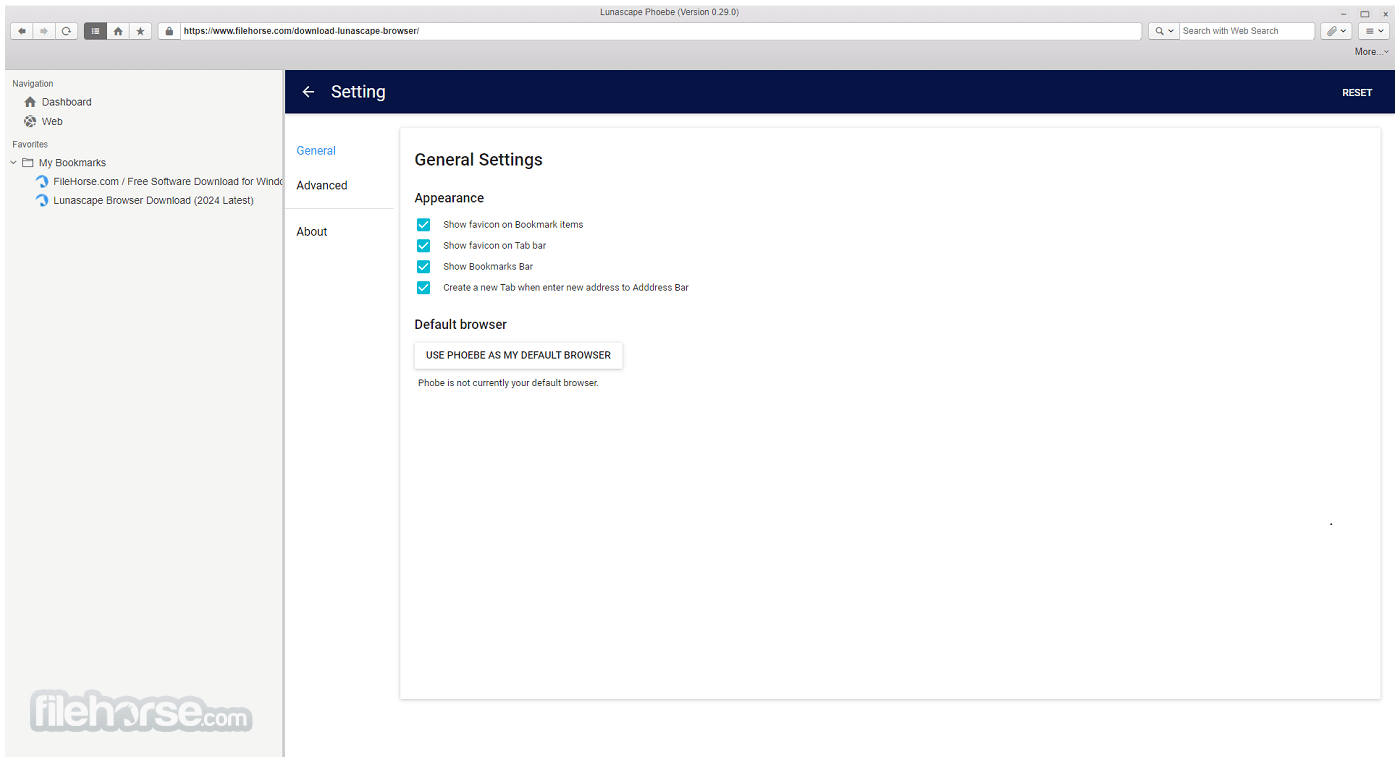
畫面截圖
- 2026-07-25 Lunascape Phoebe 0.40.12 198 MB
- 2026-07-21 Lunascape Phoebe 0.40.9 193 MB
- 2026-07-15 Lunascape Phoebe 0.40.1 181 MB
- 2026-07-14 Lunascape Phoebe 0.40.0 181 MB
- 2025-12-23 Lunascape Phoebe 0.37.0 154 MB
- 2025-11-04 Lunascape Phoebe 0.36.0 155 MB
- 2025-08-26 Lunascape Phoebe 0.35.0 142 MB
- 2025-08-02 Lunascape Phoebe 0.34.1 139 MB