- 目前版本2.1.4
- 更新日期2026-01-23
- 檔案大小54.8 MB
- 檔案名稱Capto.dmg
- 作業系統macOS 10.14 Mojave or later
- 支援語系English
- 授權型式商業試用
- 開發商 Global Delight Technologies
- 軟體分類Mac 軟體 / 影片軟體
##
翻譯排程處理中,以下暫以英文原文呈現
軟體介紹
Capto for Mac is a fully-featured screen recorder and editing application for modern macOS that can allow users of all knowledge levels to easily take full control over the process of recording desktop and app surfaces and transforming that footage into eye-catching presentations for home, work, school, and online projects.
Built from the ground up to be an all-in-one screen recording and video editing solution, Capto is today used by a wide array of education and business organizations from all around the world, including numerous US universities and companies like Apple, Microsoft, Adobe, AOL, Vodafone, and others.
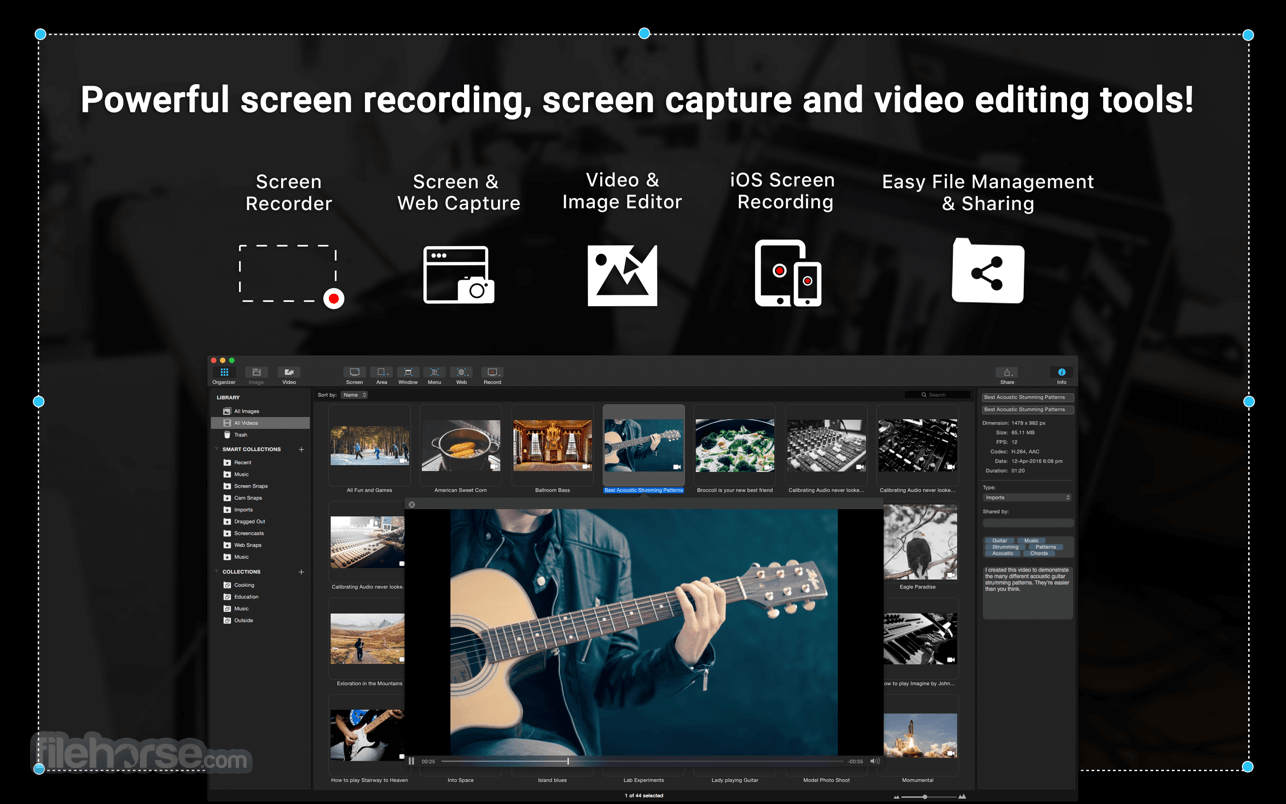
Once installed, users can access its powerful dashboard that is packed with all the tools necessary for both quick screengrabs and more ambitious projects. The intuitive interface of the app promotes easy discovery of its powerful tools, with a streamlined way to access screengrab tools, editing functions, and even infuse the projects with annotated images, built-in sharing options, a file organizer, and more.
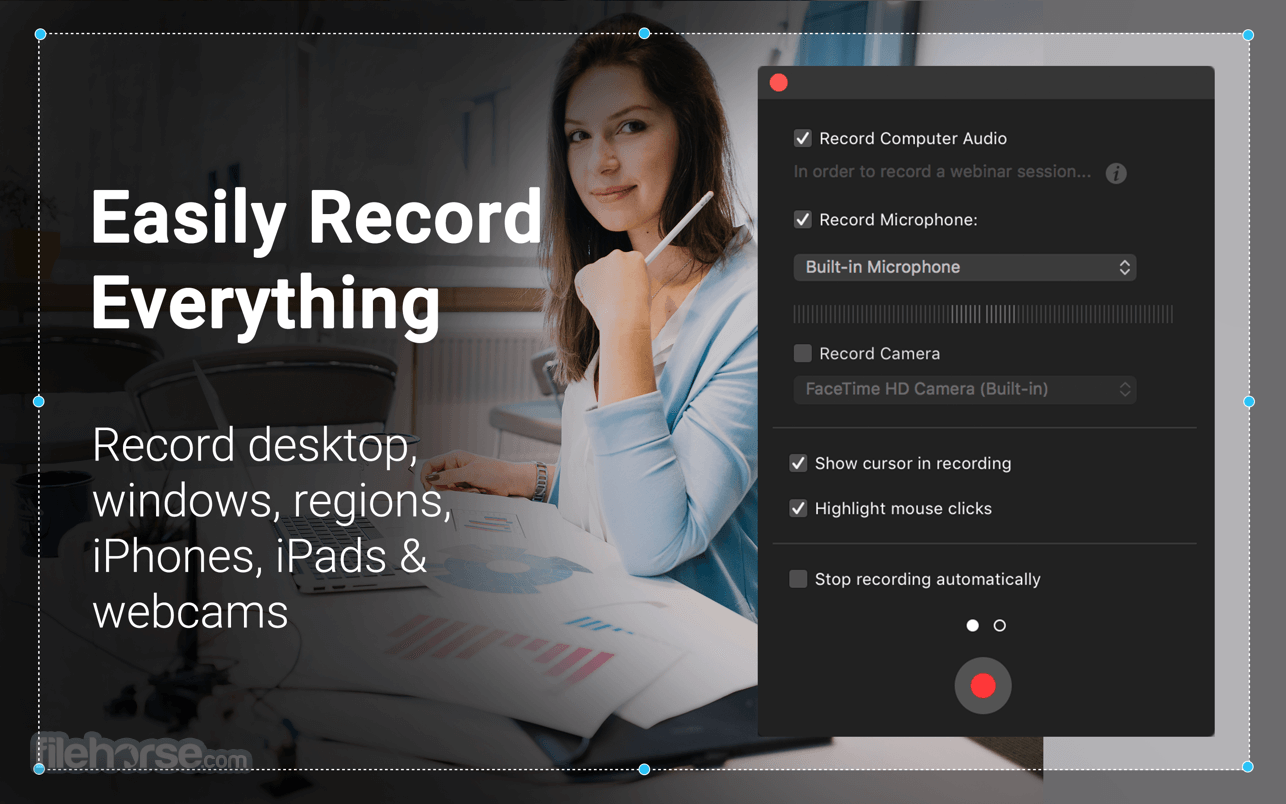
Like many other similar apps, it provides users with the option to record either the entire desktop surface, specific app regions, or custom region of choice.
This recording area can include a cursor, microphone audio feed, and much more. The editing suite features a full set of options aimed at both video and image editing. Videos can easily be trimmed, annotated, volume can be adjusted, and the entire project can be exported in a wide array of popular video formats.
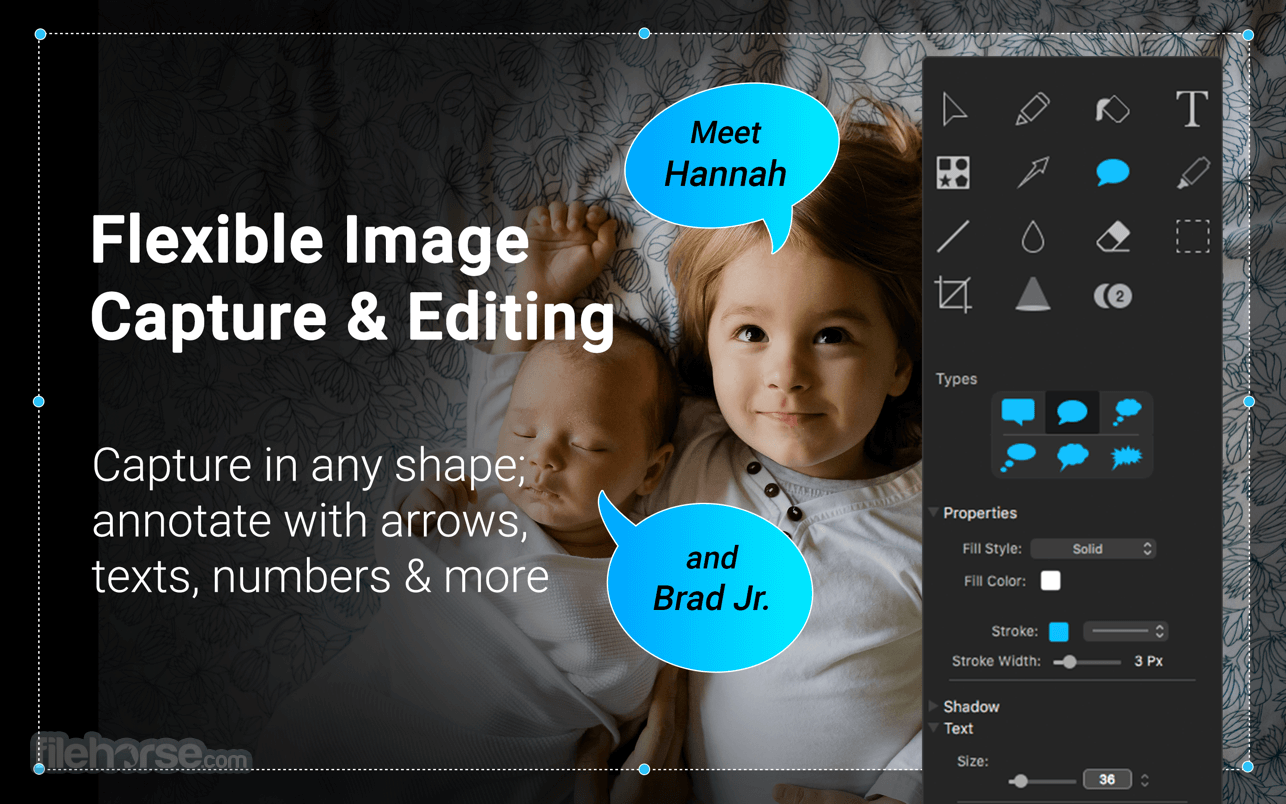
Image editing supports all sorts of popular tools, with special attention being placed on annotations and other effects that can make images more informative.
In addition to capture, editing, and export tools, Capto for macOS is also home to a fully-featured media manager. With it, users can save their projects or raw captured into “Smart Collections”, where they can be easily browsed and retrieved at a moment's notice.
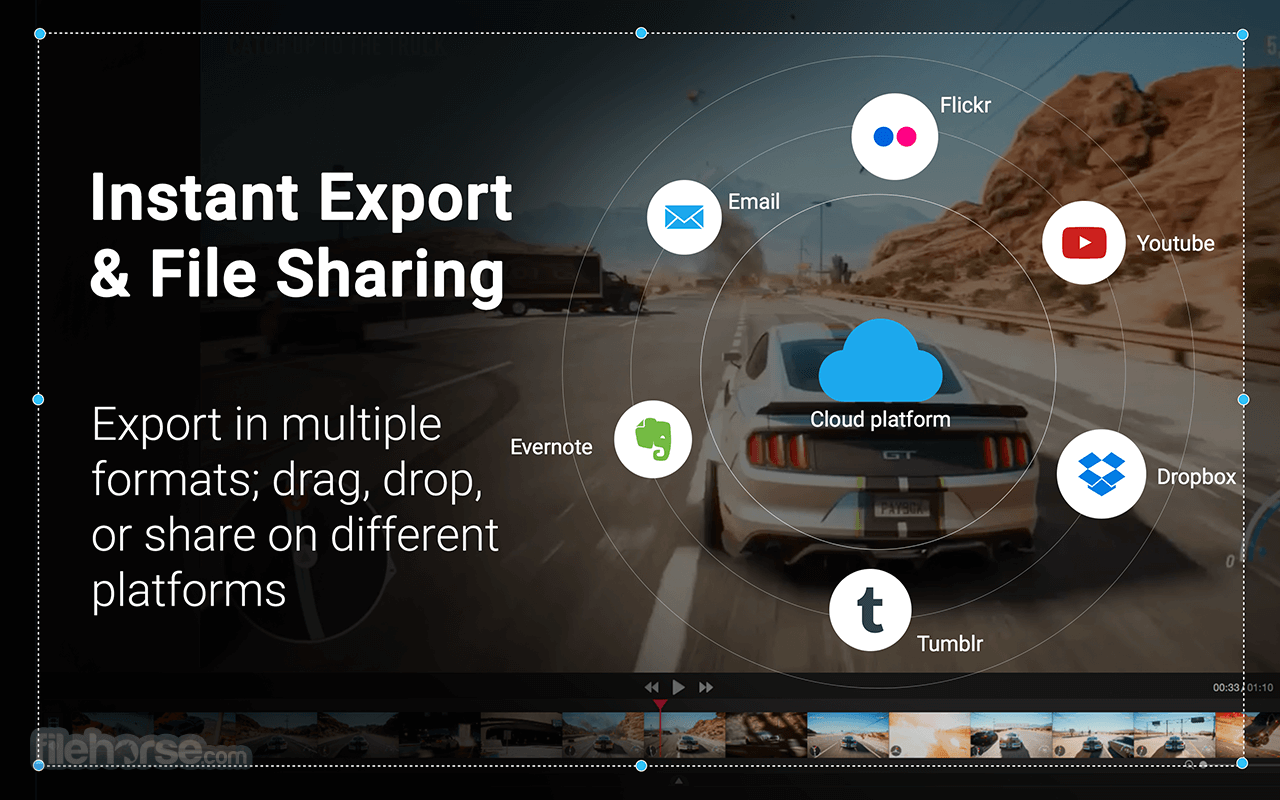
The app also has a built-in sharing service that can send raw or edited screengrabs on a wide array of social networks, cloud, and hosting services.
Features and Highlights
Fullscreen and Selection Capture | Webpage Capture
You have the choice of taking fullscreen image captures or select portions with Capto’s flexible screenshot options. For saving a webpage with one click, use your own supported browser or use Capto’s easy-to-use browser.
Fullscreen and Region Recording |Timed Recording
Record your entire screen or select portions in full HD at 60 FPS along with clear audio. Capto also has a video capture feature for your iOS device. You may also set up a timed recording that records for a predetermined amount of time.
Video Recording | Tutorial Video Making
Make your tutorial videos more interactive. Record your own video while the screen recording continues in parallel. Get to choose from either the system camera or an external recording device for desired input. Resize the video as per your need and re-position it across the screen to make the tutorial more effective.
Video Editing | Annotations
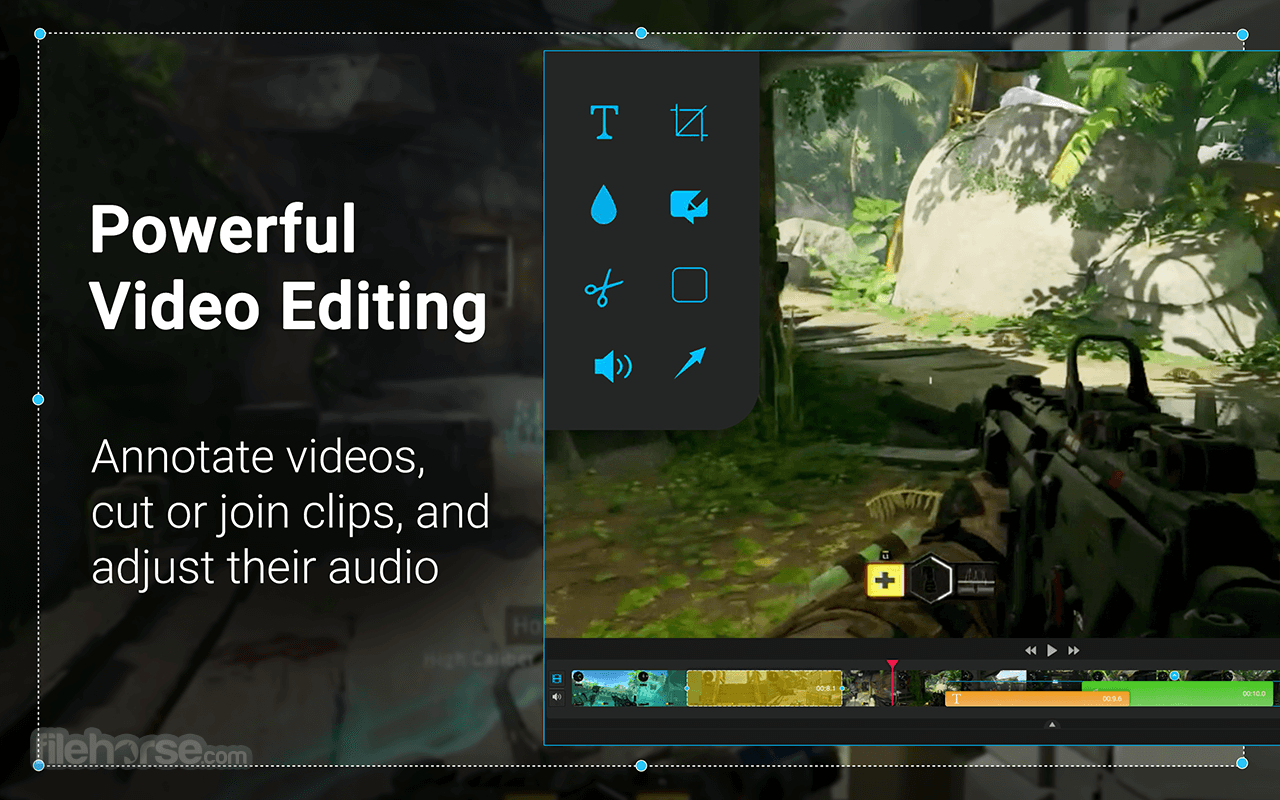
Capto’s powerful video editing suite gives you all the tools necessary to Cut, Join, Trim or Crop videos. In addition, you can add annotations to make your captured videos much more professional and detailed.
Audio Recording & Editing | Individual Track Control
Record crystal clear audio from either the system or the microphone and get better control over the output. Use the individual track control to adjust the inputs from the system and the mic separately and bring the best out of the audio.
Image Editing | Annotations
It has a fully featured image editor to enhance and create informative images. Highlight, Annotate, correct, or adjust the properties of your captured screenshot and make them stand out.
Smart Collection Folder | File information
It comes with an easy file manager for easy storage and retrieval of screen captures and recordings. Every screenshot and video you take is sorted into smartly labeled folders that can also be customized.
Online Platform Sharing | Server Sharing
Instantly share or upload screenshots and screen recordings to your favorite services like Facebook, Tumblr, Dropbox, Evernote, YouTube and more directly with a single click. It also supports FTP/SFTP.
Capto can be tested for FREE during an initial TRIAL period. Full and unrestricted access to the app is available via a lifetime license purchase. The app is optimized for all modern versions of macOS and is fully localized into Spanish, French, and German.
System Requirements
Requires macOS 10.14 or later.
Languages
English, French, German, Japanese, Portuguese, Simplified Chinese, Spanish.
PROS
Download Capto for Mac Latest Version Why is this app published on FileHorse? (More info)
Built from the ground up to be an all-in-one screen recording and video editing solution, Capto is today used by a wide array of education and business organizations from all around the world, including numerous US universities and companies like Apple, Microsoft, Adobe, AOL, Vodafone, and others.
- Screen Recorder
- Video Recorder
- Video Editor
- Screen & Web Capture
- Image Editor
- Dual Audio Editor
- iOS Screen Recording
- File Management
- Easy Sharing
Once installed, users can access its powerful dashboard that is packed with all the tools necessary for both quick screengrabs and more ambitious projects. The intuitive interface of the app promotes easy discovery of its powerful tools, with a streamlined way to access screengrab tools, editing functions, and even infuse the projects with annotated images, built-in sharing options, a file organizer, and more.
Like many other similar apps, it provides users with the option to record either the entire desktop surface, specific app regions, or custom region of choice.
This recording area can include a cursor, microphone audio feed, and much more. The editing suite features a full set of options aimed at both video and image editing. Videos can easily be trimmed, annotated, volume can be adjusted, and the entire project can be exported in a wide array of popular video formats.
Image editing supports all sorts of popular tools, with special attention being placed on annotations and other effects that can make images more informative.
In addition to capture, editing, and export tools, Capto for macOS is also home to a fully-featured media manager. With it, users can save their projects or raw captured into “Smart Collections”, where they can be easily browsed and retrieved at a moment's notice.
The app also has a built-in sharing service that can send raw or edited screengrabs on a wide array of social networks, cloud, and hosting services.
Features and Highlights
Fullscreen and Selection Capture | Webpage Capture
You have the choice of taking fullscreen image captures or select portions with Capto’s flexible screenshot options. For saving a webpage with one click, use your own supported browser or use Capto’s easy-to-use browser.
Fullscreen and Region Recording |Timed Recording
Record your entire screen or select portions in full HD at 60 FPS along with clear audio. Capto also has a video capture feature for your iOS device. You may also set up a timed recording that records for a predetermined amount of time.
Video Recording | Tutorial Video Making
Make your tutorial videos more interactive. Record your own video while the screen recording continues in parallel. Get to choose from either the system camera or an external recording device for desired input. Resize the video as per your need and re-position it across the screen to make the tutorial more effective.
Video Editing | Annotations
Capto’s powerful video editing suite gives you all the tools necessary to Cut, Join, Trim or Crop videos. In addition, you can add annotations to make your captured videos much more professional and detailed.
Audio Recording & Editing | Individual Track Control
Record crystal clear audio from either the system or the microphone and get better control over the output. Use the individual track control to adjust the inputs from the system and the mic separately and bring the best out of the audio.
Image Editing | Annotations
It has a fully featured image editor to enhance and create informative images. Highlight, Annotate, correct, or adjust the properties of your captured screenshot and make them stand out.
Smart Collection Folder | File information
It comes with an easy file manager for easy storage and retrieval of screen captures and recordings. Every screenshot and video you take is sorted into smartly labeled folders that can also be customized.
Online Platform Sharing | Server Sharing
Instantly share or upload screenshots and screen recordings to your favorite services like Facebook, Tumblr, Dropbox, Evernote, YouTube and more directly with a single click. It also supports FTP/SFTP.
Capto can be tested for FREE during an initial TRIAL period. Full and unrestricted access to the app is available via a lifetime license purchase. The app is optimized for all modern versions of macOS and is fully localized into Spanish, French, and German.
System Requirements
Requires macOS 10.14 or later.
Languages
English, French, German, Japanese, Portuguese, Simplified Chinese, Spanish.
PROS
- User-Friendly Interface
- Advanced Screen Recording Options
- Built-in Video & Image Editor
- Organized File Management
- Easy Sharing & Export Options
- Limited Video Editing Features
- Occasional Performance Lag
- Basic Audio Editing Tools
- Lack of Cloud Sync Integration
Download Capto for Mac Latest Version Why is this app published on FileHorse? (More info)
##
畫面截圖