- 目前版本2.9.187
- 更新日期2026-02-16
- 檔案大小36.6 MB
- 檔案名稱CCMacSetup208.dmg
- 作業系統macOS 10.12 Sierra or later
- 支援語系English
- 授權型式試用版
- 開發商 Gen Digital Inc.
- 軟體分類Mac 軟體 / 系統優化
##
翻譯排程處理中,以下暫以英文原文呈現
軟體介紹
CCleaner Free for Mac is a freeware system optimization, privacy and cleaning desktop app. It removes unused files from your system allowing Mac to run faster and freeing up valuable hard disk space. It also cleans traces of your online activities such as your Internet history.
Additionally, it contains a fully featured registry cleaner. CCleaner Free by Gen Digital Inc. (formerly Piriform), clean temporary files, optimize & speed up your Computer with the world's leading macOS Cleaner.
Features and Highlights
Performance Optimizer - NEW!
Get up to 34% more speed and 30% more battery life from your Mac with a new proven, patented feature, plus enjoy an enhanced gaming experience and more!
Driver Updater - NEW!
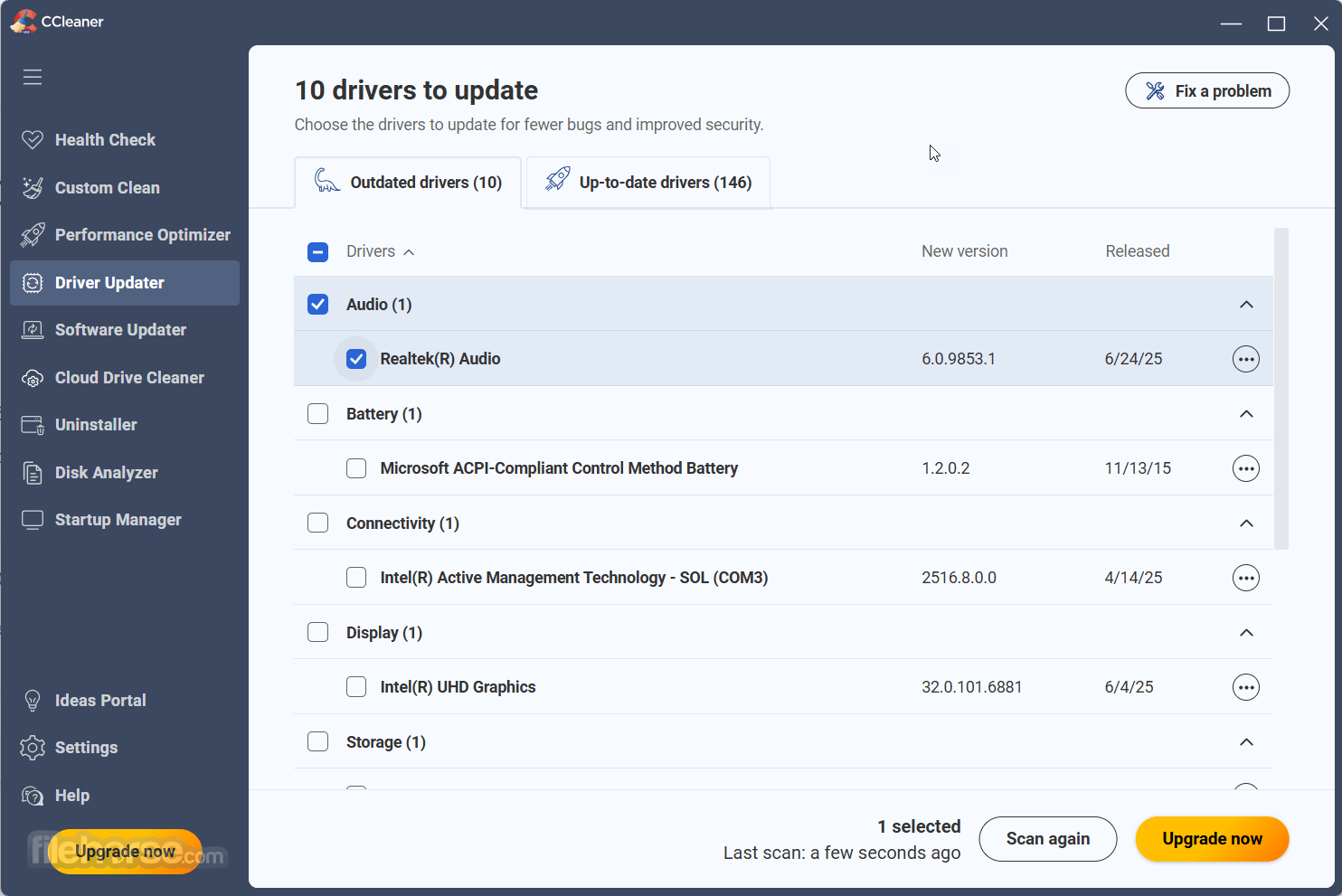
Program's new Driver Updater improves things like your Mac's visuals, sound, and internet connectivity while preventing software bugs, hardware problems, and crashes.
Mac Health Check
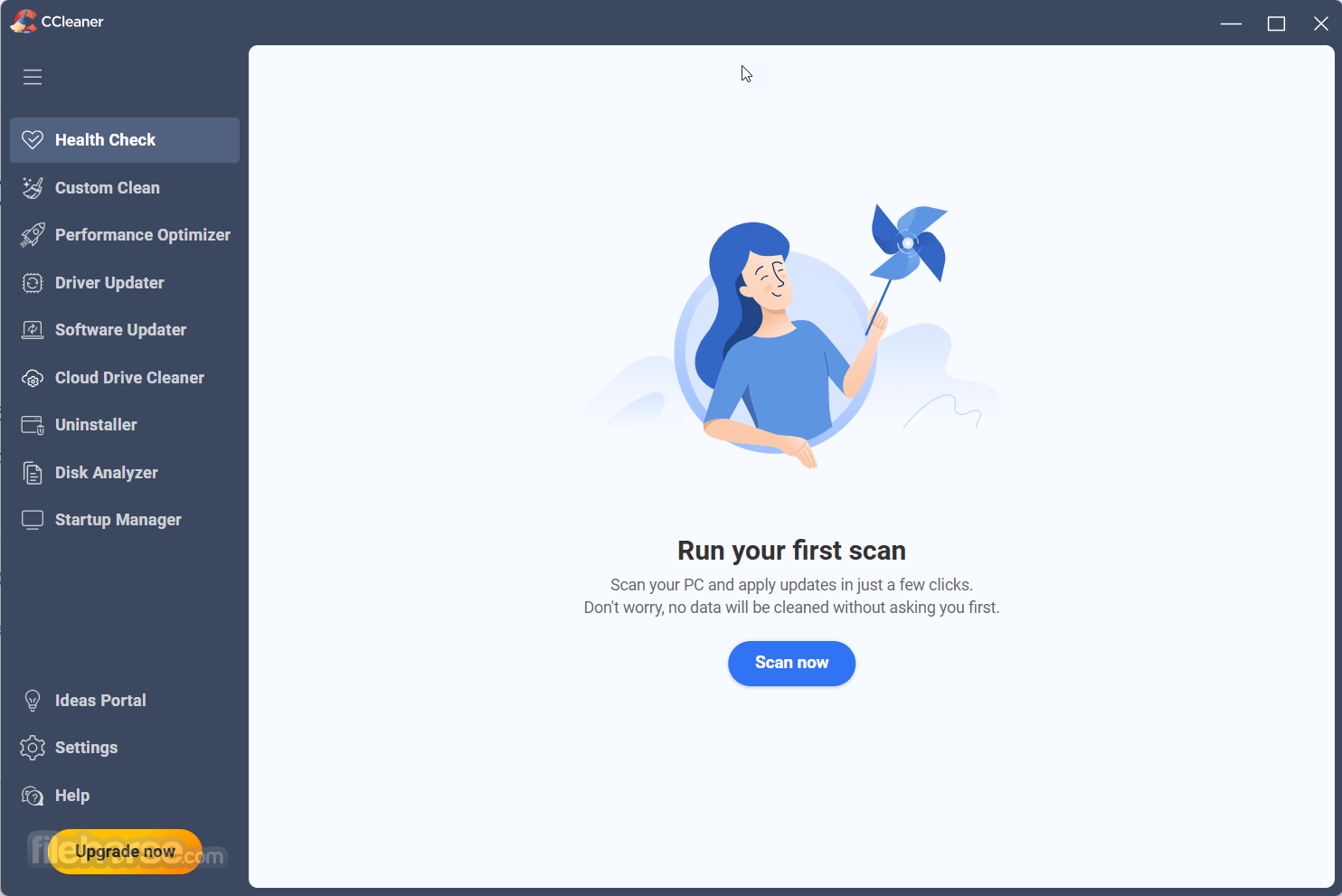
App's new Health Check analyzes your macOS and recommends quick fixes, then automatically tunes and updates it so it starts and runs faster, and is more secure.
1-Click Updates All Your Software
Outdated apps are a security risk. Old software can have vulnerabilities, which are quickly discovered and shared amongst cybercriminals. It updates your software automatically to close security holes before they can be found.
Award-winning Mac Optimization
Trusted by millions and critically acclaimed. There’s a reason why the app is the world’s favorite Mac optimization tool! Easy to use, one-click cleaning so beginners can optimize their computers in seconds and packed with advanced features for power users.
Faster Computer
Is your computer running slow? As it gets older it collects unused files and settings which take up hard drive space making it slower and slower. CCleaner 2025 version cleans up these files and makes it faster instantly.
Safer Browsing
Advertisers and websites track your behavior online with cookies that stay on your computer. It erases your browser search history and cookies so any internet browsing you do stays confidential and your identity remains anonymous.
Fewer Errors & Crashes
Over time your registry can become cluttered with errors and broken settings which lead to crashes. C Cleaner’s patented registry cleaner clears out this clutter to make your Mac more stable.
Quicker Startup
Many programs run silently in the background when you start up your computer. It helps you get to work or play faster by letting you disable unneeded programs.
What`s New
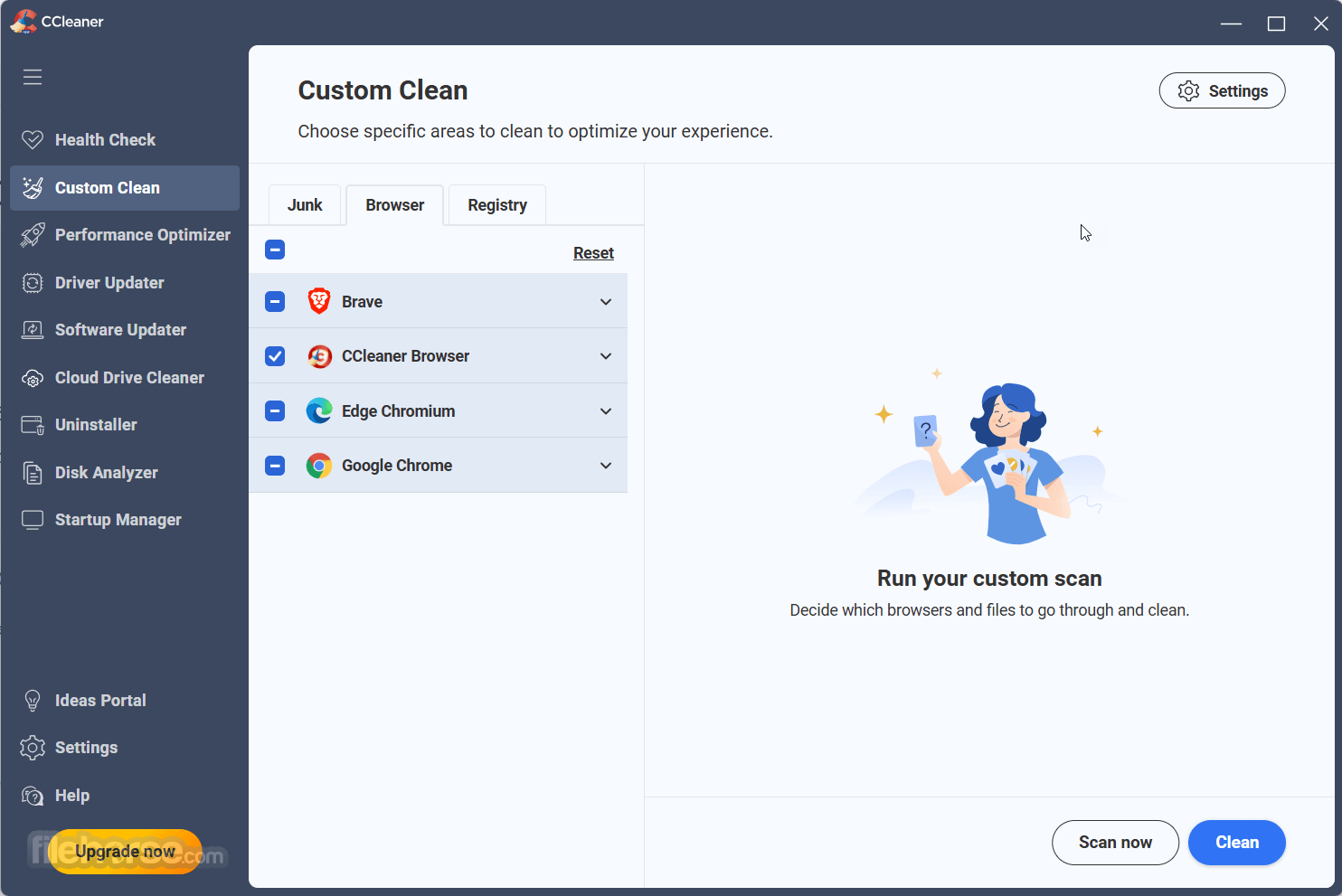
To use CCleaner, you will first need to download and install the program on your computer. Once it is installed, you can open the program and select the areas of your computer that you want to clean, such as your browser history, temporary files, and the recycle bin.
You can also use the program to remove unnecessary programs and files from your computer, as well as to manage your startup programs. Additionally, CCleaner Free also has a registry cleaner to help fix any errors or broken settings in your registry. Once you have selected the areas you want to clean, simply click the "Run Cleaner" button and CCleaner will remove the selected files.
Other Features
Can CCleaner be trusted?
Answer: 100% Absolutely. The program is both reliable and safe for use.
What is CCleaner, and what does it do?
Answer: CCleaner is a system optimization and cleaning tool that helps to remove unwanted files, temporary files, and other junk that accumulates on your Mac. It also has features to optimize your computer's performance.
Is CCleaner safe to use?
Answer: Yes, CCleaner is safe to use. It has been around for many years and has a good reputation. However, it's always important to download CCleaner from the official website to avoid downloading a fake or malicious version.
Does CCleaner delete important files?
Answer: CCleaner is designed to only delete files that are safe to remove, such as temporary files and other unnecessary data. However, it's always a good idea to review the items that CCleaner suggests deleting before giving the final approval.
Is CCleaner free to use?
Answer: It offers a free version of the software that provides basic cleaning and optimization features. However, there is also a paid version, CCleaner Professional, that provides additional features and support.
Can CCleaner speed up my computer?
Answer: Yes, it can help speed up your computer by removing unnecessary files and optimizing your system settings. However, it's important to note that CCleaner is just one tool that can help improve your computer's performance.
Can CCleaner remove viruses?
Answer: No, the app is not an antivirus program and cannot remove viruses. However, it can help remove temporary files and other junk that may be contributing to a slow or infected system.
How often should I run CCleaner?
Answer: It's recommended to run CCleaner at least once a week to keep your system clean and optimized.
Will CCleaner delete my browsing history?
Answer: Yes, It can delete your browsing history, cookies, and other temporary files associated with your web browser. However, you can configure the program to leave certain items untouched if desired.
Why is my Mac so slow?
Answer: A slow computer can be caused by a range of factors, including an excessive accumulation of junk files and settings, too many background apps running, a fragmented hard drive, or the presence of malware and viruses.
How do you fix a slow macOS
Answer: Before considering purchasing a new computer or hardware, there are a range of solutions you can try. One useful tool is CCleaner or Mac Repair, which can help you identify the causes of your slow computer and guide you on how to address them. By using the app, you can clean up unnecessary files and optimize your system settings to help improve your computer's performance.
Alternatives
CleanMyMac – All-in-one Mac cleaner and optimizer.
MacKeeper – Security, cleaning, and performance tools.
MacPilot – Advanced system tweaks and customization.
Combo Cleaner for Mac – Antivirus and disk cleaner.
MacCleanse – Deep junk removal and privacy protection.
Avast Cleanup for Mac – Automated junk and cache cleaner.
System Requirements
Also Available: Download CCleaner for Windows
Download CCleaner Free for Mac Latest Version Why is this app published on FileHorse? (More info)
Additionally, it contains a fully featured registry cleaner. CCleaner Free by Gen Digital Inc. (formerly Piriform), clean temporary files, optimize & speed up your Computer with the world's leading macOS Cleaner.
Features and Highlights
Performance Optimizer - NEW!
Get up to 34% more speed and 30% more battery life from your Mac with a new proven, patented feature, plus enjoy an enhanced gaming experience and more!
Driver Updater - NEW!
Program's new Driver Updater improves things like your Mac's visuals, sound, and internet connectivity while preventing software bugs, hardware problems, and crashes.
Mac Health Check
App's new Health Check analyzes your macOS and recommends quick fixes, then automatically tunes and updates it so it starts and runs faster, and is more secure.
1-Click Updates All Your Software
Outdated apps are a security risk. Old software can have vulnerabilities, which are quickly discovered and shared amongst cybercriminals. It updates your software automatically to close security holes before they can be found.
Award-winning Mac Optimization
Trusted by millions and critically acclaimed. There’s a reason why the app is the world’s favorite Mac optimization tool! Easy to use, one-click cleaning so beginners can optimize their computers in seconds and packed with advanced features for power users.
Faster Computer
Is your computer running slow? As it gets older it collects unused files and settings which take up hard drive space making it slower and slower. CCleaner 2025 version cleans up these files and makes it faster instantly.
Safer Browsing
Advertisers and websites track your behavior online with cookies that stay on your computer. It erases your browser search history and cookies so any internet browsing you do stays confidential and your identity remains anonymous.
Fewer Errors & Crashes
Over time your registry can become cluttered with errors and broken settings which lead to crashes. C Cleaner’s patented registry cleaner clears out this clutter to make your Mac more stable.
Quicker Startup
Many programs run silently in the background when you start up your computer. It helps you get to work or play faster by letting you disable unneeded programs.
What`s New
- Improved Performance Optimizer – Smarter detection of resource-heavy background apps to free up RAM and boost system speed.
- Enhanced Driver Updater – Expanded driver database with better compatibility checks and safer update process.
- Software Updater Improvements – Faster scanning and support for more third-party applications.
- Health Check Refinements – More accurate system diagnostics with clearer recommendations for cleanup and optimization.
- Browser Cleaning Updates – Improved detection of tracking files, cookies, and cache across Chromium-based and other major browsers.
- User Interface Enhancements – Cleaner dashboard layout with simplified navigation and clearer status indicators.
- Stability and Bug Fixes – Reduced crashes and improved reliability during deep cleaning operations.
- Security Improvements – Strengthened protection against malicious files and safer registry cleaning processes.
- Faster Scan Engine – Optimized scanning algorithms for quicker results with lower CPU usage.
- Updated Privacy Features – Improved tracking protection and more detailed privacy reports.
- Enhanced cookie cleaning in Chromium browsers for increased thoroughness.
- The Software Updater is now easily accessible in the main navigation, simplifying the process of updating your apps with the latest features, bug fixes, and security patches.
- Registry Cleaning can now be found under the Tools section.
- The Health Check results screen has been revamped for a clearer display of identified issues and their details.
To use CCleaner, you will first need to download and install the program on your computer. Once it is installed, you can open the program and select the areas of your computer that you want to clean, such as your browser history, temporary files, and the recycle bin.
You can also use the program to remove unnecessary programs and files from your computer, as well as to manage your startup programs. Additionally, CCleaner Free also has a registry cleaner to help fix any errors or broken settings in your registry. Once you have selected the areas you want to clean, simply click the "Run Cleaner" button and CCleaner will remove the selected files.
Other Features
- Mac cleaner
- System cleaning
- Registry cleaner
- Junk file remover
- Browser history cleaner
- Temporary file cleaner
- Startup program manager
- Disk cleanup
- Mac optimization
- Privacy protection
- Malware removal
- System optimization
- Disk space recovery
- Mac performance improvement
- Mac maintenance tool
- Advanced system care
- Cleaning software
- Uninstaller tool
- Mac optimization software
Can CCleaner be trusted?
Answer: 100% Absolutely. The program is both reliable and safe for use.
What is CCleaner, and what does it do?
Answer: CCleaner is a system optimization and cleaning tool that helps to remove unwanted files, temporary files, and other junk that accumulates on your Mac. It also has features to optimize your computer's performance.
Is CCleaner safe to use?
Answer: Yes, CCleaner is safe to use. It has been around for many years and has a good reputation. However, it's always important to download CCleaner from the official website to avoid downloading a fake or malicious version.
Does CCleaner delete important files?
Answer: CCleaner is designed to only delete files that are safe to remove, such as temporary files and other unnecessary data. However, it's always a good idea to review the items that CCleaner suggests deleting before giving the final approval.
Is CCleaner free to use?
Answer: It offers a free version of the software that provides basic cleaning and optimization features. However, there is also a paid version, CCleaner Professional, that provides additional features and support.
Can CCleaner speed up my computer?
Answer: Yes, it can help speed up your computer by removing unnecessary files and optimizing your system settings. However, it's important to note that CCleaner is just one tool that can help improve your computer's performance.
Can CCleaner remove viruses?
Answer: No, the app is not an antivirus program and cannot remove viruses. However, it can help remove temporary files and other junk that may be contributing to a slow or infected system.
How often should I run CCleaner?
Answer: It's recommended to run CCleaner at least once a week to keep your system clean and optimized.
Will CCleaner delete my browsing history?
Answer: Yes, It can delete your browsing history, cookies, and other temporary files associated with your web browser. However, you can configure the program to leave certain items untouched if desired.
Why is my Mac so slow?
Answer: A slow computer can be caused by a range of factors, including an excessive accumulation of junk files and settings, too many background apps running, a fragmented hard drive, or the presence of malware and viruses.
How do you fix a slow macOS
Answer: Before considering purchasing a new computer or hardware, there are a range of solutions you can try. One useful tool is CCleaner or Mac Repair, which can help you identify the causes of your slow computer and guide you on how to address them. By using the app, you can clean up unnecessary files and optimize your system settings to help improve your computer's performance.
Alternatives
CleanMyMac – All-in-one Mac cleaner and optimizer.
MacKeeper – Security, cleaning, and performance tools.
MacPilot – Advanced system tweaks and customization.
Combo Cleaner for Mac – Antivirus and disk cleaner.
MacCleanse – Deep junk removal and privacy protection.
Avast Cleanup for Mac – Automated junk and cache cleaner.
System Requirements
- Apple macOS 13 (Ventura), macOS 12.x (Monterey), Apple macOS 11.x (Big Sur), Apple macOS 10.15.x (Catalina), Apple macOS 10.14.x (Mojave), Apple macOS 10.13.x (High Sierra), Apple macOS 10.12.x (Sierra)
- Intel based Mac with 64-bit processor or Apple silicon chip (M1)
- 512 MB RAM or above (1 GB RAM or higher preferred)
- 70 MB minimum hard disk free space
- Internet connection to download, activate, and maintain application updates
- Optimal standard screen resolution no less than 1024 X 768 pixels
- Cloud Drive Cleaner - NEW
- Efficient Junk File Cleanup
- Performance Optimizer
- Registry Cleaning
- Browser Privacy Protection
- Uninstalling Unwanted Applications
- System Startup Management
- Limited Customization Options
- Potentially Unnecessary Registry Cleaning
- Lack of Advanced System Optimization Features
Also Available: Download CCleaner for Windows
Download CCleaner Free for Mac Latest Version Why is this app published on FileHorse? (More info)
##
畫面截圖