- 目前版本3.4.0
- 更新日期2026-02-23
- 檔案大小52.5 MB
- 檔案名稱cleamio_4895.dmg
- 作業系統macOS 10.13 High Sierra or later
- 支援語系English
- 授權型式商業試用
- 開發商 Tenorshare
- 軟體分類Mac 軟體 / 系統優化
##
編輯短評
Cleamio 是 Tenorshare 推出的 macOS 系統清理與優化工具,主打以 AI 輔助的方式幫你快速釋放儲存空間、移除垃圾檔案,並讓系統運作更順暢。它把深層垃圾清理、重複檔案與相似圖片偵測、大型檔案掃描,以及即時效能監控整合在同一個介面裡,最顯眼的特色是一鍵清理與 AI 增強的判斷,省去手動逐一檢查的麻煩。目前這套軟體在市場上屬於相當小眾的選擇,收錄的版本數不多,更新頻率也偏低,評價樣本極少,參考價值有限。
如果你不想花時間研究系統檔案結構,又希望用單一工具搞定日常清理,Cleamio 的整合式設計會比手動刪除來得省事。不過,與 CleanMyMac X 或 OnyX 這類同領域的熱門工具相比,Cleamio 的品牌知名度與使用者回饋基礎明顯薄弱,長期維護狀況也還需要觀察。它目前僅提供英文介面,且為試用版授權,購買前建議先確認你需要的清理功能是否都能在試用範圍內完整測試,再決定是否投入。
##
翻譯排程處理中,以下暫以英文原文呈現
軟體介紹
Cleamio for Mac is an AI-powered Mac cleaner and optimization utility designed to instantly free up storage, remove junk files, and boost macOS performance with minimal effort.
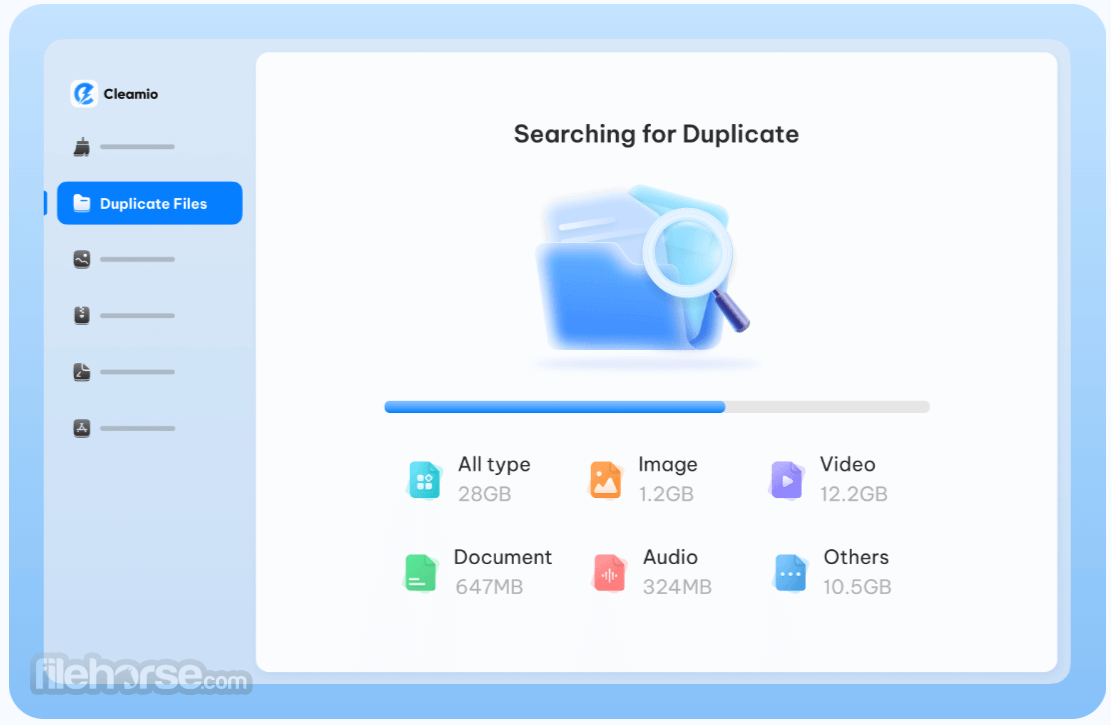
Built by Tenorshare, it combines smart cleanup tools like deep junk file removal, duplicate finder, similar image remover, large file scanner, and real-time performance monitoring into a single, easy-to-use application.
It's one-click cleaning, AI enhancements, and a performance dashboard make it a comprehensive choice for both casual and power users who want a faster, cleaner Mac without complex manual maintenance.
FileHorse review team recommends Cleamio for macOS users seeking a reliable, all-in-one optimization solution that simplifies storage management and improves overall macOS responsiveness.
Key Features
Cleamio’s interface is clean, modern, and intuitive. On launch, the main dashboard presents a clear overview of your Mac’s storage status and performance indicators.
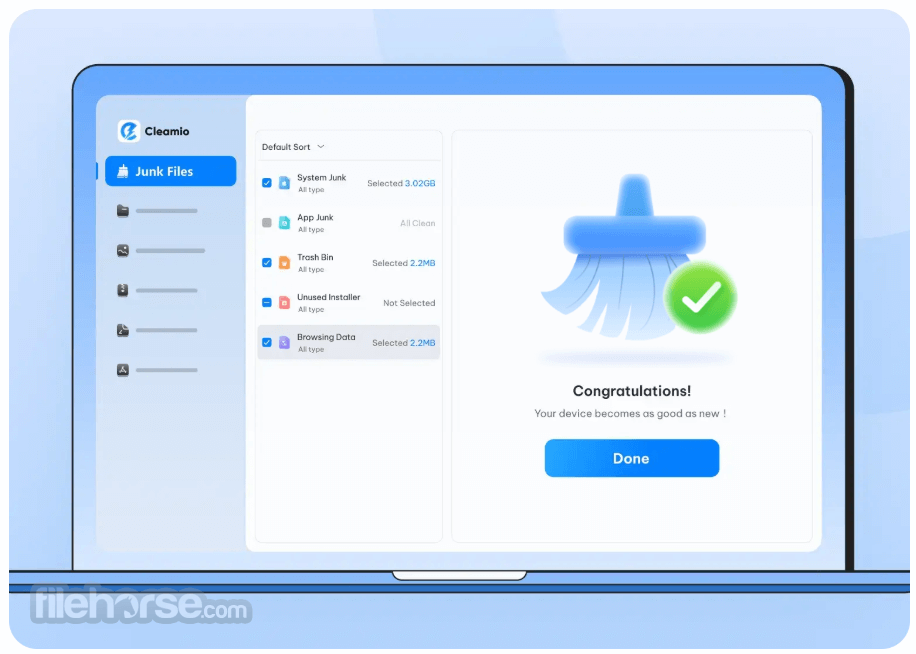
A left-hand sidebar lists key cleaning categories — Junk Files, Duplicate Files, Large Files, Images, and Tools — making navigation straightforward even for first-time users.
Each section features a simple scan and cleanup button, with results categorized logically so you can review items before removal.
The design balances accessibility with powerful tools, ensuring usability for beginners and experienced users alike.
Installation and SetupDownload the .dmg installer from the official Tenorshare site. Open the downloaded file and drag Cleamio to your Applications folder. Launch Cleamio from Applications. Grant necessary permissions (if prompted) for full disk access to allow deep scanning. Begin your first scan from the main dashboard. It supports macOS versions from 10.13 up to macOS 26, including both Intel and Apple Silicon Macs. How to Use
Is Cleamio free?
It includes a FREE cleanup trial; advanced features require a Pro license.
Is it safe for Mac?
Yes. It is Apple notarized and does not harm system files or collect personal data.
Can I use it offline?
Yes. Cleamio works offline, though the internet is recommended for updates.
How long does cleaning take?
Cleanup typically finishes within minutes, depending on disk usage.
Does it support Apple Silicon Macs?
Yes, both Intel and Apple Silicon (M1 and later) are supported.
Alternatives
MacKeeper – Deep junk and cache cleaner for macOS.
CleanMyMac – Popular all-in-one cleanup and optimization suite.
DaisyDisk – Visual disk usage analyzer for manual cleanups.
AppCleaner – A lightweight tool to fully uninstall apps.
OnyX – Free utility to clean and maintain system files.
Pricing
Cleamio offers a FREE trial with basic cleanup functions. Full access to all features requires a Pro subscription or a one-time license with a 30-day money-back guarantee via the official site.
1 Month License – $24.95 (Save $71): 1 Mac license with junk cleanup, duplicate and similar photo removal, large file finder, AI batch rename (200 credits), app uninstall/update tools, real-time performance monitor, free upgrades, and support.
Lifetime License – $69.95 (Save $110, Most Popular): One-time payment for 1 Mac with full cleanup tools, duplicate and similar file removal, large file scanner, AI batch rename (200 credits), app management, performance monitoring, and free lifetime upgrades/support.
1 Year License – $59.95 (Save $60): Annual plan for 1 Mac including system and app junk cleaning, duplicate and similar photo removal, large file detection, AI batch rename (500 credits), app uninstall/update features, real-time monitoring, and free upgrades/support.
System Requirements
Cleamio for Mac is a solid, user-friendly cleaner and optimizer that simplifies disk management and boosts system performance.
With AI-powered tools, one-click cleanup, and real-time monitoring, it’s great for everyday Mac users. Its free trial lets you try core features before upgrading.
Download Cleamio for Mac Latest Version Why is this app published on FileHorse? (More info)
Built by Tenorshare, it combines smart cleanup tools like deep junk file removal, duplicate finder, similar image remover, large file scanner, and real-time performance monitoring into a single, easy-to-use application.
It's one-click cleaning, AI enhancements, and a performance dashboard make it a comprehensive choice for both casual and power users who want a faster, cleaner Mac without complex manual maintenance.
FileHorse review team recommends Cleamio for macOS users seeking a reliable, all-in-one optimization solution that simplifies storage management and improves overall macOS responsiveness.
Key Features
- One-Click Deep Clean: Instantly remove system junk, caches, logs, DMG leftovers, and hidden clutter.
- Duplicate File Finder: Detect and delete duplicate files using the MD5 algorithm.
- Similar Image Removal: Scan and remove near-duplicate or similar photos.
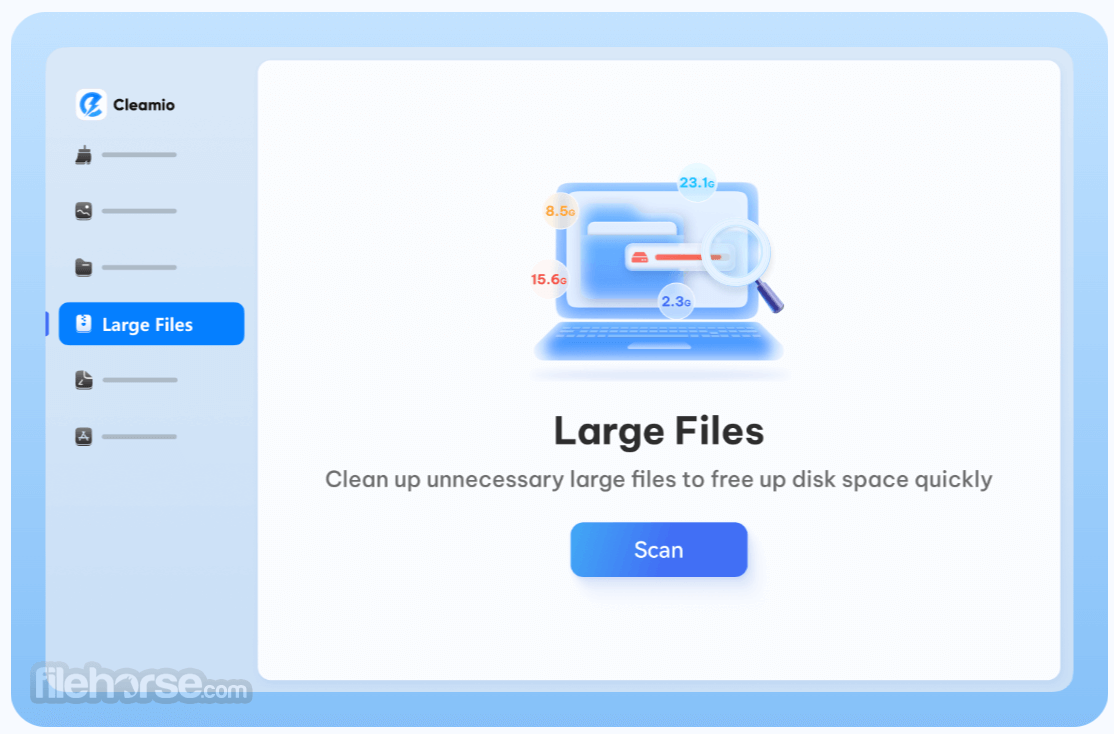
- Large File Scanner: Identify and manage space-hogging large files.
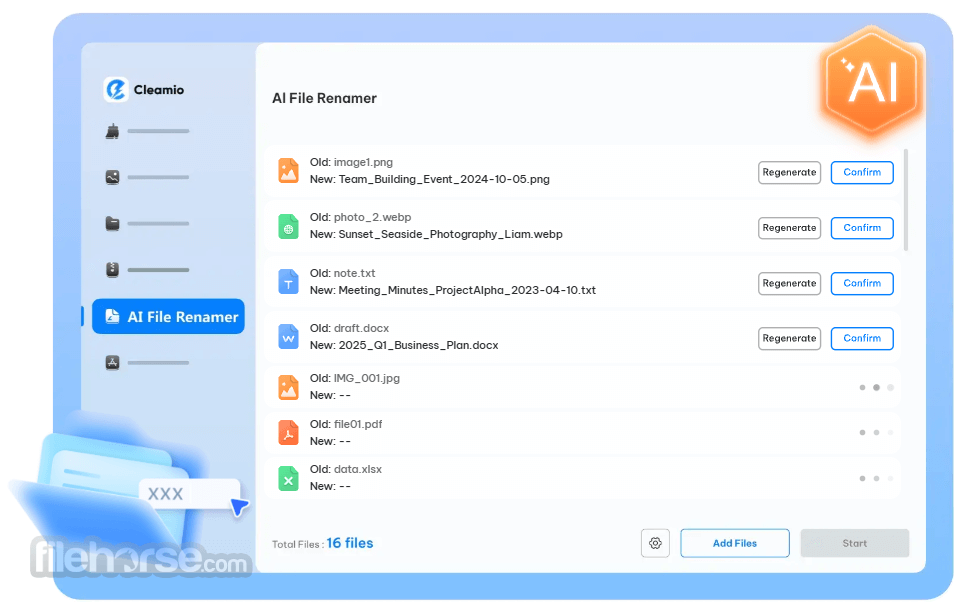
- AI Batch Rename: Rename multiple files at once using smart AI patterns.
- App Uninstaller & Update Manager: Fully remove apps and leftovers, manage updates.
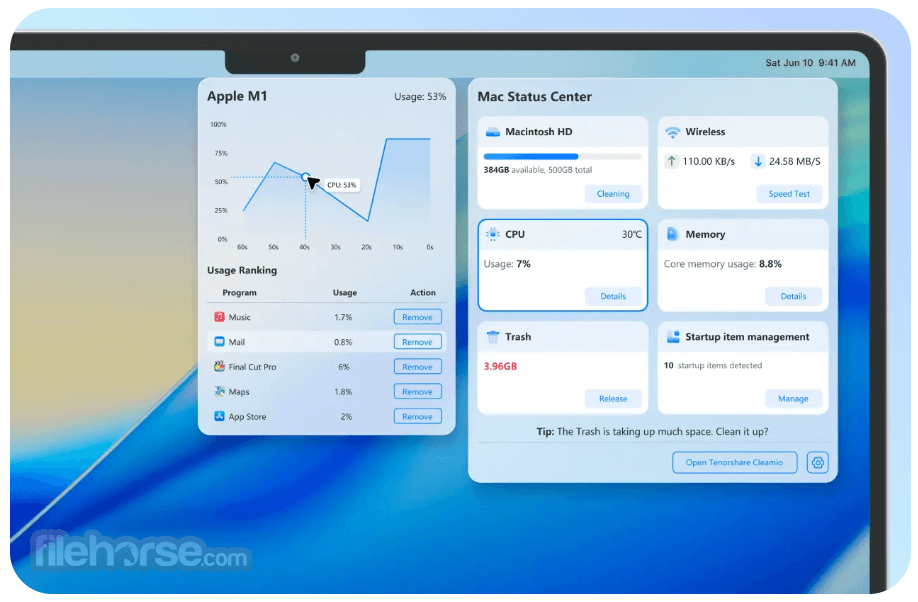
- Real-Time Performance Monitoring: View CPU, memory, disk usage, and network status.
Cleamio’s interface is clean, modern, and intuitive. On launch, the main dashboard presents a clear overview of your Mac’s storage status and performance indicators.
A left-hand sidebar lists key cleaning categories — Junk Files, Duplicate Files, Large Files, Images, and Tools — making navigation straightforward even for first-time users.
Each section features a simple scan and cleanup button, with results categorized logically so you can review items before removal.
The design balances accessibility with powerful tools, ensuring usability for beginners and experienced users alike.
Installation and Setup
- Open Cleamio from your Applications folder.
- Select “Junk Files” in the sidebar and click Scan.
- Review the scan results, then click Smart Cleanup to remove junk.
- Go to Duplicate Files to scan and optionally remove repeats.
- Use Similar Images to find and clean up near-duplicates.
- Explore Large Files to see space-hungry items you may wish to delete.
- Drop into Performance Monitor to view real-time Mac status and optimize memory or startup items.
Is Cleamio free?
It includes a FREE cleanup trial; advanced features require a Pro license.
Is it safe for Mac?
Yes. It is Apple notarized and does not harm system files or collect personal data.
Can I use it offline?
Yes. Cleamio works offline, though the internet is recommended for updates.
How long does cleaning take?
Cleanup typically finishes within minutes, depending on disk usage.
Does it support Apple Silicon Macs?
Yes, both Intel and Apple Silicon (M1 and later) are supported.
Alternatives
MacKeeper – Deep junk and cache cleaner for macOS.
CleanMyMac – Popular all-in-one cleanup and optimization suite.
DaisyDisk – Visual disk usage analyzer for manual cleanups.
AppCleaner – A lightweight tool to fully uninstall apps.
OnyX – Free utility to clean and maintain system files.
Pricing
Cleamio offers a FREE trial with basic cleanup functions. Full access to all features requires a Pro subscription or a one-time license with a 30-day money-back guarantee via the official site.
1 Month License – $24.95 (Save $71): 1 Mac license with junk cleanup, duplicate and similar photo removal, large file finder, AI batch rename (200 credits), app uninstall/update tools, real-time performance monitor, free upgrades, and support.
Lifetime License – $69.95 (Save $110, Most Popular): One-time payment for 1 Mac with full cleanup tools, duplicate and similar file removal, large file scanner, AI batch rename (200 credits), app management, performance monitoring, and free lifetime upgrades/support.
1 Year License – $59.95 (Save $60): Annual plan for 1 Mac including system and app junk cleaning, duplicate and similar photo removal, large file detection, AI batch rename (500 credits), app uninstall/update features, real-time monitoring, and free upgrades/support.
System Requirements
- macOS 10.13 or later (up to macOS 26)
- Intel 64-bit or Apple Silicon processor
- 4 GB RAM or more
- 200 MB free disk space
- Effective one-click cleanup
- Strong duplicate/similar file handling
- Batch AI file rename
- Real-time performance monitor
- Supports a wide macOS range
- Apple-notarized safety
- Simple, clean UI
- Some features behind a paywall
- AI rename may mislabel files
- Limited free cleanup scope
Cleamio for Mac is a solid, user-friendly cleaner and optimizer that simplifies disk management and boosts system performance.
With AI-powered tools, one-click cleanup, and real-time monitoring, it’s great for everyday Mac users. Its free trial lets you try core features before upgrading.
Download Cleamio for Mac Latest Version Why is this app published on FileHorse? (More info)
##
畫面截圖