⚠ 這是歷史版本頁面 — 查看 coconutBattery 最新版本 →

coconutBattery 3.9.7
v 3.9.7
macOS
免費軟體
7.82/10 (16)
- 目前版本3.9.7
- 更新日期2021-12-20
- 檔案大小12.18 MB
- 檔案名稱coconutBattery_latest.zip
- 作業系統macOS 12.0 Monterey or later
- 支援語系English
- 授權型式免費軟體
- 開發商 Christoph Sinai
- 軟體分類Mac 軟體 / 桌面強化
##
編輯短評
coconutBattery 是一款專注於電池健康監測的 macOS 工具,能即時顯示 Mac 與 iOS 裝置(如 iPhone、iPad)的電池狀態,包括電池年齡、充電次數、目前容量與原始容量的比例等。它最特別的地方在於可以儲存每次的健康資訊,方便你觀察電池隨時間的衰退趨勢,並可透過線上服務與其他用戶的數據比較。這款工具由單一開發者長期維護,更新相當活躍,在同類工具中屬於熱門選擇,評價普遍不錯。
如果你經常使用 MacBook 或搭配 iOS 裝置,想掌握電池衰退情況、評估是否該更換電池,這套軟體就很實用。它與 MacUpdater 等系統更新工具定位不同,專注於電池資訊,沒有多餘功能。免費授權,但僅提供英文介面,且只支援 macOS 平台。使用時需允許它讀取系統資訊,安裝前記得確認版本相容性。
##
翻譯排程處理中,以下暫以英文原文呈現
軟體介紹
With coconutBattery for Mac you are always aware of your current battery health.
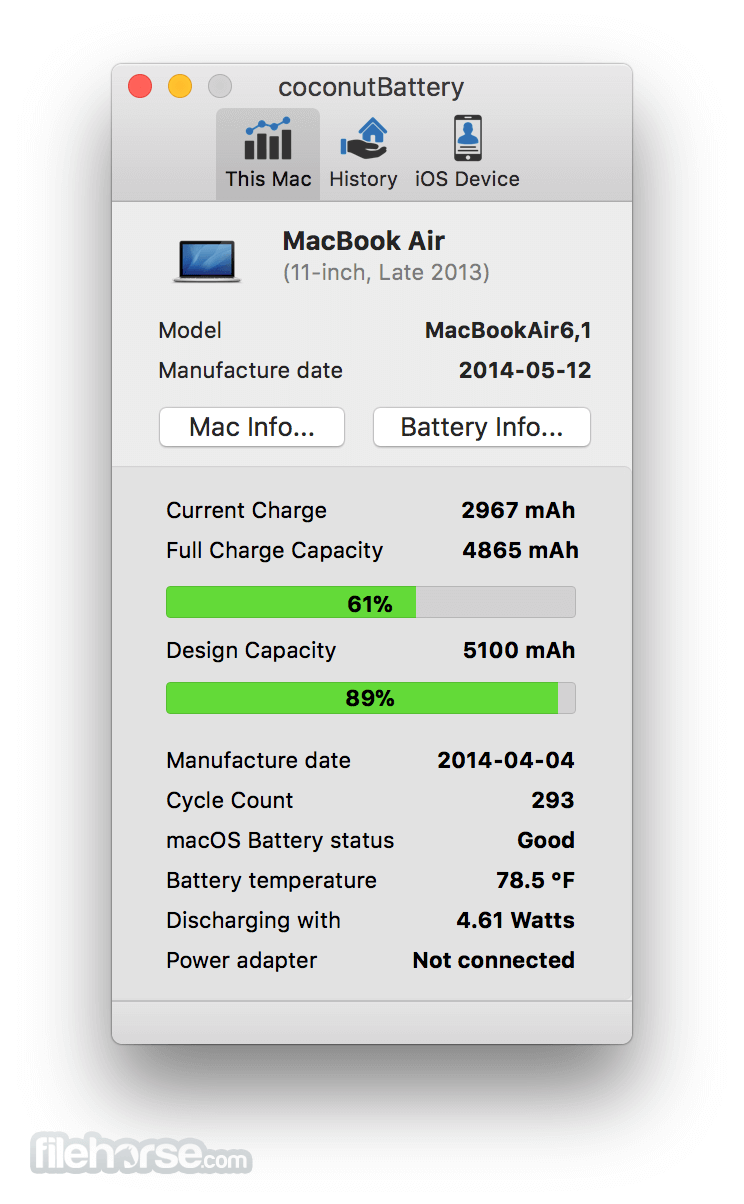
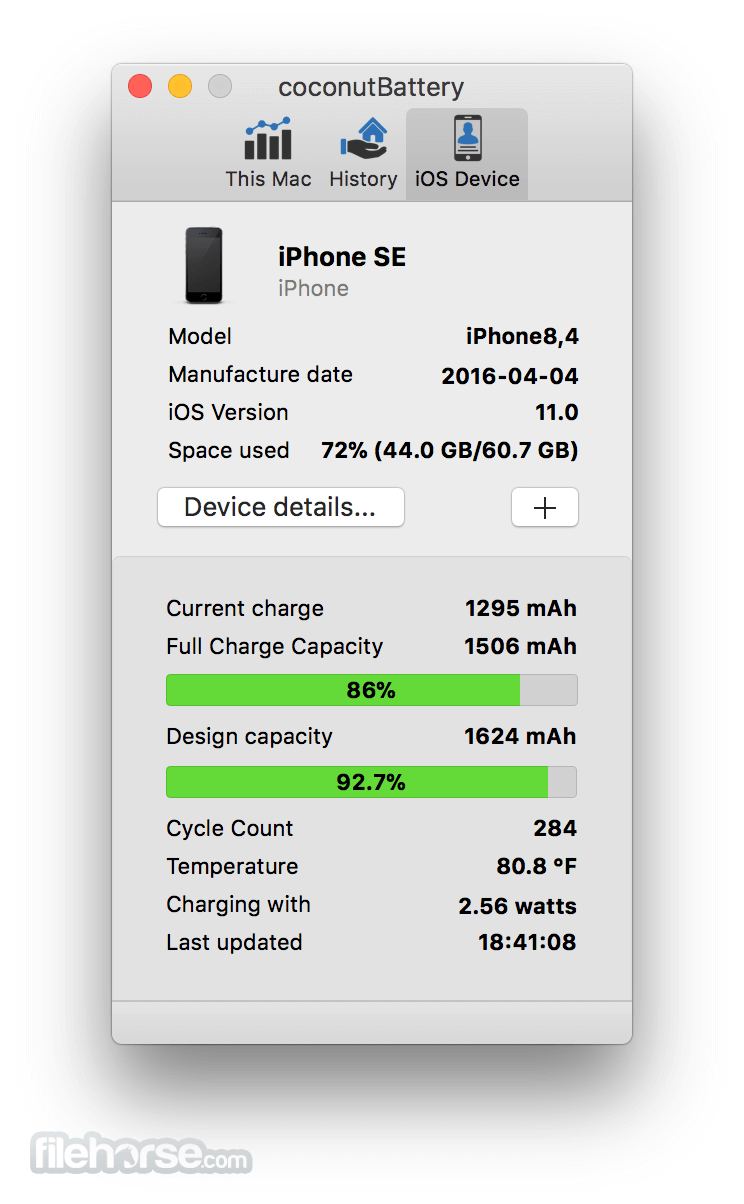
It shows you live information about the battery in your macOS and iOS device (iPhone, iPad, iPod touch) including:
With the online service "coconut Battery Online" you even can compare this information with others.
Features and Highlights
Current charge
The current battery charge (in mAh - milliampere-hour)
Maximum charge
The maximum capacity your battery can be charged with (in mAh - milliampere-hour)
Design capacity
The capacity your battery could be charged with when it left the factory (in mAh - milliampere-hour)
Model
The Apple model identification string for your Mac or battery
Manufacture date
Calculates the age of your Mac or Battery using the coded production date in the serial number of your Mac or Battery (Note: for Macs only the manufacture week can be calculated, in this case the date represents the first day of the production week)
Battery loadcycles
How often was your battery loaded from 0% to 100%? Keep it low to increase your battery life. (Apple battery information page)
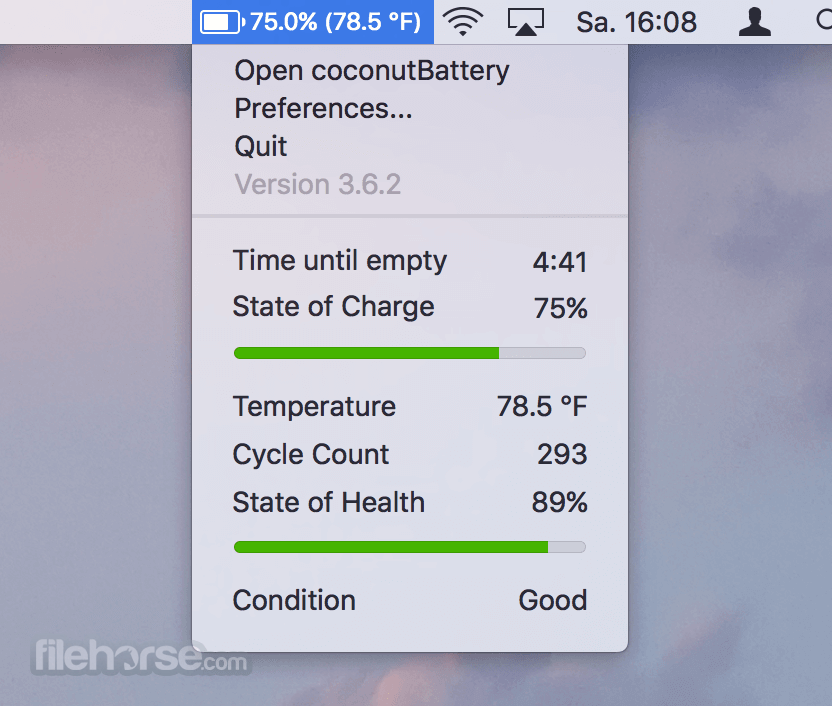
Battery temperature
This is the current temperature inside your battery. Keep it low to increase battery life. You can toggle between Celsius and Fahrenheit by clicking on the temperature
Battery usage
The current power consumption of your MacBook
How to Use
Open the downloaded DMG file and install the app
Launch coconutBattery from Applications folder
View current battery health and charge cycles
Click on “Battery Details” for more insights
Compare current status with original battery capacity
Use “History” tab to track battery data over time
Export battery reports for future reference
Connect iOS device to view its battery stats
Check for updates regularly within the app
System Requirements
Download coconutBattery for Mac Latest Version Why is this app published on FileHorse? (More info)
It shows you live information about the battery in your macOS and iOS device (iPhone, iPad, iPod touch) including:
- Age of your Mac, iOS device and battery
- How often the battery was charged
- Your battery health (capacity in relation to the original capacity your battery had when it left the factory)
- and much more.
With the online service "coconut Battery Online" you even can compare this information with others.
Features and Highlights
Current charge
The current battery charge (in mAh - milliampere-hour)
Maximum charge
The maximum capacity your battery can be charged with (in mAh - milliampere-hour)
Design capacity
The capacity your battery could be charged with when it left the factory (in mAh - milliampere-hour)
Model
The Apple model identification string for your Mac or battery
Manufacture date
Calculates the age of your Mac or Battery using the coded production date in the serial number of your Mac or Battery (Note: for Macs only the manufacture week can be calculated, in this case the date represents the first day of the production week)
Battery loadcycles
How often was your battery loaded from 0% to 100%? Keep it low to increase your battery life. (Apple battery information page)
Battery temperature
This is the current temperature inside your battery. Keep it low to increase battery life. You can toggle between Celsius and Fahrenheit by clicking on the temperature
Battery usage
The current power consumption of your MacBook
How to Use
Open the downloaded DMG file and install the app
Launch coconutBattery from Applications folder
View current battery health and charge cycles
Click on “Battery Details” for more insights
Compare current status with original battery capacity
Use “History” tab to track battery data over time
Export battery reports for future reference
Connect iOS device to view its battery stats
Check for updates regularly within the app
System Requirements
- macOS 10.10 (Yosemite) or later
- Intel or Apple Silicon (M1/M2) Mac
- Minimum 512 MB RAM
- At least 10 MB of free disk space
- Internet connection for updates and iOS features
- Accurate battery health tracking
- Simple and lightweight interface
- Supports Mac and iOS devices
- Offers historical battery logging
- No background resource drain
- Limited iOS features without cable
- No battery optimization tools
- Basic UI with no customization
- No real-time notifications
- Limited customer support options
Download coconutBattery for Mac Latest Version Why is this app published on FileHorse? (More info)
##
畫面截圖
- 2026-06-15 coconutBattery 4.3.3 5.76 MB
- 2026-04-04 coconutBattery 4.3.0 5.74 MB
- 2026-02-14 coconutBattery 4.2.1 5.5 MB
- 2026-01-05 coconutBattery 4.2.0 5.5 MB
- 2025-09-08 coconutBattery 4.1.0 5.47 MB
- 2025-06-23 coconutBattery 4.0.4 5.43 MB
- 2025-04-26 coconutBattery 4.0.3 5.42 MB
- 2025-03-13 coconutBattery 4.0.2 5.24 MB