⚠ 這是歷史版本頁面 — 查看 Cyberduck 最新版本 →

- 目前版本8.8.2
- 更新日期2024-04-13
- 檔案大小143 MB
- 檔案名稱Cyberduck-8.8.2.41344.zip
- 作業系統Mac OS X 10.8 or later
- 支援語系English
- 授權型式開源軟體
- 開發商 David Kocher
- 軟體分類Mac 軟體 / 檔案傳輸與網路
##
編輯短評
Cyberduck 是一套開源的檔案傳輸工具,支援 FTP、SFTP、WebDAV、Amazon S3 與 Cloud Files 等多種協定,讓你在單一介面裡連上不同類型的遠端主機或雲端空間。它最鮮明的特色是深度整合 macOS 原生技術,像是用 Quick Look 快速預覽檔案、用 Spotlight 搜尋內容,並可搭配外部編輯器直接修改遠端檔案,瀏覽大型資料夾結構時也相當流暢。這套軟體長期持續維護,近一年內仍有多次更新,在同類工具中屬於穩定且受歡迎的選擇,不過目前介面僅提供英文。
如果你平常需要同時管理多個 FTP 站台、WebDAV 目錄或雲端儲存空間,Cyberduck 的書籤功能與清楚的大綱檢視能省下不少切換時間。和 SHAREit、uTorrent 這類偏點對點分享或下載的工具相比,Cyberduck 更偏向正式的伺服器與雲端檔案管理,適合開發者、網站維護者或經常上傳下載檔案的使用者。它採用開源授權,macOS 與 Windows 都有版本,但要注意的是目前沒有繁體中文介面,對不熟悉英文操作介面的人來說可能需要一些適應時間。
##
翻譯排程處理中,以下暫以英文原文呈現
軟體介紹
Cyberduck for Mac is an open source FTP, SFTP, WebDAV, Cloud Files and Amazon S3 browser for the Mac. It features an easy to use interface with quickly accessible bookmarks.
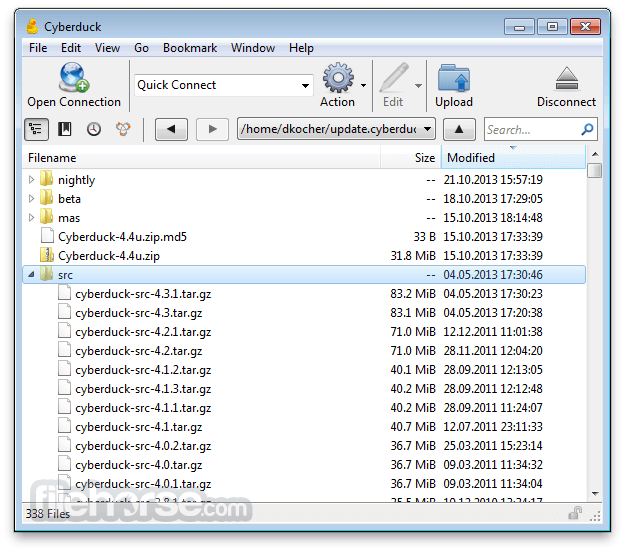
The outline view of the browser allows to browse large folder structures efficiently and you can quickly preview files with Quick Look.
To edit files, seamless integration with several external editors makes it easy to change content quickly. Both Amazon CloudFront and Cloud Files from Rackspace can be easily configured to distribute your content in the cloud.
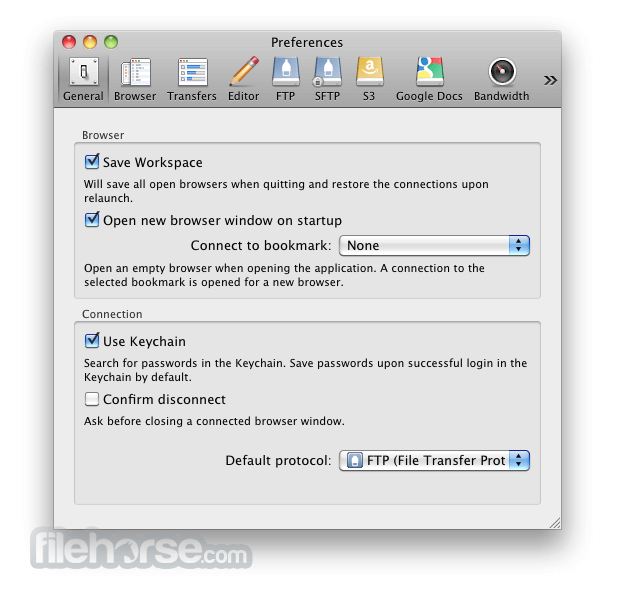
Many macOS core system technologies such as Spotlight, Bonjour and the Keychain are supported and a large number of translations makes you feel at home.
Features and Highlights
Connecting to every server
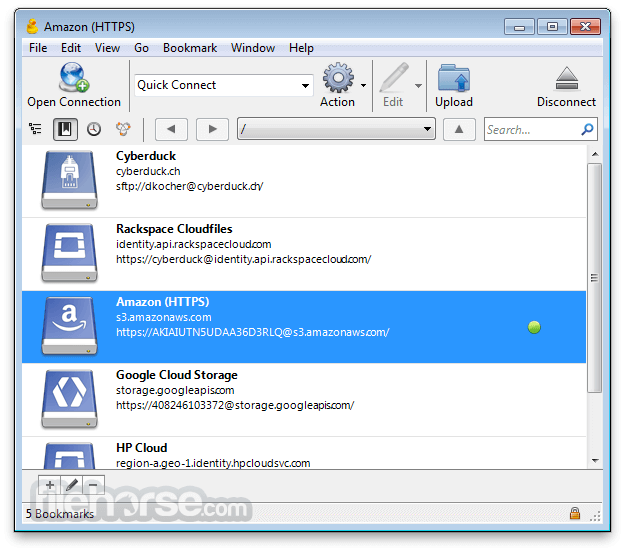
With an easy to use interface, connect to FTP (File Transfer Protocol), SFTP (SSH Secure File Transfer), WebDAV (Web-based Distributed Authoring and Versioning), Amazon S3, Google Cloud Storage, Windows Azure, Rackspace Cloud Files and even Google Docs.
Edit any file with your preferred editor
To edit files, seamless integration with any external editor application makes it easy to change content quickly. Edit any text or binary file on the server in your preferred application.
Distribute your content in the cloud
Both Amazon CloudFront and Akamai content delivery networks (CDN) can be easily configured to distribute your files worldwide from edge locations. Connect to any server using FTP, SFTP or WebDAV and configure it as the origin of a new Amazon CloudFront CDN distribution.
Amazon S3 for the rest of us
Browse Amazon Simple Storage Service like your harddisk. Supporting the latest and greatest additions to the S3 storage options. Define website endpoints, enable access logging, configure storage class, encryption and bucket location.
Manage your Google Docs
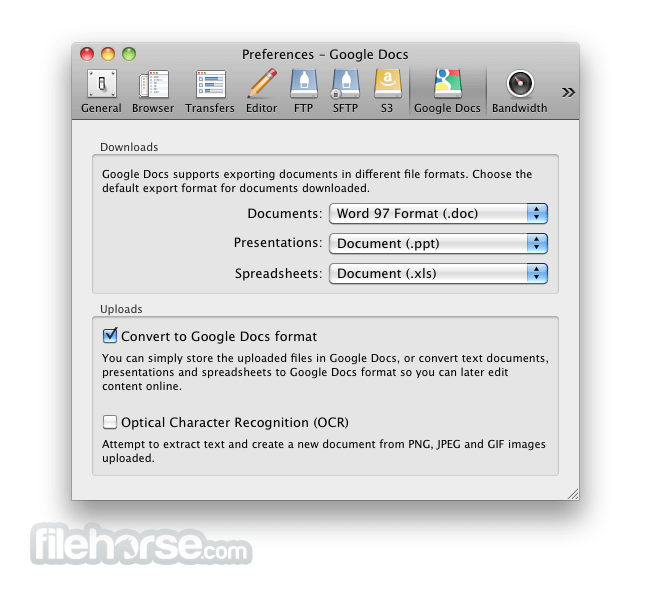
Convert uploads to Google Docs format and Optical Character Recognition (OCR) for image uploads. Define access control lists to share documents with other users using Google login credentials.
And many more (First class bookmarking, Browse with ease, Transfer anything, Advanced SSH features, Integration with system technologies).
PROS
Also Available: Download Cyberduck for Windows
Download Cyberduck for Mac Latest Version Why is this app published on FileHorse? (More info)
The outline view of the browser allows to browse large folder structures efficiently and you can quickly preview files with Quick Look.
To edit files, seamless integration with several external editors makes it easy to change content quickly. Both Amazon CloudFront and Cloud Files from Rackspace can be easily configured to distribute your content in the cloud.
Many macOS core system technologies such as Spotlight, Bonjour and the Keychain are supported and a large number of translations makes you feel at home.
Features and Highlights
Connecting to every server
With an easy to use interface, connect to FTP (File Transfer Protocol), SFTP (SSH Secure File Transfer), WebDAV (Web-based Distributed Authoring and Versioning), Amazon S3, Google Cloud Storage, Windows Azure, Rackspace Cloud Files and even Google Docs.
Edit any file with your preferred editor
To edit files, seamless integration with any external editor application makes it easy to change content quickly. Edit any text or binary file on the server in your preferred application.
Distribute your content in the cloud
Both Amazon CloudFront and Akamai content delivery networks (CDN) can be easily configured to distribute your files worldwide from edge locations. Connect to any server using FTP, SFTP or WebDAV and configure it as the origin of a new Amazon CloudFront CDN distribution.
Amazon S3 for the rest of us
Browse Amazon Simple Storage Service like your harddisk. Supporting the latest and greatest additions to the S3 storage options. Define website endpoints, enable access logging, configure storage class, encryption and bucket location.
Manage your Google Docs
Convert uploads to Google Docs format and Optical Character Recognition (OCR) for image uploads. Define access control lists to share documents with other users using Google login credentials.
And many more (First class bookmarking, Browse with ease, Transfer anything, Advanced SSH features, Integration with system technologies).
PROS
- User-Friendly Interface – Simple and intuitive design.
- Supports Multiple Protocols – FTP, SFTP, WebDAV & more.
- Seamless Cloud Integration – Works with AWS, Google Drive.
- Free & Open Source – No cost with active community support.
- Bookmark & Transfer Queue – Easy file management tools.
- Slower Performance – Can lag with large transfers.
- Frequent Connection Drops – Stability issues at times.
- Limited Automation – No built-in scheduling feature.
- Annoying Donation Pop-ups – Requests for contributions.
- No Built-in File Editing – Requires external editors.
Also Available: Download Cyberduck for Windows
Download Cyberduck for Mac Latest Version Why is this app published on FileHorse? (More info)
##
畫面截圖
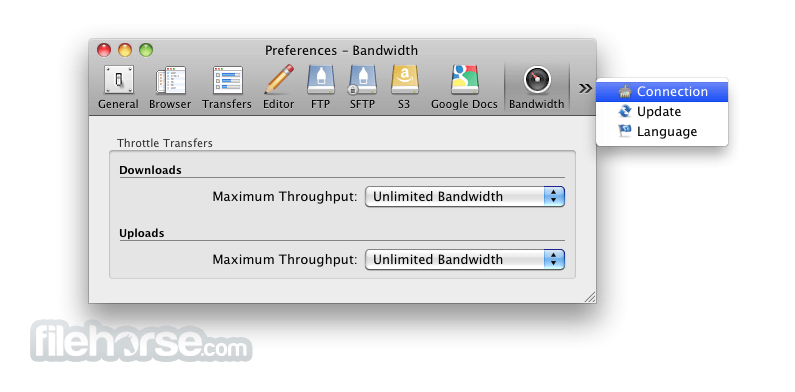
- 2026-06-25 Cyberduck 9.5.0 171 MB
- 2026-03-05 Cyberduck 9.4.1 165 MB
- 2026-02-21 Cyberduck 9.4.0 165 MB
- 2025-12-13 Cyberduck 9.3.1 166 MB
- 2025-11-27 Cyberduck 9.3.0 166 MB
- 2025-09-22 Cyberduck 9.2.4 159 MB
- 2025-08-14 Cyberduck 9.2.0 160 MB
- 2025-08-14 Cyberduck 9.2.1 160 MB