⚠ 這是歷史版本頁面 — 查看 DAEMON Tools 最新版本 →

- 目前版本8.0.663
- 更新日期2020-04-16
- 檔案大小20.92 MB
- 檔案名稱DAEMONTools-8-0-663.dmg
- 作業系統macOS 11.0 Big Sur or later
- 支援語系English
- 授權型式商業試用
- 開發商 Disc Soft Ltd
- 軟體分類Mac 軟體 / 桌面強化
##
編輯短評
DAEMON Tools 是 mac 上老牌的虛擬光碟工具,主要解決掛載 CD/DVD 映像檔的需求,也支援多種映像格式與 VHD。它最明顯的特色是整合了映像檔建立、儲存與掛載功能,並提供智慧收藏夾整理常用檔案,還能與行動裝置 App 互通。這套軟體在 Mac 平台已收錄多個版本,雖然近期更新步調趨緩,但評價普遍不錯,在同類工具中算是熱門選擇。
它適合需要頻繁掛載光碟映像檔的使用者,例如安裝舊版軟體、讀取遊戲備份或處理 ISO 檔。與 Toast Titanium 等替代軟體相比,DAEMON Tools 更專注在虛擬裝置與映像檔管理,功能相對單純。授權為試用版,基本功能免費,進階功能需付費解鎖;目前僅提供英文介面,macOS 使用者需留意這點,Windows 版則另有一套生態。
##
翻譯排程處理中,以下暫以英文原文呈現
軟體介紹
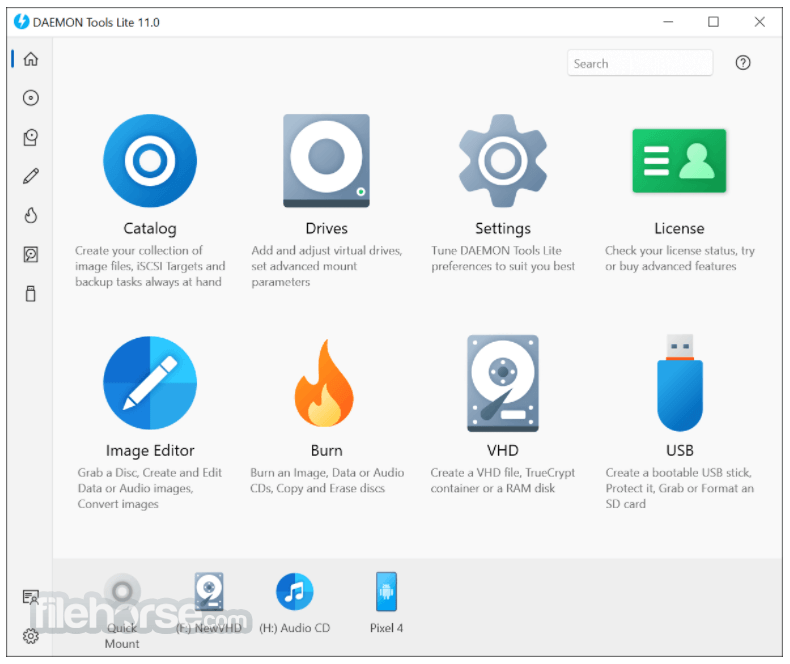
DAEMON Tools Lite for Mac combines must-have features for disc imaging and a vast range of tools for virtual devices.
You can choose a free app to create, store, mount images, and pay for additional pro features you really need or get a Full Pack of tools at half price.
Features and Highlights
Must-have imaging tools
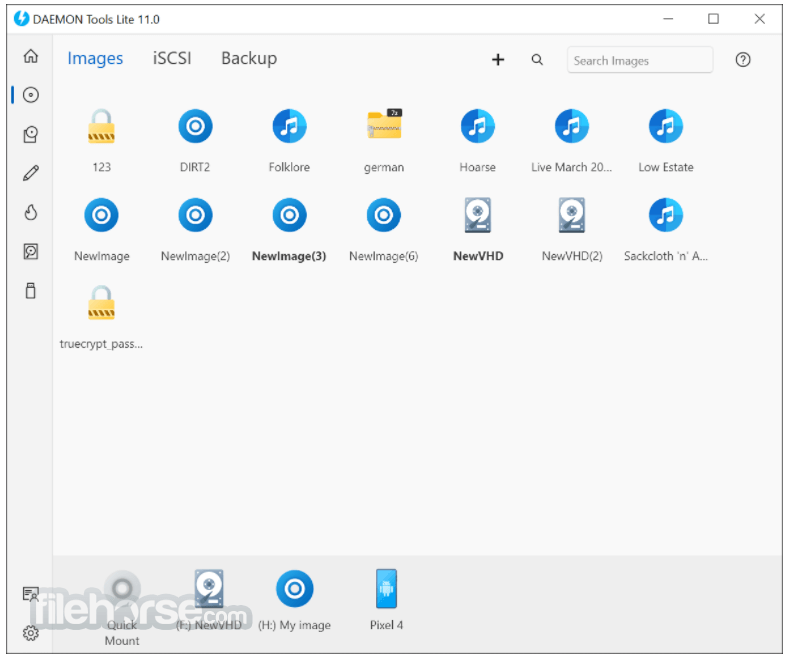
DAEMON Tools Lite for macOS allows you to mount all known types of disc image files and emulates up to 4 DT + SCSI + HDD devices. It enables you to create images of your optical discs and access them via well-organized catalog. Mount: all popular types of images, create: MDX, MDS and ISO files and keep your favorite images at hand.
Image Editor
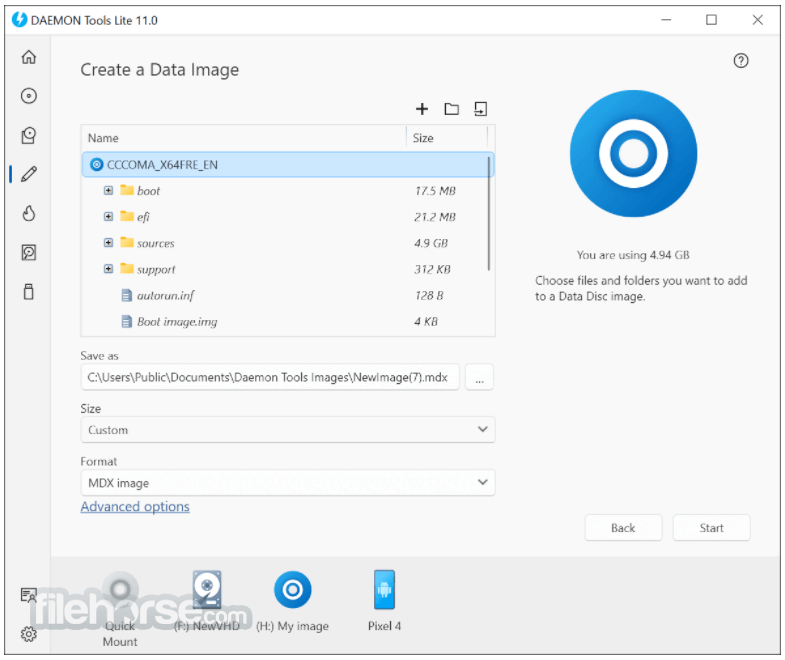
The tool is ideal to work with files you have and to create new images from optical discs, data files and Audio CDs.
Virtual HDD
Your files are safe with VHD backups and TrueCrypt containers, as the program enables you to choose a way to store and protect your data. In addition to high-level protection, you can add a RAM disk to get the best PC performance ever.
Disc Burn
All you need from burning software is always at your fingertips. Burn images, data and audio files to optical media; erase discs and copy them on-the-fly.
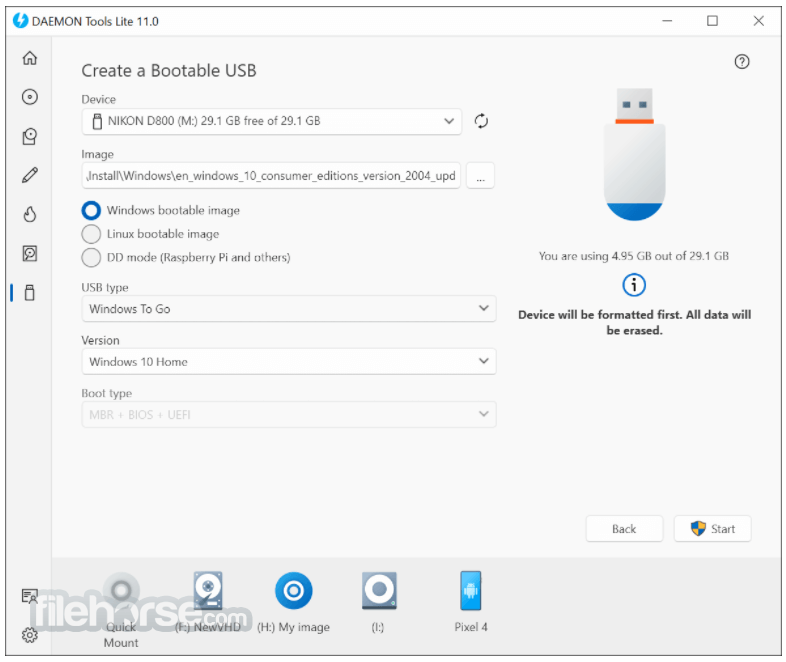
Bootable USB
USB-sticks are fast, durable, compact, reusable and modern media you definitely have. Why not to use USB for storing operating system installer or private data?
iSCSI Initiator
iSCSI protocol makes even the longest distances closer. Connect to iSCSI Targets and use remote images as local ones.
Advanced Mount
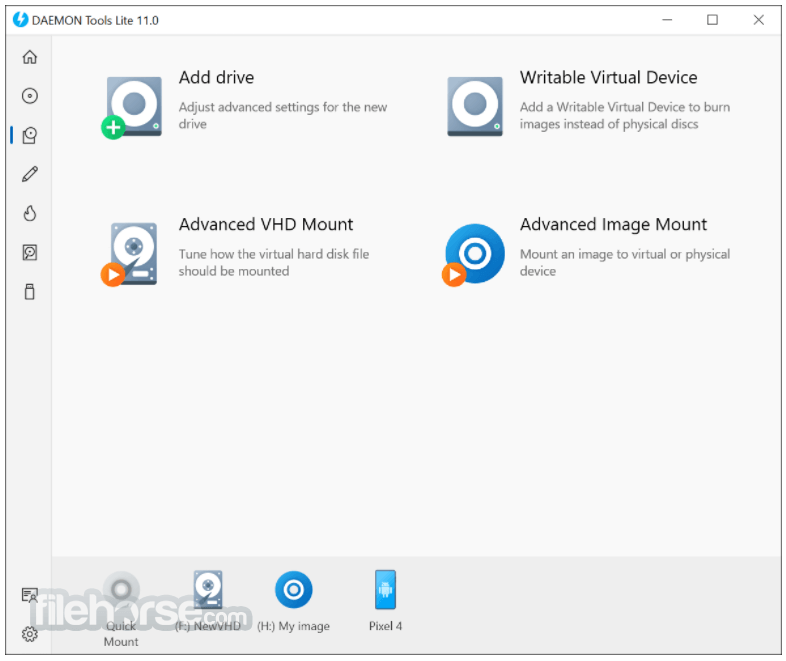
Go to the advanced level with DAEMON Tools Lite for Mac by setting pro options while mounting disc images and VHDs.
Unlimited Devices
Do you want to use more than 4 drives simultaneously? Maximize the number of virtual devices and mount as many images as you need.
Virtual Burner
Minimize wear-and-tear of physical drives and save your time by burning images instead of discs with Writable Virtual Device.
Supported macOS Versions
This software is compatible with macOS versions from Snow Leopard (10.6) to Sonoma (14.0). The required version varies:
Also Available: Download DAEMON Tools for Windows
Download DAEMON Tools Lite for Mac Latest Version Why is this app published on FileHorse? (More info)
You can choose a free app to create, store, mount images, and pay for additional pro features you really need or get a Full Pack of tools at half price.
- Mount all types of image files and VHDs
- Organize favorite files in smart collection
- Share files between DAEMON Tools & mobile apps
- Dedicated 24/7 support
- Lifetime updates for basic functionality
- Free with any advanced feature
Features and Highlights
Must-have imaging tools
DAEMON Tools Lite for macOS allows you to mount all known types of disc image files and emulates up to 4 DT + SCSI + HDD devices. It enables you to create images of your optical discs and access them via well-organized catalog. Mount: all popular types of images, create: MDX, MDS and ISO files and keep your favorite images at hand.
Image Editor
The tool is ideal to work with files you have and to create new images from optical discs, data files and Audio CDs.
Virtual HDD
Your files are safe with VHD backups and TrueCrypt containers, as the program enables you to choose a way to store and protect your data. In addition to high-level protection, you can add a RAM disk to get the best PC performance ever.
Disc Burn
All you need from burning software is always at your fingertips. Burn images, data and audio files to optical media; erase discs and copy them on-the-fly.
Bootable USB
USB-sticks are fast, durable, compact, reusable and modern media you definitely have. Why not to use USB for storing operating system installer or private data?
iSCSI Initiator
iSCSI protocol makes even the longest distances closer. Connect to iSCSI Targets and use remote images as local ones.
Advanced Mount
Go to the advanced level with DAEMON Tools Lite for Mac by setting pro options while mounting disc images and VHDs.
Unlimited Devices
Do you want to use more than 4 drives simultaneously? Maximize the number of virtual devices and mount as many images as you need.
Virtual Burner
Minimize wear-and-tear of physical drives and save your time by burning images instead of discs with Writable Virtual Device.
Supported macOS Versions
This software is compatible with macOS versions from Snow Leopard (10.6) to Sonoma (14.0). The required version varies:
- Sonoma (14.0): 8.6+
- Ventura (13.0): 8.5+
- Monterey (12.0) & Big Sur (11.0): 8.2+
- Catalina (10.15) to Sierra (10.12): 4.3+
- El Capitan (10.11): 4.1+
- Yosemite (10.10) to Mavericks (10.9): 2.0-6.3
- Mountain Lion (10.8) to Snow Leopard (10.6): Up to 2.3.
- Virtual Drive Support – Mounts multiple disc images.
- Broad Format Compatibility – Works with various file types.
- User-Friendly Interface – Simple and intuitive design.
- Lightweight Application – Minimal system resource use.
- Secure Image Encryption – Protects files with a password.
- Limited Free Features – Many tools require payment.
- Ads in Free Version – Can be intrusive during use.
- No Blu-ray Support – Lacks direct Blu-ray mounting.
- Occasional Compatibility Issues – Some macOS versions lag.
- Subscription-Based Pricing – No permanent purchase option.
Also Available: Download DAEMON Tools for Windows
Download DAEMON Tools Lite for Mac Latest Version Why is this app published on FileHorse? (More info)
##
畫面截圖
- 2025-02-10 DAEMON Tools 8.6.793 32.04 MB
- 2022-04-27 DAEMON Tools 8.4.756 26.49 MB
- 2022-04-07 DAEMON Tools 8.4.755 23.71 MB
- 2021-11-19 DAEMON Tools 8.4.752 26.49 MB
- 2021-11-15 DAEMON Tools 8.4.746 26.49 MB
- 2021-10-28 DAEMON Tools 8.2.723 26.45 MB
- 2020-11-19 DAEMON Tools 8.2.715 23.52 MB
- 2020-07-18 DAEMON Tools 8.1.708 21.92 MB