- 目前版本4.34.2
- 更新日期2026-07-11
- 檔案大小7.61 MB
- 檔案名稱DaisyDisk.zip
- 作業系統macOS 10.13 High Sierra or later
- 支援語系English
- 授權型式試用版
- 開發商 Software Ambience Corp
- 軟體分類Mac 軟體 / 系統優化
##
翻譯排程處理中,以下暫以英文原文呈現
軟體介紹
DaisyDisk for Mac allows you to visualize your disk usage and free up disk space by quickly finding and deleting big unused files.
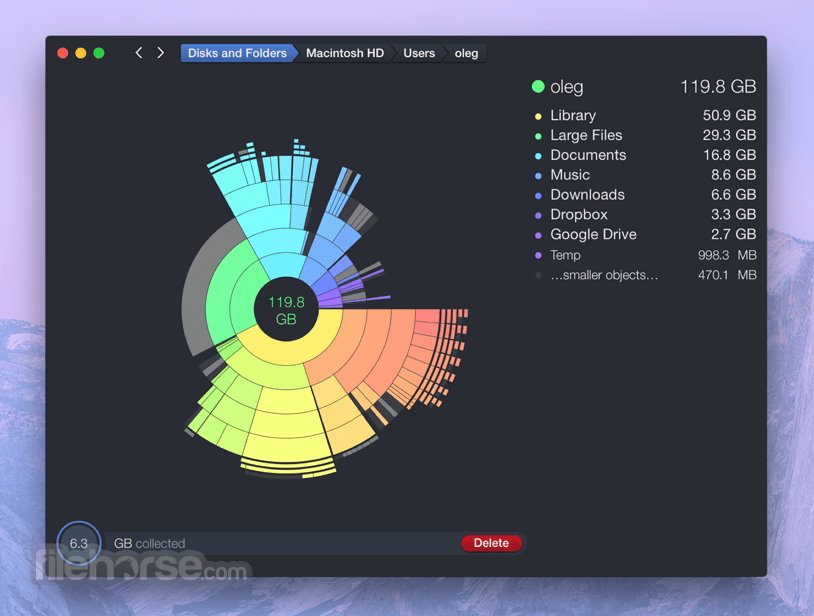
The program scans your disk and displays its content as a sector diagram where the biggest files and folders at once become obvious. To drill down to a folder, just click on a segment.
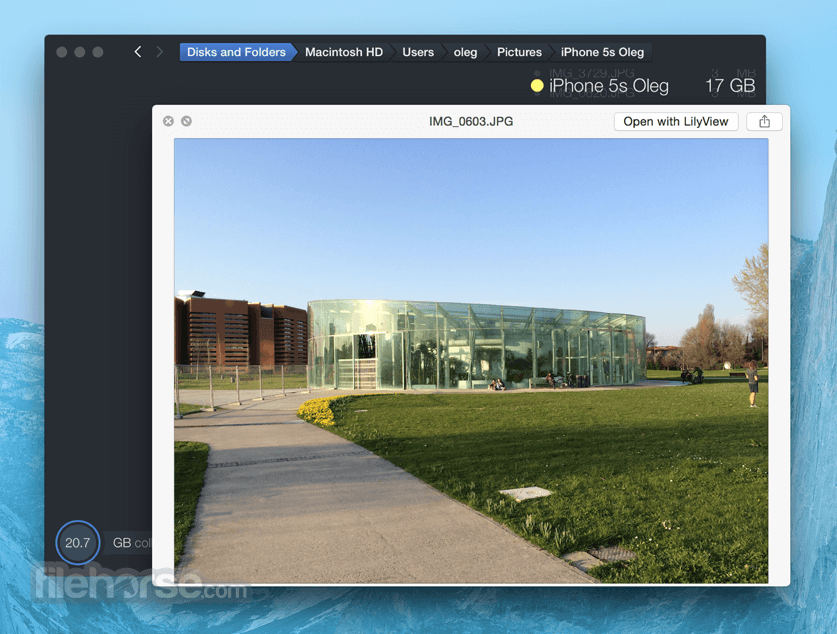
To bubble up, click in the center. Move the mouse over the diagram and see the name and path of each file, and enclosed files (if any). Hit Space to quickly preview file content, without launching another application.
In this way, walk around your disk and drag-and-drop all unneeded files into the "collector". Expand the collector to check its contents. When done, clean it up with a single click.
While working on your Mac you create and download lots of files, but rarely delete anything. At some point you find that your startup disk is full. What to do? Well, a larger disk will cost you a few hundred dollars.
Yearly fee for a cloud storage is about the same. Or simply get DaisyDisk at a fraction of the price and make plenty of space by removing old junk.
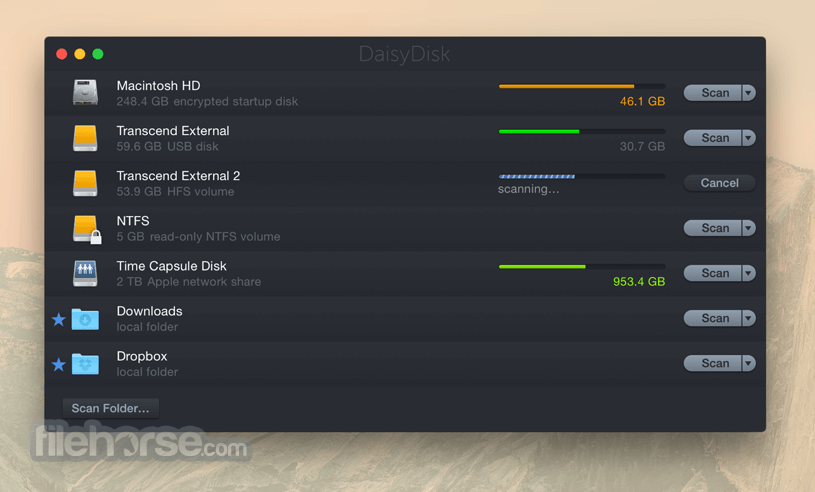
DaisyDisk for macOS also gives you a great overview of all connected disks, be it Macintosh HD, Thunderbolt disk, flash, network storage, you name it. All displayed data are updated in real time, so you can always tell if there's enough space to install a new game or download an HD movie.
It's easy. Just scan a disk and see all of your files and folders as a visual interactive map. Find an unusually large file. Preview its content, and delete if you don't need it anymore.
Features
SAFE
Only you decide what to delete. System files are protected.
FAST
Scanning modern disks takes only a few seconds—a far cry from any rival.
POPULAR
Daisy Disk for Mac remains the tool of choice for IT professionals, photographers, film makers and artists worldwide.
COST EFFECTIVE
Use your existing storage instead of buying more of it.
EASY TO USE
Original visual interface that is easy to use even for novice users.
How to Use
Open DaisyDisk from the Applications folder
Click “Scan” and choose a drive or folder
Wait for the scan to complete and display results
Explore the visual disk map to identify large files
Click on unwanted files and move them to Collector
Review files in Collector, then click “Delete” to remove
System Requirements
macOS 10.10 or later
64-bit Intel or Apple Silicon processor
50 MB of available disk space
PROS
Download DaisyDisk for Mac Latest Version Why is this app published on FileHorse? (More info)
The program scans your disk and displays its content as a sector diagram where the biggest files and folders at once become obvious. To drill down to a folder, just click on a segment.
To bubble up, click in the center. Move the mouse over the diagram and see the name and path of each file, and enclosed files (if any). Hit Space to quickly preview file content, without launching another application.
In this way, walk around your disk and drag-and-drop all unneeded files into the "collector". Expand the collector to check its contents. When done, clean it up with a single click.
While working on your Mac you create and download lots of files, but rarely delete anything. At some point you find that your startup disk is full. What to do? Well, a larger disk will cost you a few hundred dollars.
Yearly fee for a cloud storage is about the same. Or simply get DaisyDisk at a fraction of the price and make plenty of space by removing old junk.
DaisyDisk for macOS also gives you a great overview of all connected disks, be it Macintosh HD, Thunderbolt disk, flash, network storage, you name it. All displayed data are updated in real time, so you can always tell if there's enough space to install a new game or download an HD movie.
It's easy. Just scan a disk and see all of your files and folders as a visual interactive map. Find an unusually large file. Preview its content, and delete if you don't need it anymore.
Features
SAFE
Only you decide what to delete. System files are protected.
FAST
Scanning modern disks takes only a few seconds—a far cry from any rival.
POPULAR
Daisy Disk for Mac remains the tool of choice for IT professionals, photographers, film makers and artists worldwide.
COST EFFECTIVE
Use your existing storage instead of buying more of it.
EASY TO USE
Original visual interface that is easy to use even for novice users.
How to Use
Open DaisyDisk from the Applications folder
Click “Scan” and choose a drive or folder
Wait for the scan to complete and display results
Explore the visual disk map to identify large files
Click on unwanted files and move them to Collector
Review files in Collector, then click “Delete” to remove
System Requirements
macOS 10.10 or later
64-bit Intel or Apple Silicon processor
50 MB of available disk space
PROS
- Fast and accurate disk scanning
- Beautiful interactive disk map
- Easy file cleanup workflow
- Supports external and network drives
- Optimized for Apple Silicon Macs
- No automatic cleanup feature
- Limited file preview options
- No real-time space monitoring
- Not free (one-time purchase required)
- Lacks advanced filtering for power users
Download DaisyDisk for Mac Latest Version Why is this app published on FileHorse? (More info)
##
畫面截圖