- 目前版本7.70.220.0230
- 更新日期2025-04-30
- 檔案大小12.6 MB
- 檔案名稱Faronics_DFM.dmg
- 作業系統Mac OS X 10.9 or later
- 支援語系English
- 授權型式商業試用
- 開發商 Faronics Corporation
- 軟體分類Mac 軟體 / 系統優化
##
翻譯排程處理中,以下暫以英文原文呈現
軟體介紹
Faronics Deep Freeze makes Macs indestructible. It protects endpoints by Freezing a snapshot of a workstation’s desired configuration and settings set by the IT Admin.
With a simple reboot, any unwelcome or unwanted changes are removed from the system, restoring it to its pristine Frozen state.
Deep Freeze provides ultimate macOS protection that leverages ARD for deployment and management allowing IT Admins looking to secure their Macs and keep them running smoothly, without any restrictions.
Provide students with flexible lab environment, where their learning can be taken to the next level, without any risk to computers. Prevent configuration drift and secure your public computers from malware that could cause data breaches.
Erase session data and issues caused by multiple staff accessing patient data on COWs, with every reboot.
Make your office computers even tougher. Revert system changes and the resulting issues caused by different actions with a simple reboot.
Features and Highlights
Freeze and Restore
Freeze your Macs to the desired state. Restore from any unexpected changes with a simple reboot.
Increase Productivity
Ensure 100% computer recovery with every restart. Reduced computer downtime means increased IT productivity.
Completely Non-Restrictive
Provide users with unrestricted access while preventing permanent configuration changes.
Eliminate Lock Down Defence
Avoid the necessity of adopting restrictive defence or reactionary approaches for maintaining security.
Protection Against Phishing
Deep Freeze for macOS reverses malicious changes on reboot, protecting computers from threats such as phishing.
Eliminate Unplanned Threats
Provide a simple and effective way to clear all malicious changes to your system, including zero-day threats.
Prevent Configuration Drifts
Prevent Macs from straying from their baseline configurations while still allowing users to save their work.
Achieve License Compliance
Only keep approved software installed across all workstations, helping your organization achieve license compliance.
How to Use
macOS 10.14 Mojave or later
Intel or Apple Silicon Mac
At least 1 GB RAM
10 MB free disk space
Administrator privileges required
PROS
Also Available: Download Deep Freeze for Windows
Download Deep Freeze for Mac Latest Version Why is this app published on FileHorse? (More info)
With a simple reboot, any unwelcome or unwanted changes are removed from the system, restoring it to its pristine Frozen state.
Deep Freeze provides ultimate macOS protection that leverages ARD for deployment and management allowing IT Admins looking to secure their Macs and keep them running smoothly, without any restrictions.
Provide students with flexible lab environment, where their learning can be taken to the next level, without any risk to computers. Prevent configuration drift and secure your public computers from malware that could cause data breaches.
Erase session data and issues caused by multiple staff accessing patient data on COWs, with every reboot.
Make your office computers even tougher. Revert system changes and the resulting issues caused by different actions with a simple reboot.
Features and Highlights
Freeze and Restore
Freeze your Macs to the desired state. Restore from any unexpected changes with a simple reboot.
Increase Productivity
Ensure 100% computer recovery with every restart. Reduced computer downtime means increased IT productivity.
Completely Non-Restrictive
Provide users with unrestricted access while preventing permanent configuration changes.
Eliminate Lock Down Defence
Avoid the necessity of adopting restrictive defence or reactionary approaches for maintaining security.
Protection Against Phishing
Deep Freeze for macOS reverses malicious changes on reboot, protecting computers from threats such as phishing.
Eliminate Unplanned Threats
Provide a simple and effective way to clear all malicious changes to your system, including zero-day threats.
Prevent Configuration Drifts
Prevent Macs from straying from their baseline configurations while still allowing users to save their work.
Achieve License Compliance
Only keep approved software installed across all workstations, helping your organization achieve license compliance.
How to Use
- Run the installer and follow the setup instructions
- Restart your Mac to complete installation
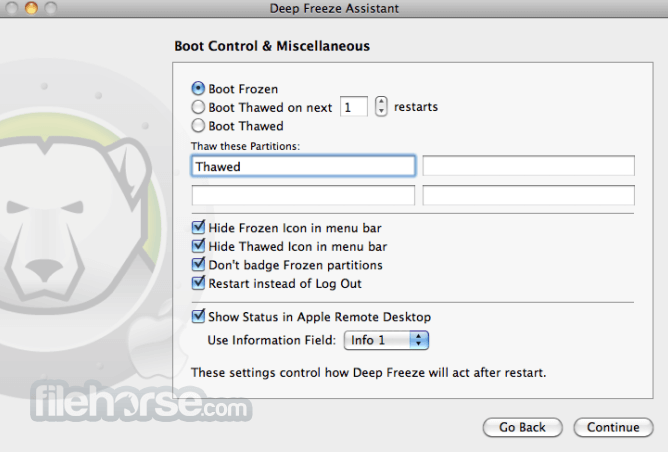
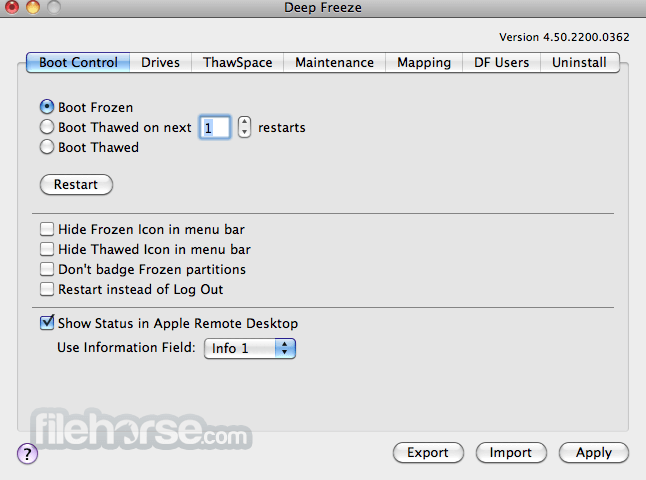
- Use the Configuration tool to set freeze options
- Click "Freeze" to lock system state
- Restart to return the system to frozen state
- Use "Thaw" mode to make permanent changes
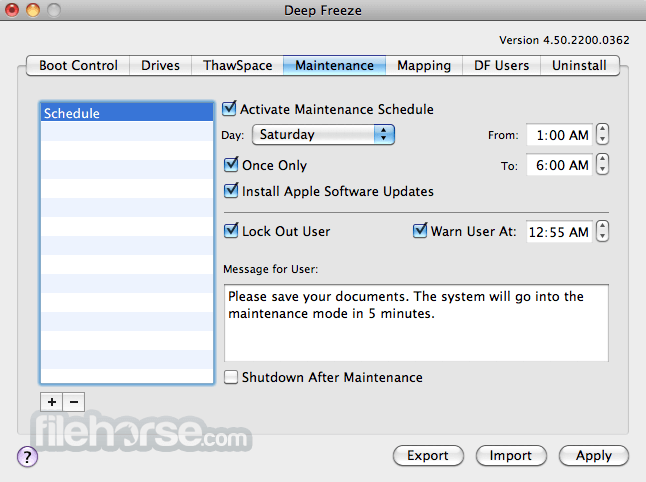
- Schedule automatic thaw periods if needed
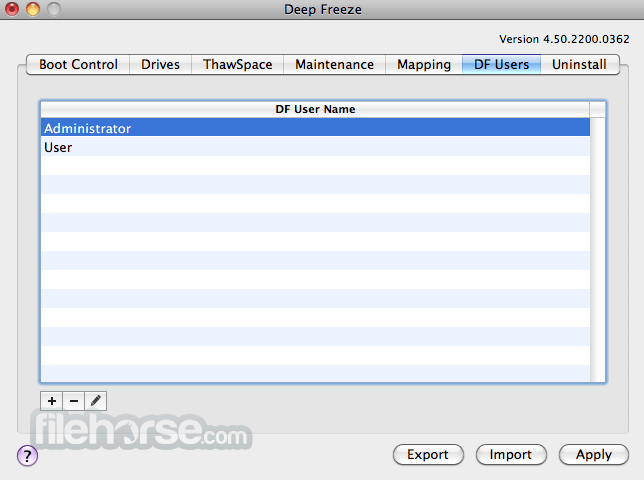
- Monitor and control via the Deep Freeze interface
- Uninstall to remove and disable freeze protection
macOS 10.14 Mojave or later
Intel or Apple Silicon Mac
At least 1 GB RAM
10 MB free disk space
Administrator privileges required
PROS
- Protects system against unwanted changes
- Easy recovery from user errors or malware
- Ideal for shared or public Macs
- No performance impact when frozen
- Supports scheduled maintenance windows
- No native file-level exclusions
- No protection for external volumes
- Requires reboot to enter thaw mode
- Limited remote management on Mac
Also Available: Download Deep Freeze for Windows
Download Deep Freeze for Mac Latest Version Why is this app published on FileHorse? (More info)
##
畫面截圖