- 目前版本11.15.0
- 更新日期2026-06-26
- 檔案大小106 MB
- 檔案名稱DivXInstaller.dmg
- 作業系統macOS 10.14 Mojave or later
- 支援語系English
- 授權型式免費軟體
- 開發商 DivX, LLC
- 軟體分類Mac 軟體 / 影片軟體
##
翻譯排程處理中,以下暫以英文原文呈現
軟體介紹
DivX Software for Mac is the first of its kind, award-winning video software that lets anyone play, create and stream their favorite videos, including DivX, MKV and HEVC up to 4K.
A free download of DivX software delivers a software media player, video converter, DLNA media server and web player extension as well as free trials of plug-ins that take your video and audio experience to the next level.
Features
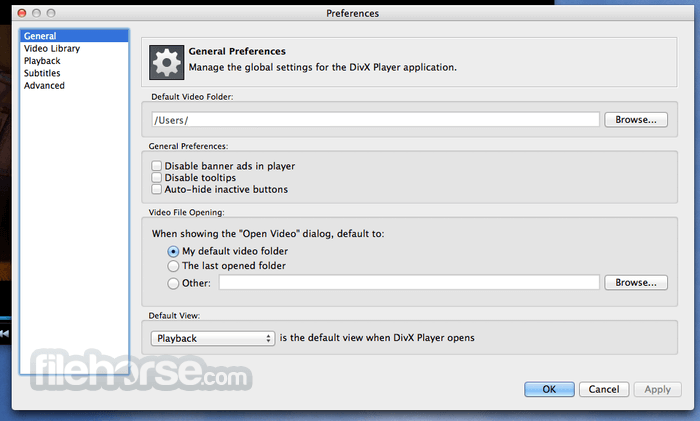
DivX Player
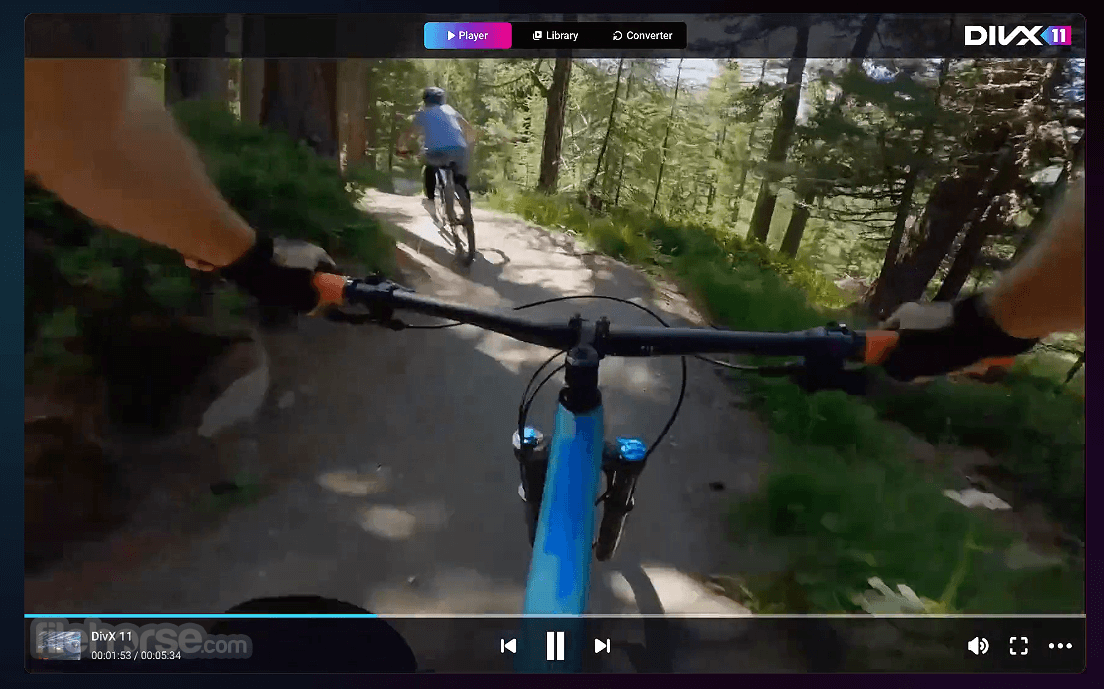
DivX Player is a software media player that delivers high-quality playback of videos in popular formats, including HEVC up to 4K. Transfer videos to disc or USB with DivX To Go or easily stream videos to nearby devices with “Stream To” and “Cast To” functions.
DivX Converter
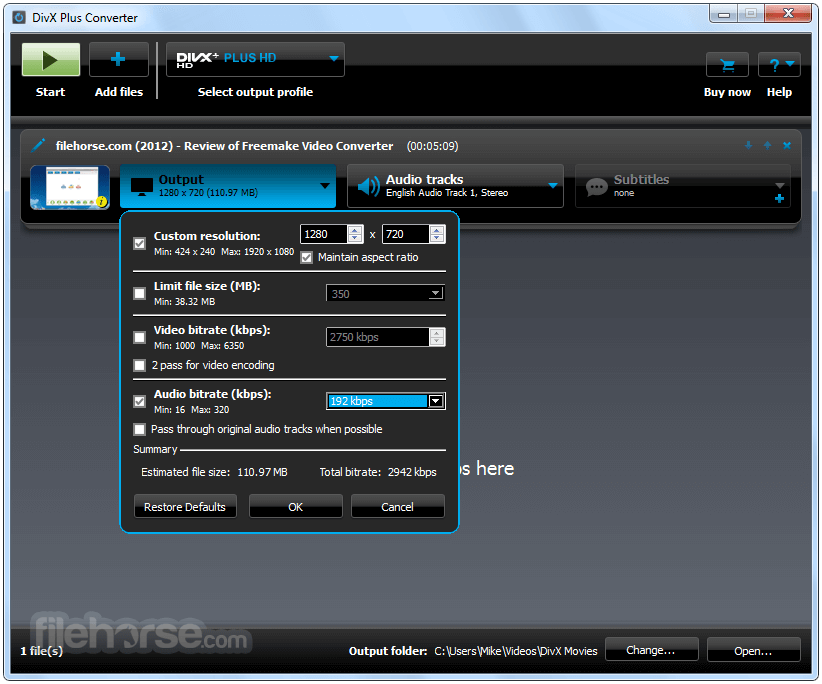
DivX Converter for macOS is an easy video converter that creates videos in the web’s most popular video formats DivX, MKV, MP4 and HEVC to 4K. Converting videos into DivX ensures your files will play on more than 1 billion DivX devices.
DivX Web Player
DivX Web Player for Mac is a simple cross-browser web extension that streams all popular video formats, including HEVC video up to 4K, with progressive playback, adaptive bitrate and experimental live streaming technologies.
DivX Media Server
With DivX Media Server for Mac you can stream videos, music and photos to any DLNA-compatible device or Chromecast in your home. Accessible through DivX Player, choose “Stream To” for your DLNA devices or “Cast To” to stream to Chromecast.
Video Pack
Video Pack adds support to DivX Converter for MPEG-2 and VC-1 video formats. MPEG-2 formats (MPG, TS, VOB and SVCD) give you major file size savings, especially for all those DVDs taking up space on your shelves. VC-1 formats (M2TS and TS) provide file savings for high definition Blu-ray video in DivX Converter.
Dolby Audio™ Edition
DivX Player and DivX Web Player with Dolby Audio for Mac give your computer support for AC3 audio format and the simulation of surround sound speakers for a powerful and captivating audio experience. With Dolby® technology integrated into a special edition of DivX players, you hear home theater-quality audio from the digital sound used for broadcast, DVDs, Blu-ray discs and more.
DFX Audio Enhancer
The DFX Audio Enhancer for Mac is an audio plug-in that improves the quality of your video’s soundtracks by enabling or adjusting different audio effects.
How to Use
macOS 10.13 High Sierra or later
Intel-based Mac (Apple Silicon via Rosetta not guaranteed)
At least 1 GB of RAM
200 MB free disk space for installation
Internet connection for activation and updates
PROS
Download DivX Software for Mac Latest Version Why is this app published on FileHorse? (More info)
A free download of DivX software delivers a software media player, video converter, DLNA media server and web player extension as well as free trials of plug-ins that take your video and audio experience to the next level.
Features
DivX Player
DivX Player is a software media player that delivers high-quality playback of videos in popular formats, including HEVC up to 4K. Transfer videos to disc or USB with DivX To Go or easily stream videos to nearby devices with “Stream To” and “Cast To” functions.
DivX Converter
DivX Converter for macOS is an easy video converter that creates videos in the web’s most popular video formats DivX, MKV, MP4 and HEVC to 4K. Converting videos into DivX ensures your files will play on more than 1 billion DivX devices.
DivX Web Player
DivX Web Player for Mac is a simple cross-browser web extension that streams all popular video formats, including HEVC video up to 4K, with progressive playback, adaptive bitrate and experimental live streaming technologies.
DivX Media Server
With DivX Media Server for Mac you can stream videos, music and photos to any DLNA-compatible device or Chromecast in your home. Accessible through DivX Player, choose “Stream To” for your DLNA devices or “Cast To” to stream to Chromecast.
Video Pack
Video Pack adds support to DivX Converter for MPEG-2 and VC-1 video formats. MPEG-2 formats (MPG, TS, VOB and SVCD) give you major file size savings, especially for all those DVDs taking up space on your shelves. VC-1 formats (M2TS and TS) provide file savings for high definition Blu-ray video in DivX Converter.
Dolby Audio™ Edition
DivX Player and DivX Web Player with Dolby Audio for Mac give your computer support for AC3 audio format and the simulation of surround sound speakers for a powerful and captivating audio experience. With Dolby® technology integrated into a special edition of DivX players, you hear home theater-quality audio from the digital sound used for broadcast, DVDs, Blu-ray discs and more.
DFX Audio Enhancer
The DFX Audio Enhancer for Mac is an audio plug-in that improves the quality of your video’s soundtracks by enabling or adjusting different audio effects.
How to Use
- Install the package by following the on-screen instructions
- Launch DivX Player or DivX Converter from Applications folder
- Use DivX Player to play DivX, AVI, MKV, and MP4 files
- Drag and drop videos into the Converter to change formats
- Adjust encoding settings for resolution, bitrate, and audio
- Use DivX Media Server to stream videos to other devices
- Sign in to enable DivX Pro features (if purchased)
- Burn videos to disc using DivX Converter's burn feature
macOS 10.13 High Sierra or later
Intel-based Mac (Apple Silicon via Rosetta not guaranteed)
At least 1 GB of RAM
200 MB free disk space for installation
Internet connection for activation and updates
PROS
- Supports multiple video formats
- Includes a video converter tool
- Allows video streaming via DLNA
- Good compression with DivX codec
- Option to upgrade to DivX Pro features
- Installer includes optional bundled offers
- Free version has ads and limited features
- Apple Silicon support not native
- Limited subtitle format compatibility
- Occasional crashes reported on newer macOS versions
Download DivX Software for Mac Latest Version Why is this app published on FileHorse? (More info)
##
畫面截圖