⚠ 這是歷史版本頁面 — 查看 djay 最新版本 →

- 目前版本Pro 2.2
- 更新日期2020-05-19
- 檔案大小261.07 MB
- 檔案名稱djay_Pro_2.2.zip
- 作業系統macOS 15.0 Sequoia or later
- 支援語系English
- 授權型式未分類
- 開發商 Algoriddim GmbH
- 軟體分類Mac 軟體 / 音訊軟體
##
編輯短評
djay 是 Algoriddim 推出的 DJ 混音軟體,主打與音樂資料庫的深度整合,讓使用者能快速存取曲庫並即時混音。它的現代化介面搭配高解析度波形、四軌混音、音訊效果、影片混音與硬體整合,是功能相當完整的表演工具。這套軟體在 Mac 平台上持續獲得更新,評價普遍不錯,在同類音訊軟體中屬於有一定聲量的熱門選擇,但還不到壓倒性的主流地位。
如果你已經熟悉 DJ 器材、想在 Mac 上進行現場混音或錄製混音帶,djay 會是很順手的選擇;它與音樂資料庫的整合特別適合曲庫龐大的使用者。相較於 Serato DJ Pro 或 Logic Pro,djay 的取捨在於它更偏重直覺操作與視覺化介面,而非專業製作的深度功能。要注意的是目前僅提供英文介面,且授權方式未明確分類,下載前建議先確認是否符合你的使用需求。
##
翻譯排程處理中,以下暫以英文原文呈現
軟體介紹
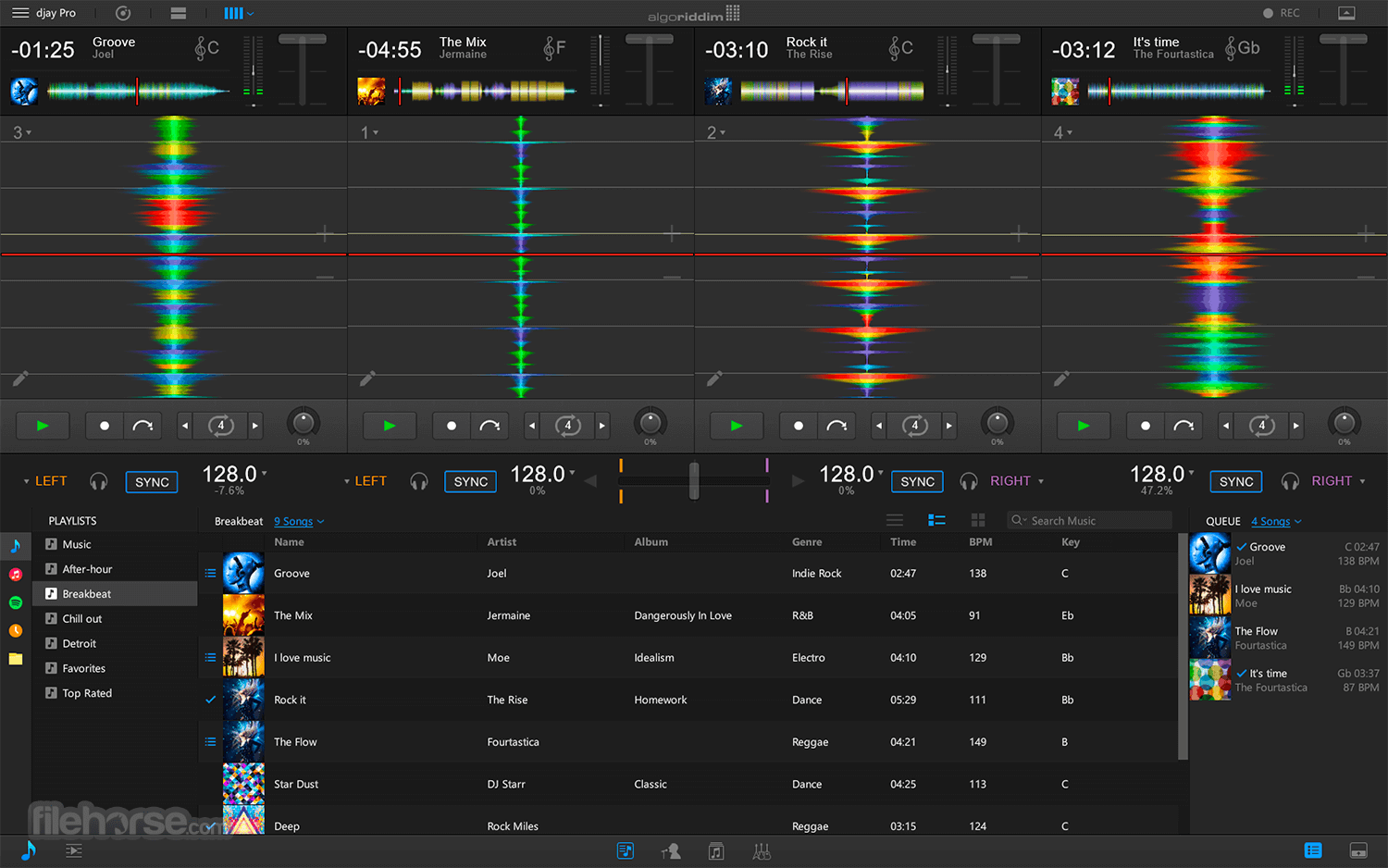
djay Pro for Mac is the next generation of Algoriddim’s multiple award-winning DJ software. Its unique, modern interface is built around a sophisticated integration with your music library, giving you instant access to your favorite music.
Pristine sound quality and a powerful set of features including high-definition waveforms, four decks, audio effects, video mixing, and hardware integration give you the endless creative flexibility to take your sets to new heights. Enjoy!
New in djay Pro for macOS is an advanced library management system that is built around a sophisticated integration with your music library, Videos, Photos, and the file system. djay Pro now also offers its own playlists that make music management easier than ever.
djay Pro introduces powerful library editing features that make music management easier than ever. Create your own custom playlists using songs from iTunes and the file system.
To help you organize playlists and quickly locate songs, It includes a powerful Smart Filter. With 12 different criteria, you can create rules that display exactly what you need, either to create permanent playlists or to temporarily find a specific song.
In library split mode you can view your songs from iTunes and Finder side by side. This allows you to manage songs from multiple sources in parallel and with unprecedented efficiency and flexibility. In this powerful track preparation view, you are presented with an even bigger library and a large single deck view, ideal for preparing cue points, loops, and beat grids.
Lean back and automate your sets in advance with stunning transitions. Using machine learning and training sets from human DJs, Automix AI intelligently identifies rhythmic patterns and the best intro and outro sections of songs. Automix AI calculates optimal fade durations and automatically applies parameter changes to EQs and filters for a seamless transition.
At the heart, djay Pro is an innovative DJ Software with a modern user interface that provides flexible layers of functionality alongside a powerful music library into a single-window interface.
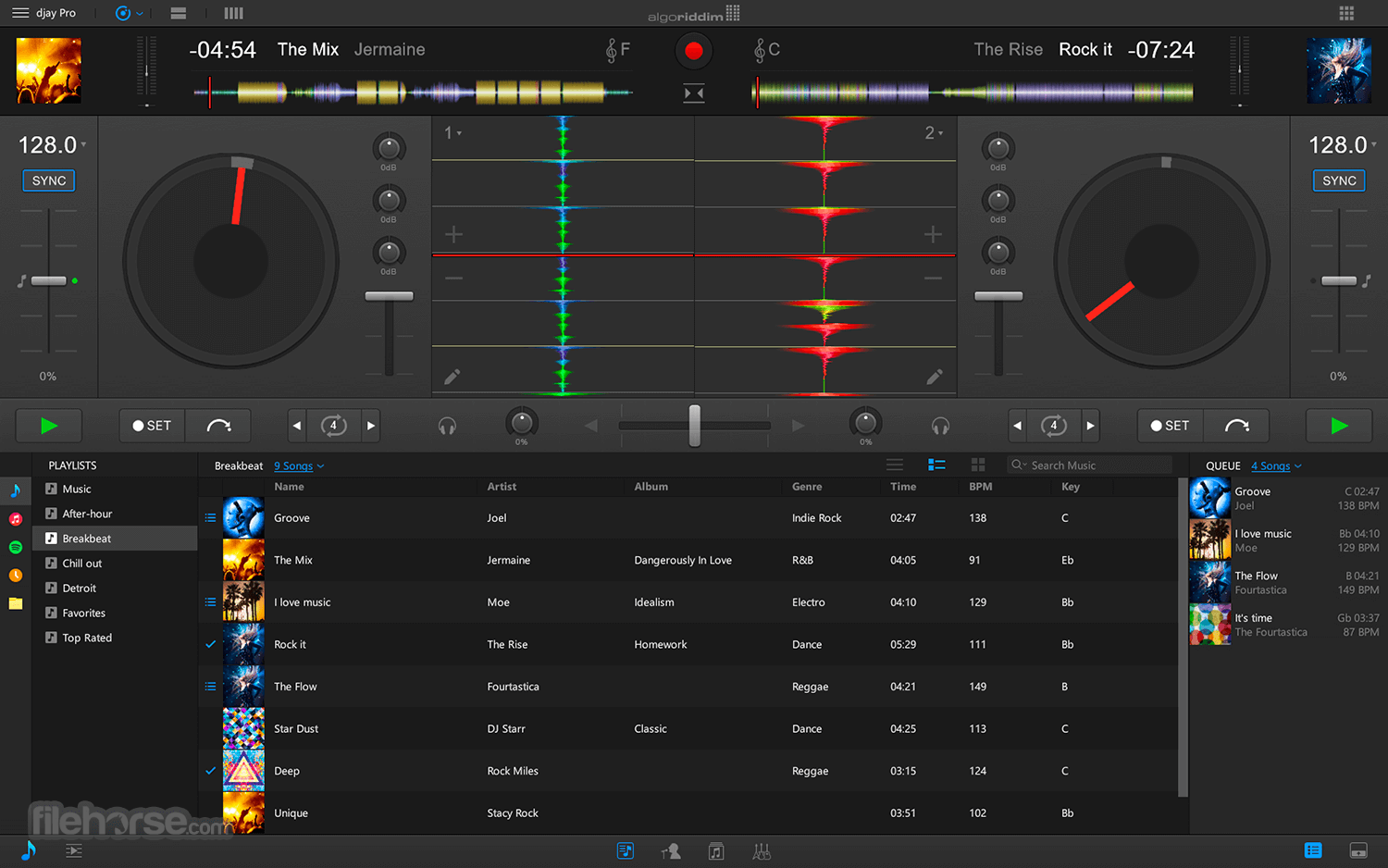
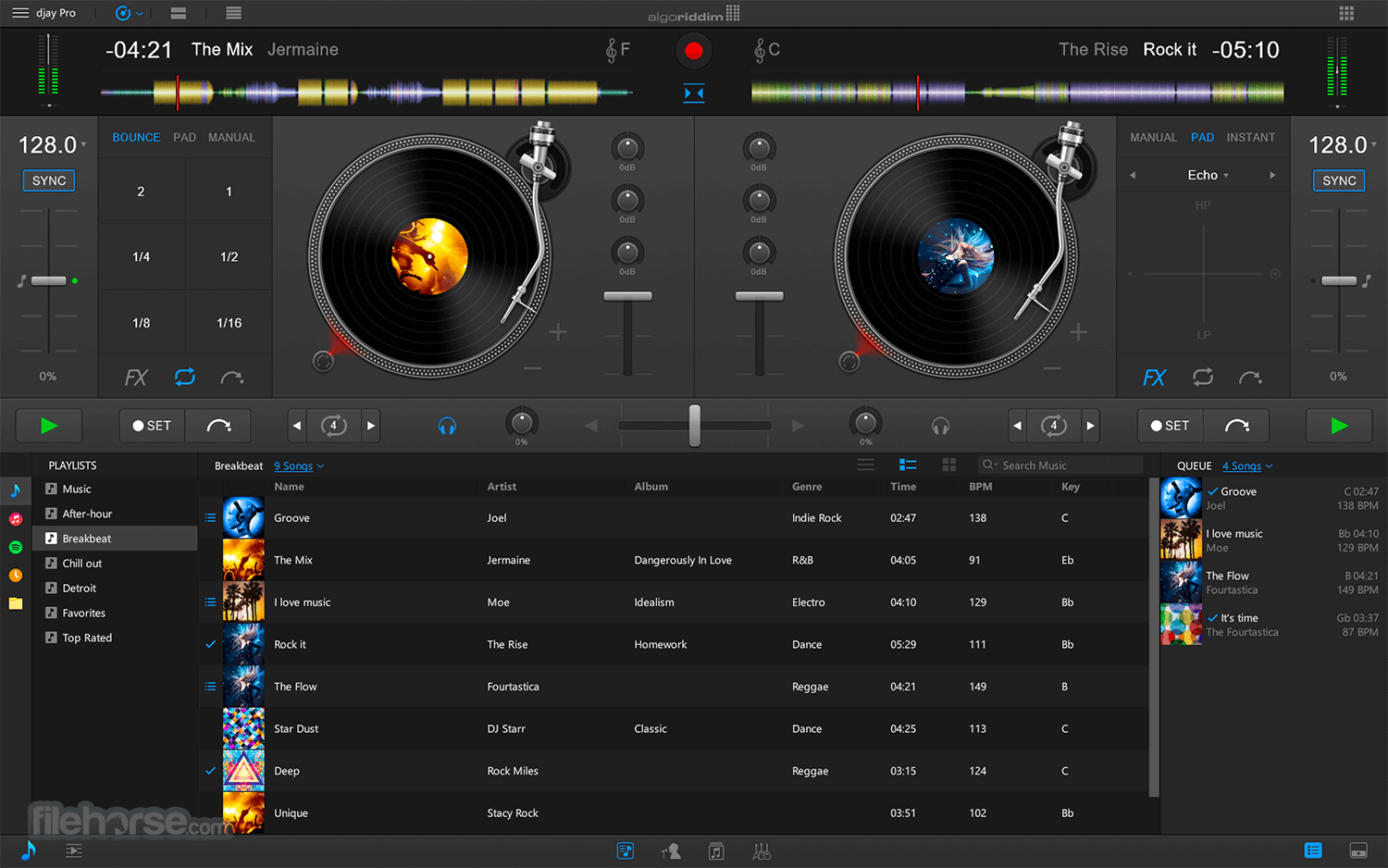
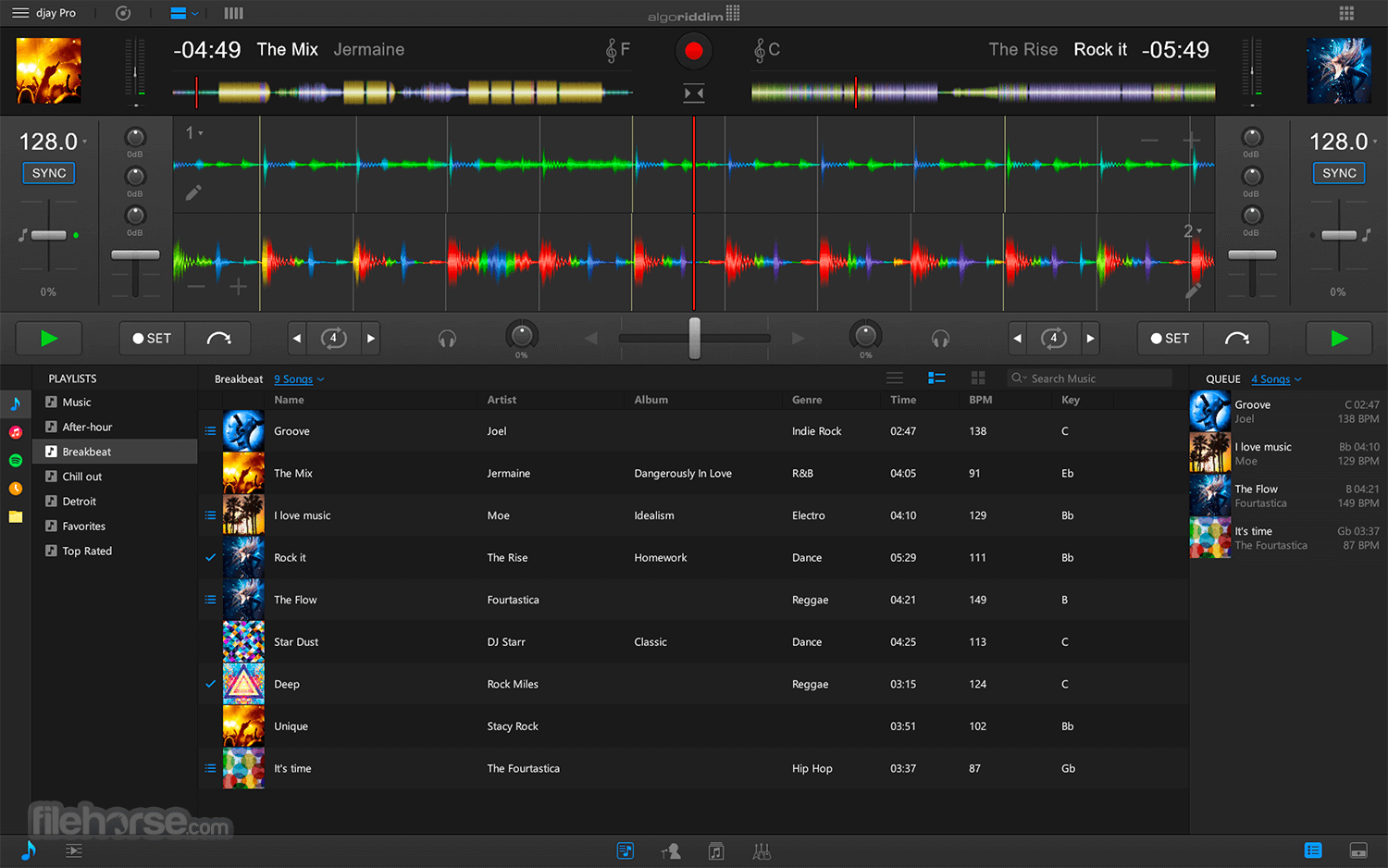
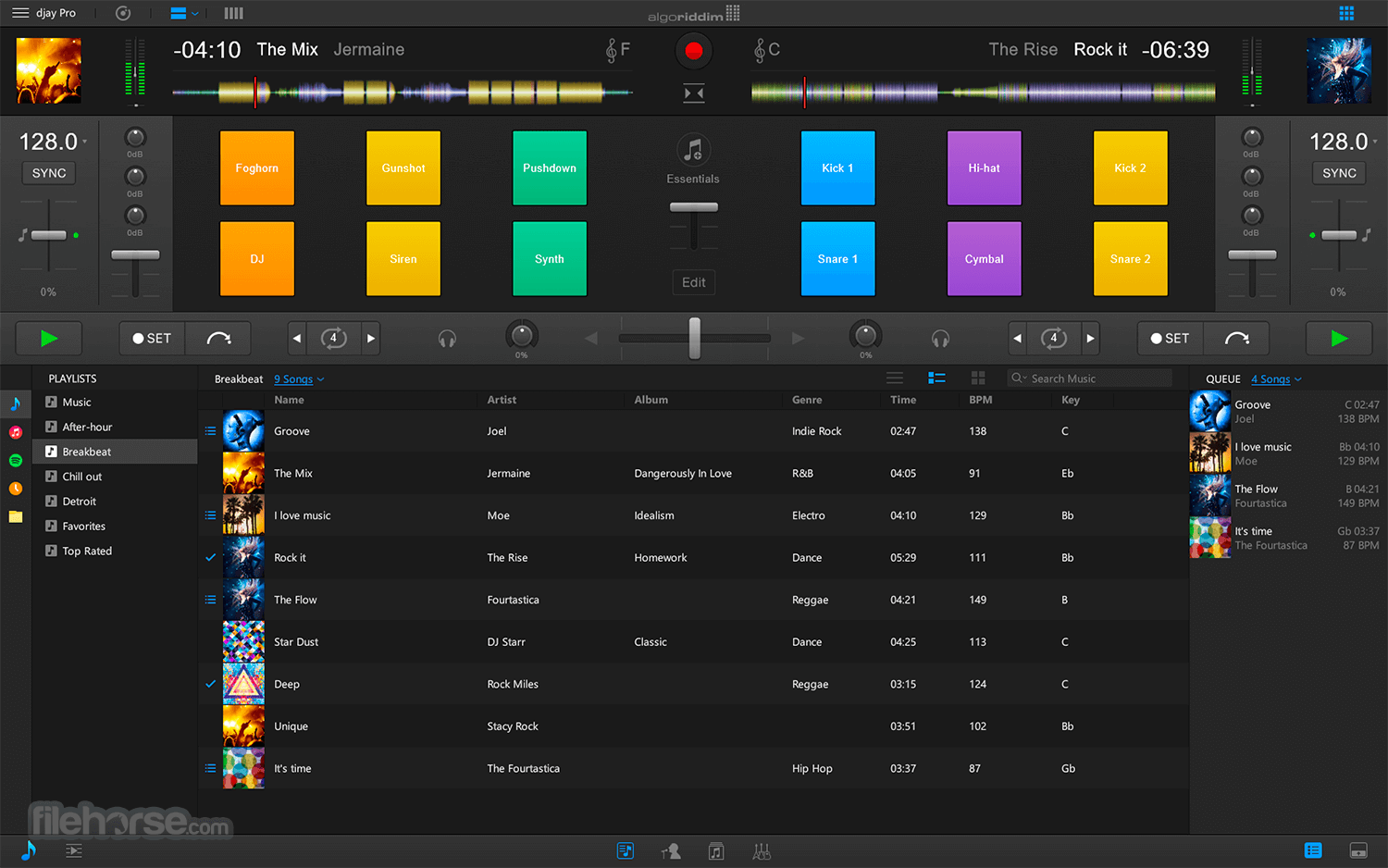
It combines djay’s Apple Design Award-winning turntable view that renders true record grooves on the virtual vinyl with more advanced modes including horizontal and vertical colored waveforms, live sampler and drum pads, FX racks, as well as a powerful four deck view that allows DJs to play, mix and synchronize up to four tracks simultaneously.
The program integrates seamlessly with existing professional DJ hardware. In addition to supporting over 50 MIDI controllers by Pioneer, Numark, Reloop, and other manufacturers out of the box, It also includes an advanced MIDI Learn system.
It enables you to map each hardware control on your device to individual actions in djay Pro and customize your setup to match your style and performance needs.
The app is compatible with any Mac running macOS 10.11 or later. To use songs from iCloud in djay Pro, please download them first via iTunes. DRM-protected songs are not supported.
How to Use
macOS 10.14 or later
Intel or Apple Silicon (M1/M2/M3) Mac
4 GB RAM (8 GB recommended)
1 GB available disk space
Graphics card with Metal support
Internet connection for streaming features
PROS
Also Available: Download djay Pro for Windows
Download djay Pro for Mac Latest Version Why is this app published on FileHorse? (More info)
Pristine sound quality and a powerful set of features including high-definition waveforms, four decks, audio effects, video mixing, and hardware integration give you the endless creative flexibility to take your sets to new heights. Enjoy!
New in djay Pro for macOS is an advanced library management system that is built around a sophisticated integration with your music library, Videos, Photos, and the file system. djay Pro now also offers its own playlists that make music management easier than ever.
djay Pro introduces powerful library editing features that make music management easier than ever. Create your own custom playlists using songs from iTunes and the file system.
To help you organize playlists and quickly locate songs, It includes a powerful Smart Filter. With 12 different criteria, you can create rules that display exactly what you need, either to create permanent playlists or to temporarily find a specific song.
In library split mode you can view your songs from iTunes and Finder side by side. This allows you to manage songs from multiple sources in parallel and with unprecedented efficiency and flexibility. In this powerful track preparation view, you are presented with an even bigger library and a large single deck view, ideal for preparing cue points, loops, and beat grids.
Lean back and automate your sets in advance with stunning transitions. Using machine learning and training sets from human DJs, Automix AI intelligently identifies rhythmic patterns and the best intro and outro sections of songs. Automix AI calculates optimal fade durations and automatically applies parameter changes to EQs and filters for a seamless transition.
At the heart, djay Pro is an innovative DJ Software with a modern user interface that provides flexible layers of functionality alongside a powerful music library into a single-window interface.
It combines djay’s Apple Design Award-winning turntable view that renders true record grooves on the virtual vinyl with more advanced modes including horizontal and vertical colored waveforms, live sampler and drum pads, FX racks, as well as a powerful four deck view that allows DJs to play, mix and synchronize up to four tracks simultaneously.
The program integrates seamlessly with existing professional DJ hardware. In addition to supporting over 50 MIDI controllers by Pioneer, Numark, Reloop, and other manufacturers out of the box, It also includes an advanced MIDI Learn system.
It enables you to map each hardware control on your device to individual actions in djay Pro and customize your setup to match your style and performance needs.
The app is compatible with any Mac running macOS 10.11 or later. To use songs from iCloud in djay Pro, please download them first via iTunes. DRM-protected songs are not supported.
How to Use
- Install and launch the application
- Connect your DJ controller or use keyboard/mouse
- Load tracks from iTunes, TIDAL, SoundCloud, or local files
- Use the 2 or 4-deck view for mixing tracks
- Apply FX, loops, and samples in real time
- Automix playlists for seamless transitions
- Use Neural Mix to isolate vocals, drums, or instruments
- Record your set directly from the interface
- Save, export, or share your mix when finished
macOS 10.14 or later
Intel or Apple Silicon (M1/M2/M3) Mac
4 GB RAM (8 GB recommended)
1 GB available disk space
Graphics card with Metal support
Internet connection for streaming features
PROS
- Neural Mix separates stems live
- Smooth integration with music libraries
- Support for many DJ controllers
- High-quality built-in audio FX
- Clean, intuitive user interface
- Full features require paid version
- Learning curve for new DJs
- Occasional controller mapping issues
- Some features need fast hardware
- Limited customization of layout
Also Available: Download djay Pro for Windows
Download djay Pro for Mac Latest Version Why is this app published on FileHorse? (More info)
##
畫面截圖
- 2026-08-05 djay 5.6.8
- 2020-10-19 djay Pro 2.2.8 260.87 MB
- 2020-10-08 djay Pro 2.2.7 261.17 MB
- 2020-09-17 djay Pro 2.2.6 261.14 MB
- 2020-08-27 djay Pro 2.2.5 261.11 MB
- 2020-08-12 djay Pro 2.2.4 261.11 MB
- 2020-07-30 djay Pro 2.2.3 261.09 MB
- 2020-06-08 djay Pro 2.2.2 261.06 MB