- 目前版本2026.07.3
- 更新日期2026-07-17
- 檔案大小138 MB
- 檔案名稱Dragonframe_2026.07.3.pkg
- 作業系統macOS 10.14 Mojave or later
- 支援語系English
- 授權型式商業試用
- 開發商 DZED Systems
- 軟體分類Mac 軟體 / 影片軟體
##
翻譯排程處理中,以下暫以英文原文呈現
軟體介紹
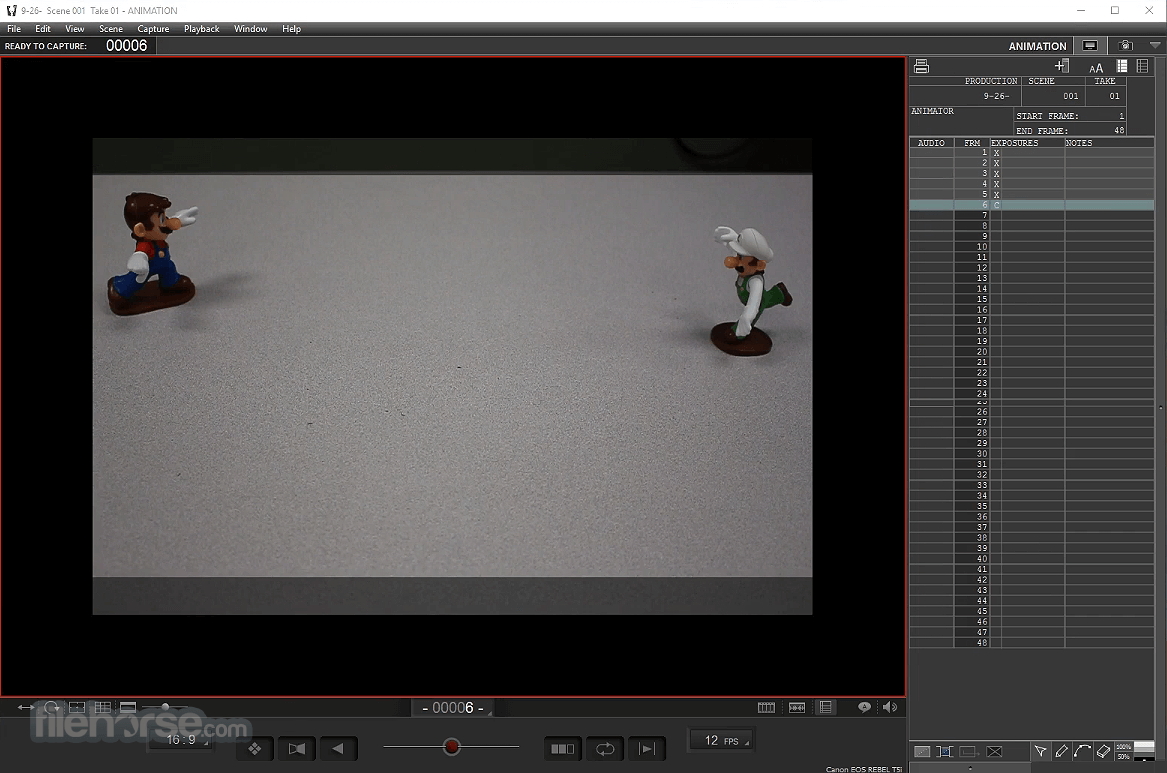
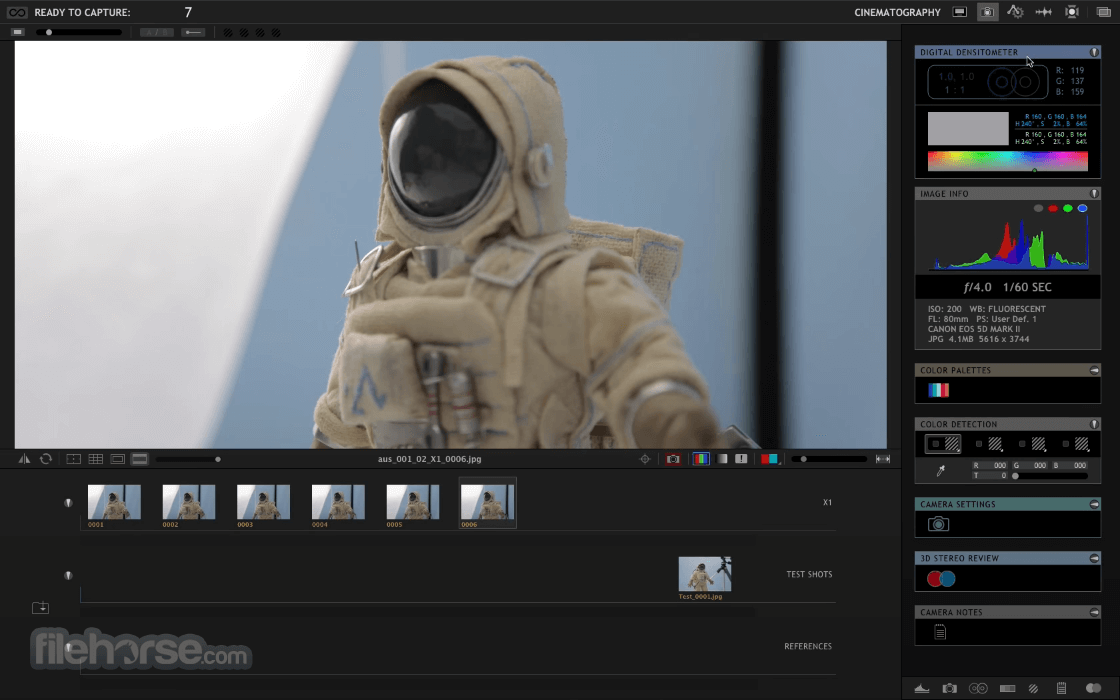
Put Dragonframe for Mac at the heart of your next stop motion film! Bring your animation to life. Professional on-screen tools for precise movements.
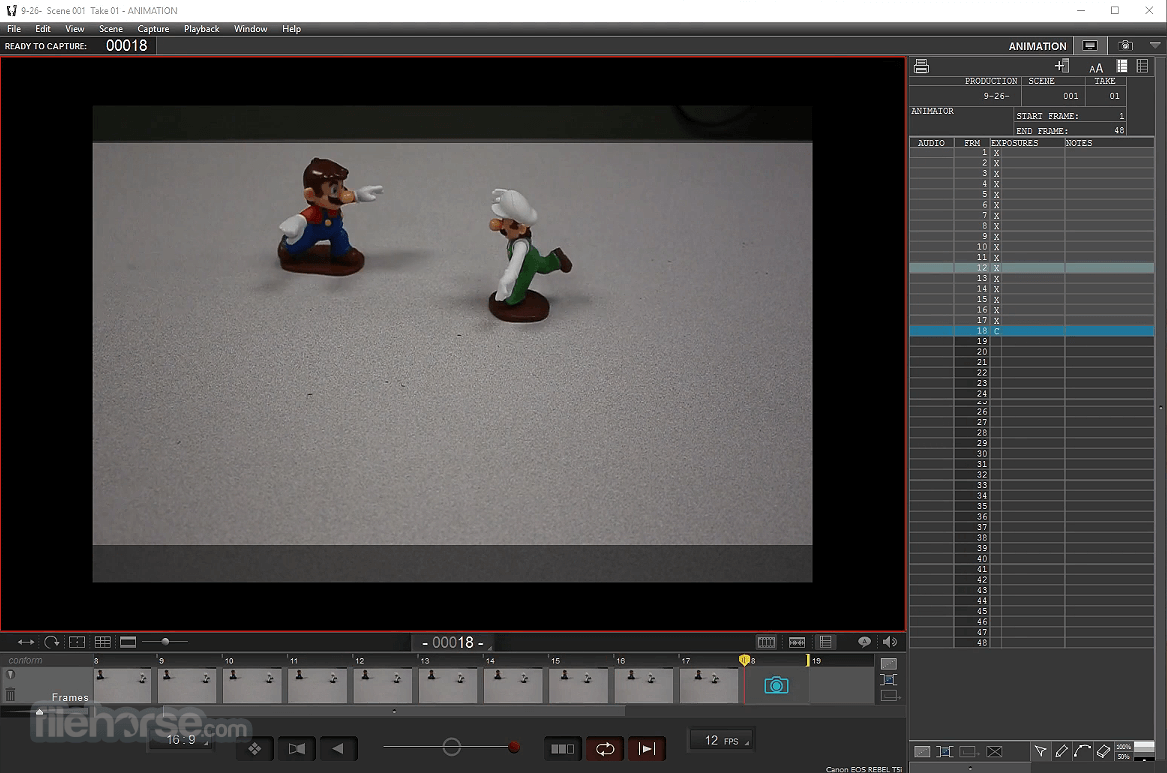
Step, play, capture, repeat. Compose and light the perfect shot with camera controls, test shots, and advanced image review tools. Import and edit multiple audio tracks.
Perform dialogue track reading for multiple characters. Program animated lighting with simple keyframes. Automate work lights for the animator. Simple front light/backlight programming. Use the intuitive graphical interface to program advanced camera moves.
Features and Highlights
ANIMATE YOUR WAY
Step directly between live view and captured frames or switch to auto-toggle. Loop playback to get the sense of movement you’re aiming for. The playback and stepping functions are fully customizable for your needs.
REFERENCE MATERIAL
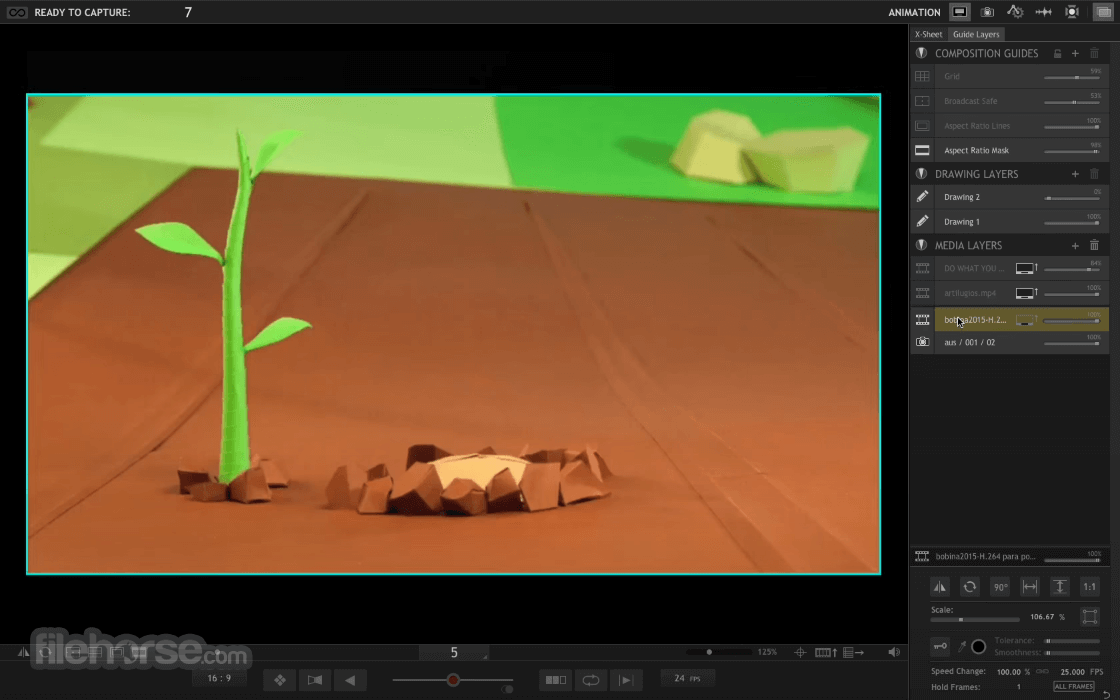
Load multiple reference stills or videos and view them with your animation. Blend them with opacity, pull a chromakey (blue screen), and even assign a garbage matte to see just the part you want. Pop-out reference videos into a synchronized player if you want it off to the side.
KEYPAD CONTROLS
With the Dragonframe for Mac keypad, you can stay focused on animating instead of hunting around with the mouse. And the hotkeys are fully configurable, so if you really like a feature that is not on the keypad, you can move it there.
CAMERA CONTROLS
Set camera settings such as shutter speed, ISO and white balance directly from the program. Check and adjust the focus with Canon, Nikon, Olympus or Fujifilm cameras. Take test shots and get your shot right, before you start.
COMPOSITION GUIDES
Compose for multiple formats with confidence. Create custom aspect ratio masks. Combine masks with TV-safe guides. Add grid overlays for help with composition. Add a push-in mask to allow post-production push-in or panning.
IMAGE REVIEW
Check images at full-resolution. Check for over or underexposed areas with the clipping view. Load images from other scenes to compare exposure and composition. Compare image contrast with the Digital Densitometer.
MULTI-TRACK EDITING
Import multiple audio tracks and make basic edits. Split tracks and drag segments to adjust the timing on the fly. You can even move waveforms and character track readings together, to keep them in sync.
DIALOGUE TRACK READING
Create characters, scrub through your audio, and assign words and phonetics for all your dialogue. View this data while animating, in the X-Sheet, Timeline, or Audio HUD.
LIGHTING, AUTOMATED
Control up to 512 lighting channels in conjunction with DDMX-512, DMC-16 or DMC+. You define your lighting program before you shoot, and then watch as the app controls your lights during the shot, leaving your animators to focus on animating.
KEYFRAME SMOOTHING
Define your lighting program with keyframes. Adjust the smoothness in each direction with a simplified “bezier” handle—giving you a large degree of control while maintaining an efficient programming interface.
CUSTOM EXPOSURE LIGHTING
It’s easy to create custom lighting programs for different exposures. You can customize the exposure’s lighting program directly, or create a new program for one or more exposures to share.
MOTION CONTROL, INTEGRATED
Integrated motion control means that you can program camera moves and lighting effects from within the same system. It means that you can quickly preview moves using the same camera you will be animating with. It means that the lighting and motion control will be in the right place, at the right time. So if the animator needs to reshoot a few frames, Dragon frame for macOS can safely move the rig back into the proper position, every time.
MOVE TESTS
Once you’ve programmed a move, you’ll want to test it out. Run a move test within the Arc workspace and see how it looks. The moving test captures video assist frames only, in order to speed up the test process. On a long move, you can reshoot just the section you’re working on. You’ll have the move perfected in record time.
HARDWARE INTEGRATION
You can use a wide range of hardware, from the do-it-yourself Arduino-based DFMoco sketch to off-the-shelf kits from the eMotimo or Slidekamera.
How to Use
macOS 10.13 High Sierra or later
Intel or Apple Silicon (M1/M2) processor
4 GB RAM minimum (8 GB or more recommended)
1920x1080 display or higher
Compatible DSLR or mirrorless camera
PROS
Also Available: Download Dragonframe for Windows
Download Dragonframe for Mac Latest Version Why is this app published on FileHorse? (More info)
Step, play, capture, repeat. Compose and light the perfect shot with camera controls, test shots, and advanced image review tools. Import and edit multiple audio tracks.
Perform dialogue track reading for multiple characters. Program animated lighting with simple keyframes. Automate work lights for the animator. Simple front light/backlight programming. Use the intuitive graphical interface to program advanced camera moves.
Features and Highlights
ANIMATE YOUR WAY
Step directly between live view and captured frames or switch to auto-toggle. Loop playback to get the sense of movement you’re aiming for. The playback and stepping functions are fully customizable for your needs.
REFERENCE MATERIAL
Load multiple reference stills or videos and view them with your animation. Blend them with opacity, pull a chromakey (blue screen), and even assign a garbage matte to see just the part you want. Pop-out reference videos into a synchronized player if you want it off to the side.
KEYPAD CONTROLS
With the Dragonframe for Mac keypad, you can stay focused on animating instead of hunting around with the mouse. And the hotkeys are fully configurable, so if you really like a feature that is not on the keypad, you can move it there.
CAMERA CONTROLS
Set camera settings such as shutter speed, ISO and white balance directly from the program. Check and adjust the focus with Canon, Nikon, Olympus or Fujifilm cameras. Take test shots and get your shot right, before you start.
COMPOSITION GUIDES
Compose for multiple formats with confidence. Create custom aspect ratio masks. Combine masks with TV-safe guides. Add grid overlays for help with composition. Add a push-in mask to allow post-production push-in or panning.
IMAGE REVIEW
Check images at full-resolution. Check for over or underexposed areas with the clipping view. Load images from other scenes to compare exposure and composition. Compare image contrast with the Digital Densitometer.
MULTI-TRACK EDITING
Import multiple audio tracks and make basic edits. Split tracks and drag segments to adjust the timing on the fly. You can even move waveforms and character track readings together, to keep them in sync.
DIALOGUE TRACK READING
Create characters, scrub through your audio, and assign words and phonetics for all your dialogue. View this data while animating, in the X-Sheet, Timeline, or Audio HUD.
LIGHTING, AUTOMATED
Control up to 512 lighting channels in conjunction with DDMX-512, DMC-16 or DMC+. You define your lighting program before you shoot, and then watch as the app controls your lights during the shot, leaving your animators to focus on animating.
KEYFRAME SMOOTHING
Define your lighting program with keyframes. Adjust the smoothness in each direction with a simplified “bezier” handle—giving you a large degree of control while maintaining an efficient programming interface.
CUSTOM EXPOSURE LIGHTING
It’s easy to create custom lighting programs for different exposures. You can customize the exposure’s lighting program directly, or create a new program for one or more exposures to share.
MOTION CONTROL, INTEGRATED
Integrated motion control means that you can program camera moves and lighting effects from within the same system. It means that you can quickly preview moves using the same camera you will be animating with. It means that the lighting and motion control will be in the right place, at the right time. So if the animator needs to reshoot a few frames, Dragon frame for macOS can safely move the rig back into the proper position, every time.
MOVE TESTS
Once you’ve programmed a move, you’ll want to test it out. Run a move test within the Arc workspace and see how it looks. The moving test captures video assist frames only, in order to speed up the test process. On a long move, you can reshoot just the section you’re working on. You’ll have the move perfected in record time.
HARDWARE INTEGRATION
You can use a wide range of hardware, from the do-it-yourself Arduino-based DFMoco sketch to off-the-shelf kits from the eMotimo or Slidekamera.
How to Use
- Create a new scene and name your project
- Connect your camera via USB
- Use timeline to plan and preview shots
- Capture frames manually or with auto-timer
- Adjust exposure and lighting using camera controls
- Use onion skinning to align stop-motion frames
- Edit audio tracks and lip-sync dialogue
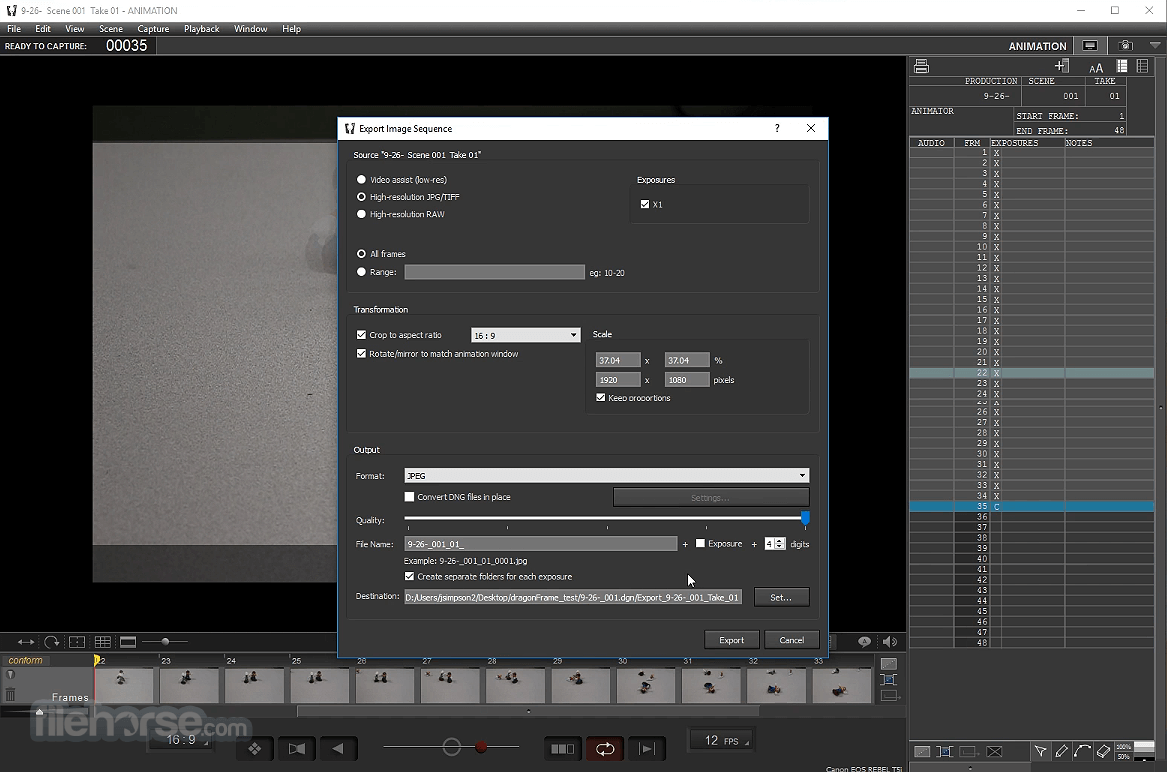
- Export animation in desired format (MOV, MP4, etc.)
macOS 10.13 High Sierra or later
Intel or Apple Silicon (M1/M2) processor
4 GB RAM minimum (8 GB or more recommended)
1920x1080 display or higher
Compatible DSLR or mirrorless camera
PROS
- Professional-grade stop-motion tools
- Onion skinning for precise animation
- Audio syncing with frame-accurate control
- Support for multiple camera types
- Integrated lighting and motion control
- Limited to stop-motion and time-lapse
- Requires compatible DSLR/camera
- No real-time rendering or 3D tools
- Premium price compared to basic apps
Also Available: Download Dragonframe for Windows
Download Dragonframe for Mac Latest Version Why is this app published on FileHorse? (More info)
##
畫面截圖