- 目前版本3.7.1
- 更新日期2025-11-12
- 檔案大小27.7 MB
- 檔案名稱DropDMG-3.7.1.dmg
- 作業系統Mac OS X 10.9 or later
- 支援語系English
- 授權型式商業試用
- 開發商 C-Command Software
- 軟體分類Mac 軟體 / 備份還原
##
翻譯排程處理中,以下暫以英文原文呈現
軟體介紹
DropDMG for Mac is the easiest way to create OS X disk images, which pack entire folders or disks into a single compressed file, either for transport across the Internet or simply for backup.
They are Apple's preferred format for distributing Mac software. Disk images are also the only archive format whose contents you can directly access in the Finder.
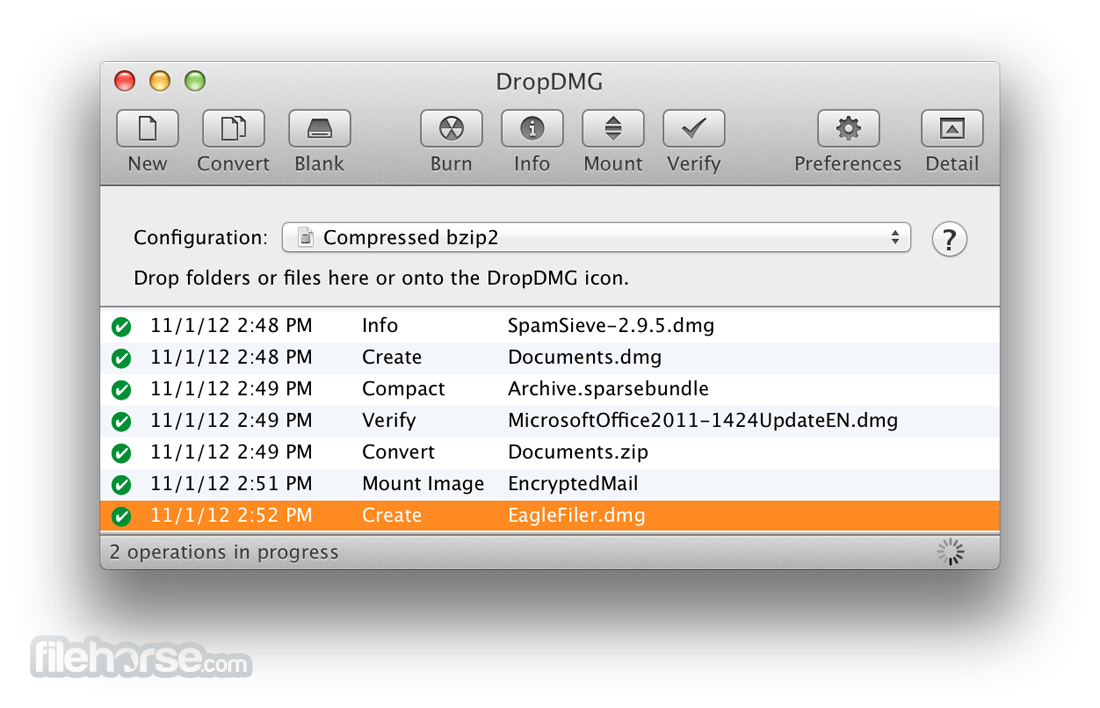
Just drag-and-drop a folder or file, and you're done. Or, you can drag an existing disk image or archive onto the app to convert it to any of the other supported formats or to burn it to CD or DVD.
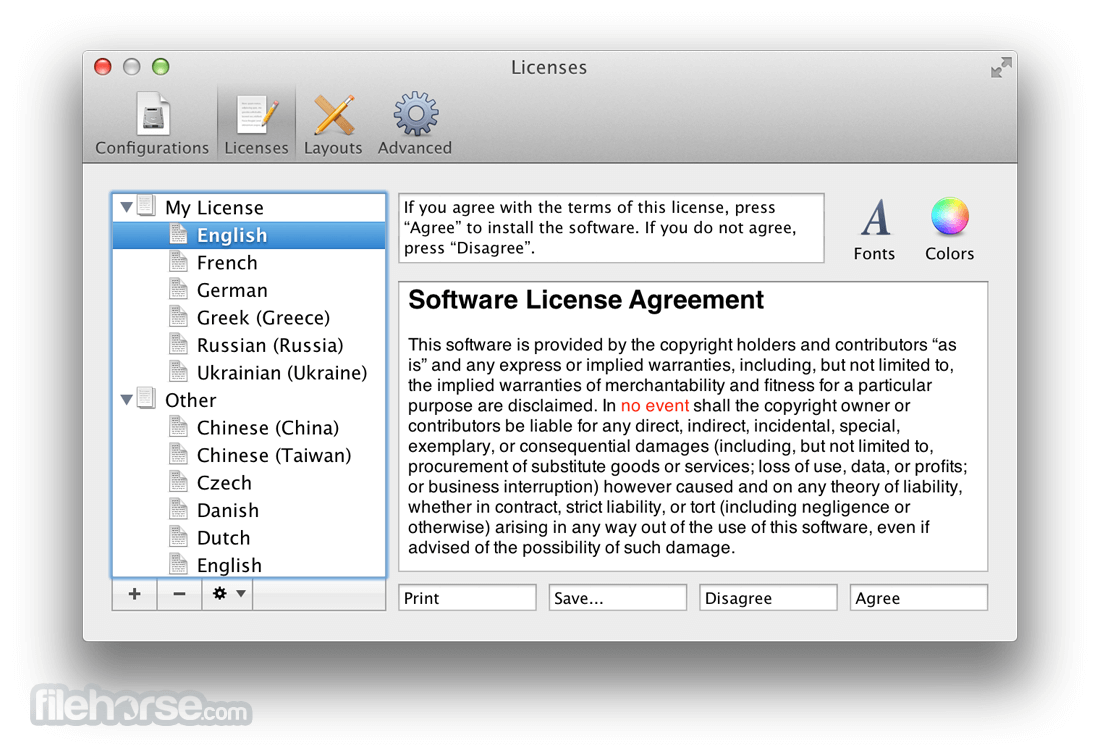
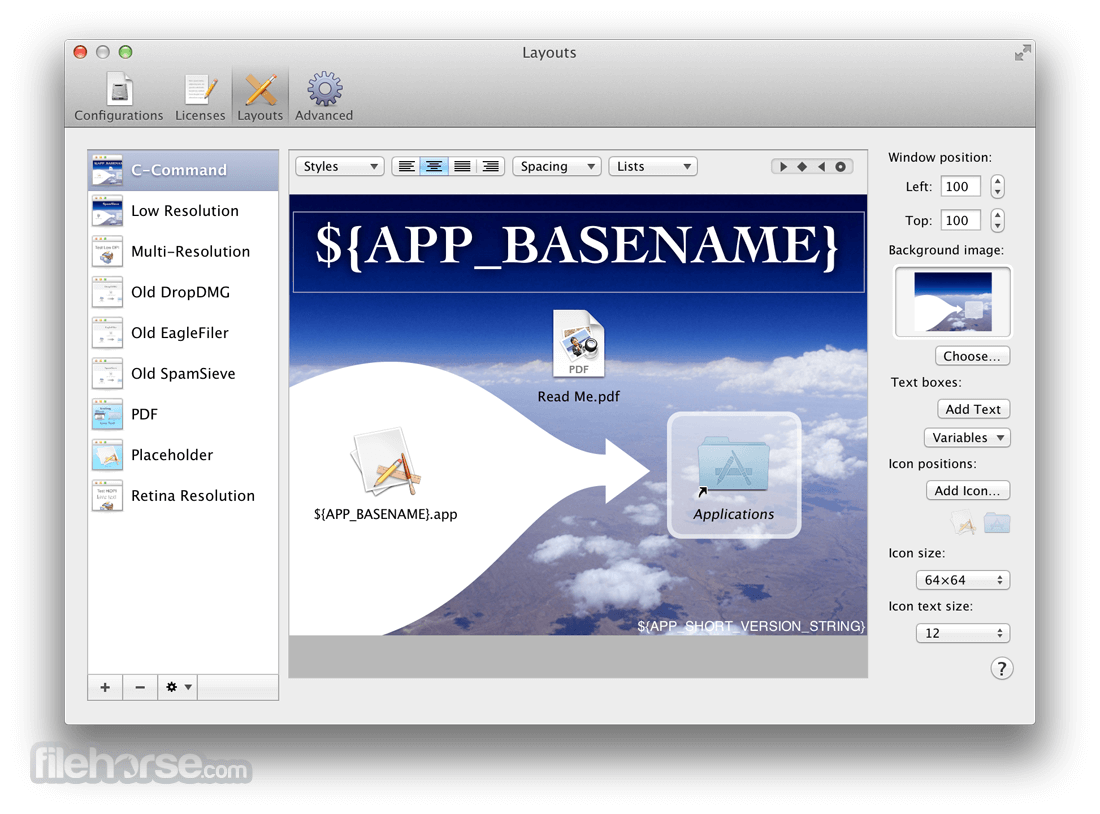
DropDMG for macOS supports advanced options such as signed, encrypted, and segmented disk images; WYSIWYG layout with background pictures and custom volume icons; and rich-text license agreements in multiple languages.
There are many time-saving features, and it can also be automated via AppleScript, the command-line, and Automator.
Features and Highlights
macOS 10.13 High Sierra or later
Intel or Apple Silicon (M1/M2/M3) Mac
20 MB of available disk space
Internet connection for updates and license
Admin privileges for installation
PROS
Download DropDMG for Mac Latest Version Why is this app published on FileHorse? (More info)
They are Apple's preferred format for distributing Mac software. Disk images are also the only archive format whose contents you can directly access in the Finder.
Just drag-and-drop a folder or file, and you're done. Or, you can drag an existing disk image or archive onto the app to convert it to any of the other supported formats or to burn it to CD or DVD.
DropDMG for macOS supports advanced options such as signed, encrypted, and segmented disk images; WYSIWYG layout with background pictures and custom volume icons; and rich-text license agreements in multiple languages.
There are many time-saving features, and it can also be automated via AppleScript, the command-line, and Automator.
Features and Highlights
- Just drag and drop a file or folder, and DropDMG automatically figures out what to do: create a disk image, convert to another format, join files, etc.
- Deliver your Mac application with a signed .dmg file, a localized software license agreement, a Retina-optimized background picture and precise icon layout with a link to the Applications folder, and a custom volume icon.
- Assign a password and create mini vaults, encrypted disk images that are more flexible than FileVault and secure your files with AES encryption on your choice of HFS+ or APFS file system. Compact sparse disk images to reclaim unused space.
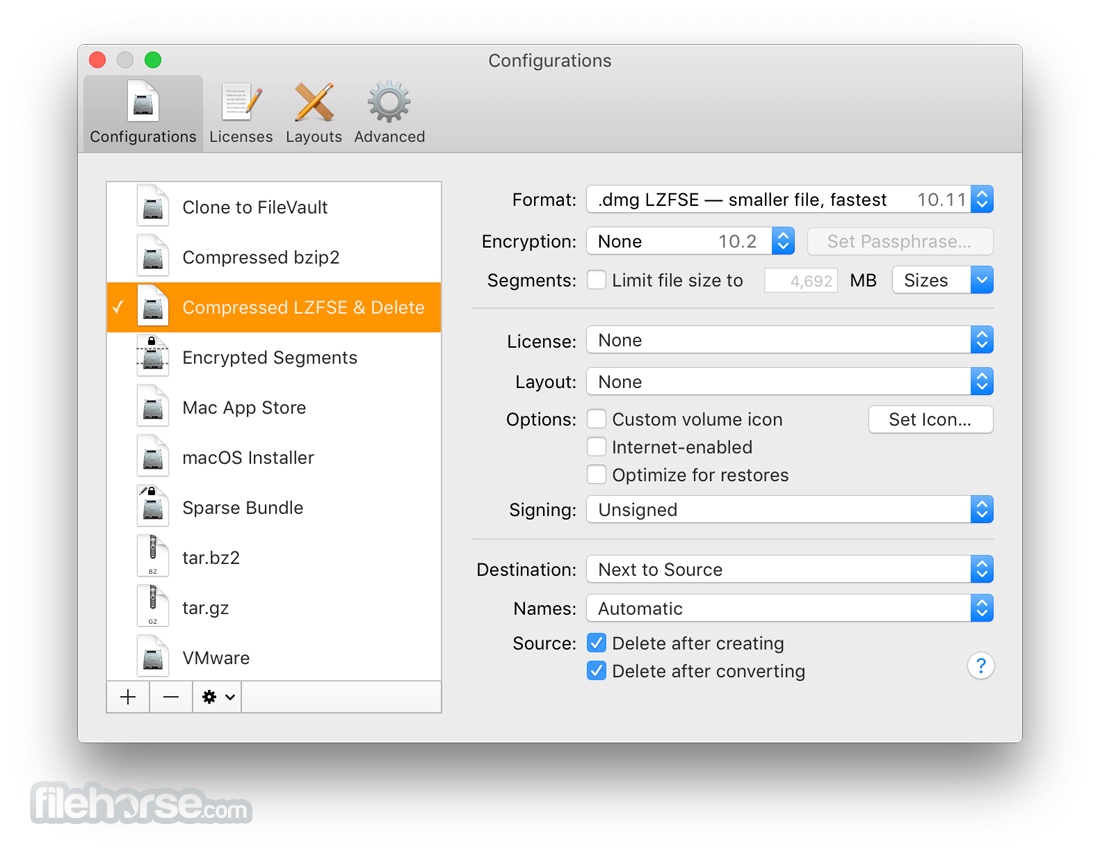
- Supports all the major formats, including compressed .dmg files (smaller than Disk Utility’s), the new LZFSE format, .sparsebundle files, .zip and .tar.gz archives, and hybrid disk images.
- Make backups and archives, encrypt them for safe off-site storage, and verify them to ensure that the media is still intact and that you’ll be able to restore them if needed.
- Quickly burn files, folders, or disk images to CD, DVD, or Blu-ray. Burn OS X installer DVDs. Multi-session support lets you add files to an existing CD.
- Create a device image clone of an entire hard drive, optimized for restoring using Apple Software Restore or Disk Utility.
- Optimized for multi-core processors and runs multiple operations simultaneously, so you can keep working while Drop DMG processes in the background.
- Launch the DropDMG app from the Applications folder
- Drag and drop files or folders into the DropDMG window
- Choose your desired disk image format and options
- Click "Start" to create the disk image
- Use the Preferences panel to customize settings
- Save configurations as reusable DropDMG configurations
- Verify or sign disk images if needed
- Burn the image to CD/DVD if required
- Access logs and history for previously created images
macOS 10.13 High Sierra or later
Intel or Apple Silicon (M1/M2/M3) Mac
20 MB of available disk space
Internet connection for updates and license
Admin privileges for installation
PROS
- Easy drag-and-drop interface
- Supports multiple image formats
- Reliable encryption options
- Automated image signing
- Saves reusable configurations
- No Windows version available
- Interface feels outdated
- Limited file compression options
- Not ideal for beginners
- Higher cost compared to alternatives
Download DropDMG for Mac Latest Version Why is this app published on FileHorse? (More info)
##
畫面截圖