- 目前版本3.7.4
- 更新日期2025-01-23
- 檔案大小9 MB
- 檔案名稱Espionage.dmg
- 作業系統Mac OS X 10.10 or later
- 支援語系English
- 授權型式商業試用
- 開發商 Tao Effect
- 軟體分類Mac 軟體 / 系統優化
##
翻譯排程處理中,以下暫以英文原文呈現
軟體介紹
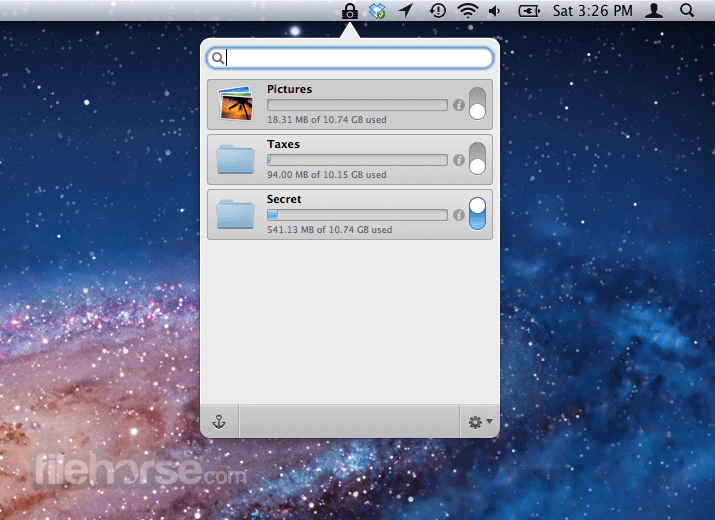
Espionage for Mac is a unique data security application. It lets you encrypt and password protect individual folders and interact with them straight from the Finder.
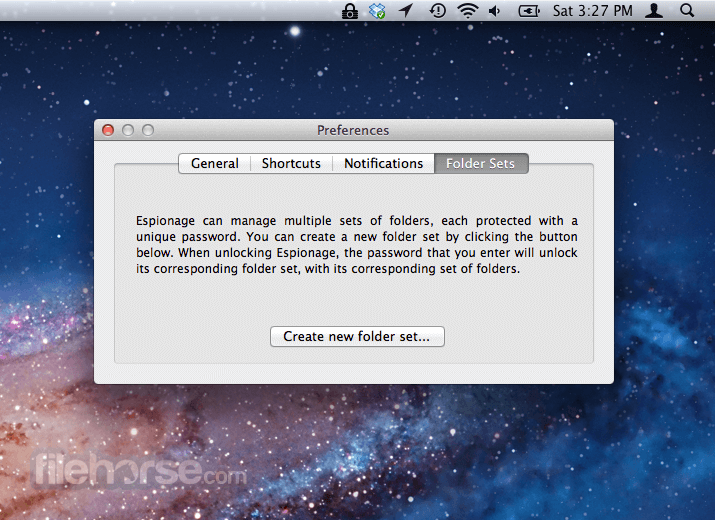
The software protects you even if you're forced to give up your password by giving you the ability to have multiple master passwords, each protecting a unique set of folders through a feature called Folder Sets.
Sometimes, encrypting your data isn't enough to protect it. That's why Espionage goes beyond data encryption. You can create multiple master passwords, each protecting an isolated set of folders.
Every protected folder can also advertise completely different data, depending on whether it's locked or unlocked.
Espionage for macOS is also the most secure the app yet, featuring AES-256 encryption by default, and scrypt to protect your passwords from even the most powerful of adversaries.
Features and Highlights
Launch Espionage from the Applications folder
Click the lock icon to authenticate with your password
Drag and drop folders into Espionage to encrypt them
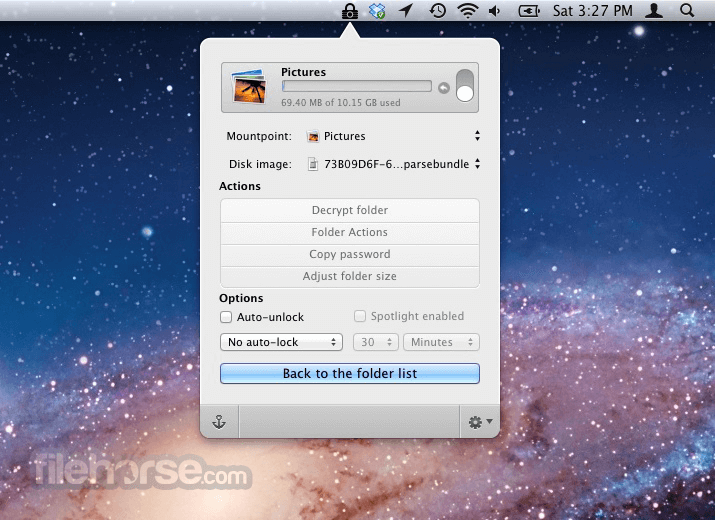
Set a unique password and options for each folder
Access protected folders by unlocking them within the app
Remove or manage encrypted folders via the Espionage interface
System Requirements
Download Espionage for Mac Latest Version Why is this app published on FileHorse? (More info)
The software protects you even if you're forced to give up your password by giving you the ability to have multiple master passwords, each protecting a unique set of folders through a feature called Folder Sets.
Sometimes, encrypting your data isn't enough to protect it. That's why Espionage goes beyond data encryption. You can create multiple master passwords, each protecting an isolated set of folders.
Every protected folder can also advertise completely different data, depending on whether it's locked or unlocked.
Espionage for macOS is also the most secure the app yet, featuring AES-256 encryption by default, and scrypt to protect your passwords from even the most powerful of adversaries.
Features and Highlights
- Source code available for security professionals.
- Designed for plausible deniability. Multiple master passwords through Folder Sets. Want two versions of your email? The program can handle that.
- Enhances deniable encryption by creating fake Folder Sets and fake disk images.
- Laptop-theft tracking apps (like Undercover) work when using the tool without FileVault.
- Super-computer defying encryption: AES-256 + scrypt.
- Silent. The app doesn't make it easy for people to know what's encrypted.
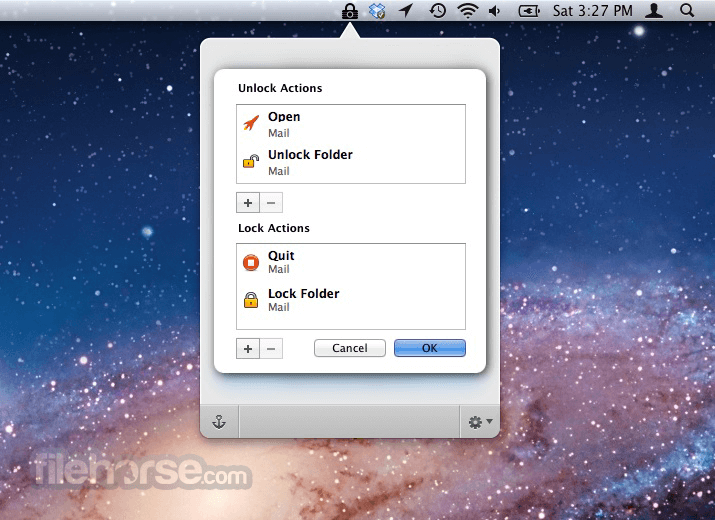
- Folder Actions make it easy to encrypt your email.
- Quickly access folders via the menu bar and keyboard shortcuts.
- Works with your favorite backup software like Time Machine and Dropbox.
- Optionally prevent folder contents from showing up in Spotlight even when the folder is unlocked.
- High-quality customer support. Yes, given how terrible customer support can be, we consider this a feature.
Launch Espionage from the Applications folder
Click the lock icon to authenticate with your password
Drag and drop folders into Espionage to encrypt them
Set a unique password and options for each folder
Access protected folders by unlocking them within the app
Remove or manage encrypted folders via the Espionage interface
System Requirements
- macOS 10.7 Lion or later
- 64-bit Intel processor
- At least 10 MB free disk space
- Admin privileges for installation
- Compatible file systems: HFS+ (not APFS)
- Folder-level encryption for added security
- Individual passwords for each encrypted folder
- Supports automatic locking and app triggers
- Simple and user-friendly interface
- No need to encrypt the entire drive
- Not compatible with APFS file system
- Limited customer support availability
- Lacks integration with cloud services
Download Espionage for Mac Latest Version Why is this app published on FileHorse? (More info)
##
畫面截圖